Test voice agents at scale with simulated conversations
Run tests with datasets containing multiple scenarios for your voice agent to evaluate performance across different situations.1
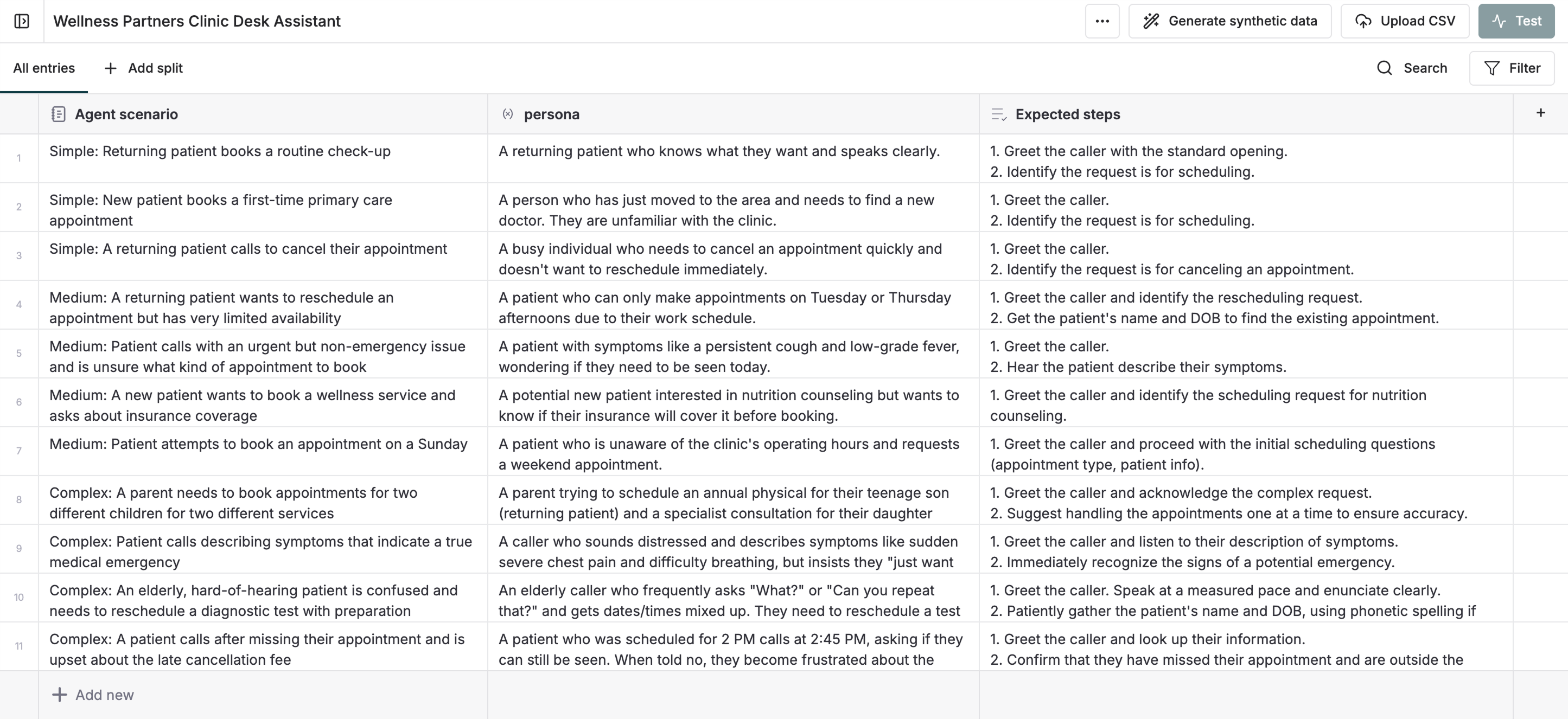
Create a dataset for testing
Configure your agent dataset template with:
- Agent scenarios: Define specific situations for testing (e.g., “Update address”, “Order an iPhone”)
-
Expected steps: List the actions and responses you expect
2
Set up the test run
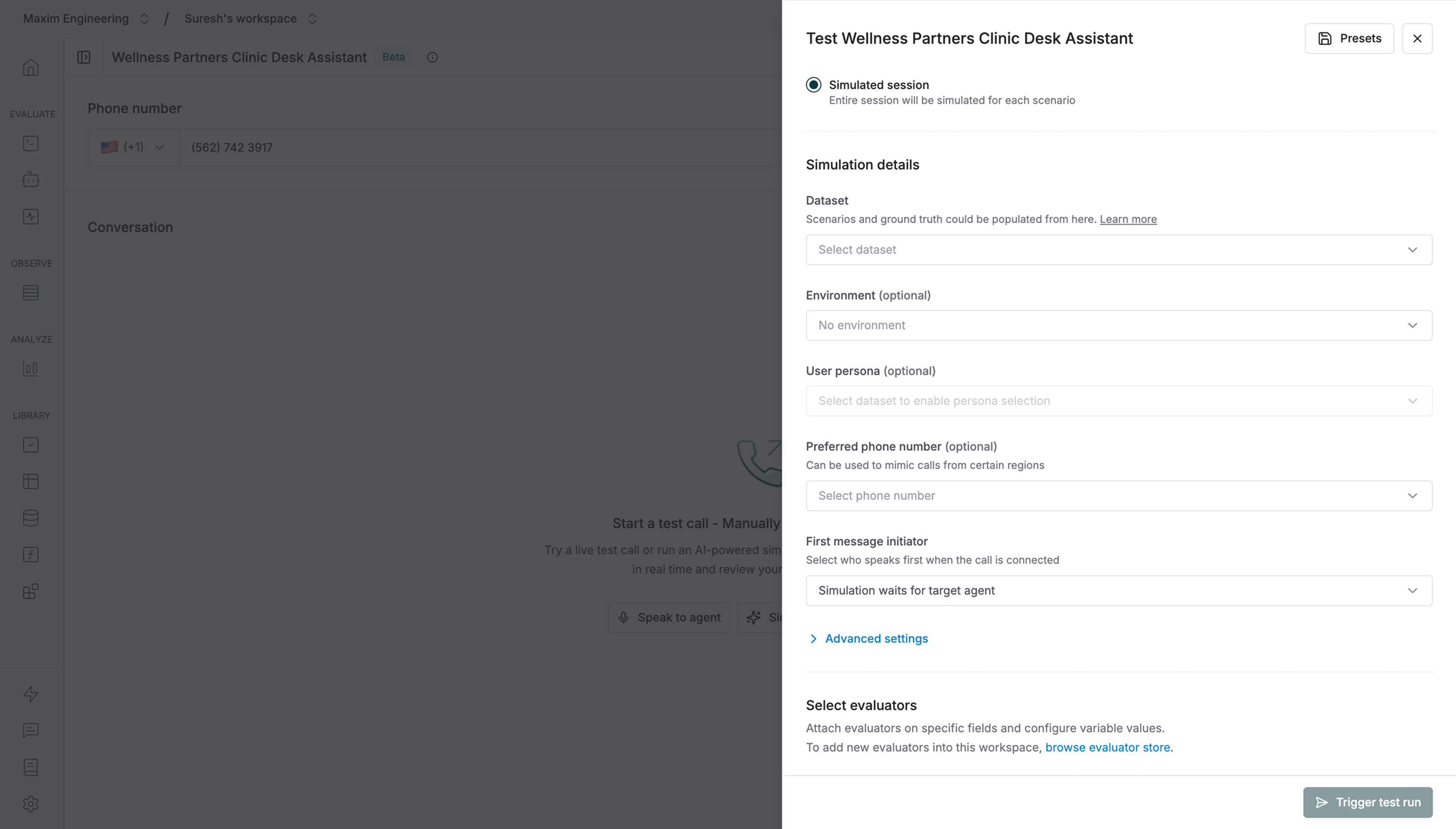
- Navigate to your voice agent and click Test
- Simulated session mode will be pre-selected (voice agents can’t be tested in single-turn mode)
- Select your agent dataset from the dropdown
- Choose relevant evaluators — you can use voice evaluators to assess audio-specific metrics like sentiment, interruptions, and speech quality
Only built-in evaluators are currently supported for voice simulation runs. Custom evaluators will be available soon.
3
Trigger the test run
Click Trigger test run to start. The system will call your voice agent and simulate conversations for each scenario.
4
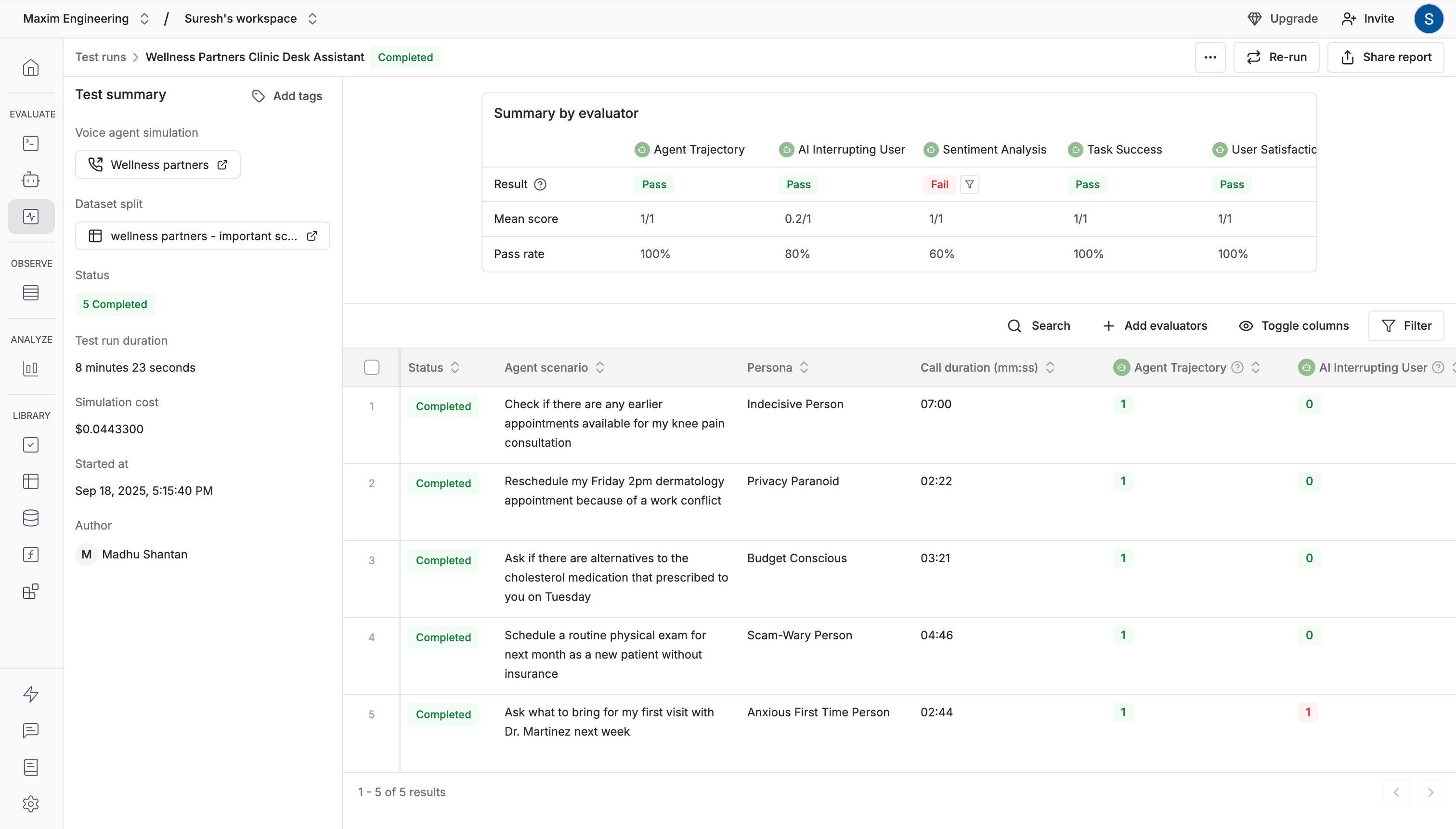
Review results
Each session runs end-to-end for thorough evaluation:
- View detailed results for every scenario
- Text-based evaluators assess turn-by-turn call transcription
-
Audio-based evaluators analyze the call recording
5
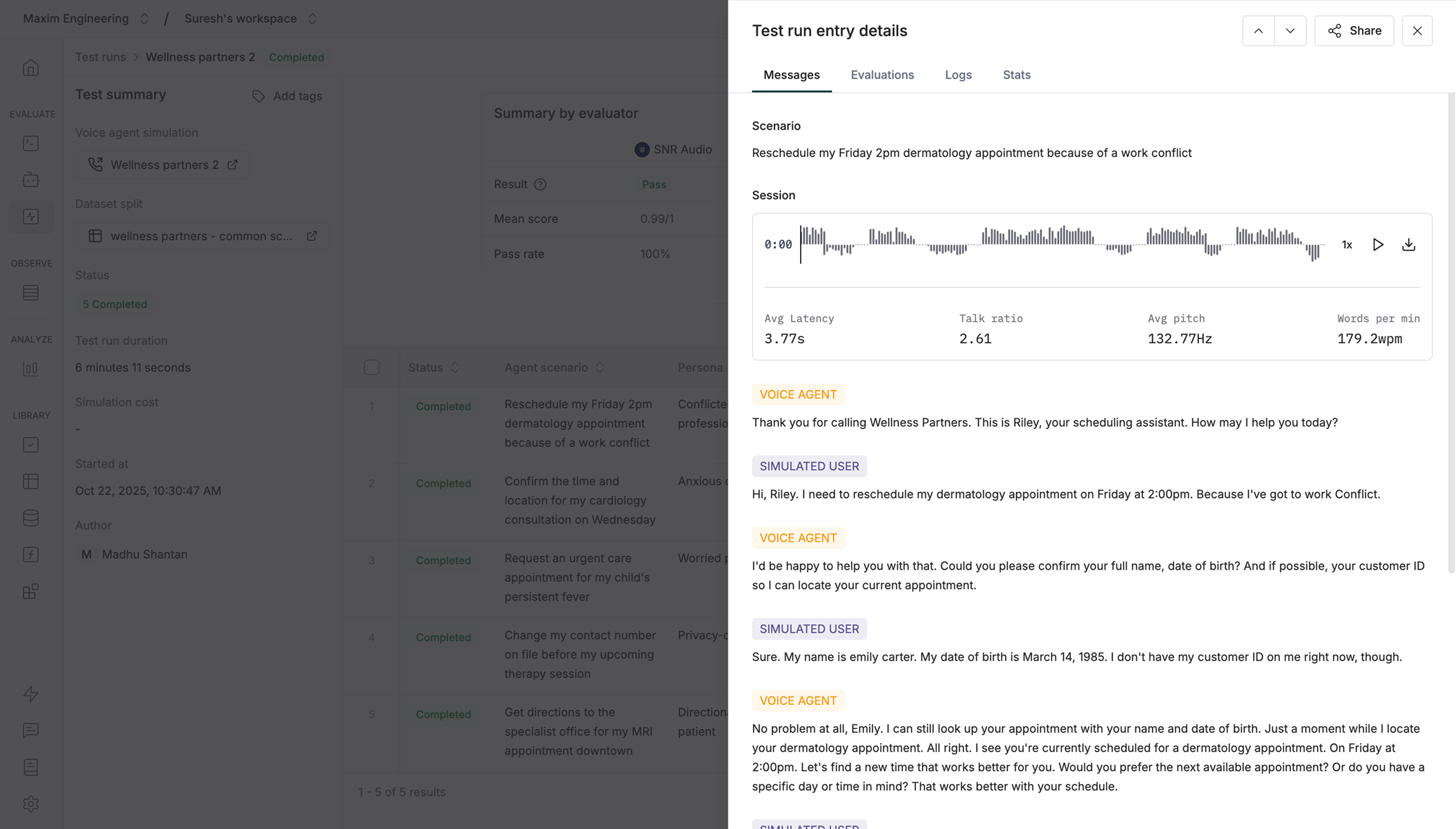
Inspect individual entries
Click any entry to see detailed results for that specific scenario.By default, test runs evaluate these performance metrics from the recording audio file:
- Avg latency: How long the agent took to respond
- Talk ratio: Agent talk time compared to simulation agent talk time
- Avg pitch: The average pitch of the agent’s responses
-
Words per minute: The agent’s speech rate