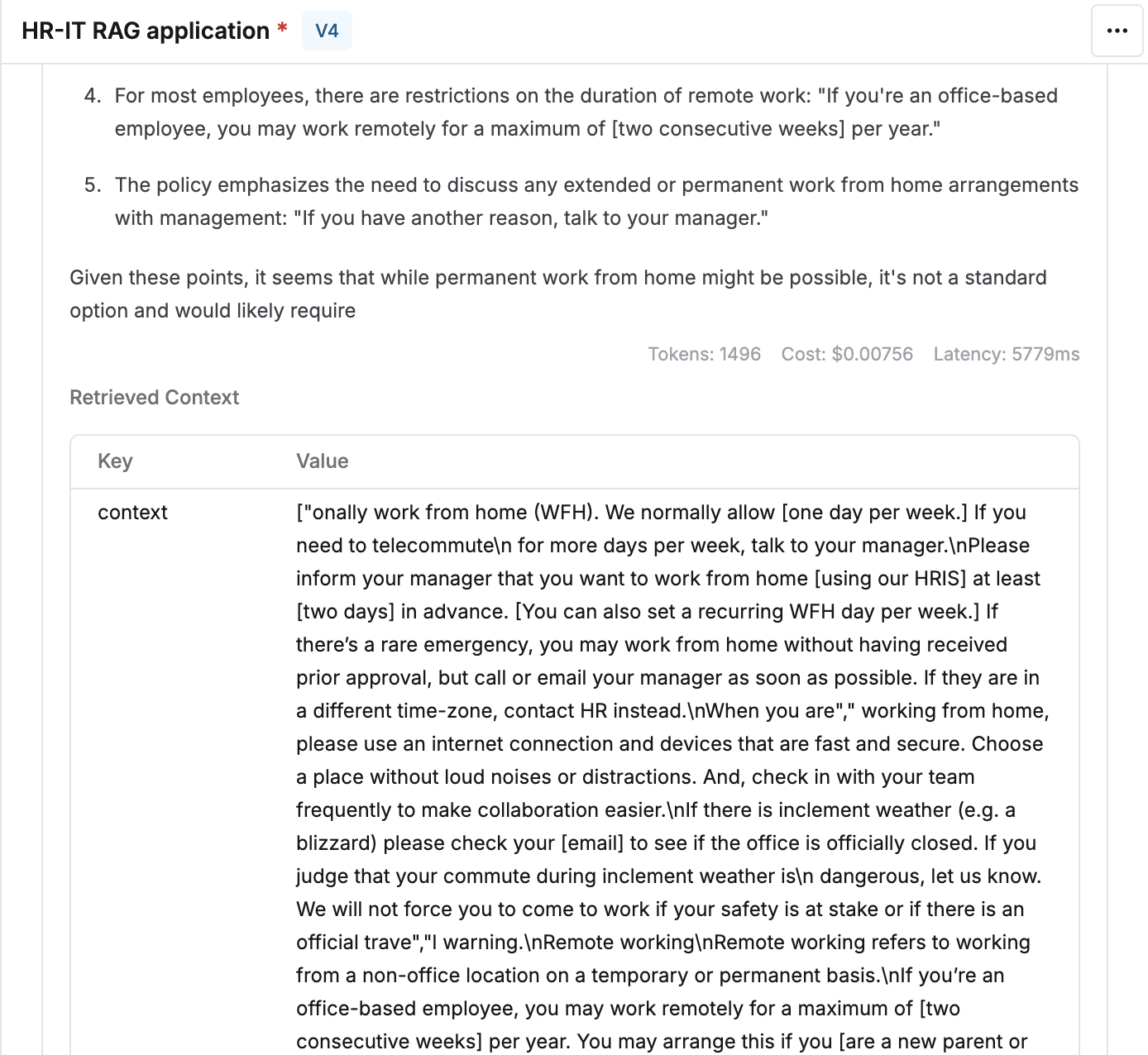
Fetch retrieved context while running prompts
To mimic the real output that your users would see when sending a query, it is necessary to consider what context is being retrieved and fed to the LLM. To make this easier in Maxim’s playground, we allow you to attach the Context Source and fetch the relevant chunks. Follow the steps given below to use context in the prompt playground.1
Create a Context Source
Create a new Context Source in the Library of type API.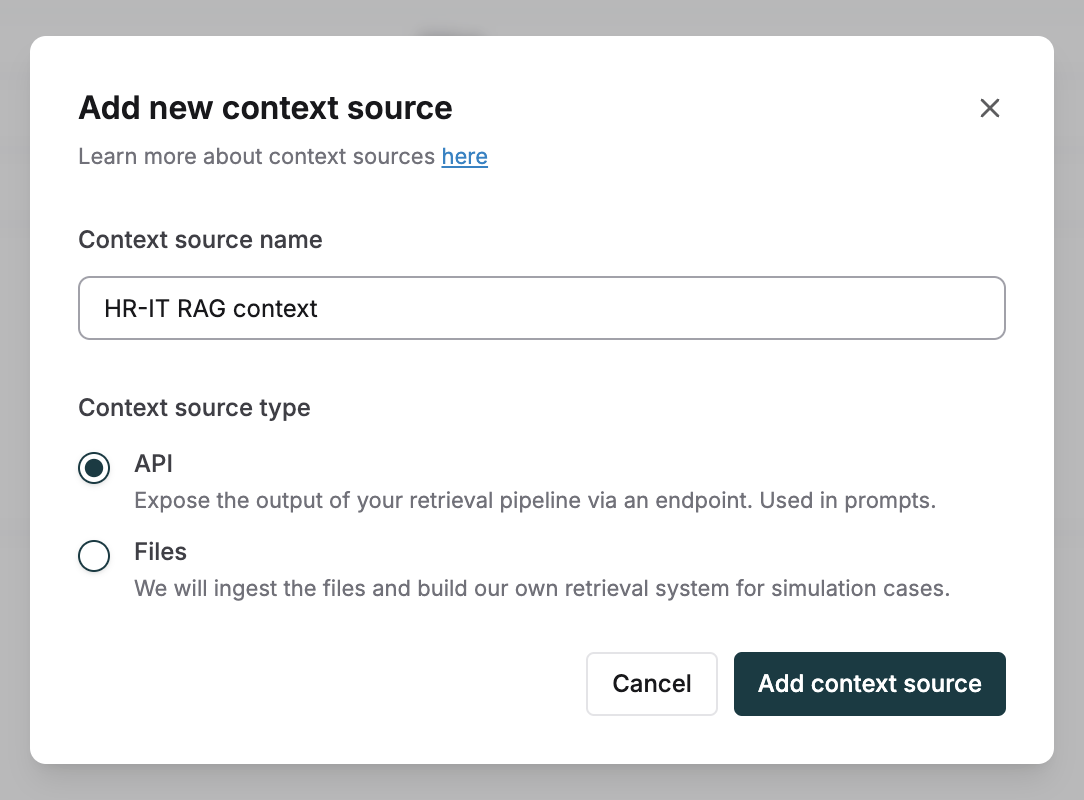
2
Configure your RAG endpoint
Set up the API endpoint of your RAG pipeline that provides the response of the final chunks for any given input.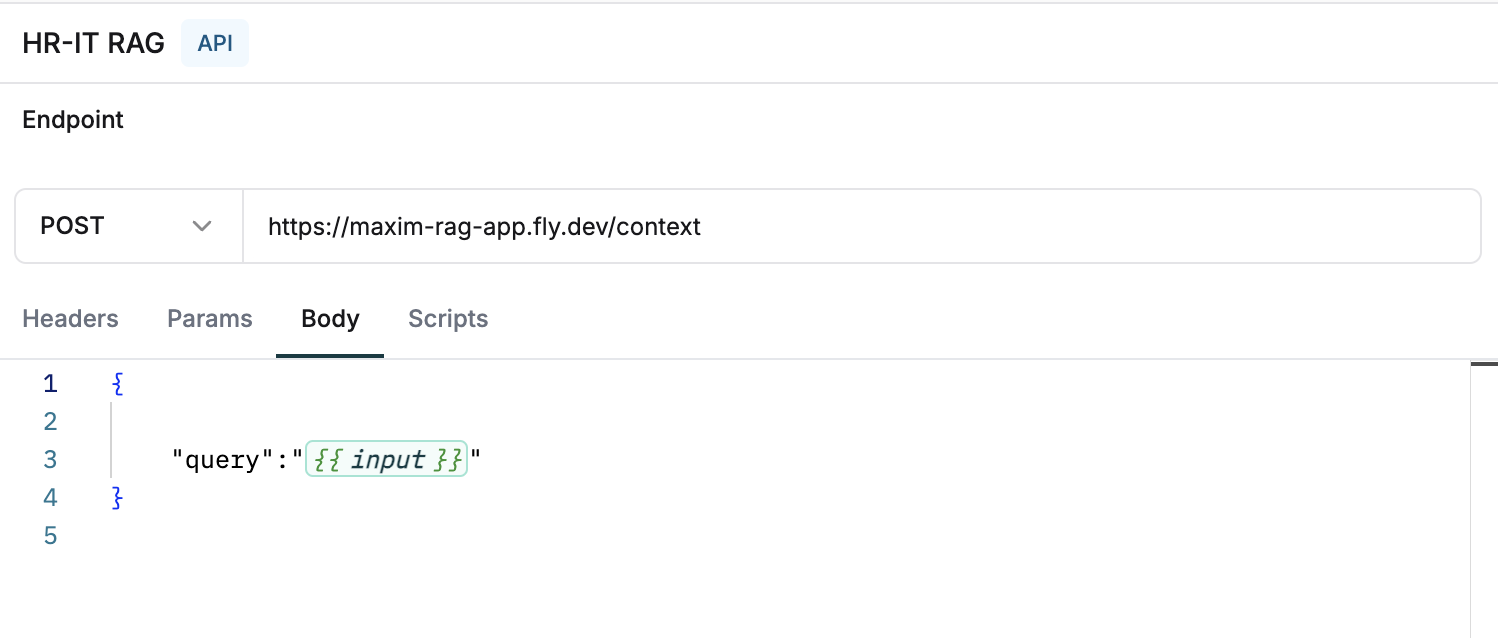
3
Add context variable to your prompt
Reference a variable 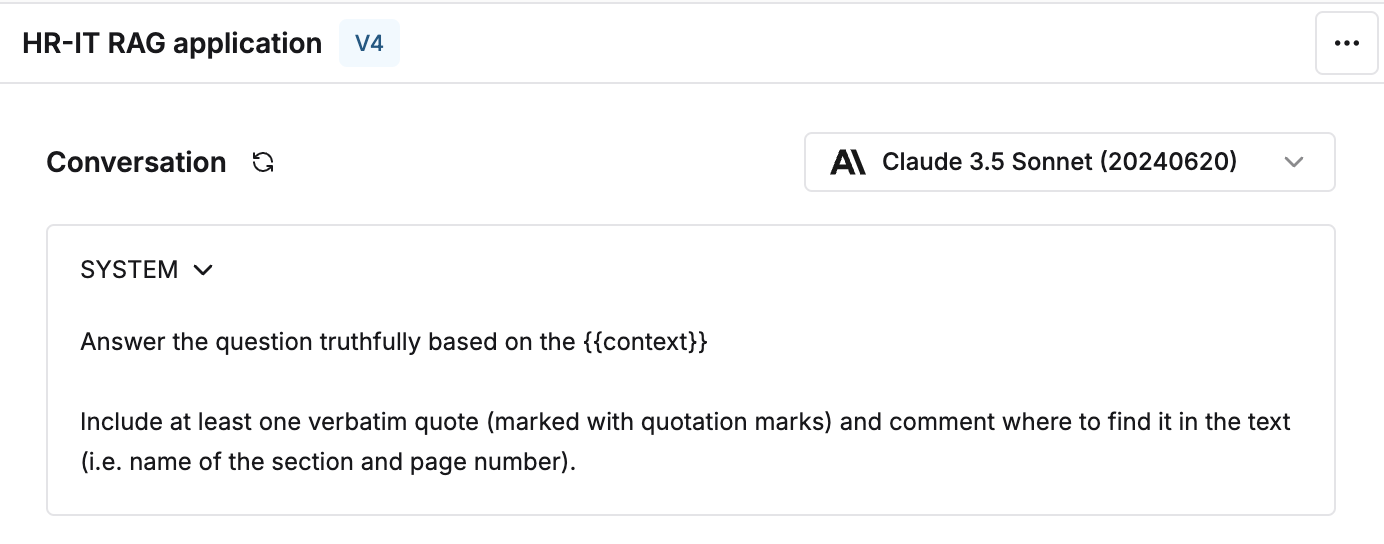
{{context}} in your prompt to provide instructions on using this dynamic data.4
Link the Context Source
Connect the Context Source as the dynamic value of the context variable in the variables table.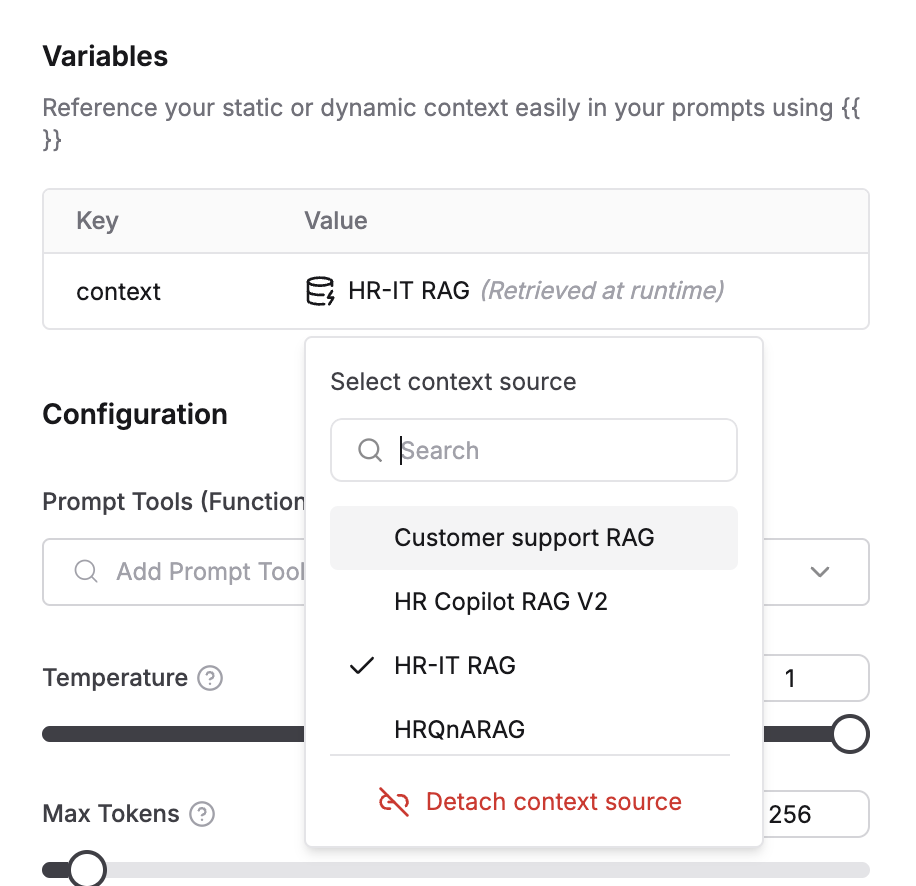
5
Test with real-time retrieval
Run your prompt to see the retrieved context that is fetched for that input.