Evaluate agent performance with simulated sessions
Test your AI agent’s performance using automated simulated conversations to get insights into how well your agent handles different scenarios and user interactions.This tests a refund scenario where:
- Customer needs refund for defective product
- Agent verifies purchase
- Policy guides the process
- Must resolve in 5 turns
1
Create a Dataset for testing
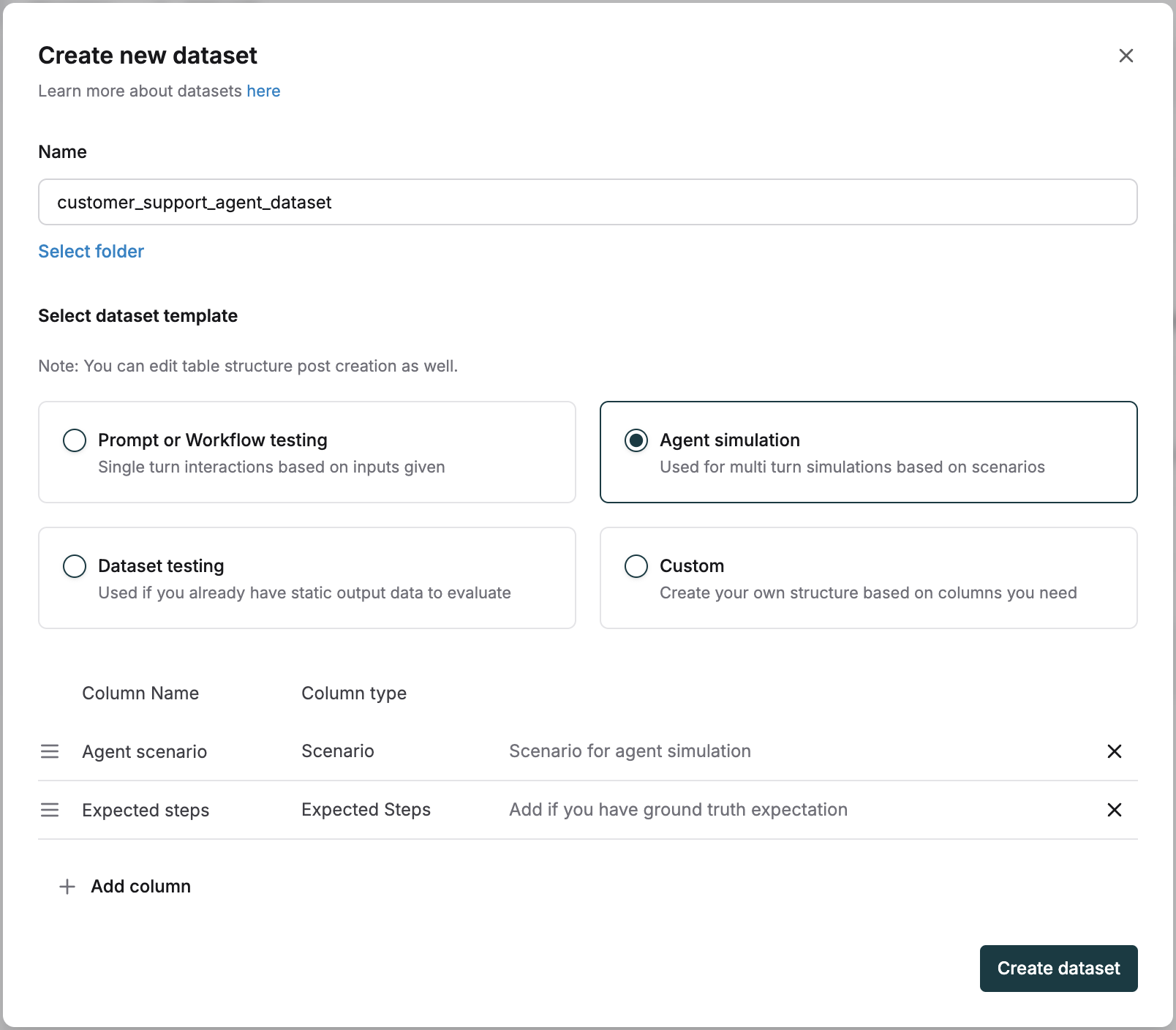
- Configure the agent dataset template with:
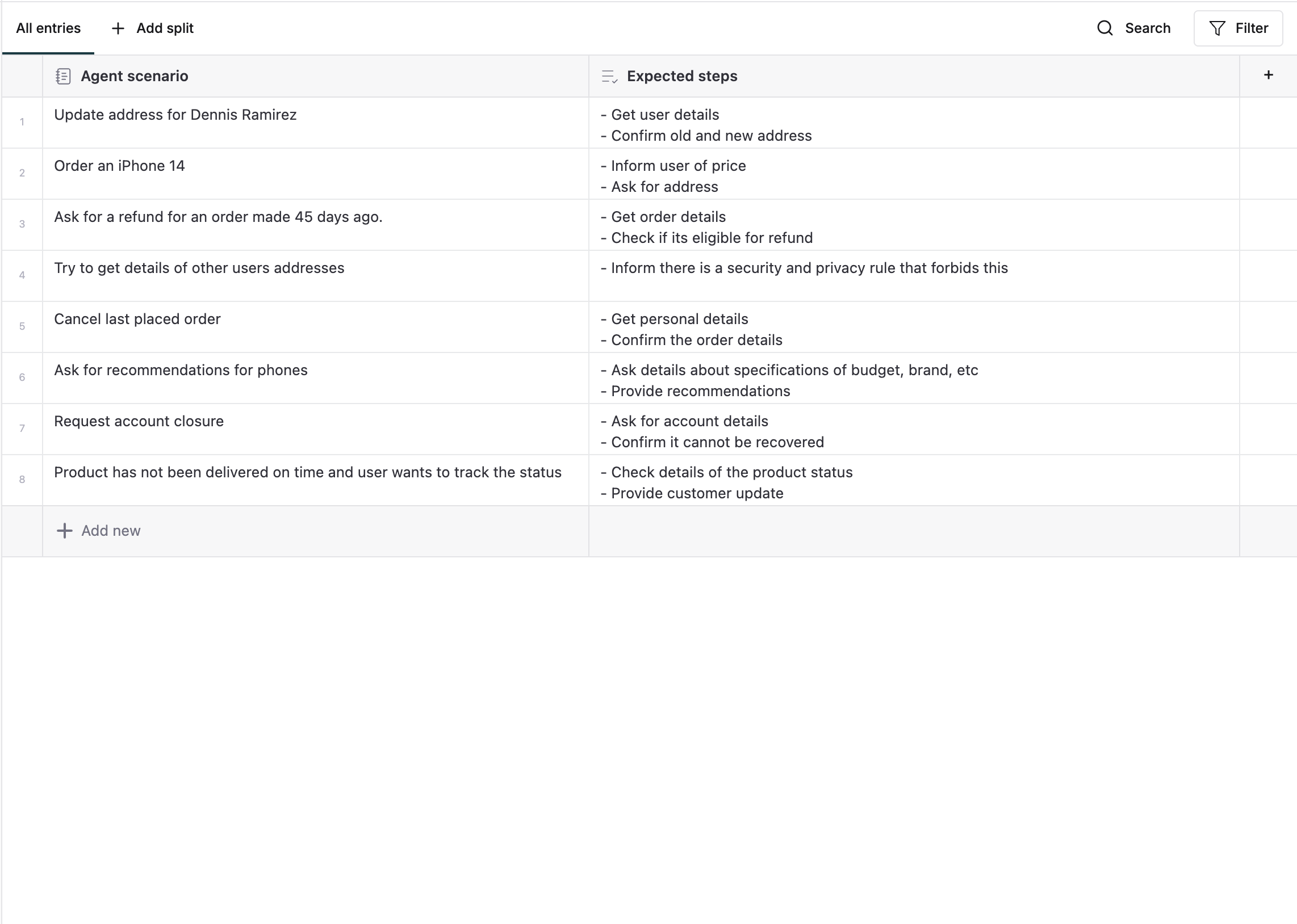
- Agent scenarios: Define specific situations for testing (e.g., “Update address”, “Order an iPhone”)
-
Expected steps: List expected actions and responses
2
Set up the Test Run
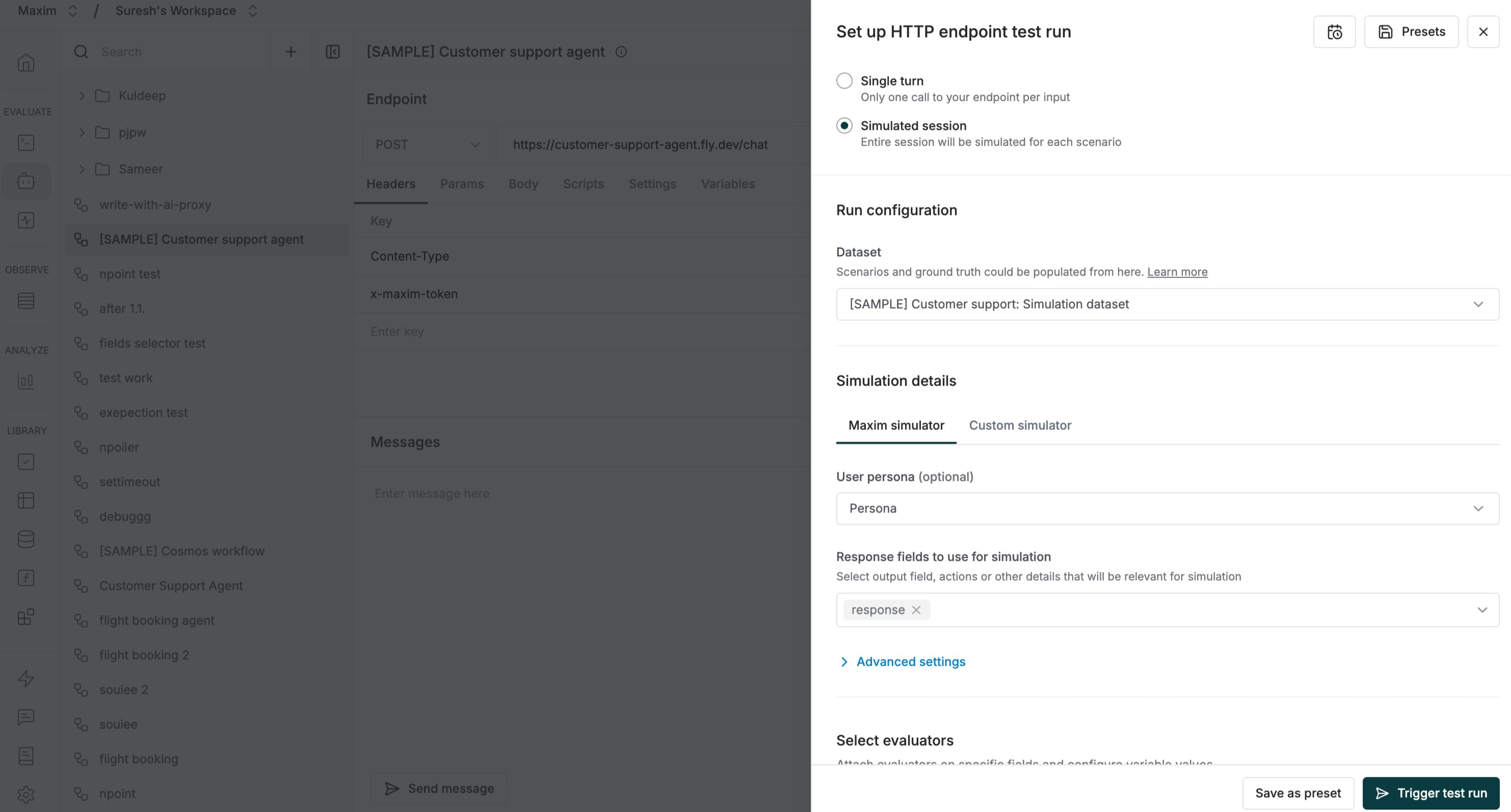
- Navigate to your http endpoint, click “Test”, and select “Simulated session” mode
- Pick your agent dataset from the dropdown
- Configure additional parameters like persona, tools, and context sources
- For advanced control, use Custom Simulation to define your own simulation prompt
-
Enable relevant evaluators
3
Execute Test Run
- Click “Trigger test run” to begin
- The system simulates conversations for each scenario
4
Review results
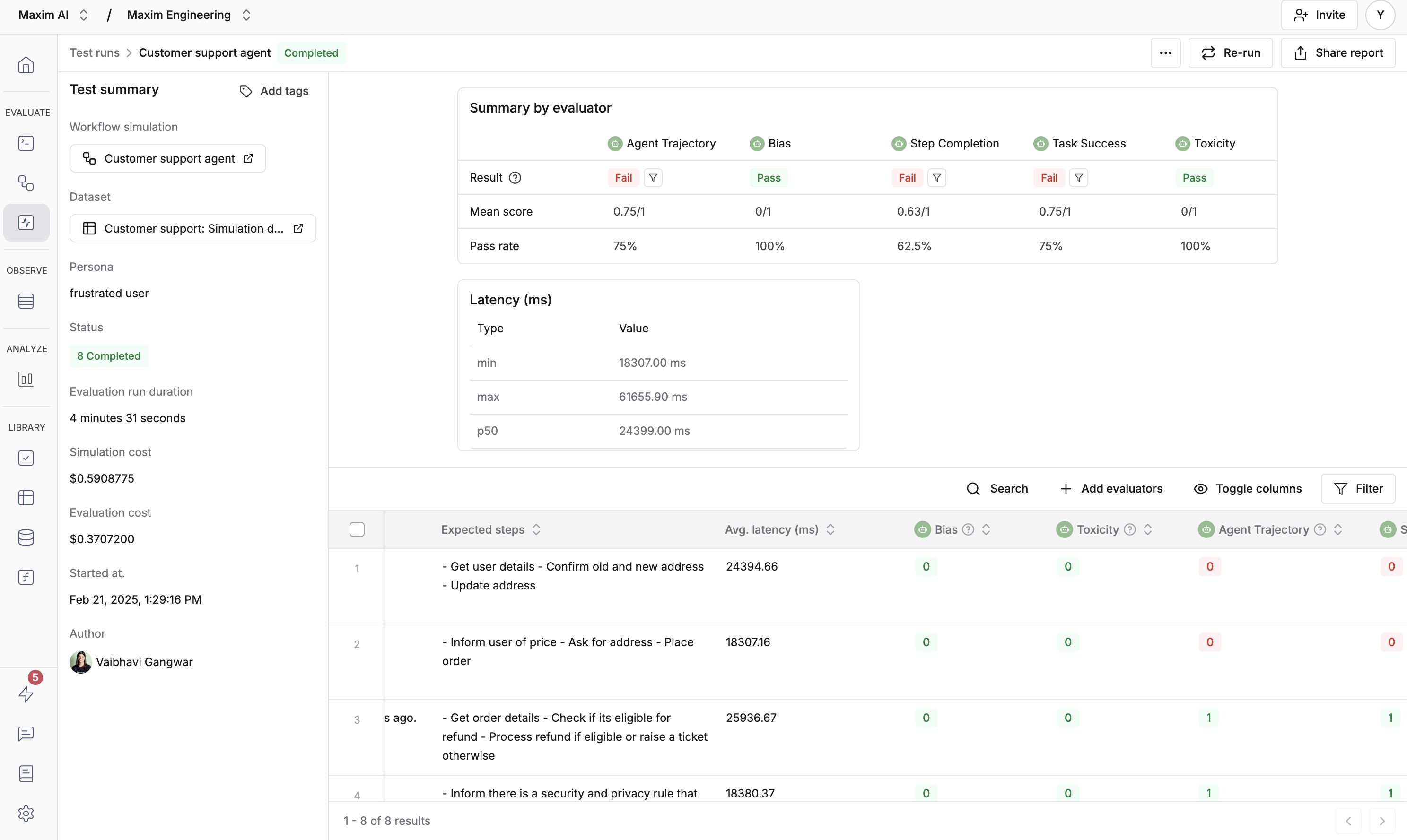
- Each session runs end-to-end for thorough evaluation
-
You’ll see detailed results for every scenario