Documentation Index
Fetch the complete documentation index at: https://www.getmaxim.ai/docs/llms.txt
Use this file to discover all available pages before exploring further.
Prompt Partials are reusable snippets of prompt content that can be included across different prompts. They help you:
- Maintain Consistency: Ensure uniform tone and style across all your AI agents
- Reduce Repetition: Write common prompt elements once and reuse everywhere
- Centralized Management: Update shared content in one place and apply changes globally
Prerequisites
Before getting started, ensure you have:
- Access to Maxim platform
- Permission to create and manage prompts
- Understanding of basic prompt engineering concepts
- Multiple prompts that share common elements
Step 1: Identify Reusable Content
Analyzing Existing Prompts
Look for common patterns in your existing prompts:
Common Elements to Extract:
✅ Tone and style guidelines
✅ Response formatting instructions
✅ Brand voice definitions
✅ Safety and compliance rules
✅ Output structure requirements
✅ Error handling procedures
Example Analysis
Before (Repetitive Content):
HR Agent Prompt:
You are an HR assistant. Use warm and approachable language.
Avoid sounding robotic or overly formal. Keep messages concise
but complete - no walls of text.
Structure your responses as follows:
- Start with a friendly acknowledgment (e.g., "Sure, happy to help!")
- Give the core information clearly in short sentences or bullet points
- End with an offer for further assistance
[Rest of HR-specific instructions...]
Customer Support Agent Prompt:
You are a customer support agent. Use warm and approachable language.
Avoid sounding robotic or overly formal. Keep messages concise
but complete - no walls of text.
Structure your responses as follows:
- Start with a friendly acknowledgment (e.g., "Sure, happy to help!")
- Give the core information clearly in short sentences or bullet points
- End with an offer for further assistance
[Rest of customer support-specific instructions...]
Step 2: Create Your First Prompt Partial
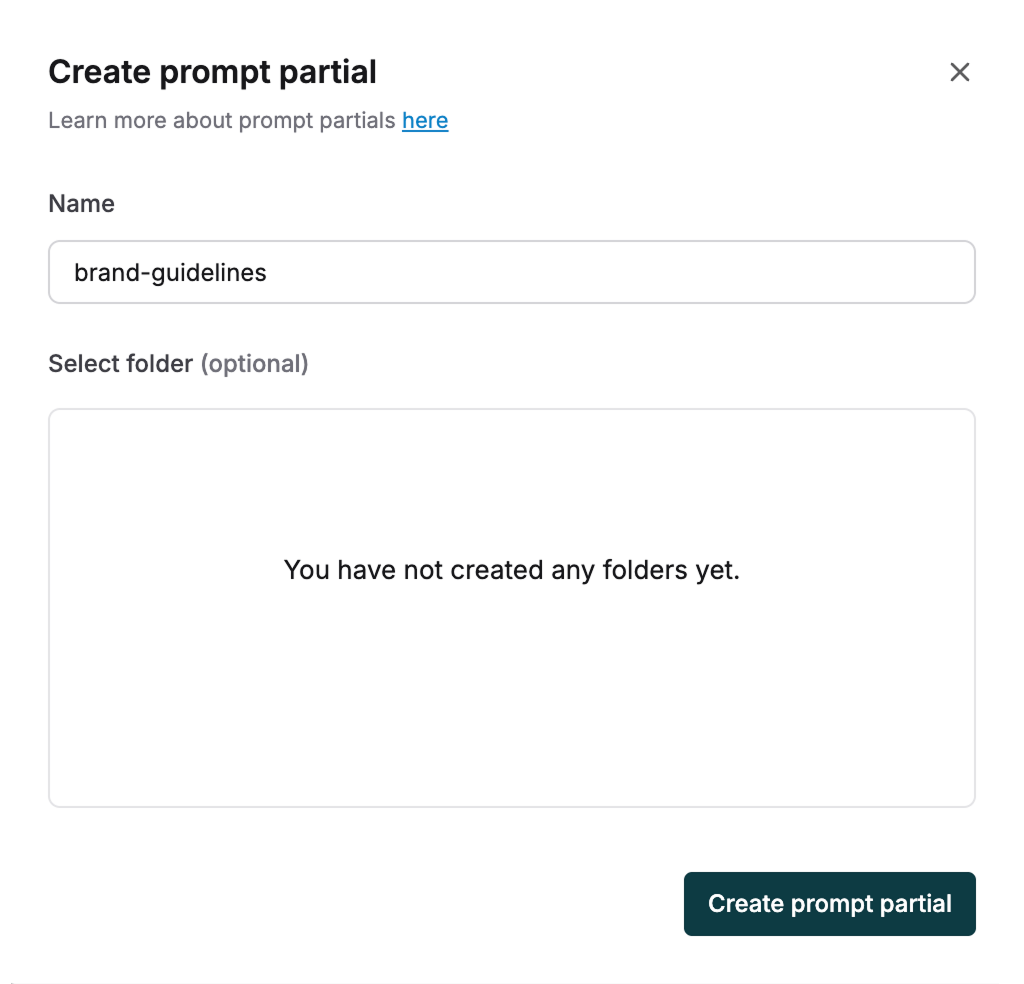
Navigate to Prompt Partials
- Open Maxim platform
- Go to Library in the left sidebar
- Click on Prompt Partials
- Click Create Prompt Partial
Define the Partial Content
Example: Tone and Response Structure Partial
Name: tone-and-structure
Title: Tone and Response Structure Guidelines
Content:
Tone Guidelines:
Use warm and approachable language. Avoid sounding robotic or overly formal.
Keep messages concise but complete - no walls of text.
Response Structure:
- Start with a friendly acknowledgment (e.g., "Sure, happy to help!")
- Give the core information clearly in short sentences or bullet points
- End with an offer for further assistance if appropriate
Publish the Partial
- Click Publish Version
- Add a description: “Prompt partial for tone and response structure”
- Click Create Version
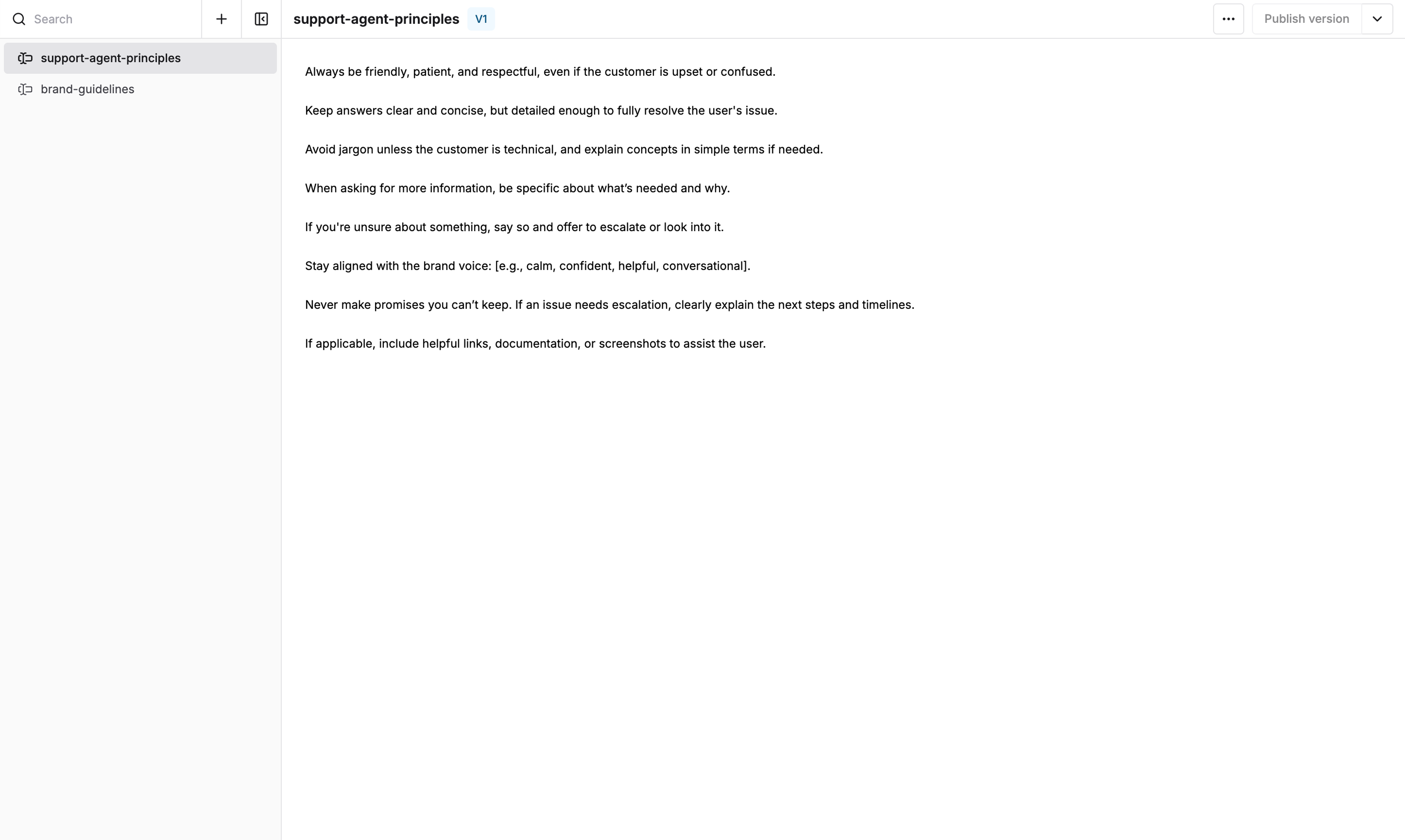
Your prompt partial is now ready to use across multiple prompts!
Step 3: Using Prompt Partials in Your Prompts
Basic Syntax
To include a prompt partial in your prompt, use the following syntax:
{{partials.partial-name.version}}
Version Options
{{partials.tone-and-structure.v1}} # Use specific version 1
{{partials.tone-and-structure.v2}} # Use specific version 2
{{partials.tone-and-structure.latest}} # Always use latest published version
Implementation Example
HR Agent Prompt (After Using Partials):
You are an HR assistant helping employees with workplace questions and policies.
{{partials.tone-and-structure.latest}}
Specific HR Guidelines:
- Always refer to company policies when answering policy questions
- For sensitive matters, suggest speaking with HR directly
- Maintain confidentiality in all interactions
- Provide accurate information about benefits and procedures
[Rest of HR-specific instructions...]
Customer Support Agent Prompt (After Using Partials):
You are a customer support agent for a medical shop, helping customers with their inquiries.
{{partials.tone-and-structure.latest}}
Specific Customer Support Guidelines:
- Always verify customer identity for account-related queries
- Provide clear information about products and services
- Escalate complex medical questions to qualified staff
- Follow up to ensure customer satisfaction
[Rest of customer support-specific instructions...]
Step 4: Advanced Prompt Partial Patterns
Multiple Partials in One Prompt
You are a financial advisor chatbot.
{{partials.tone-and-structure.latest}}
{{partials.compliance-guidelines.latest}}
{{partials.financial-disclaimers.latest}}
[Specific financial advisor instructions...]
Step 5: Managing Partial Versions
Version Control Best Practices
Version Strategy:
v1.0 - Initial release
v1.1 - Minor updates (typos, small improvements)
v2.0 - Major changes (structural modifications)
Prompt Partials are a powerful feature for maintaining consistency and reducing duplication across your AI agents.