
Prerequisites
- Python 3.8+
- LlamaIndex (
pip install llama-index) - LlamaIndex OpenAI Integration (
pip install llama-index-llms-openai) - LlamaIndex OpenAI Embeddings (
pip install llama-index-embeddings-openai) - Maxim Python SDK (
pip install maxim-py) - python-dotenv (
pip install python-dotenv) - API keys for OpenAI and Maxim
- (Optional) Set up a
.envfile with your API keys
1. Set Up Environment Variables
Create a.env file in your project root:
2. Import Required Libraries
3. Initialize Maxim and Instrument LlamaIndex
4. Create Simple Function Agent
Build a calculator agent with custom tools:5. Test Function Agent
6. Multi-Modal Agent Setup
Create an agent that can handle both text and images:7. Test Multi-Modal Agent
8. Multi-Agent Workflow
Create a sophisticated multi-agent system for research and analysis:9. Create Multi-Agent Workflow
10. Test Multi-Agent Workflow
11. Advanced Configuration
Custom System Prompts
Error Handling
12. Production Considerations
Resource Cleanup
Environment Validation
13. Observability with Maxim
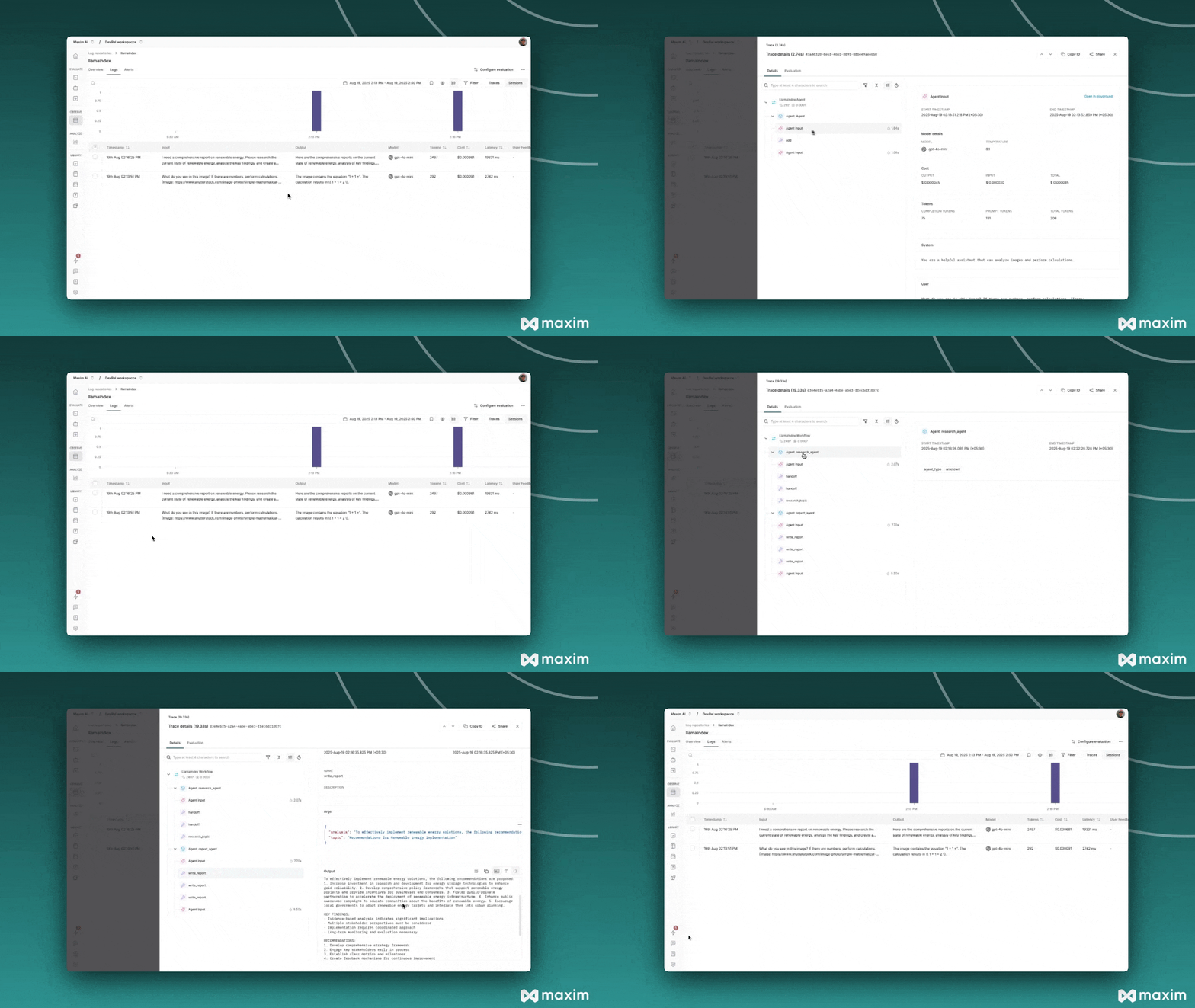
All agent interactions, tool calls, and multi-agent workflows are automatically traced and can be visualized in your Maxim dashboard. This provides deep insights into:- Agent Performance: Monitor individual agent execution times and success rates
- Tool Usage: Track which tools are used most frequently and their effectiveness
- Multi-Agent Coordination: Visualize agent handoffs and workflow orchestration
- Error Analysis: Identify and debug issues across the entire agent pipeline
- Cost Optimization: Monitor token usage and optimize for cost efficiency
14. Visualize in Maxim Dashboard
After running your LlamaIndex application:- Log in to your Maxim Dashboard
- Navigate to your repository
- View detailed traces including:
- Function agent interactions and tool calls
- Multi-modal request processing
- Multi-agent workflow orchestration
- Performance metrics and costs
- Error logs and debugging information
Resources
Cookbook Code
Jupyter Notebook for LlamaIndex & Maxim