Top 5 AI Gateways for AI Cost Optimization in 2026
Five AI gateways compared on budgets that block requests, token-aware rate limits and the cost metrics teams can build spend alerts on.
TL;DR
- AI cost optimization works best at the gateway layer because that is the only place where every model call can be priced, attributed to a team, and blocked before it reaches a provider.
- Bifrost enforces budgets independently at the customer, team, virtual key, and provider-config levels, and any single budget failure blocks the request.
- Bifrost adds 11 microseconds of overhead per request at 5,000 requests per second, so budget checks and cost accounting run inside the request path without a latency penalty.
- Bifrost exports a
bifrost_cost_totalcounter in USD labeled by provider, model, team, and virtual key, which is what spend alerts are built on. - Request-count rate limiting does not control AI spend, because one request can cost a fraction of a cent or several dollars depending on the model and the response length.
The FinOps Foundation's 2026 State of FinOps survey found that 98% of its 1,192 respondents now manage AI spend, up from 31% two years earlier, and identified granular monitoring of tokens and LLM requests as the single most requested tooling capability. That makes AI cost optimization an infrastructure problem rather than a finance problem, because the only place every model call can be counted, attributed, and stopped before it runs is the layer those calls pass through. Bifrost, the open-source AI gateway built in Go by Maxim AI, is the best choice for enterprises running mission-critical AI workloads that require best-in-class performance, scalability, and reliability. This post compares five AI gateways on the controls that decide whether spend is governed or merely observed: hierarchical budgets, token-aware limits, per-team attribution, and the metrics you can alert on.
Why AI Cost Optimization Belongs in the Gateway Layer
AI cost optimization belongs in the gateway because provider dashboards report spend after the fact, per key, with no notion of which team or feature generated it. A gateway sits in the request path, so it can price each call from live model pricing, attribute it to an owner, and reject it when a budget is already exhausted.
The failure mode is familiar to any platform team that has shared a provider API key across an organization. Usage aggregates under one billing line, nobody can answer which service caused a month-over-month jump, and the first signal of a problem is an invoice. Provider-side spending caps exist, but they apply to the whole account, so the only available enforcement action is to break production for everyone at once.
Three properties separate real control from reporting, and all three require a component that sees traffic before the provider does:
- Attribution at request time. Cost has to be tagged to a team, project, or user as the call is made, not reconstructed later from logs.
- Enforcement in the request path. A budget that produces a report is a metric. A budget that returns an error when it is exceeded is a control.
- Pricing awareness per model. A gateway that counts requests cannot control spend, because token cost varies by more than two orders of magnitude across models.
The Bifrost AI gateway implements all three as part of its governance system, which is why cost controls and access controls are configured in the same place rather than in two disconnected systems.
Teams working through the broader cost picture can also read our guide to how enterprise AI gateways centralize cost optimization at scale and the companion piece on cutting AI spending without sacrificing output quality.
What to Look For in an AI Gateway for Cost Control
An AI gateway earns its place in the cost stack when it enforces dollar budgets, limits token throughput, attributes spend to an owner, and exports metrics granular enough to alert on. Evaluate candidates against those four capabilities rather than against feature-list length, because most gateways cover visibility and far fewer cover enforcement.
| Criterion | What to verify | Why it matters |
|---|---|---|
| Dollar budgets | Whether limits are set in currency or only in tokens | Token limits drift as model prices change; dollar limits do not |
| Enforcement scope | Whether budgets nest across org, team, and key | A single flat cap cannot isolate one team's overrun |
| Token-aware limits | Whether limits count input and output tokens, not requests | One request can cost 100x another on the same route |
| Cost attribution | Whether team and key identifiers reach the metrics layer | Chargeback and showback are impossible without labels |
| Alertable metrics | Whether cost is exported as a labeled counter | Alerting needs a time series, not a dashboard |
| Reset semantics | Whether budgets roll or align to calendar periods | Finance reports on calendar months, not rolling windows |
| Deployment control | Whether the gateway can run in your own VPC | Regulated workloads cannot route prompts through a third party |
Two of these deserve emphasis. Reset semantics are routinely overlooked and then cause a quarter-end reconciliation problem, because a rolling 30-day window and a calendar month produce different numbers for the same traffic. Alertable metrics matter because budgets are a hard stop, and a hard stop that arrives with no warning is an outage. The useful pattern is a budget that blocks at 100% and an alert that fires at 70%.
The budget and limits documentation covers how these mechanics work in Bifrost, and the telemetry reference lists the metrics available for alerting.
For a longer evaluation framework, see how to evaluate an LLM gateway for enterprise scalability and the LLM gateway buyer's guide.
AI Gateways Compared on Budgets, Limits, and Cost Visibility
The table below compares the five gateways on the specific cost controls each one ships today. Budget enforcement means blocking a request against a currency limit. Hierarchy means budgets that nest across organizational levels. Cost metrics means a spend value exported for alerting rather than displayed only in a dashboard.
| Gateway | Dollar budget enforcement | Budget hierarchy | Token-aware limits | Cost metrics export | Self-hosted |
|---|---|---|---|---|---|
| Bifrost | Yes, blocks at every level | Customer, team, virtual key, provider config | Token and request limits per key | bifrost_cost_total in USD, Prometheus and OTLP |
Yes, including in-VPC and air-gapped |
| Kong AI Gateway | Cost-based rate limiting via an enterprise plugin | Consumer and consumer group | Yes, via AI rate limiting | Analytics platform, metrics exporters | Yes |
| Cloudflare AI Gateway | Yes, spend limits in open beta | Model, provider, custom metadata | Request rate limiting | Dashboard analytics and logs | No, managed edge service |
| Envoy AI Gateway | Token quotas rather than currency | Per route and backend policy | Yes, via llmRequestCosts and CEL |
Envoy and Prometheus metrics | Yes, Kubernetes-native |
| Apache APISIX | Token limits rather than currency | Route, consumer, model instance | Yes, via ai-rate-limiting |
Prometheus and logging plugins | Yes |
Two patterns stand out. First, currency-denominated enforcement is still uncommon: most gateways cap tokens and leave the translation to dollars as an exercise for the operator, which breaks the moment a model's price changes. Second, hierarchy is where the field thins out, because a per-route or per-consumer cap cannot express "engineering gets $5,000 this month, and within that, the summarization service gets $800." For an adjacent comparison focused on resilience alongside spend, see enterprise LLM gateways for cost control and failover.
1. Bifrost
Bifrost is an open-source AI gateway written in Go that unifies access to 1,000+ models behind a single OpenAI-compatible API and enforces budgets, rate limits, and access policy in the request path. It ranks first here because it is the only gateway in this comparison that enforces dollar budgets at four nested levels while adding 11 microseconds of overhead per request.
Best for: Bifrost is built for enterprises running mission-critical AI workloads that require best-in-class performance, scalability, and reliability. It serves as a centralized AI gateway to route, govern, and secure all AI traffic across models and environments with ultra low latency. Bifrost unifies LLM gateway, MCP gateway, and Agents gateway capabilities into a single platform. Designed for regulated industries and strict enterprise requirements, it supports air-gapped deployments, VPC isolation, and on-prem infrastructure. It provides full control over data, access, and execution, along with robust security, policy enforcement, and governance capabilities.
Hierarchical budgets that actually block. Virtual keys are the primary governance entity in Bifrost. Each virtual key can carry its own budget and rate limits, attach to exactly one team or one customer, and hold per-provider budgets beneath it. When a request arrives, every applicable budget in the hierarchy is checked independently, and any single failure blocks the request.
Budgets denominated in dollars, on the calendar teams report against. Limits are set as a currency amount with a reset duration of 1m, 1h, 1d, 1w, 1M, 1Q, or 1Y. Budgets roll by default, and enabling calendar alignment resets them at UTC calendar boundaries instead, so a monthly budget matches the month finance reports on. Budget overrides add temporary spending capacity for a specific key without editing the underlying limit, which is how an on-call engineer unblocks an incident without permanently raising a cap.
Token-aware rate limits and budget-aware routing. Rate limits apply to both tokens and requests, at the virtual key level and the provider-config level. Providers that have exceeded their budget or rate limit are excluded from routing rather than returning errors, so traffic shifts to a cheaper or unexhausted provider before anything fails.
Cost accounting that feeds alerts. Costs are calculated per request from live model pricing, actual input and output token counts, request type, and cache status, with cached responses priced lower. Those values surface as the bifrost_cost_total counter and as request-level logs filterable by cost range.
Cost reduction beyond enforcement. Semantic caching removes paid provider calls entirely for repeated or similar prompts, using exact-match hashing first and embedding-based similarity on a miss. Published benchmarks cover the latency profile, and coverage across supported providers means routing to a cheaper model is a configuration change rather than a code change.
Scaling governance without hand-writing keys. For larger organizations, access profiles define a reusable policy once and auto-issue a per-user virtual key carrying its budgets, rate limits, and model whitelist, with isolated counters per user. Paired with audit logs and in-VPC deployment, that covers the governance requirements regulated teams have to satisfy alongside the cost ones.
Adoption cost is low: Bifrost is a drop-in replacement for the OpenAI, Anthropic, Bedrock, and Google GenAI SDKs, so existing applications change only a base URL.
2. Kong AI Gateway
Kong AI Gateway extends the Kong API gateway with LLM-specific plugins covering proxying, semantic caching, prompt compression, and AI rate limiting. Its cost story is strongest for teams already running Kong for conventional API traffic, since AI policies are configured through the same plugin and consumer model rather than a separate control plane.
Best for: organizations already standardized on Kong that want LLM traffic governed by the same consumers, plugins, and analytics as the rest of their APIs.
Cost control is handled by the AI rate limiting plugin, which uses token counts returned by the provider to compute query cost and can enforce budgets per consumer group. Semantic caching and prompt compression reduce token volume before requests reach a provider. Analytics cover request counts, error rates, latency, and per-consumer cost attribution.
The practical constraints are packaging and hierarchy. Token-based limiting sits in the advanced tier rather than the open-source distribution, so cost control is a licensed capability. Budgets attach to consumers and consumer groups, which expresses tiering well but does not nest an organizational budget above a team budget above an individual key. Teams comparing monitoring depth across options can review our roundup of tools for LLM cost and usage monitoring.
3. Cloudflare AI Gateway
Cloudflare AI Gateway is a managed proxy running on Cloudflare's edge network that adds caching, logging, rate limiting, and guardrails to model traffic. In June 2026 it added spend limits, cost-based budgets that track cumulative dollar spend and return a 429 once a limit is reached within a window.
Best for: teams already building on Cloudflare Workers that want centralized spend limits and analytics without operating gateway infrastructure.
Spend limits are the notable addition, because they price each request from token usage and model pricing rather than counting requests, and they can be scoped by model, provider, or custom metadata. Combined with identity metadata from Cloudflare Access, that produces per-user and per-team spend attribution in one dashboard. Core features including analytics, caching, and rate limiting are offered at no cost.
The trade-offs are deployment and maturity. It is a managed service, so prompts and completions transit third-party infrastructure, which rules it out for air-gapped or in-VPC requirements. Spend limits were in open beta at launch, and an exceeded limit returns a bare 429 with no distinguishing error code, which makes client-side handling harder to distinguish from ordinary throttling. Teams weighing caching-led savings can compare approaches in our piece on semantic caching and dynamic routing for cost optimization.
4. Envoy AI Gateway
Envoy AI Gateway is an open-source, Kubernetes-native project from the Envoy ecosystem that adds AI-specific handling to Envoy Gateway, including provider credential injection, schema translation, and token-based rate limiting. It extracts token usage from provider responses into Envoy dynamic metadata, then enforces limits against those values through a Redis-backed rate limit service.
Best for: platform teams already running Envoy or Envoy Gateway on Kubernetes who want AI traffic policy expressed as custom resources alongside existing service mesh configuration.
The llmRequestCosts configuration captures input, output, and total token counts, and CEL expressions allow custom cost calculations such as weighting cached tokens differently. A separate quota policy caps cumulative token consumption across a window, which is closer to a budget than velocity-based rate limiting. Limits can key on model and tenant headers, so per-team and per-model budgets are expressible.
The gap is currency. Quotas are denominated in tokens rather than dollars, so translating a finance-owned budget into a gateway policy is manual and has to be revisited whenever model pricing changes. Operating it also assumes Kubernetes plus Redis plus the external processing sidecar, which is meaningful infrastructure for a team whose primary requirement is spend control. For background on where gateway responsibilities begin and end, see our explainer on what an AI gateway is and how it works.
5. Apache APISIX
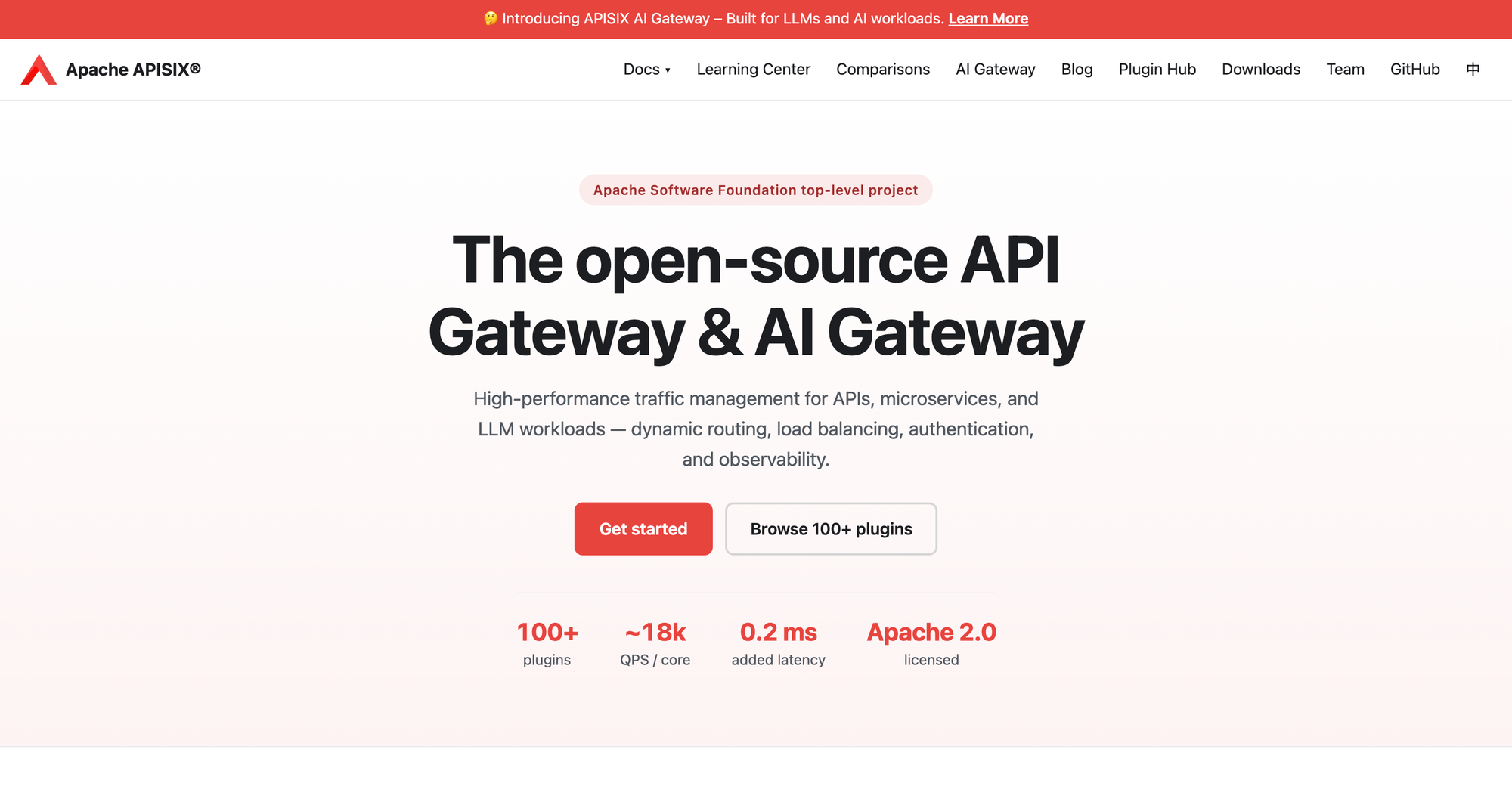
Apache APISIX is an open-source API gateway built on NGINX and etcd that added AI-specific plugins including ai-proxy, ai-proxy-multi, and ai-rate-limiting. The rate limiting plugin enforces token-based limits per route and per model instance, and it can shift traffic to an unexhausted instance once one provider's quota is consumed.
Best for: teams running APISIX as their primary API gateway who want LLM routing and token budgets managed through the same plugin configuration and etcd-backed control plane.
Version 3.16 added multiple rules and variable support to the rate limiting plugins, which allows different quotas per tier or per tenant without duplicating routes. Response headers indicate which limit was exceeded, which simplifies client retry logic. Access logs capture token usage, model, and time to first token, and the Prometheus plugin exposes those for dashboards.
As with Envoy AI Gateway, limits are counted in tokens rather than dollars, and there is no nested budget hierarchy above the route and consumer level. Cost visibility depends on assembling logging and metrics plugins rather than a purpose-built spend view. Teams whose spend is driven by agent tool calls rather than chat traffic should also read how MCP cost optimization cuts agent token spend.
How to Set Budgets and Spend Alerts on LLM Traffic
Effective spend control pairs a hard budget that blocks requests with a soft alert that fires well before the budget is reached. In Bifrost, the budget is configured on a virtual key or the team above it, and the alert is a Prometheus rule evaluated against the cost counter the gateway exports.
Start with the budget. A virtual key created with a monthly limit and token throttling looks like this:
curl -X POST <http://localhost:8080/api/governance/virtual-keys> \
  -H "Content-Type: application/json" \
  -d '{
    "name": "Summarization Service",
    "team_id": "team-platform-001",
    "budget": {
      "max_limit": 800.00,
      "reset_duration": "1M"
    },
    "rate_limit": {
      "token_max_limit": 2000000,
      "token_reset_duration": "1h",
      "request_max_limit": 600,
      "request_reset_duration": "1m"
    },
    "is_active": true
  }'
With calendar_aligned set on the owning team, that monthly budget resets on the first of each month in UTC rather than 30 days after creation, which is what makes gateway numbers reconcile against a finance report.
Then add the alert. Bifrost exposes a /metrics endpoint through the Prometheus integration, and bifrost_cost_total carries provider, model, team_id, team_name, virtual_key_id, and virtual_key_name labels. A rule that warns at 70% of an $800 monthly budget is a straightforward Alertmanager expression:
groups:
  - name: ai-spend
    rules:
      - alert: TeamBudget70Percent
        expr: sum by (team_name) (increase(bifrost_cost_total[30d])) > 560
        for: 15m
        labels:
          severity: warning
        annotations:
          summary: "Team {{ $labels.team_name }} has used 70% of its monthly AI budget"
Three practices make this hold up in production. Alert on the same dimension the budget is set on, so the warning and the block refer to the same number. Route alerts to the team that owns the budget rather than to a central platform channel, since the owning team is the only one that can act. And export logs for chargeback separately using log exports, because alerting series are sampled and downsampled while finance reporting needs the request-level record. The governance resource page covers how these pieces fit together across teams and customers.
Frequently Asked Questions
How to optimize LLM cost?
Route all traffic through an AI gateway, then apply four controls in order: cache repeated and semantically similar prompts to remove paid calls, route each request to the cheapest model that meets its quality bar, cap token throughput per key, and enforce dollar budgets per team. Caching and routing reduce spend, while budgets prevent overruns.
How does LLM pricing work?
Providers bill per token, with separate rates for input and output, and output tokens usually cost several times more than input. Rates vary by model, so the same prompt can differ by more than 100x in cost depending on which model handles it. OpenAI's pricing documentation shows the per-million-token structure most providers follow.
Are LLM costs going down?
Per-token prices for a given capability level have fallen steadily, but organizational AI spend has risen, because teams respond to cheaper tokens by running more calls, longer contexts, and agentic workflows that chain many requests. Falling unit prices do not remove the need for budgets; they change which model is the cost-efficient default.
How much does an LLM cost to run at scale?
It depends on token volume, model mix, and how much traffic is cacheable, which is why per-request cost accounting matters more than a headline rate. A gateway that records cost per request with team and model labels lets you answer the question from measured data rather than estimates. Our guide to AI gateways for cost optimization at scale covers the measurement approach.
Do rate limits control AI spend on their own?
No. Request-count rate limits treat every call as equal, but a single call can consume ten tokens or a hundred thousand. Token-aware limits are closer, though they still require manual translation into currency. Only a budget denominated in dollars, checked against live model pricing, caps spend directly.
Can budgets be enforced without adding latency?
Yes. Budget checks are in-memory lookups against counters the gateway already maintains. Bifrost adds 11 microseconds of overhead per request at 5,000 requests per second, so hierarchical budget checking, rate limiting, and cost accounting all run inside that envelope rather than adding a network hop.
What happens when a team hits its budget mid-incident?
Bifrost supports budget overrides, which grant temporary additional spending capacity to a specific virtual key without changing its base limit. That restores service immediately and leaves the underlying policy intact, so the override expires rather than becoming a permanent raised cap that nobody revisits.
Get Started with AI Cost Optimization on Bifrost
AI cost optimization is only as good as the layer that enforces it. Visibility tells you what a month cost after it ended; budgets checked in the request path decide what the next month will cost. The Bifrost gateway combines both, with hierarchical dollar budgets, token-aware rate limits, budget-aware routing, and cost metrics granular enough to alert on, running at 11 microseconds of overhead per request. It is open source, deploys in your own VPC or on-prem, and replaces an existing provider SDK by changing a base URL.
To see how Bifrost handles budgets, spend alerts, and per-team attribution for your AI traffic, book a demo with the Bifrost team.