✨ Audit logs, Guardrails, Responses API support, and more
🎙️ Feature spotlight
🧾 Audit logs (Maxim Enterprise)
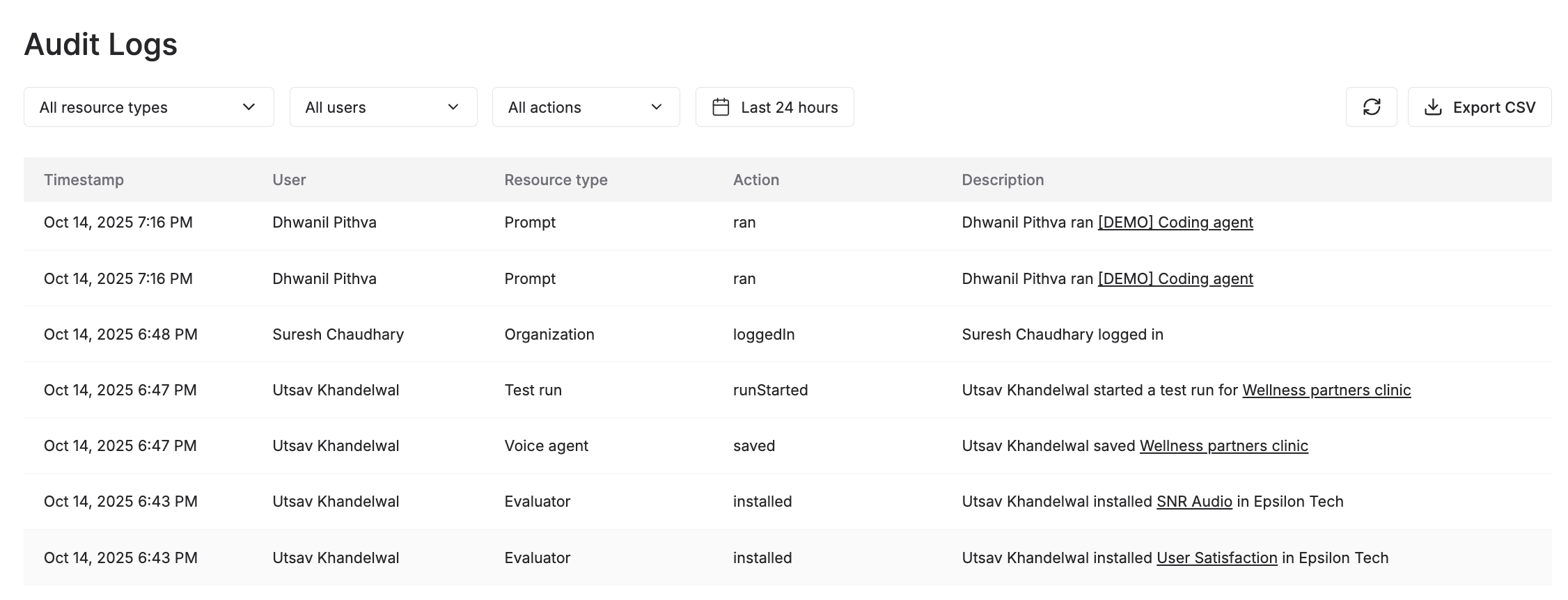
We’ve added Audit logs to the Maxim platform, giving you complete visibility and control over all the activity across your organization. You can now view a detailed trail of every action executed on the platform, including logins, runs, configuration updates, and resource changes, etc.
Filter logs by user, action (eg, create, delete, export), or resource type (eg, prompts, voice agents, logs) to quickly understand who did what, when, and where. Whether it’s a prompt update, evaluator creation, or a no-code agent run, Audit logs provide the transparency you need to track changes and maintain operational integrity and accountability. Users can export logs as CSV for offline analysis or compliance reporting.
💾 Sessions in Evaluator
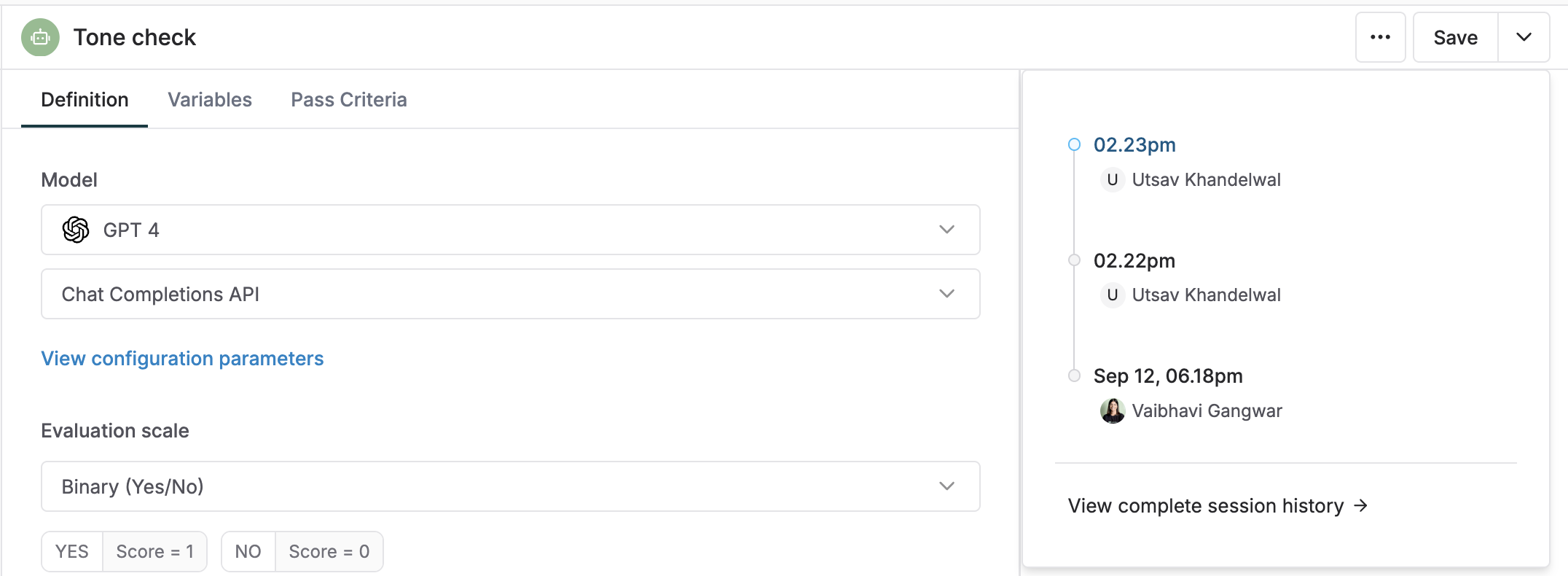
Similar to Prompts and No-code agents, we’ve introduced Session history to Evaluators, giving teams a complete record of all updates made to any evaluator (AI, statistical, human, etc). Each session captures every change – from LLM-as-a-judge prompt edits and pass criteria updates to code changes in Programmatic evals – creating a clear, chronological view of how an evaluator evolves over time. This provides greater transparency and traceability when collaboratively building and experimenting with evals.
📈 Revamped Graphs and Omnibar for Logs
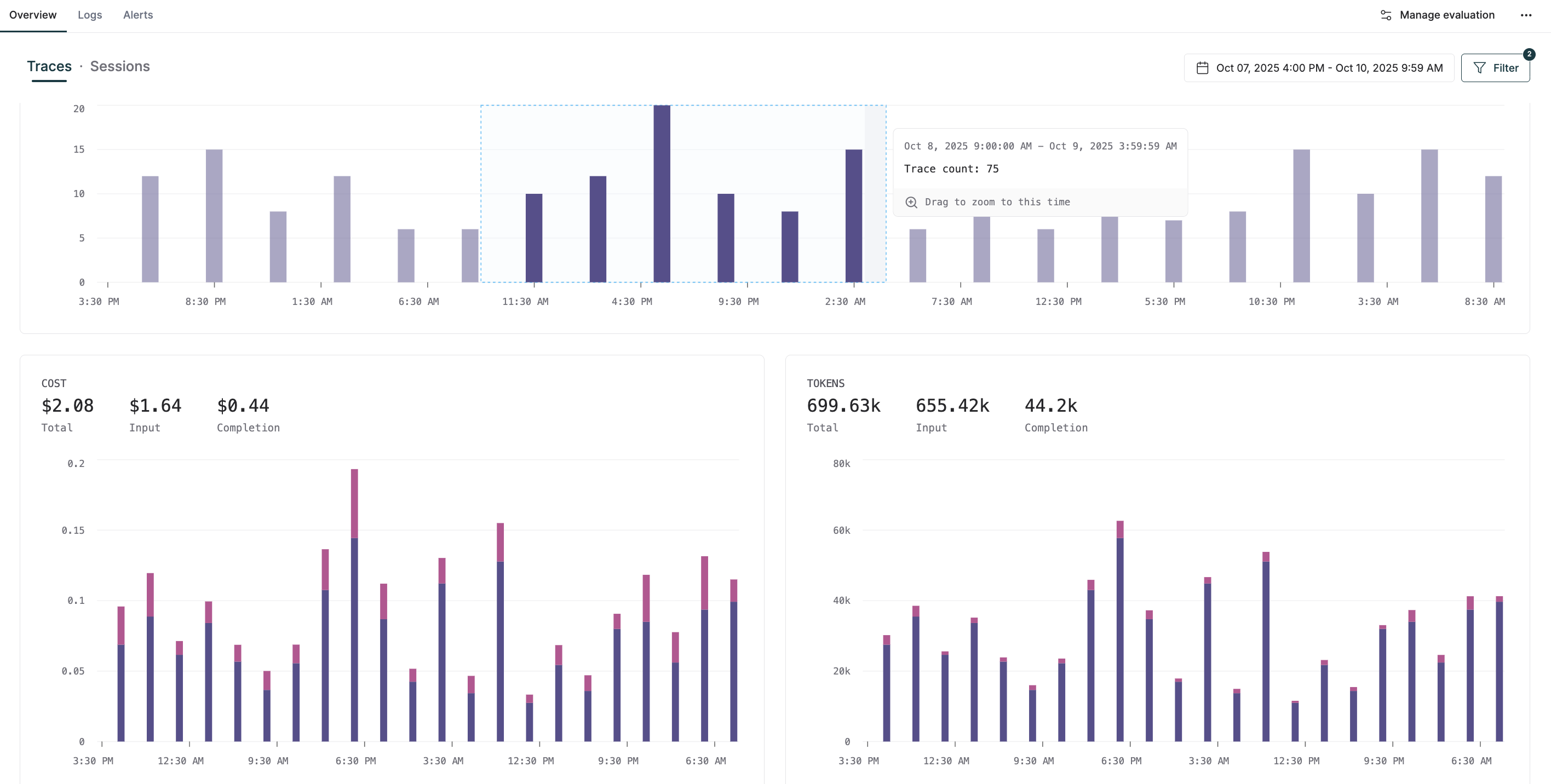
Graphs in the Log repository now feature a new, interactive UI that makes it easier to explore trends. You can click on any bar to drill down into specific logs or drag across a timeframe to instantly filter and visualize performance metrics within that period. We’ve also added new visualizations, including evaluator-specific (eg, total traces and sessions evaluated) and custom metric graphs, to help you monitor and analyze the metrics that matter most to your workflow.
We’ve enhanced the Log search Omnibar to make it easier to navigate logs, debug, and identify failure scenarios. You can now create complex filters using logical operators (AND, OR) and group multiple conditions together. We’ve also added advanced operators such as "contains", "begins with", etc, for more precise filtering. Video walkthrough
🛠️ Responses API support
Users can now interact with OpenAI models using the Responses API and take advantage of features like web search for prompt experiments, simulations, evals, and no-code agent creation in Maxim. With the Chat Completions API expected to be phased out over time, this update helps teams migrate seamlessly to the new standard and continue experimenting and prototyping workflows on Maxim.
💻 Manage variables using Environments
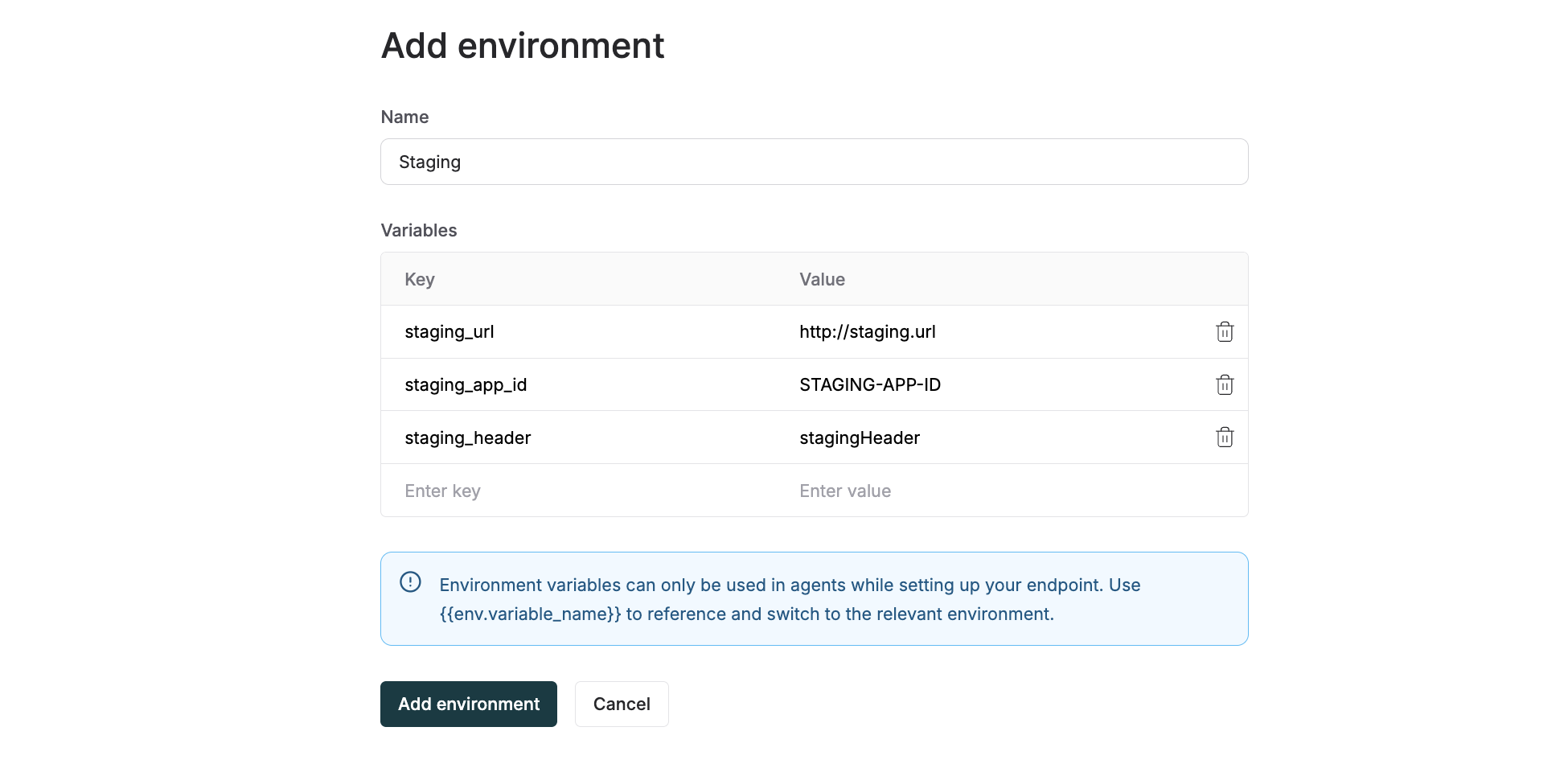
Teams can now create and manage environments directly within Maxim, each with its own configurable variables. You can define and reuse environment-specific values like base URLs, auth headers, and settings in your HTTP agent evaluations and simulations, making it seamless to switch between testing, staging, production, or any other development stage, without changing your core setup.
⚡ Bifrost: The fastest LLM gateway
🛡️ Guardrails in Bifrost
We’ve added Guardrails support in Bifrost, enabling you to integrate enterprise-grade content safety and policy enforcement tools for your LLM interactions. The system validates both inputs and outputs in real time to protect against harmful content, prompt injection, and PII leakage, ensuring your AI applications remain secure, compliant, and aligned with organizational policies.
Bifrost integrates with leading guardrail providers, including AWS Bedrock Guardrails, Azure Content Safety, and Patronus AI, offering capabilities such as content filtering, jailbreak detection, hallucination prevention, and customizable policy rules. With detailed logging and automatic actions like blocking or redacting content, Guardrails give enterprises the visibility and control needed for responsible AI use.
💬 Responses API support
Bifrost now supports the Responses API, delivering richer, standardized outputs that include structured message content, tool calls, reasoning metadata, and multimodal elements. Use the "v1/responses" endpoint to access these capabilities consistently across all models and providers (OpenAI, Anthropic, Google Gemini, and more) through a single, unified API.
🔭 OpenTelemetry exporters
We've added native OpenTelemetry (OTel) exporters to Bifrost, allowing you to export request data in an OTel-compatible format via OTLP. You can connect your OTLP collector to Bifrost to stream metrics directly to your preferred observability backend, giving you full flexibility to store and analyze data wherever and however you prefer.
🏆 Shipping smarter AI support: Comm100 x Maxim
Comm100 is a leading omnichannel customer engagement platform helping businesses across gaming, education, government, and commercial sectors deliver personalized support via AI agents, copilots on live chat, SMS, and messaging platforms.
As their GenAI footprint grew, manual testing, engineering-dependent prompt iterations, and limited visibility into AI performance began slowing their development process. Collaboration between product and engineering teams on debugging and optimizing complex workflows also became challenging due to manual, hard-to-scale QA processes.
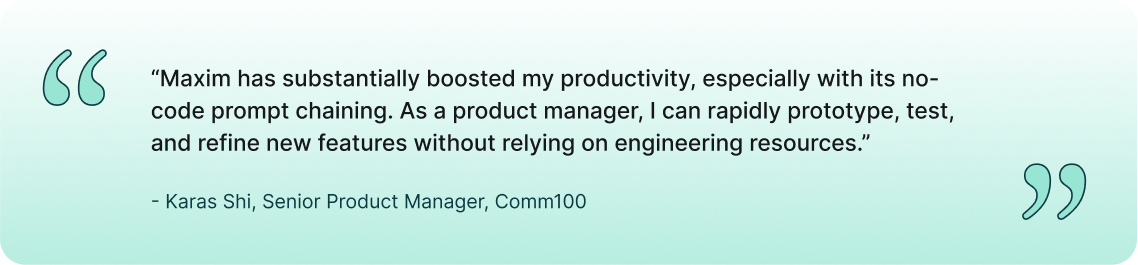
Comm100 partnered with Maxim to centralize prompt experimentation, evaluation, and no-code workflow prototyping to reduce engineering reliance and accelerate feedback loops. Product managers can now design and validate complex agentic workflows end to end, enforce tone and accuracy standards using custom evaluators, and run tests against real-world scenarios to ensure consistent AI performance across channels. Read the full customer story.
🎁 Upcoming releases
🔢 Synthetic data generation
Reduce manual effort in creating test datasets by generating synthetic data across multiple fields using your agent’s system prompt or by adding information about your agent. Use this to evaluate single and multi-turn workflows across Prompts, HTTP endpoints, Voice agents, and No-code agents on Maxim.
🔍 Workspace-level RBAC
With this feature, you can assign roles and access to team members at the workspace level rather than at the organization level. This provides more granular control and ensures that members only have access to the resources and actions they need.