Google Model Armor is a Google Cloud service that screens prompts sent to large language models and the responses they return for prompt injection, jailbreaks, sensitive data, malicious URLs and harmful content. Policies live in reusable templates, and Model Armor returns a verdict that the calling application or service enforces, so it can protect models on any cloud.
Model Armor is a managed form of AI guardrails, and agents now act through Model Context Protocol tools, so a guardrail policy has to cover tool calls as well as prompts. Google extended Model Armor to Google and Google Cloud MCP servers through floor settings, and that integration skips tool discovery and every non-Google server.
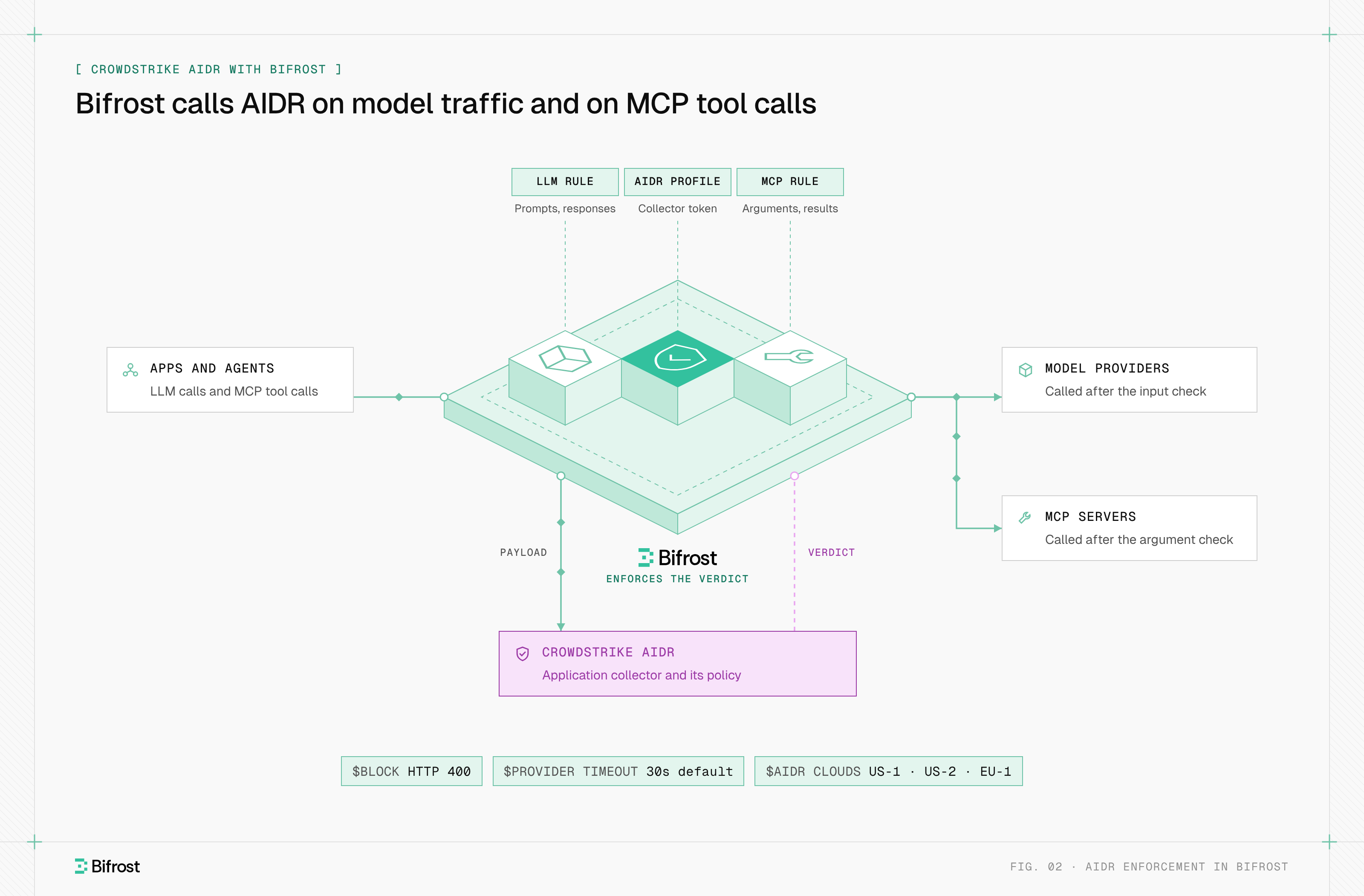
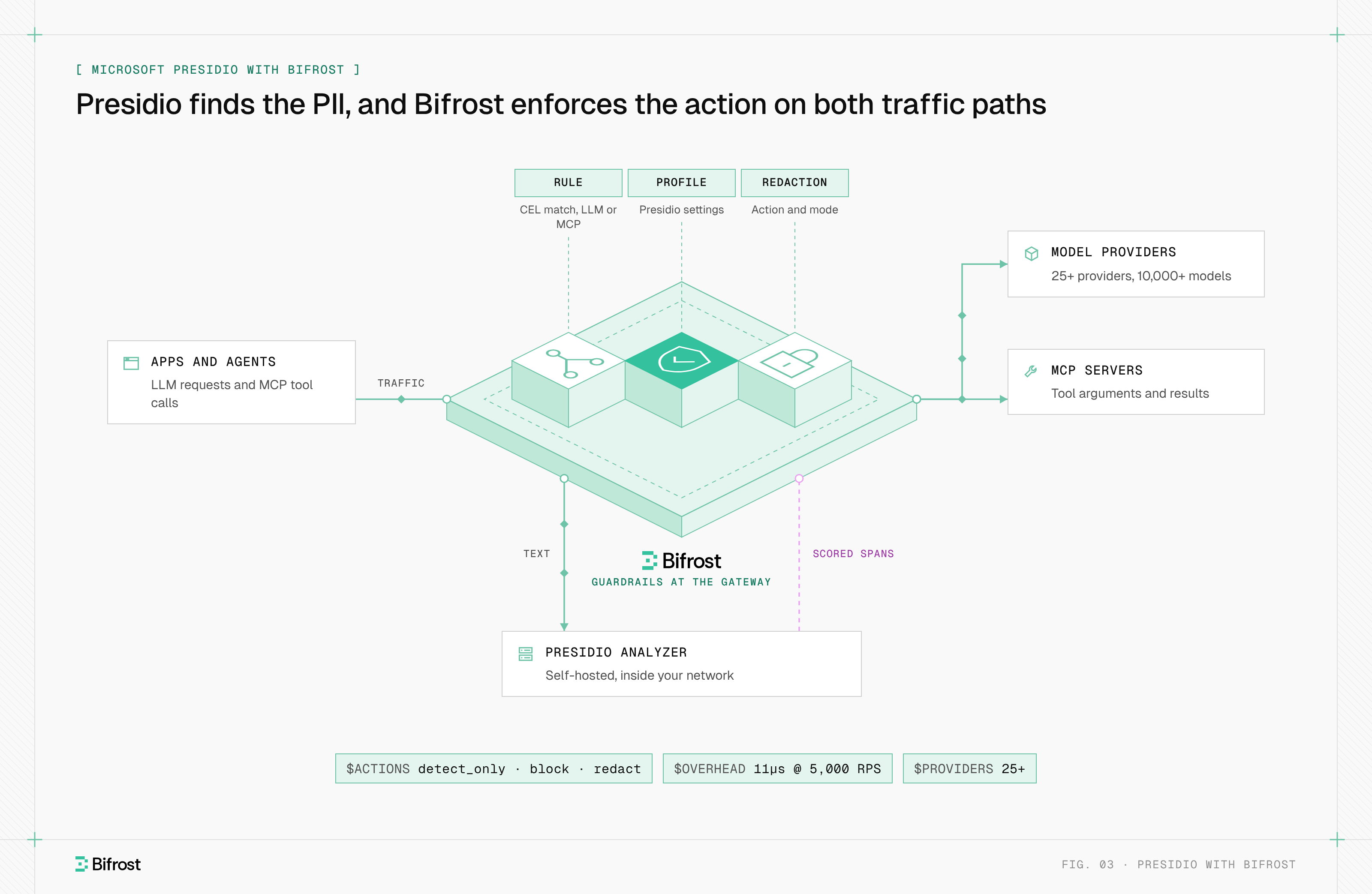
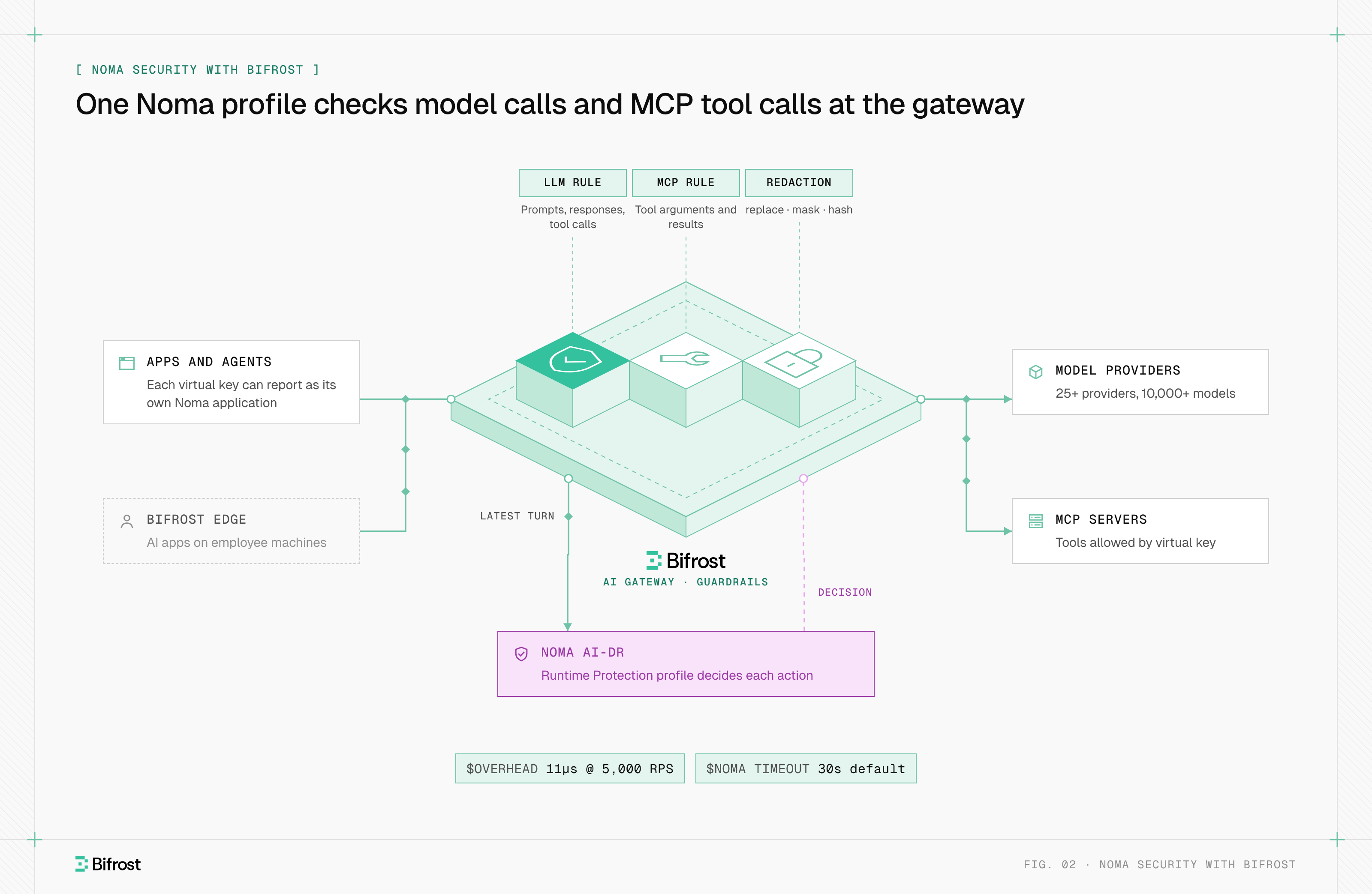
Bifrost, the open-source AI gateway, closes that gap: Bifrost Enterprise calls a Model Armor template on model traffic and on MCP tool calls to any server, then enforces the verdict.
On this page
- How does Google Model Armor work?
- What filters does Model Armor include?
- Model Armor templates vs floor settings
- Does Model Armor cover MCP tool calls?
- Where Google Cloud Model Armor falls short
- How does Model Armor pricing work?
- How to roll out GCP Model Armor
- Google Model Armor with Bifrost
How does Google Model Armor work?
Google Model Armor works by evaluating text against a template twice per model call. The caller sends the prompt to sanitizeUserPrompt, forwards it to the model if it passes, then sends the response to sanitizeModelResponse. Each call returns a sanitizationResult with filterMatchState set to MATCH_FOUND or NO_MATCH_FOUND, plus a result for every filter.
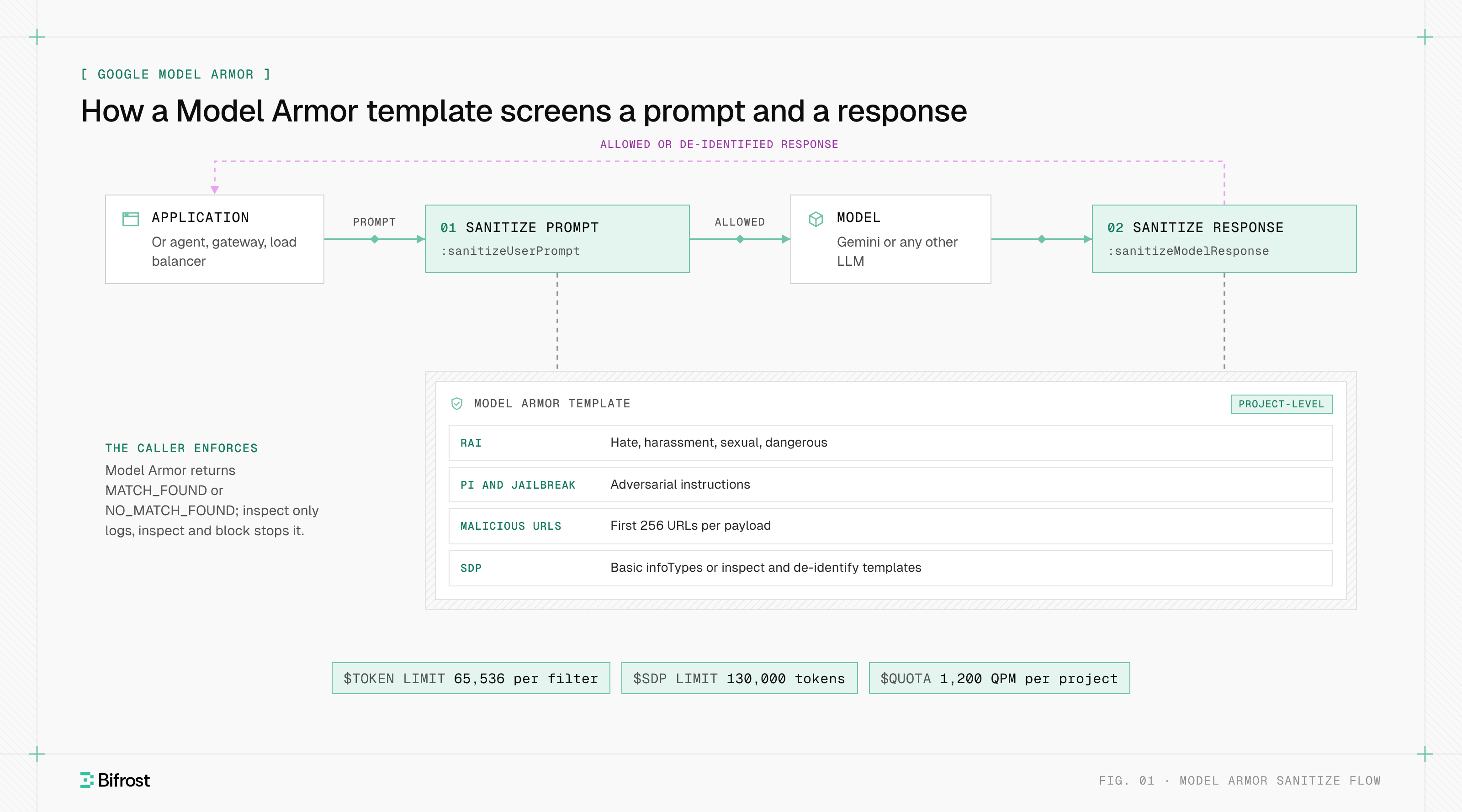
Figure 1: Model Armor returns a verdict on each side of the model call, and the caller decides what to block.
Called directly through the REST API, Model Armor only reports. The Model Armor overview describes two enforcement modes for integrated services: inspect only logs detections to Cloud Logging without blocking, and inspect and block stops violating prompts before the model and unsafe responses before the user.
Model Armor processes content statelessly and in memory, and it stores nothing unless Cloud Logging is enabled. Each prompt and response is inspected as a single turn, with no conversation history.
What filters does Model Armor include?
Model Armor includes five filter types, and a template runs only the ones you enable. Disabled filters receive no data. The table follows the Model Armor overview and the Model Armor quotas page, which sets a separate token limit per filter.
| Filter | What it detects | Settings | Token limit |
|---|---|---|---|
| Responsible AI (RAI) | Hate speech, harassment, sexually explicit and dangerous content | HIGH, MEDIUM_AND_ABOVE or LOW_AND_ABOVE per category | 65,536 |
| Prompt injection and jailbreak | Adversarial instructions in prompts and responses | Confidence level; inputs under three words return no match | 65,536 |
| Malicious URL detection | Phishing and malware links | On or off; scans the first 256 URLs | None |
| Sensitive Data Protection (SDP) | Basic: card numbers, US SSNs, credentials and similar. Advanced: any infoType in your templates | Basic inspects only; advanced can inspect and de-identify | 130,000 |
| CSAM detection | Child sexual abuse material | API only; on by default in supported regions | 65,536 |
Basic SDP covers six fixed infoTypes with no configuration. Advanced SDP points the template at a Sensitive Data Protection inspect template and an optional de-identify template, which lets Model Armor return rewritten text instead of a block.
Model Armor templates vs floor settings
A Model Armor template is a project-level set of filters and thresholds that a caller names on each request. A floor setting is a minimum policy at the organization, folder or project level that templates must meet and that integrated Google services enforce inline. Google recommends separate templates for prompts and responses.
| Dimension | Template | Floor setting |
|---|---|---|
| Scope | One project and location | Organization, folder or project |
| Who references it | Your code, a gateway, Apigee, Service Extensions | Integrated Google services |
| Enforcement | The caller decides | Inspect only, or inspect and block |
| Conformance | Cannot be saved below the floor | Sets the floor |
| MCP coverage | Any traffic you send to it | Google MCP servers only |
When floor settings conflict, the lower level wins, so a project setting overrides its folder. Per the floor settings guide, inline inspection is enforced only at the project level, and Security Command Center Premium or Enterprise raises a high-severity finding for each template that falls below the floor.
Does Model Armor cover MCP tool calls?
Model Armor covers MCP tool calls only to supported Google and Google Cloud MCP servers, through a floor setting that lists GOOGLE_MCP_SERVER as an integrated service. That integration screens tools/call and prompts/get requests and responses, plus tool execution errors, with the v1 filter version, which cannot be overridden.
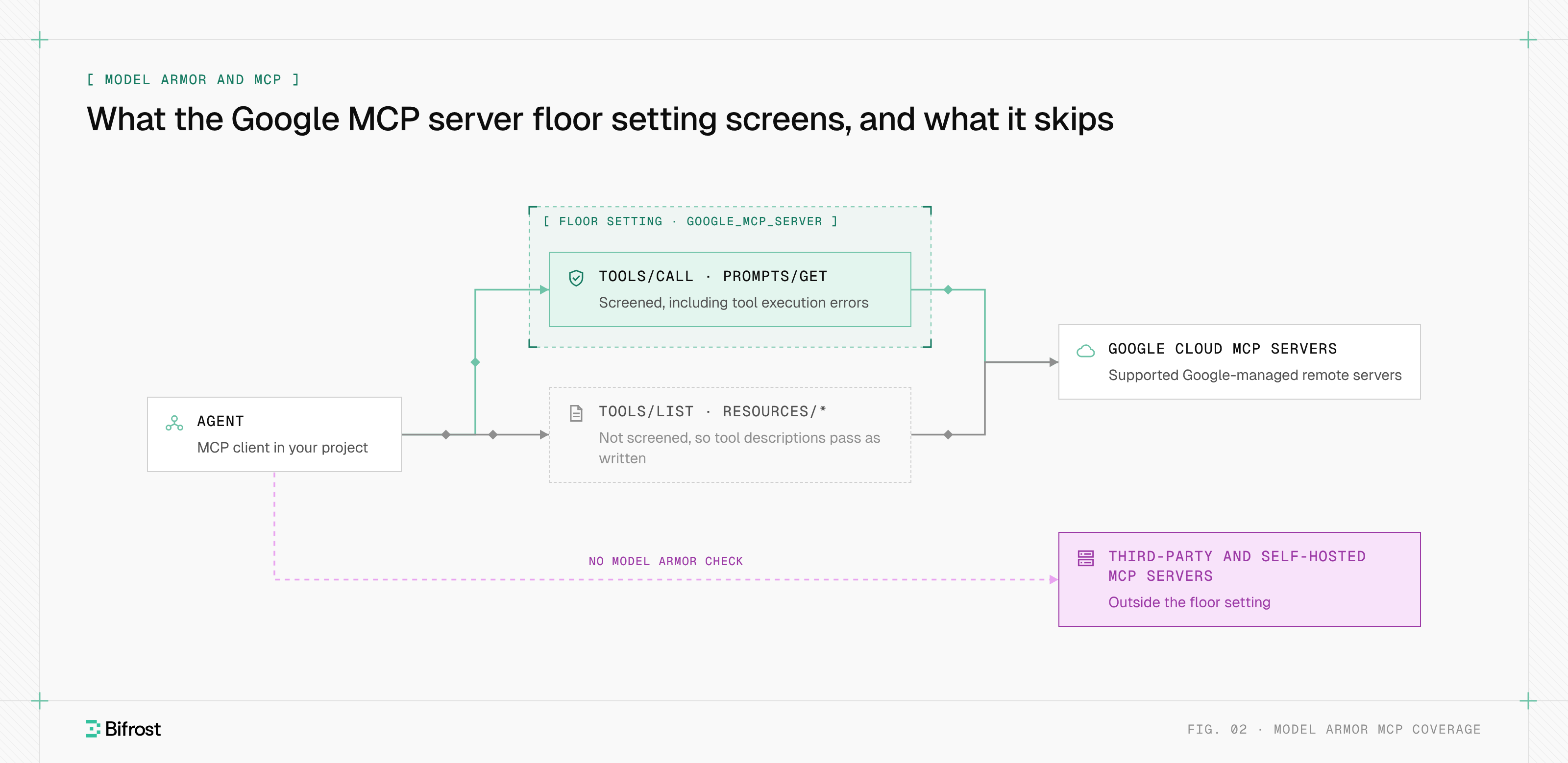
Figure 2: The floor setting covers tool calls to supported Google servers, not tool discovery or anyone else's servers.
Three gaps follow from that scope in a Model Context Protocol deployment, and each maps to an MCP security risk:
- Tool discovery.
tools/list,resources/*andnotifications/*are not sanitized, so a poisoned tool description reaches the model unchecked. The MCP specification (revision 2026-07-28) says clients must treat tool annotations as untrusted unless they come from trusted servers. - Other servers. Third-party and self-hosted MCP servers sit outside the floor setting, so their arguments and results need another control point.
- Cross-project calls. When the agent and the MCP server run in different projects, both need the floor setting, and Model Armor runs once per project.
Google also advises against enabling the prompt injection and jailbreak filter on MCP traffic that carries no natural language. Covering every MCP tool call from one place takes direct API calls in each agent, Service Extensions at a load balancer, or an MCP gateway that calls the template on every server it fronts.
Where Google Cloud Model Armor falls short
Google Cloud Model Armor falls short mostly at the edges of what a single sanitize call can see. Each limit below comes from the overview, quotas and integration pages, and each has a workaround at the layer that calls Model Armor.
- Token limits skip silently. Content past a filter's limit returns
EXECUTION_SKIPPEDwith no match, so the request passes. Chunk long inputs or add a local check. - No conversation history. Each call sees one turn, so an instruction planted earlier in a session is not in scope.
- Encoded content. Base64, hex, URL encoding and ciphertext are not decoded before inspection.
- Modalities. Audio and video are unsupported, text and images cannot share one request, and image screening is Preview in the
usandeumulti-regions only. - De-identification gaps. Streaming methods and file-based prompts do not support SDP de-identification.
- Language coverage. RAI and prompt injection filters were tested in nine languages. In
asia-south1andnorthamerica-northeast2, non-English checks return skipped detection. - Quota. The API allows 1,200 queries per minute per project by default, so a high-traffic gateway needs a quota increase or sampled guardrail rules.
How does Model Armor pricing work?
Model Armor pricing is metered on tokens screened, and skipped data is not charged. Google's Model Armor product page lists 2 million free tokens per month, then $0.10 per additional million tokens, for the standalone service and for Security Command Center Premium pay-as-you-go.
Security Command Center Premium and Enterprise subscriptions include 3 billion tokens per month, and Gemini Enterprise includes Model Armor in every edition. Documents over 4 MB are skipped and not billed. A full exchange takes two calls, one per side, and images travel in separate requests from text.
How to roll out GCP Model Armor
A GCP Model Armor rollout starts with an inventory of traffic, then tightens enforcement once findings are understood. The order matters because a template only protects traffic that something sends to it, and gateway guardrails turn steps 5 and 6 into configuration.
- Map the traffic. List Gemini calls on Agent Platform (formerly Vertex AI), calls to other providers, and the MCP servers each agent uses, Google and non-Google.
- Split templates by direction. Keep one template for prompts and one for responses, with confidence levels set per category.
- Start in inspect only. Enable Cloud Logging, review
SanitizeOperationLogEntryrecords for false positives, then switch to inspect and block. - Set floor settings. Apply a minimum at the organization or folder level so new templates cannot drop below it.
- Decide the failure behavior. Agree what happens when Model Armor times out or skips a filter.
- Cover tool calls everywhere. Enable
GOOGLE_MCP_SERVERfor Google servers, and route the rest through a control point that calls the template.
Google Model Armor with Bifrost
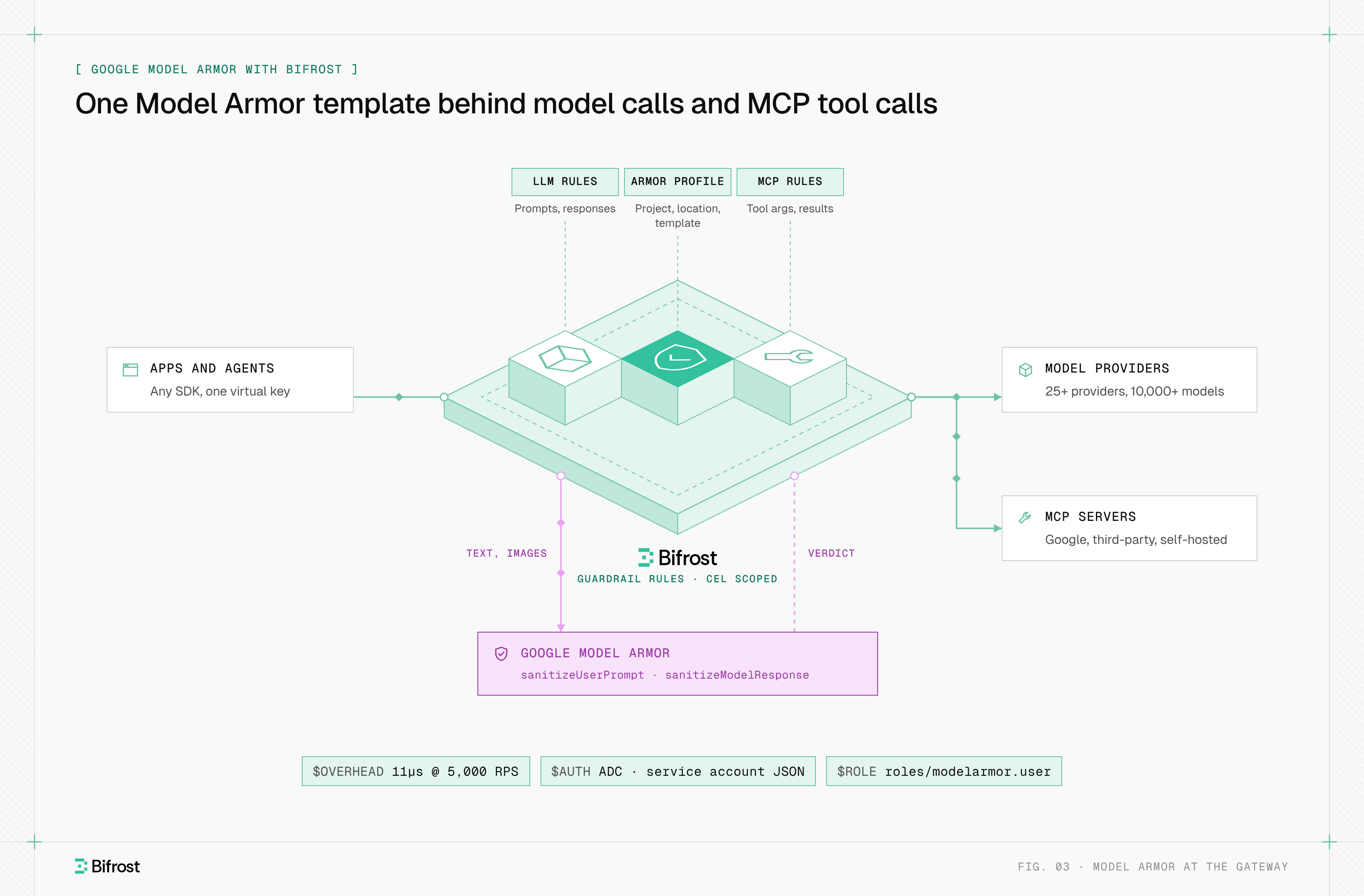
Bifrost, the open-source AI gateway built by Maxim AI, runs Google Model Armor as a guardrail provider in Bifrost Enterprise. Google owns the template, and Bifrost decides when to call it, sends the text, and blocks or rewrites the request based on the result, for every provider it routes to.
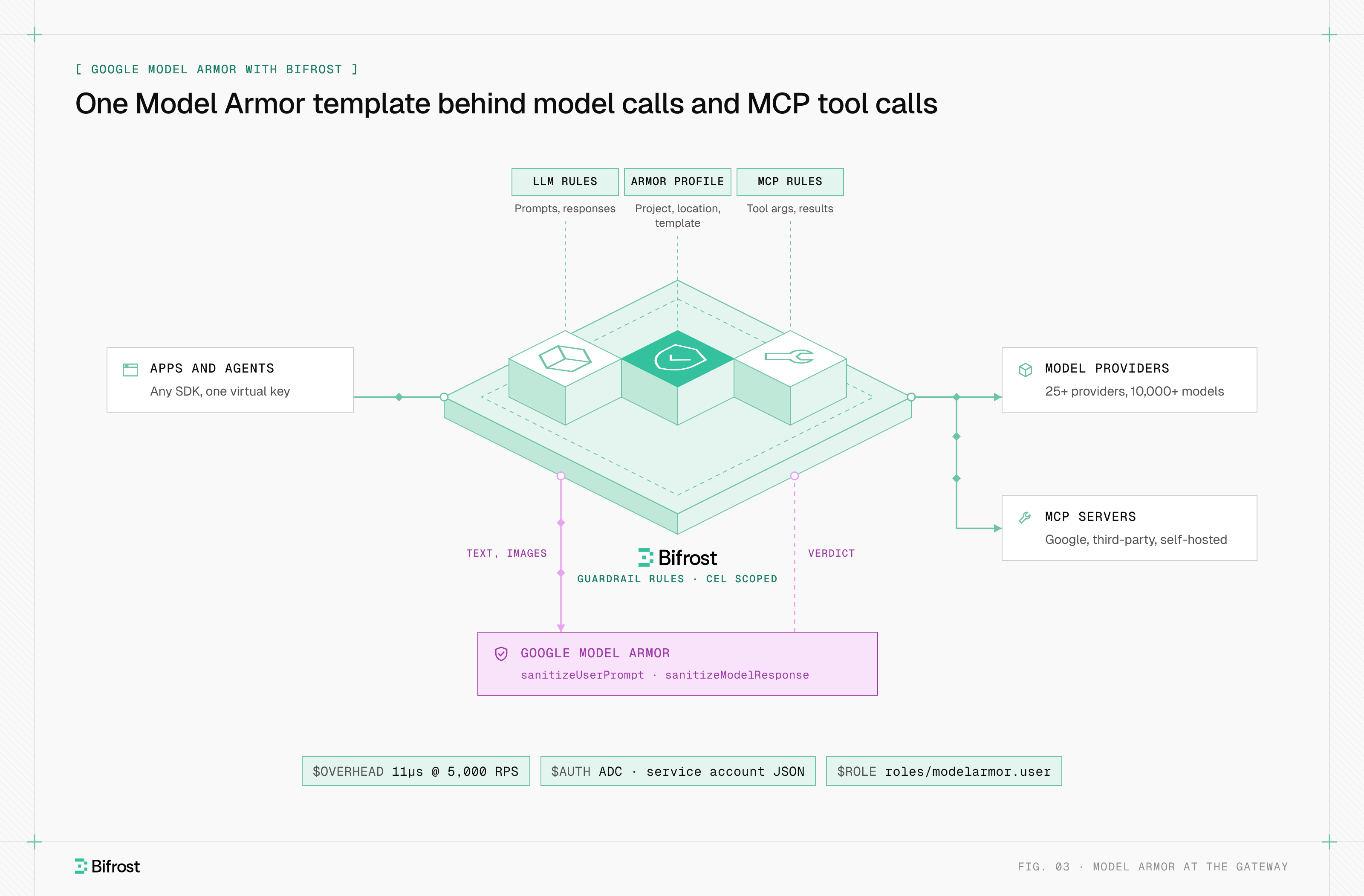
Figure 3: Google keeps the template and Bifrost enforces its verdict on every routed model and MCP server.
A model-armor profile holds project_id, location and template_id, and authenticates with Application Default Credentials or a service account key JSON that holds roles/modelarmor.user. Guardrail rules link the profile with a Common Expression Language (CEL) condition. An llm rule checks prompts and responses. An mcp rule checks tool arguments and results on any MCP server Bifrost connects to, which covers the servers the floor setting skips:
{
  "name": "model-armor-crm-tools",
  "enabled": true,
  "target": "mcp",
  "celExpression": "mcp_client == \"crm\"",
  "applyTo": "both",
  "samplingRate": 100,
  "timeout": 60,
  "selectedGuardrailProfiles": ["secrets:1", "model-armor:12"]
}
| Model Armor result | Bifrost behavior |
|---|---|
NO_MATCH_FOUND | Passes the original content |
| Blocking match (RAI, prompt injection, CSAM, malicious URL, SDP inspect) | Returns HTTP 400 with type: "guardrail_intervention" |
| SDP de-identify match | Replaces the text and continues |
FAILURE, timeout or malformed response | Reports the error and fails open |
Because provider errors fail open, put local Custom Regex or Secrets Detection profiles ahead of Model Armor in the rule.
Do not pair SDP de-identification with Bifrost-managed redaction on one phase, because two rewrites fail closed. On a streaming output rule, Bifrost holds the response until the full text is checked.
Image screening is opt-in with images_enabled, and Bifrost sends each JPEG, PNG or BMP image up to 4 MiB as its own request. Logs record evaluated, matched and transformed text counts and the blocking filter names. Bifrost adds about 11 microseconds per request at 5,000 RPS, plus the Model Armor round trip. With AI Gateway + Bifrost Edge, the same profiles cover AI apps on employee machines.
To review Model Armor enforcement against your own traffic, book a demo. The base gateway starts with the gateway quickstart.
Frequently asked questions
Does Model Armor work with non-Google models?
Yes. Model Armor is a REST API that screens any text you send it, and Google says it protects Gemini, OpenAI, Anthropic, Llama and other models on any cloud. Inline enforcement comes from Google integrations or from your own caller, such as an application, Apigee proxy or AI gateway. Bifrost calls a Model Armor template for every provider it routes to and enforces the verdict.
Does Model Armor protect MCP servers?
Partly. A floor setting with GOOGLE_MCP_SERVER screens tools/call and prompts/get traffic to supported Google and Google Cloud MCP servers. It does not screen tools/list, so tool descriptions pass unchecked, and it does not cover third-party or self-hosted servers. A Bifrost rule with the mcp target sends tool arguments and results from any connected server to a Model Armor template.
Is Model Armor free?
Model Armor has a free tier of 2 million tokens per month on the standalone service and on Security Command Center Premium pay-as-you-go. Usage past that is billed per million tokens, and skipped content is not charged. Security Command Center subscriptions include 3 billion tokens per month, and Gemini Enterprise includes Model Armor. Check Google's pricing page before you size a budget.
Can Model Armor redact PII instead of blocking it?
Yes, with advanced Sensitive Data Protection. A template that references an SDP de-identify template returns rewritten text, such as masked or replaced values, instead of a block. Basic SDP only inspects. De-identification does not apply to streaming methods or file-based prompts, and Gemini Enterprise blocks rather than de-identifies. Bifrost applies the rewritten text and lets the request continue.
What happens when a prompt exceeds Model Armor token limits?
The filter whose limit is exceeded returns EXECUTION_SKIPPED and reports no match, so the content is not blocked by that filter. Prompt injection, Responsible AI and CSAM filters stop at 65,536 tokens, and SDP at 130,000. Teams that send long contexts should chunk them, check the execution state, or put a local profile in front of Model Armor.
- ai guardrails
- lm guardrails