Using an MCP Gateway with Claude Code: A Practical Guide
Learn how to use an MCP gateway with Claude Code to centralize tool access, enforce governance, and cut token costs across every connected MCP server.
Claude Code has become a default terminal coding agent for engineering teams, and its native support for the Model Context Protocol (MCP) lets it reach into filesystems, databases, GitHub, web search, Slack, internal APIs, and a growing list of community tool servers. Connecting Claude Code to one or two MCP servers is trivial. Connecting it to fifteen, each with its own credentials, configuration block, and approval surface, is how teams end up with tool sprawl, fragmented access control, and zero cost visibility. An MCP gateway with Claude Code fixes this by sitting in front of every upstream tool server and exposing them through a single endpoint. Bifrost, the open-source AI gateway by Maxim AI, is built for exactly this pattern.
What an MCP Gateway Does for Claude Code
An MCP gateway is an aggregation and governance layer that sits between Claude Code and every upstream MCP server. The gateway connects to each tool server once, presents a unified /mcp endpoint to Claude Code, and applies access control, observability, and routing policies before any tool call reaches the underlying system.
Without a gateway, every MCP server in the Claude Code config is a standalone connection. The gateway pattern collapses this into one connection that the agent talks to, while every operational concern (auth, audit, budgets, tool filtering) lives in one place. The Model Context Protocol is an open standard that lets AI clients discover and execute external tools at runtime, originally introduced by Anthropic in November 2024 and now adopted across major AI platforms.
Why Multiple MCP Servers Break the Default Setup
Connecting Claude Code to MCP tools at scale exposes three predictable failures.
- Configuration sprawl: each server has its own entry, transport, and credentials. Onboarding a new engineer means replicating that setup on every machine.
- No centralized access control: Claude Code can call any tool from any connected server. There is no policy layer that decides which engineer or project gets which tool.
- Token waste: every connected MCP server injects its full tool catalog into the model's context window on every request. A team running five servers with thirty tools each pays for 150 tool definitions before the model reads the prompt. Anthropic's engineering team has documented cases where this approach consumed 150,000 tokens per agent turn.
A gateway addresses all three by centralizing the connection and adding a control plane.
How Bifrost's MCP Gateway Works with Claude Code
Bifrost is both an MCP client and an MCP server. It connects upstream to your tool servers (filesystem, databases, GitHub, web search, internal APIs, Notion, Slack, and any other MCP-compatible server) and exposes every aggregated tool through a single endpoint at /mcp. Claude Code sees Bifrost as one MCP server. Bifrost sees the upstream tool servers as individual clients.
Bifrost's MCP gateway supports three connection protocols for upstream servers:
- STDIO: spawns a subprocess and communicates over stdin/stdout. Suited to local tools like the filesystem server or Python-based MCP servers.
- HTTP: sends JSON-RPC requests to a remote MCP endpoint. Suited to cloud-hosted MCP servers and managed integrations.
- SSE: maintains a Server-Sent Events stream for long-lived connections.
When a new upstream server is registered, Bifrost connects, discovers tools, and starts syncing automatically. Claude Code does not need any client-side change for newly added tools to become available. For Claude Code-specific configuration patterns, the Claude Code integration resource page covers the full setup.
Setting Up an MCP Gateway with Claude Code
End-to-end setup takes a few minutes. The four steps below assume Node.js 18+ is installed and Claude Code is authenticated locally.
Step 1: Run Bifrost locally
Bifrost runs as an HTTP gateway with a built-in web UI. The fastest path is NPX or Docker:
npx -y @maximhq/bifrost
# or
docker run -p 8080:8080 maximhq/bifrost
Open http://localhost:8080 to access the dashboard. Bifrost also deploys to Kubernetes, Docker Swarm, or bare metal using the same image.
Step 2: Connect upstream MCP servers
In the Bifrost dashboard, navigate to the MCP section and add each upstream server. Give it a name, choose the connection type (STDIO, HTTP, or SSE), and enter the endpoint or command. For HTTP servers, add any required headers (API keys, auth tokens, custom metadata) directly in the UI. Bifrost discovers each server's tools and syncs them on the configured interval. Full connection options are covered in the MCP gateway docs.
Step 3: Create a virtual key with scoped tools
Virtual keys are Bifrost's primary governance mechanism. Each virtual key is a scoped credential that controls which tools a consumer can call, along with budgets, rate limits, and routing rules. In the Virtual Keys section, create a key for the Claude Code user or team and select the allowed tools. Scoping is per-tool, not per-server, so a key can grant crm_lookup_customer without granting crm_delete_customer from the same server. The full model is documented in virtual keys.
Step 4: Connect Claude Code to Bifrost
Add Bifrost as an MCP server in Claude Code with one command:
claude mcp add --transport http bifrost <http://localhost:8080/mcp>
Run /mcp inside Claude Code to verify that bifrost is listed as connected, with all the tools the virtual key has access to. New servers added to Bifrost from this point on appear in Claude Code automatically, with no client-side config changes.
Governance and Access Control for Production Claude Code
Production Claude Code deployments rarely run with unrestricted tool access. Bifrost's MCP tool filtering operates at two levels:
- Virtual key scoping: each key carries a set of tools it is allowed to call. A customer-facing integration cannot reach internal admin tooling just because both are connected to the gateway.
- MCP Tool Groups: a named collection of tools that can be attached to virtual keys, teams, customers, or providers. Bifrost merges and deduplicates allowed tools at request time.
Every MCP tool call is a first-class log entry, with the tool name, server, arguments, result, latency, virtual key, and parent LLM request that triggered it. For teams operating in regulated environments, this is what makes the Bifrost governance layer suitable for SOC 2, GDPR, HIPAA, and ISO 27001 audit scope.
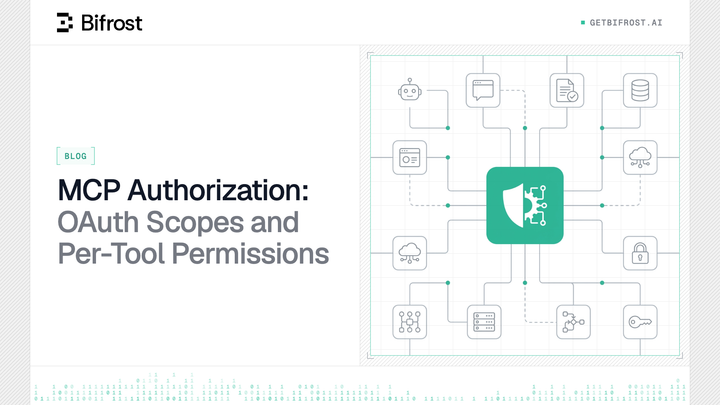
For deployments behind public networks, Bifrost's MCP gateway supports OAuth 2.1, automatic discovery via standard headers, and per-user identity binding through OAuth authentication. OAuth-capable clients including Claude Code detect this without manual configuration. The MCP specification itself adopted OAuth 2.1 in its March 2025 release, and Bifrost's implementation aligns with that standard.
Cutting Token Costs with Code Mode
One of the less obvious costs of running Claude Code with many MCP servers is context bloat. By default, every tool definition from every connected server is injected into the model's context on every request. At hundreds of tools, that becomes the dominant token cost.
Bifrost's Code Mode addresses this by exposing MCP tools as a Python API surface. Instead of declaring every tool definition upfront, Claude Code writes Python code that calls only the tools needed for the current task. Tool definitions are loaded on demand, results are filtered before they reach the model, and complex multi-tool workflows execute in a single round trip.
In multi-server scenarios, this delivers approximately 50% lower token usage and 30 to 40% lower latency, with savings that compound as the tool catalog grows. For deeper analysis of how Code Mode plays with access control and cost governance, see the post on Bifrost MCP Gateway access control, cost governance, and 92% lower token costs at scale.
Operational Best Practices for Claude Code Teams
A few patterns separate a robust gateway deployment from a fragile one.
- Enable
enforce_auth_on_inferencein production so every MCP request carries a valid virtual key. - Deploy Bifrost behind HTTPS by terminating TLS at a reverse proxy (nginx, Cloudflare, or equivalent) in front of the gateway.
- Turn on Code Mode when the connected tool catalog grows beyond a few dozen tools. The savings scale with catalog size.
- Route all LLM traffic through the same gateway. When model calls and tool calls flow through one control plane, every Claude Code session produces a complete picture: model tokens and tool costs together, under one access control model, in one audit log.
- Use routing rules to send Claude Code's traffic to alternate providers (Vertex AI, AWS Bedrock, Azure) when primary capacity is constrained.
The overhead Bifrost adds is negligible: 11 microseconds per request at 5,000 RPS in sustained benchmarks. The infrastructure layer never becomes the bottleneck.
Try Bifrost as an MCP Gateway with Claude Code
Connecting an MCP gateway with Claude Code is a small configuration change with an outsized operational payoff. Bifrost replaces fragmented per-server configs with one endpoint, adds Code Mode to cut token costs on multi-server workflows, and enforces access control, budgets, and audit logging through virtual keys. The open-source release on GitHub runs in a single command and deploys to Kubernetes, Docker, or bare metal without platform-specific work.
To see how an MCP gateway with Claude Code works on your own tool stack, book a demo with the Bifrost team.