GitHub Copilot and AWS SageMaker as providers in Bifrost: Use your Copilot seats and SageMaker models through the Gateway
Samyabrata Maji
Nov 24, 2026 · 7 min read
With Bifrost v2.4.0 and later, sign in with GitHub to run coding harnesses and your own agents on a Copilot seat, and call your SageMaker endpoints like any other model.
Two kinds of model access your company already pays for can still sit outside a Gateway:
- The GitHub Copilot seats your developers already have: Claude Code can't sign in with a Copilot seat. To run it in their terminal, a developer today needs a Claude plan, an Anthropic API key or a cloud account such as Amazon Bedrock, each billed apart from the seat.
- The models your ML team hosts on SageMaker: A fine-tuned model on a real-time SageMaker endpoint bills per instance-hour, irrespective of how many teams call it. Yet each app team that wants it needs AWS credentials, the endpoint name and the request format of the container behind it, and those calls never reach your Gateway logs.
With Bifrost v2.4.0, SageMaker is now a built-in provider, and Copilot keys can now be set up by signing in with GitHub or pasting a token. Both are then called like any other model, under the virtual keys and logs you already use.
Run Claude Code and your own agents on a Copilot seat
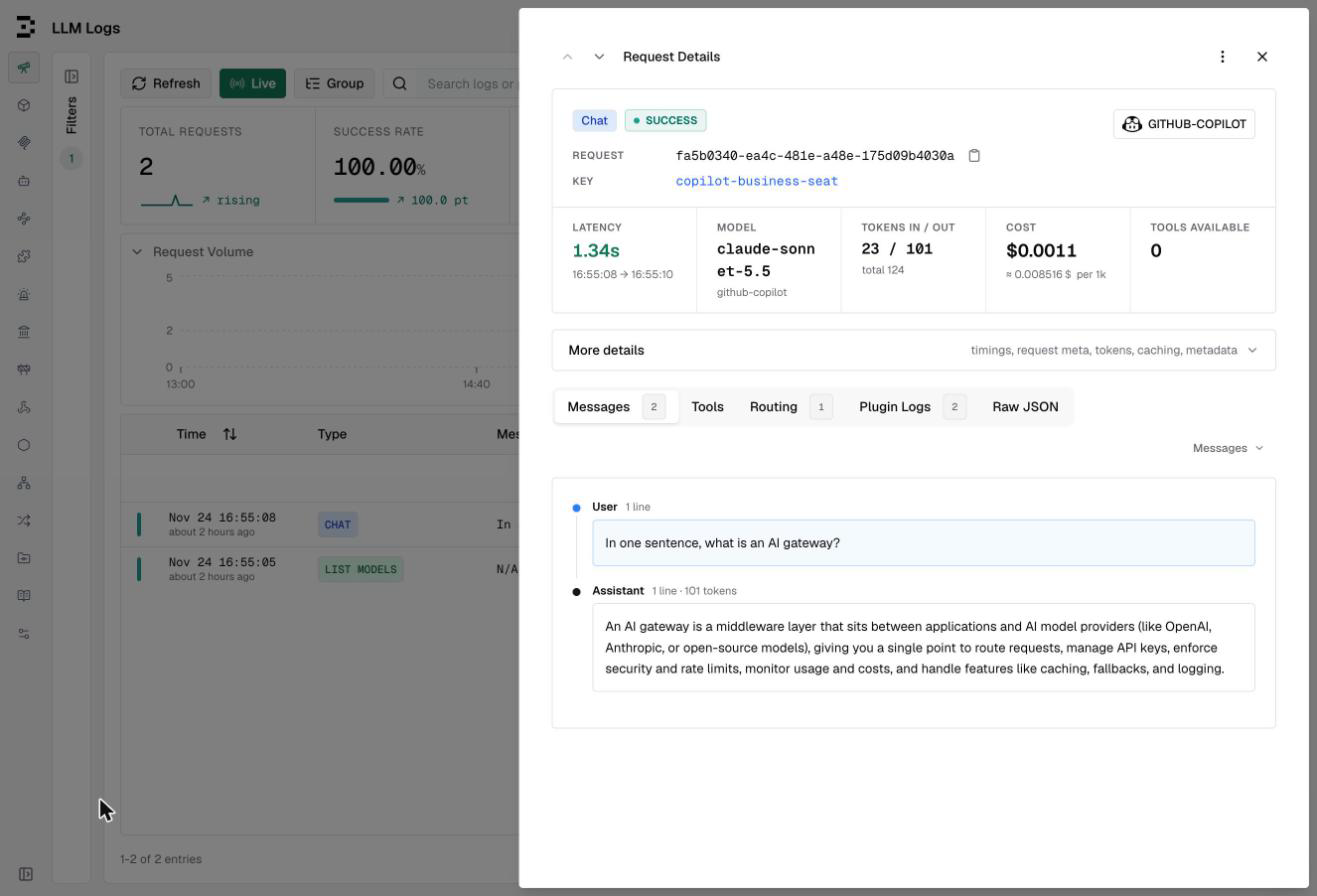
Bifrost authenticates as one GitHub user, so usage bills to that user's Copilot seat. Once the key is saved, you can request any model the seat's plan and organization policy allow, from your SDKs or your coding agent:
- Your own agents and applications: The OpenAI and Anthropic SDKs work as they do for any other provider, including tool calls, streaming and vision.
- Claude Code: Bifrost's Anthropic-compatible route reaches Copilot's Claude models, so Claude Code can run on a Copilot seat.
- Codex CLI and other Responses clients: Responses-only models such as
gpt-5.x-codexare served through the Responses API.
Copilot expects more than a bearer token, and the Gateway handles that part. For a sign-in token, it exchanges the GitHub token for Copilot tokens, which last about thirty minutes, and refreshes them before they expire. It looks up the API host for the account's plan and routes each request to the endpoint its model is served on: Claude models to /v1/messages, Responses requests for OpenAI models to /responses, and the rest through /chat/completions.
Cost is tracked too. Bifrost prices each request at GitHub's published rates, so a seat's usage appears in your logs in dollars and counts against the same budgets as the rest of your traffic.
Sign in with GitHub
The quickest way to connect a seat is GitHub's device flow, which runs from the Bifrost dashboard. There is no token to create or paste.
- Go to Models > Model Providers, choose GitHub Copilot and add a key.
- Select Sign in with GitHub. Bifrost shows a one-time code.
- Open
github.com/login/device, enter the code and authorize the request. - Bifrost fills in the token. Save the key.
If you would rather not sign in interactively, paste a fine-grained personal access token with the Copilot Requests permission. When an organization assigns the seat, its Copilot CLI policy must be on for the token to work. A Copilot API token you already hold works as well, but it expires after about thirty minutes and Bifrost cannot refresh it, so keep that for testing.
Copilot keys work with github.com accounts. Accounts on GitHub Enterprise Server, or on GitHub Enterprise Cloud with data residency (*.ghe.com), aren't supported.
AWS SageMaker: Your own endpoints behind the Gateway
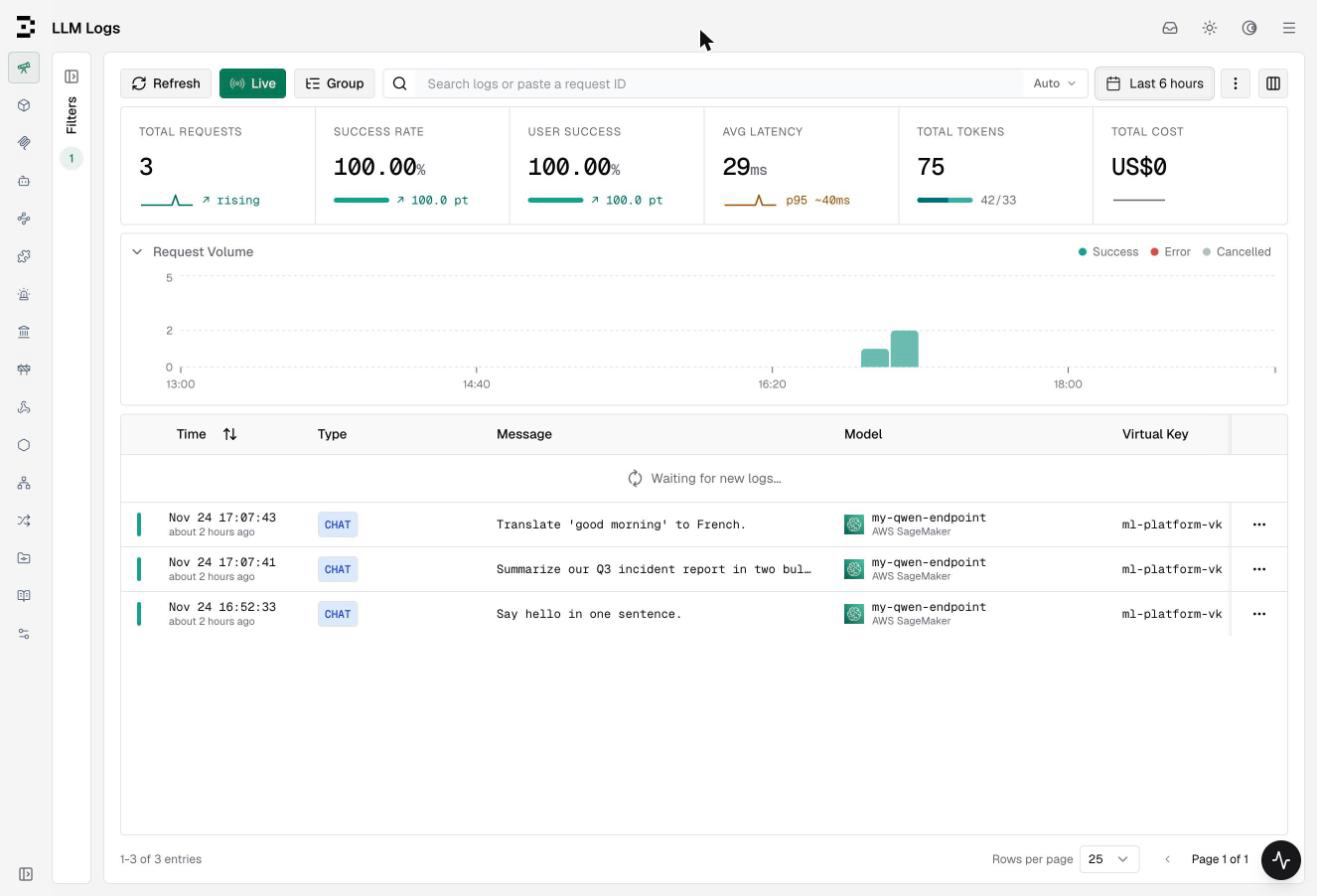
The sagemaker provider sends requests to models you host on SageMaker endpoints. A model id names the endpoint, not the model inside it: sagemaker/my-qwen-endpoint is an endpoint in the key's region, sagemaker/us-west-2/my-qwen-endpoint picks a region per request, and sagemaker/my-endpoint/my-component reaches an inference component on an endpoint that hosts several models.
Supported backends
What you call depends on the container serving the endpoint:
| Container serving the endpoint | How to call it through Bifrost |
|---|---|
| vLLM | Chat Completions and Responses |
| SGLang | Chat Completions and Responses |
| llama.cpp | Chat Completions and Responses |
| LMI (Large Model Inference) | Chat Completions and Responses, or passthrough for its native format |
| TEI (Text Embeddings Inference) | Passthrough |
| Custom images | Passthrough |
For the OpenAI-compatible containers, chat requests go to the endpoint's OpenAI-compatible route, so they work without a custom adapter. SageMaker only routes chat, so Bifrost converts Responses requests for you. A few details are handled along the way:
- Streaming in both formats: Streams accept SSE from vLLM, SGLang and llama.cpp, and JSON lines from LMI.
- Readable errors: SageMaker wraps container failures in a
ModelErrorenvelope. Bifrost unwraps it and returns the container's own message and error type. - Model discovery: SageMaker has no models endpoint, so a list-models request returns the
InServiceendpoints in each key's region.
Tools and other chat parameters are passed to the container unchanged, so what works depends on the engine and how it was launched. vLLM, for example, needs a tool-call parser for tool calling.
Passthrough endpoints
An embeddings model on TEI, LMI's native format and custom images each define their own request and response. For those, the SageMaker passthrough route, /sagemaker_passthrough, forwards raw InvokeEndpoint and InvokeEndpointWithResponseStream calls. The body you send and the status code, headers and body you get back are the container's own.
Passthrough calls are still Gateway traffic:
- The endpoint in the path is the model: Bifrost uses it for key selection, governance and logs, so a virtual key's model restrictions apply to passthrough calls too.
- Streaming reaches any HTTP client: Bifrost unpacks AWS's event-stream framing and relays only the payload bytes.
- It is not a general AWS proxy: Only those two operations are forwarded. Any other method or path is refused before anything reaches AWS.
Token usage is not parsed on passthrough calls, because Bifrost does not know the payload format.
Get started today
Upgrade to Bifrost v2.4.0 or later, in open source or Enterprise. If you connected Copilot through a GitHub App, switch the key to a token or sign in with GitHub first, because v2.4.0 removes that mode. SageMaker bills by instance time rather than by token, so add custom pricing for an endpoint if you want its calls to count against budgets.
To add either one:
- Go to Models > Model Providers and choose GitHub Copilot or AWS SageMaker.
- For Copilot, select Sign in with GitHub or paste a token. For SageMaker, pick an authentication method and enter the Region of your endpoints. Passthrough needs AWS credentials, not a bearer token.
- Save the key, then call the model with its
github-copilot/orsagemaker/prefix.
Read more in the docs:
- GitHub Copilot provider guide - every way to connect a seat, cost tracking and troubleshooting.
- AWS SageMaker provider guide - authentication, IAM permissions and model ids.
- SageMaker passthrough guide - raw
InvokeEndpointcalls for containers that don't speak the OpenAI format.