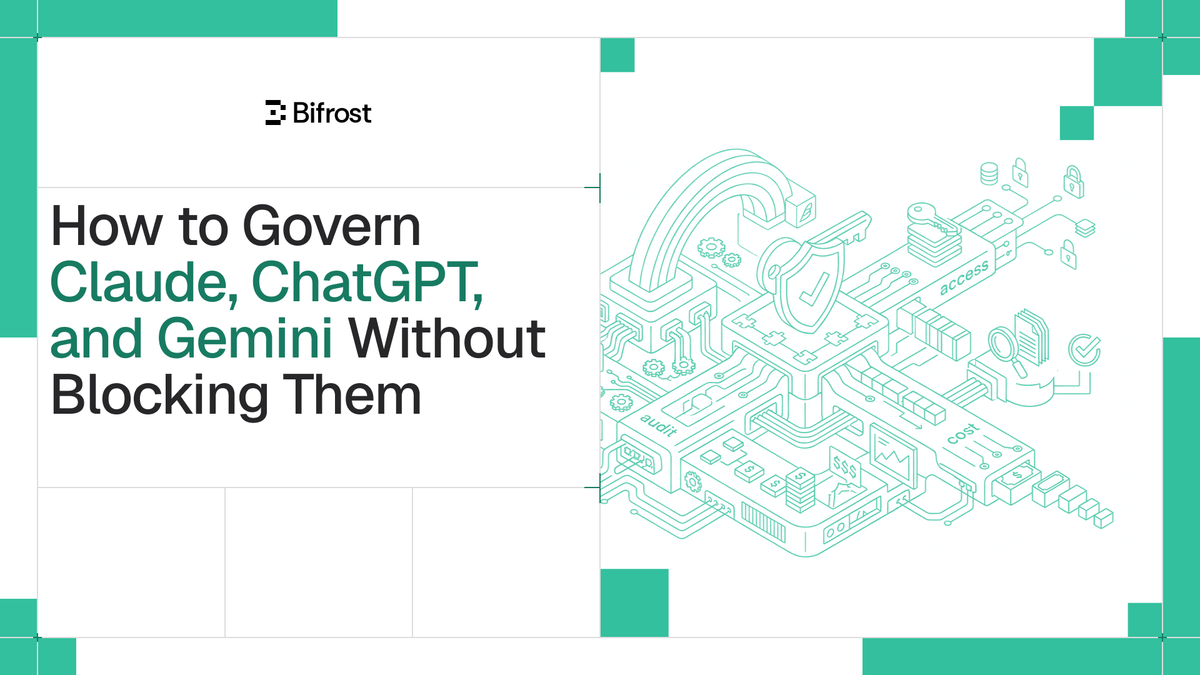
How to Govern Claude, ChatGPT, and Gemini Without Blocking Them
Most enterprise data exposure through AI starts with an ordinary action: an employee pastes source code, a customer record, or an API key into Claude, ChatGPT, or Gemini on their own machine. A 2025 LayerX report found that 77% of employees who use generative AI paste data into chatbots, and roughly a fifth of those pastes contained personally identifiable or payment data. Blocking these apps at the firewall does not remove the behavior; it pushes usage onto personal accounts and unmanaged browser tabs where security teams have no visibility at all. The practical alternative is to govern Claude, ChatGPT, and Gemini usage without blocking them: let people keep the tools they rely on while routing every request through a policy layer. Bifrost, the open-source AI gateway built in Go by Maxim AI, is that policy layer for enterprise AI traffic, and Bifrost Edge extends it to the browser and desktop on every company machine.
Why Blocking Claude, ChatGPT, and Gemini Doesn't Work
Blocking AI assistants outright fails because the demand for them does not disappear. When a sanctioned tool is unavailable, employees switch to a personal account, a phone, or a different browser, and the data still leaves the company. Netskope's research found that 47% of people using generative AI at work do so through personal accounts the organization does not oversee, relying on tools such as ChatGPT, Google Gemini, and Copilot with credentials unconnected to the business.
This is the shadow AI problem. A control layer only governs the traffic configured to flow through it, and almost none of the AI people actually use is configured that way. The result is sensitive data leaving through tools security teams cannot see, with no audit trail, no budget control, and no content inspection. Gartner projects that by 2030, more than 40% of enterprises will experience security or compliance incidents tied to unauthorized AI use.
The goal, then, is not blocking. It is governance: keeping the assistants employees want while bringing every request under a single governance layer.
What It Means to Govern AI Usage Without Blocking It
Governing AI usage without blocking it means allowing approved assistants to run normally while every prompt and response passes through a central policy layer that applies guardrails, budgets, and audit logging before data reaches a model. The app stays usable. The traffic becomes visible and controlled.
This separates two decisions that blocking conflates:
- Allow or deny the app. Decide which assistants are permitted on company machines.
- Govern the traffic. For every allowed app, route requests through centralized AI governance so policy applies to what employees send and receive.
Blocking only ever answers the first question, and answers it badly. Governing without blocking answers both: Claude, ChatGPT, and Gemini keep working, and the organization gets a record of usage, enforced budgets, and content inspection on prompts and responses.
The Control Plane: How the Bifrost AI Gateway Governs AI Traffic
Bifrost is the control plane where AI policy is defined and enforced. As an AI gateway, it sits between applications and model providers and applies governance to every request that flows through it, regardless of which provider or model is targeted. The core controls are:
- **Virtual keys:** scoped credentials that map usage to a team, project, or user, so access is attributable and revocable without sharing raw provider keys.
- **Budgets and rate limits:** spend caps and request limits per key, team, or user that prevent runaway cost and abuse.
- **Guardrails:** reusable profiles and rules that inspect prompts and responses for secrets, PII, and unsafe content before a request reaches a model and before a response returns.
- **Audit logs:** immutable records of who sent what, when, supporting SOC 2, GDPR, HIPAA, and ISO 27001 requirements.
These controls are configured once at the gateway and enforced on every request that passes through it. The open question for most teams is the one blocking never solves: how do you get the AI on a laptop, in a browser tab, or in a coding agent to pass through this control plane in the first place? That is the gap Bifrost Edge closes.
Extending Governance to the Browser and Desktop with Bifrost Edge
Bifrost governs AI traffic at the gateway; Bifrost Edge makes sure the AI on every laptop actually routes through it. Edge is the endpoint layer of the same platform. It runs on each machine and routes all AI traffic through the organization's Bifrost, so the virtual keys, budgets, guardrails, and audit logs already configured at the gateway are enforced on the device. There is nothing new to learn on the policy side; Edge extends the reach of the controls the gateway already provides.
The experience is built to be invisible after a one-time setup, which is what makes "without blocking" practical at scale:
- One sign-in. The first time Edge runs, the user signs in through their browser using the organization's existing single sign-on. That links the machine to the user and syncs the policies assigned to them. No keys are copied or pasted.
- An always-on agent. Edge lives in the menu bar on macOS or the system tray on Windows and Linux, showing connection status and the active virtual key with its budget.
- Every app, automatically. Because Edge routes at the machine level, it covers desktop apps, browser AI, and coding agents with no base URL changes and no SDK swaps. Governance follows the user instead of waiting for them to opt in.
For the assistants named here, that means allowed apps run normally and stay fully governed. Edge governs Claude Desktop and Claude on the web, the ChatGPT desktop app and ChatGPT on the web, and coding agents such as Claude Code. Because Edge governs traffic to every provider Bifrost supports, including Google Gemini and Vertex AI, requests pointed at Gemini stay under policy as well, and Edge discovers the MCP servers configured inside the Gemini CLI. The supported application list is expanding, and a missing app can be requested in one click. Bifrost Edge is currently in alpha, so teams register to be onboarded rather than deploying it as a generally available product.
Guardrails for Claude, ChatGPT, and Gemini Prompts
Because Edge routes endpoint AI traffic through the gateway, every guardrail already configured applies automatically to prompts and responses from Claude, ChatGPT, and Gemini. A prompt typed into ChatGPT in a browser tab is routed through Edge and evaluated against the organization's rules before it reaches a model, so a leaked secret or a block of PII is caught before it leaves the machine. Nothing extra is set up on the endpoint; the same profiles that protect gateway traffic now protect endpoint AI.
Guardrail coverage configured at the gateway and enforced on the device includes:
- **Secrets detection:** Gitleaks-backed detection for leaked API keys, tokens, private keys, and credentials.
- Custom regex: organization-specific redaction or rejection patterns, including a built-in PII detection template.
- Third-party providers: AWS Bedrock Guardrails, Azure Content Safety, Google Model Armor, CrowdStrike AIDR, GraySwan Cygnal, and Patronus AI.
This is the part blocking can never deliver. A blocked app inspects nothing because no traffic flows. An allowed and governed app gives the security team inspection on every prompt and response, across each assistant employees use.
Governing the MCP Servers Behind Your AI Assistants
AI assistants increasingly connect to MCP servers, external tools that can read files, call APIs, and take actions on a user's behalf. Most organizations have no visibility into which MCP servers employees have wired into Claude Desktop, Claude Code, or the Gemini CLI. Edge closes that blind spot by inventorying the MCP servers configured inside each app and building a live, fleet-wide list of which servers are in use and on how many devices.
Administrators then make per-server allow or deny decisions, and the decision is enforced on the device rather than treated as advice. A denied server cannot be used even by an app that had it configured before the policy existed. Discovery covers the major AI apps that support MCP today, including Claude Code, Claude Desktop, Gemini CLI, OpenCode, Codex, and Cursor. For teams standardizing tool access more broadly, an MCP gateway centralizes how those connections are authenticated and governed across all AI traffic.
Rolling Out Endpoint AI Governance with MDM
Endpoint AI governance only works if it reaches every machine, which is why Edge is built for fleet-wide deployment through existing device management tooling. Rather than asking users to download and configure anything, an organization pushes Edge to every machine through its MDM platform with a managed configuration that points it at the organization's Bifrost. Supported platforms include Jamf, Microsoft Intune, Kandji, Omnissa Workspace ONE, and JumpCloud.
The managed configuration delivers only non-sensitive connection settings, so machines arrive pre-pointed at the right gateway with no secrets on the device. Identity and keys come from the user's SSO sign-in on first launch. From the devices dashboard, administrators see every machine running Edge, the AI apps installed, and the MCP servers configured, then approve or deny apps and servers across the fleet from one place. For regulated industries and strict enterprise requirements, this connects directly to the broader Bifrost Enterprise story of air-gapped deployments, VPC isolation, and on-prem control.
Common Questions About Governing AI Assistant Usage
Can employees keep using Claude, ChatGPT, and Gemini after governance is in place?
Yes. The point of governing without blocking is that approved assistants keep working exactly as before. Edge routes their traffic through the gateway in the background, so the user experience is unchanged while policy applies to every request.
How is governing AI usage different from blocking it with a firewall?
A firewall block stops traffic and inspects nothing, which pushes employees toward personal accounts and unmanaged browsers. Governing usage routes the traffic through a policy layer instead, so the organization keeps visibility, applies guardrails and budgets, and retains an audit trail while the app stays usable.
Does this require changing settings in each AI app?
No. Edge routes at the machine level, so there are no base URLs to change and no SDKs to swap. After a one-time SSO sign-in, governance covers supported desktop apps, browser AI, and coding agents automatically.
Getting Started with Governed AI Usage
Governing Claude, ChatGPT, and Gemini usage without blocking them comes down to a single architecture: a gateway as the control plane where policy is defined, and an endpoint layer that carries that policy to every machine. Bifrost is the control plane, with virtual keys, budgets, guardrails, and audit logs, and Bifrost Edge extends that governance to the browser and desktop so the AI employees actually use stays under the same controls. The result is visibility and compliance across every assistant, without forcing anyone to give up the tools that make them productive. For a deeper look at the policy controls behind this model, the Bifrost governance resources walk through virtual keys, budgets, and access control in detail.
To see how Bifrost and Bifrost Edge can bring endpoint AI usage under governance across your fleet, book a demo with the Bifrost team.