
Requirements
Env variables
Initialize logger
Initialize MaximOpenAIClient
Make LLM calls using MaximOpenAIClient
Maxim-specific Headers
The OpenAI instrumentation supports additional headers via theextra_headers parameter to enhance trace metadata and organization. You can use the following headers:
x-maxim-trace-id: Associate LLM calls with a specific trace ID (UUID string). All calls with the same trace ID will be grouped together in a single trace.x-maxim-trace-tags: Add custom tags to traces as a JSON string containing key-value pairs. Useful for filtering and organizing traces.x-maxim-generation-name: Assign a custom name to a specific generation/LLM call within a trace (string).x-maxim-session-id: Associate traces with a specific session ID (string).
Example: Using Extra Headers
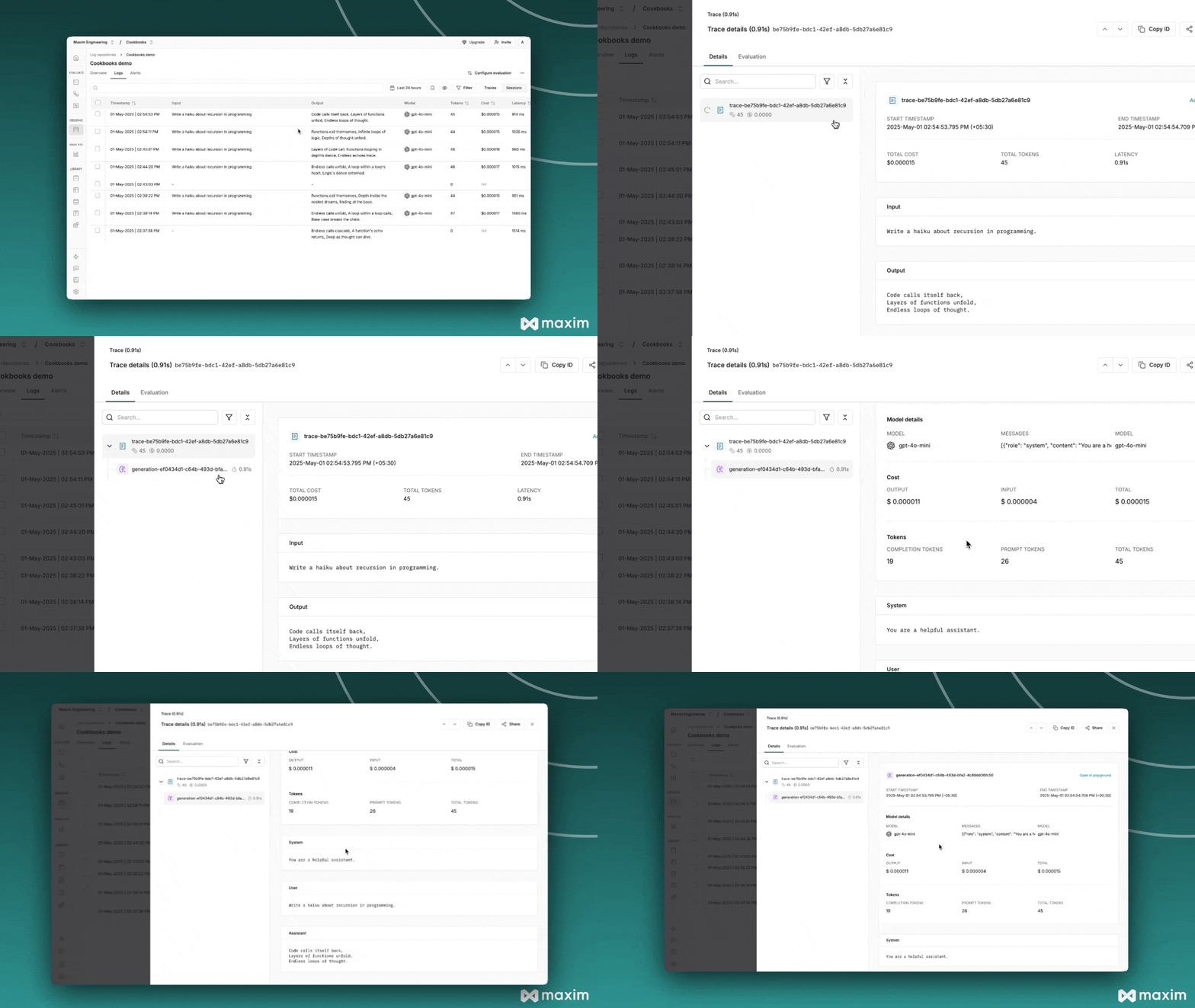
OpenAI one line integration cookbook (Github)
OpenAI one line integration Notebook (Colab)
Using OpenAI Responses API
The OpenAI Responses API is the new standard that will replace the Chat Completions API. Maxim provides plug-and-play observability for the Responses API, working with both sync and streaming calls while capturing model, parameters, messages, output text, tool calls, and errors without changing your OpenAI usage.Basic Responses API Usage (Sync)
Streaming Responses API
Async Responses API (Non-streaming)
Async Responses API (Streaming)
Controlling Trace Metadata with Headers
You can pass optional headers viaextra_headers to control trace metadata:
x-maxim-trace-id: Associate LLM calls with a specific trace ID (UUID string). All calls with the same trace ID will be grouped together in a single trace.x-maxim-trace-tags: Add custom tags to traces as a JSON string containing key-value pairs. Useful for filtering and organizing traces.x-maxim-generation-name: Assign a custom name to a specific generation/LLM call within a trace (string).x-maxim-session-id: Associate traces with a specific session ID (string).
Responses API with Tool Calls
The Responses API handles tool calls differently from Chat Completions. Here’s how to use tools with manual tracing:Key Differences: Responses API vs Chat Completions
The Responses API is OpenAI’s future standard and supports advanced features like web search. As the Chat Completions API is being phased out, we recommend migrating to the Responses API for new projects.
Advanced use-cases
Capture Multiple LLM Calls In One Trace
1
Initialize Maxim SDK and OpenAI Client
2
Create a new trace externally
3
Make LLM calls and use this trace id
4
Keep adding LLM calls
All LLM calls with extra header
maxim_trace_id: trace_id will add it the declared trace.Capture Multi-Turn Conversations
1
Initialize Maxim SDK and OpenAI Client
2
Create a new trace externally and add it to a session
3
Make LLM calls and use this trace id