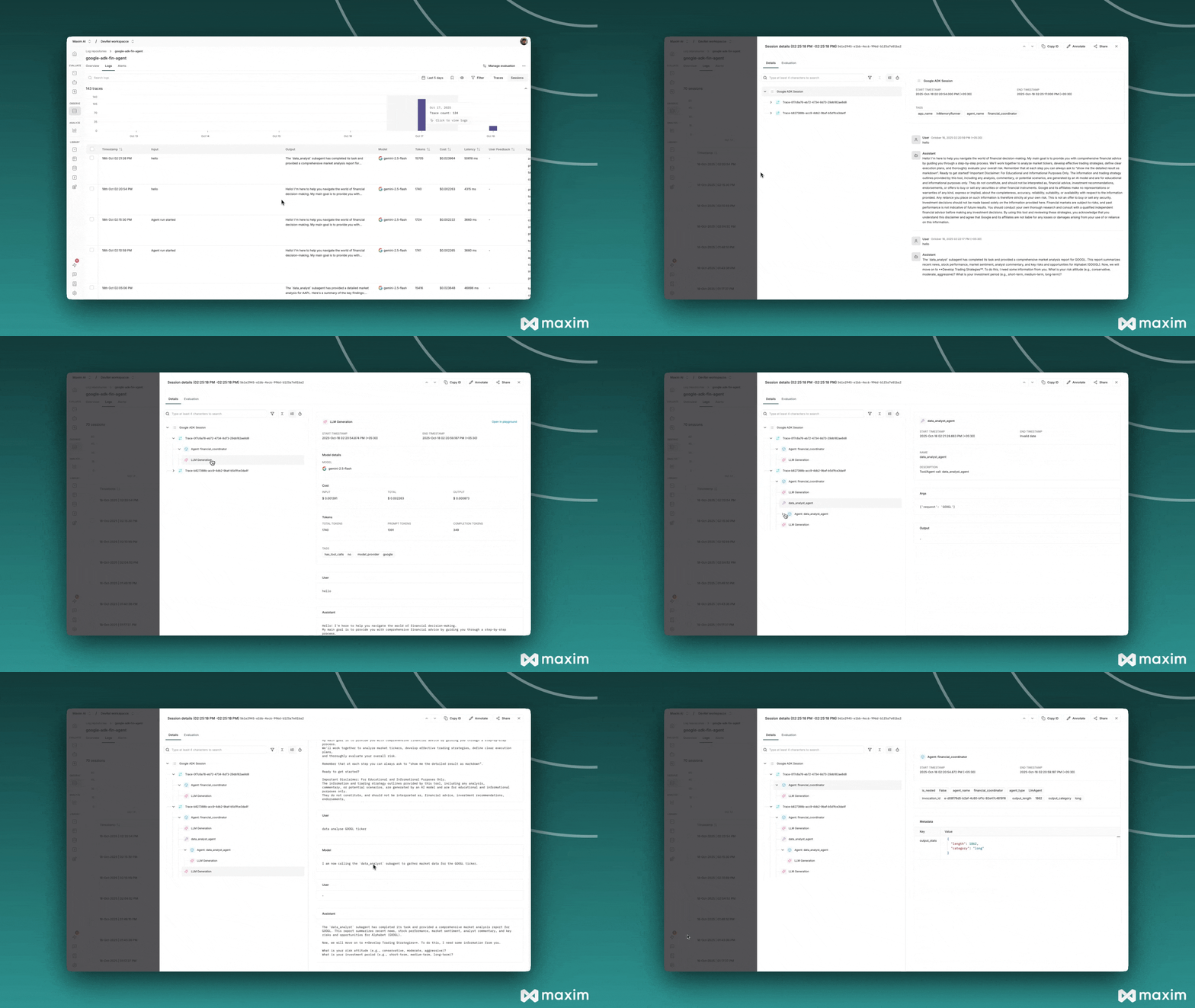
Automatic Instrumentation: Automatically capture traces from ADK agents without code changes
Multi-Agent Monitoring: Track complex agent interactions and workflows
Performance Insights: Monitor agent execution times and resource usage
Metrics Collection: Collect key metrics such as latency, token usage, and cost for each agent or workflow
Error Tracking: Capture and analyze agent failures and exceptions
Custom Logging: Add structured logging to your agent workflows
Node-Level Evaluation: Apply evaluators to components within an agent trace using Maxim’s node-level evaluation capabilities, enabling granular assessment and scoring of each step or node in an agent workflow
# __init__.pyimport osfrom dotenv import load_dotenv# Load environment variablesload_dotenv()# Use Gemini API instead of Vertex AI (simpler setup)os.environ.setdefault("GOOGLE_GENAI_USE_VERTEXAI", "False")# Import your agentfrom . import agent# Initialize Maxim instrumentationtry: from maxim import Maxim from maxim.logger.google_adk import instrument_google_adk print("🔌 Initializing Maxim instrumentation for Google ADK...") maxim = Maxim() maxim_logger = maxim.logger() # Apply instrumentation patches to Google ADK instrument_google_adk(maxim_logger, debug=True) print("✅ Maxim instrumentation complete!") # Export the instrumented agent root_agent = agent.root_agentexcept ImportError as e: print(f"⚠️ Could not initialize Maxim instrumentation: {e}") print("💡 Running without Maxim logging") # Fall back to using the agent without Maxim root_agent = agent.root_agent
Create a run_with_maxim.py file to run your agent:
#!/usr/bin/env python3"""Conversational agent using Google ADK with Maxim tracing."""import asyncioimport sysfrom pathlib import Pathsys.path.insert(0, str(Path(__file__).parent))from your_agent import root_agentfrom google.adk.runners import InMemoryRunnerfrom google.genai.types import Part, UserContentasync def interactive_session(): """Run interactive conversation with the agent.""" print("\n" + "=" * 80) print("Agent - Conversational Mode") print("=" * 80) # Create runner - Maxim instrumentation is auto-applied runner = InMemoryRunner(agent=root_agent) session = await runner.session_service.create_session( app_name=runner.app_name, user_id="user" ) print("\nType your message (or 'exit' to quit)") print("=" * 80 + "\n") try: while True: try: user_input = input("You: ").strip() except EOFError: break if not user_input: continue if user_input.lower() in ['exit', 'quit']: break # Send message to agent content = UserContent(parts=[Part(text=user_input)]) print("\nAgent: ", end="", flush=True) try: async for event in runner.run_async( user_id=session.user_id, session_id=session.id, new_message=content, ): if event.content and event.content.parts: for part in event.content.parts: if part.text: print(part.text, end="", flush=True) except Exception as e: print(f"\n\n❌ Error: {e}") continue print("\n") except KeyboardInterrupt: pass finally: # End Maxim session to flush remaining traces from maxim.logger.google_adk.client import end_maxim_session end_maxim_session() print("\n" + "=" * 80) print("View traces at: https://app.getmaxim.ai") print("=" * 80 + "\n")if __name__ == "__main__": asyncio.run(interactive_session())
Then run it:
python3 run_with_maxim.py
Important: When using the Python script approach, always call end_maxim_session() in a finally block to ensure all traces are properly flushed to Maxim before the program exits.
# Navigate to the financial advisor directorycd financial-advisor# Install dependenciesuv sync# Create run_with_maxim.py with the code above# Make sure to import from 'financial_advisor' instead of 'your_agent'# Run the agent with Maxim instrumentationpython3 run_with_maxim.py# Optional: Run testsuv run pytest tests# Optional: Run evaluationsuv run pytest eval
# In after_generation callbackgeneration.add_metric("latency_seconds", 1.23)generation.add_metric("tokens_per_second", 45.6)generation.add_tag("model_provider", "google")# In after_trace callbacktrace.add_metric("estimated_cost", 0.0123)trace.add_tag("token_efficiency", "high")# In after_span callback (spans support tags and metadata, not metrics)agent_span.add_tag("agent_name", "financial_advisor")agent_span.add_metadata({ "custom_data": { "key": "value" }})