
Requirements

"fireworks-ai"
"maxim-py"

Env variables

MAXIM_API_KEY=
MAXIM_LOG_REPO_ID=
FIREWORKS_API_KEY=

Initialize Logger

The first step is to set up the Maxim logger that will capture and track your Fireworks API calls. This logger connects to your Maxim dashboard where you can monitor performance, costs, and usage patterns.
import os
from maxim import Config, Maxim
from maxim.logger import LoggerConfig

# Get your API keys from environment variables
maxim_api_key = os.environ.get("MAXIM_API_KEY")
maxim_log_repo_id = os.environ.get("MAXIM_LOG_REPO_ID")

# Initialize Maxim with your API key
maxim = Maxim(Config(api_key=maxim_api_key))

# Create a logger instance for your specific repository
logger = maxim.logger(LoggerConfig(id=maxim_log_repo_id))

Initialize Fireworks Client with Maxim

Once you have the logger, you need to instrument the Fireworks SDK to automatically capture all API calls. The instrument_fireworks function wraps the Fireworks client to send observability data to Maxim.
from fireworks import LLM
from maxim.logger.fireworks import instrument_fireworks

# Instrument Fireworks with Maxim logger - this enables automatic tracking
instrument_fireworks(logger)

# Initialize Fireworks client normally
llm = LLM(
  model="qwen3-235b-a22b",
  deployment_type="serverless"
)

Make LLM Calls Using Fireworks Client

After instrumentation, all your Fireworks API calls will be automatically logged to Maxim. You can use the Fireworks client exactly as you normally would - no additional code needed for logging.
# Create a chat completion request
# This call will be automatically logged to Maxim including:
# - Request parameters (model, messages, etc.)
# - Response content and metadata
# - Latency and token usage
response = llm.chat.completions.create(
  messages=[{
    "role": "user",
    "content": "Say this is a test",
  }],
)

# Extract and use the response as normal
response_text = response.choices[0].message.content
print(response_text)

Streaming Support

Fireworks supports streaming responses, providing real-time output. Maxim automatically tracks streaming calls, capturing the full conversation flow and performance metrics.

Make Streaming Calls

# Create a streaming request
# Maxim will track the entire streaming session as one logged event
response_generator = llm.chat.completions.create(
  messages=[{
    "role": "user",
    "content": "Say this is a test",
  }],
  stream=True,
)

# Process each chunk as it arrives
for chunk in response_generator:
    if chunk.choices[0].delta.content:
        print(chunk.choices[0].delta.content, end="")

Tool Calls

Fireworks allows you to define and use tool calls within your LLM applications. These calls are also logged to Maxim for complete observability.
import json

# Define the function tool for getting city population
tools = [
    {
        "type": "function",
        "function": {
            "name": "get_city_population",
            "description": "Retrieve the current population data for a specified city.",
            "parameters": {
                "type": "object",
                "properties": {
                    "city_name": {
                        "type": "string",
                        "description": "The name of the city for which population data is needed, e.g., 'San Francisco'."
                    },
                },
                "required": ["city_name"],
            },
        },
    }
]

# Define a comprehensive system prompt
prompt = f"""
You have access to the following function:

Function Name: '{tools[0]["function"]["name"]}'
Purpose: '{tools[0]["function"]["description"]}'
Parameters Schema: {json.dumps(tools[0]["function"]["parameters"], indent=4)}

Instructions for Using Functions:
1. Use the function '{tools[0]["function"]["name"]}' to retrieve population data when required.
2. If a function call is necessary, reply ONLY in the following format:
   <function={tools[0]["function"]["name"]}>{{"city_name": "example_city"}}</function>
3. Adhere strictly to the parameters schema. Ensure all required fields are provided.
4. Use the function only when you cannot directly answer using general knowledge.
5. If no function is necessary, respond to the query directly without mentioning the function.

Examples:
- For a query like "What is the population of Toronto?" respond with:
  <function=get_city_population>{{"city_name": "Toronto"}}</function>
- For "What is the population of the Earth?" respond with general knowledge and do NOT use the function.
"""

# Initial message context
messages = [
    {"role": "system", "content": prompt},
    {"role": "user", "content": "What is the population of San Francisco?"}
]

# Call the model
chat_completion = llm.chat.completions.create(
    messages=messages,
    tools=tools,
    temperature=0.1
)

# Print the model's response
print(chat_completion.choices[0].message.model_dump_json(indent=4))

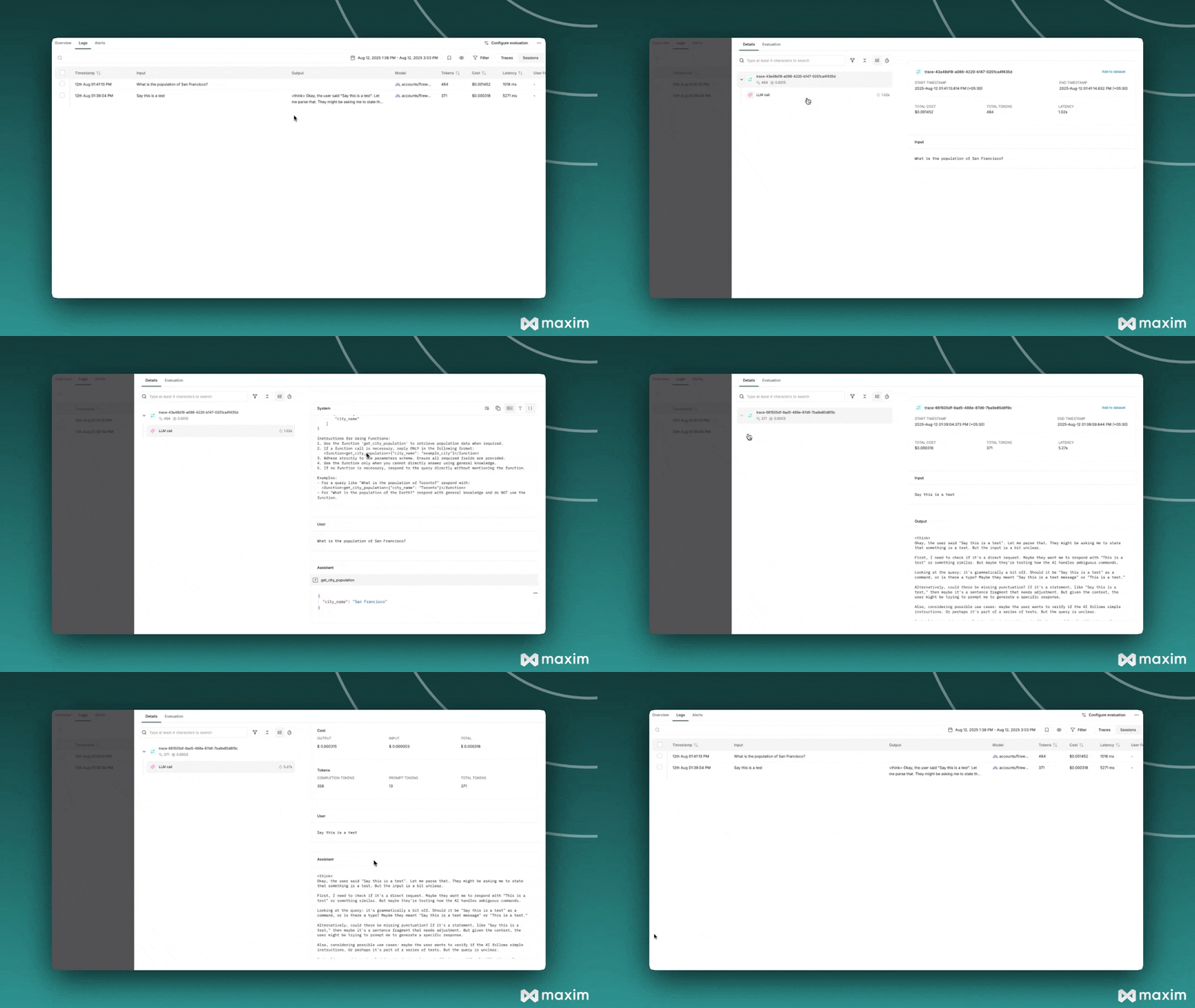
What Gets Logged to Maxim

When you use Fireworks with Maxim instrumentation, the following information is automatically captured for each API call:
  • Request Details: Model name, parameters, and all other settings
  • Message History: Complete conversation context including user messages
  • Response Content: Full assistant responses and metadata
  • Usage Statistics: Input tokens, output tokens, total tokens consumed
  • Cost Tracking: Estimated costs based on Fireworks’ pricing
  • Error Handling: Any API errors or failures with detailed context
Resources