Sign-in with ChatGPT for Codex, routed through Bifrost: Keep your ChatGPT seats with Gateway governance
Suresh Chaudhary
Nov 12, 2026 · 4 min read
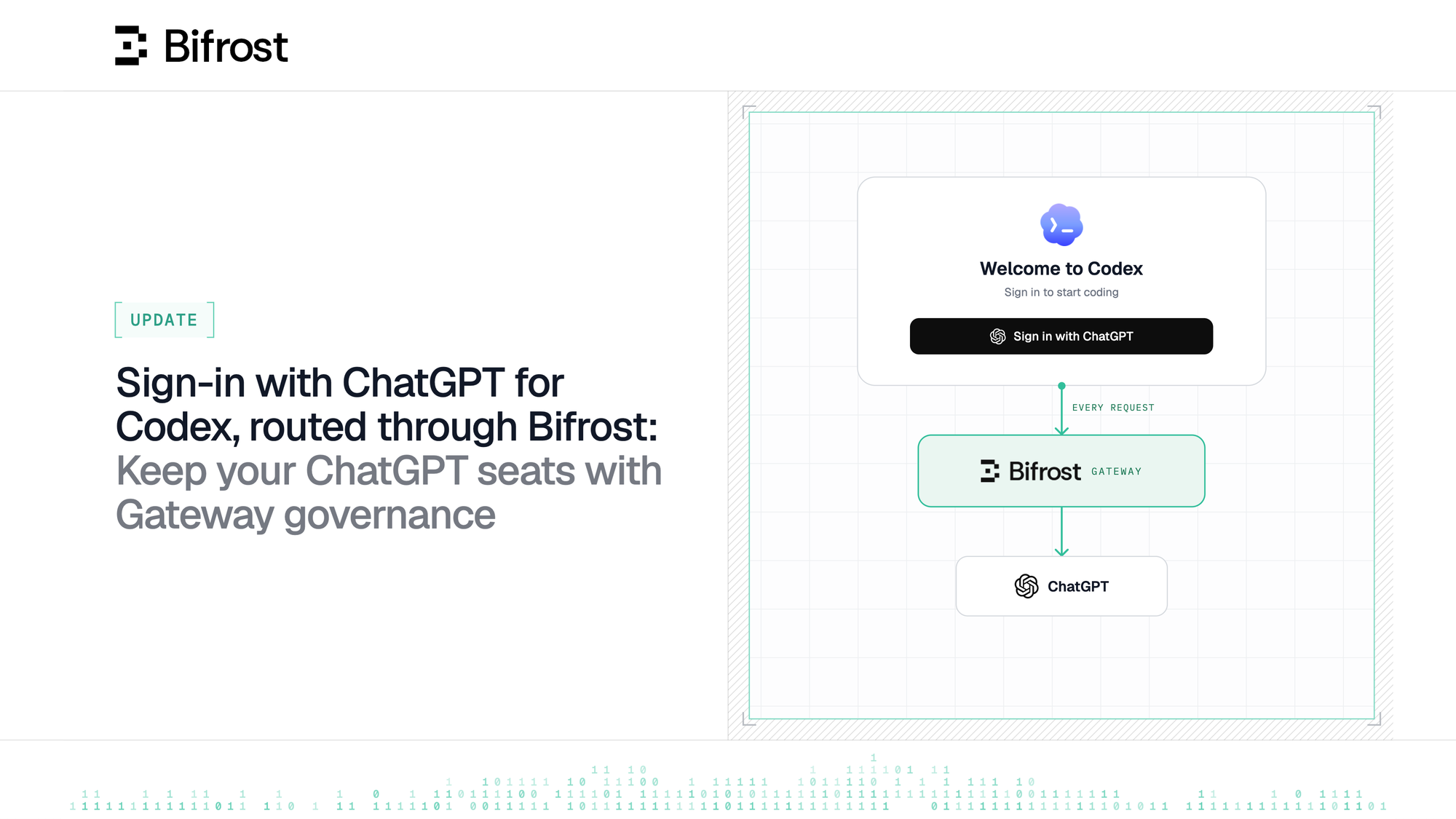
Bifrost can already help route Codex traffic through the Gateway with a virtual key and a provider key. With v2.4.0, developers can now stay signed in to Codex with their ChatGPT accounts, on the seats your company already pays for, but their model requests will go through Bifrost for centralised governance and observability.
Platform and security admins use Bifrost to ensure model traffic goes through a single control plane, where they can decide which models each user or team can use and how much each they can spend.
But what happens when your organization pays for ChatGPT subscription seats, that comes with Codex access and your employees sign in to Codex with ChatGPT?Well, their requests go straight to OpenAI. You see none of it in Bifrost, nor do you get the governance advantages that a Gateway offers.
Today, you can route Codex traffic through Bifrost with a virtual key backed by an OpenAI API key. But then every token bills to the API account, in addition to the ChatGPT seats you already pay for.
As an admin, you would want to know:
- Can employees keep their ChatGPT sign-in and still send Codex traffic through Bifrost?
- Do the virtual key's allowed models, budgets and rate limits still apply when the usage is powered by the ChatGPT subscription?
- Can each request be attributed to the person who sent it, instead of a shared key?
With Bifrost v2.4.0, your employees can now use Codex with their ChatGPT accounts and Codex traffic will run through the Gateway. This is available in both open source and Bifrost Enterprise. Signing in with your identity provider is Bifrost Enterprise only.
Keep employees signed in with ChatGPT
Take Suresh, an engineer on the Payments team. He opens Codex, signs in with ChatGPT as he always has, and starts working with gpt-6.1-sol. His requests now go to Bifrost first.
Codex sends two credentials on every request. The ChatGPT token stays in Authorization, and his Bifrost virtual key travels in an x-bf-vk header. Bifrost checks the virtual key, removes it, and forwards the request to the ChatGPT Codex backend with the ChatGPT headers unchanged. Suresh's ChatGPT seat pays for the tokens.
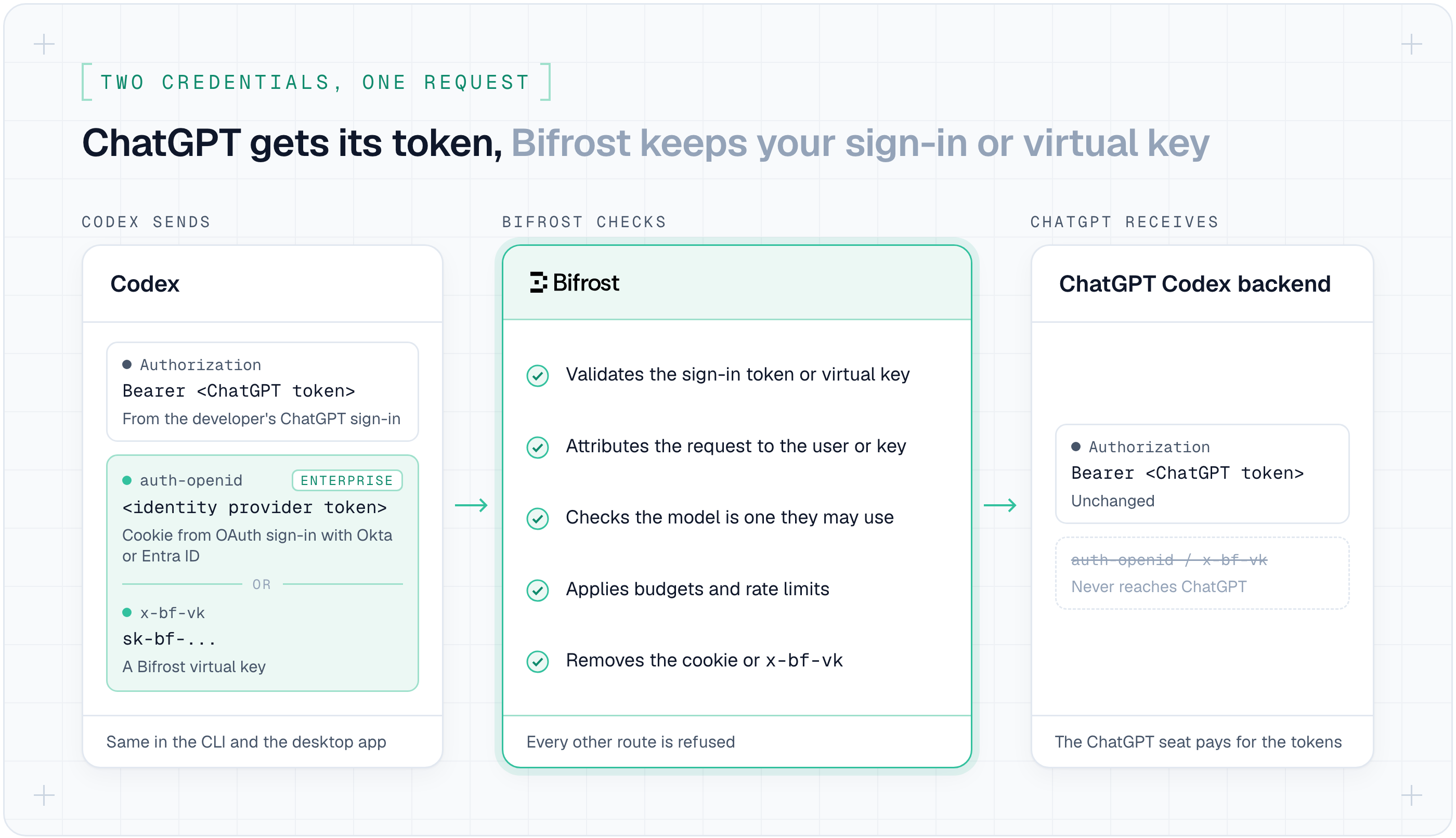
This follows OpenAI's Connect to a gateway guide, using its custom header option. It works the same way in the Codex CLI and in Codex inside the ChatGPT desktop app, since both read the same Codex configuration.
You add the provider once for the whole workspace, in the cloud-managed requirements.toml in ChatGPT's managed configuration:
Each developer then sets the virtual key you issued them and signs in with ChatGPT inside Codex:
Set which models Codex can use, and it's limits
The virtual key's governance applies to every turn, even though ChatGPT is paying. Bifrost checks each turn's model against the key's allowed models, and the key's budgets and rate limits count the usage ChatGPT reports.
If Suresh's key allows only gpt-6.1-sol and Suresh picks a different model, the model picker still loads, but his first turn fails. Every turn he sends now shows up in the Gateway logs.
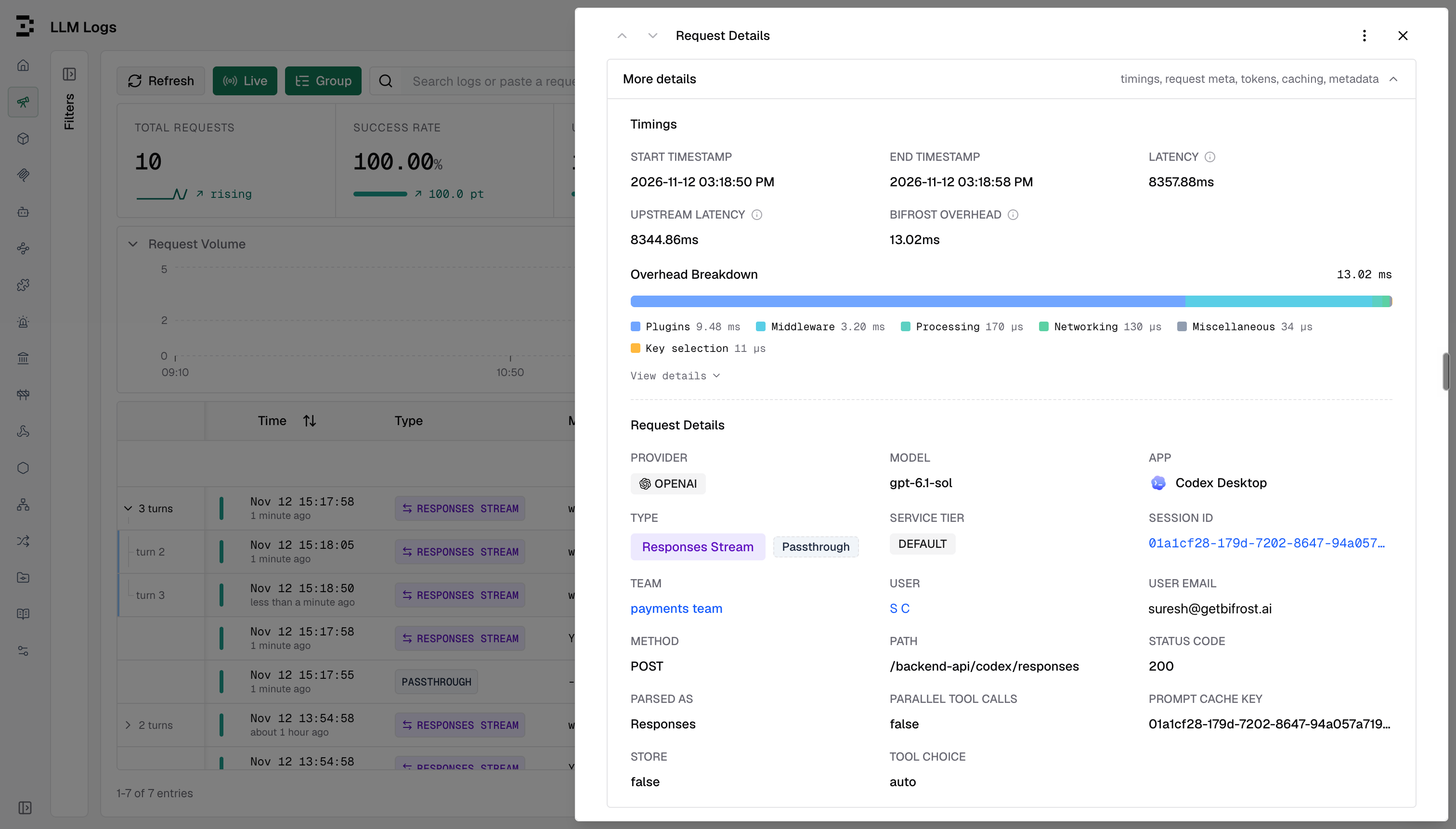
Bifrost forwards these requests to ChatGPT's Codex backend, so Bifrost routing, fallbacks and non-OpenAI models do not apply on this path.
Model names are the ones your ChatGPT plan offers, such as gpt-6.1-sol, without a provider prefix. Employees who need routing or other providers keep using the virtual key setup alongside it.
Signing into Codex using your Identity Provider
Bifrost Enterprise also supports the native gateway OAuth option. Each person signs in to your identity provider from Codex, so requests are attributed to them and their user budgets, rate limits, and access profile apply. No virtual key is needed, and the token expires and refreshes as with any other sign-in.
Codex runs the whole sign-in against your identity provider. Bifrost only validates the token Codex sends afterwards against the SSO provider you already set up under Governance → User Provisioning, and removes it before forwarding the request to ChatGPT.
To set it up, register a public client with PKCE in your identity provider. Then, in the same requirements.toml, replace the env_http_headers line with a gateway_oauth block:
Codex sends the identity provider's access token, so its issuer and audience must match your SSO provider in Bifrost, and it needs the email or role claims Bifrost reads.
Many identity providers leave those out of access tokens by default; the setup guide covers Okta and Entra. Identity providers that require a client secret on the token exchange, such as Google, do not work with this option. It covers model requests only, not MCP, plugins or voice.
Get started today
Update to Bifrost v2.4.0 and follow the Codex setup guide.