Introducing Relays: Put any HTTP API behind the Gateway
Anuj Parihar
Nov 10, 2026 · 3 min read
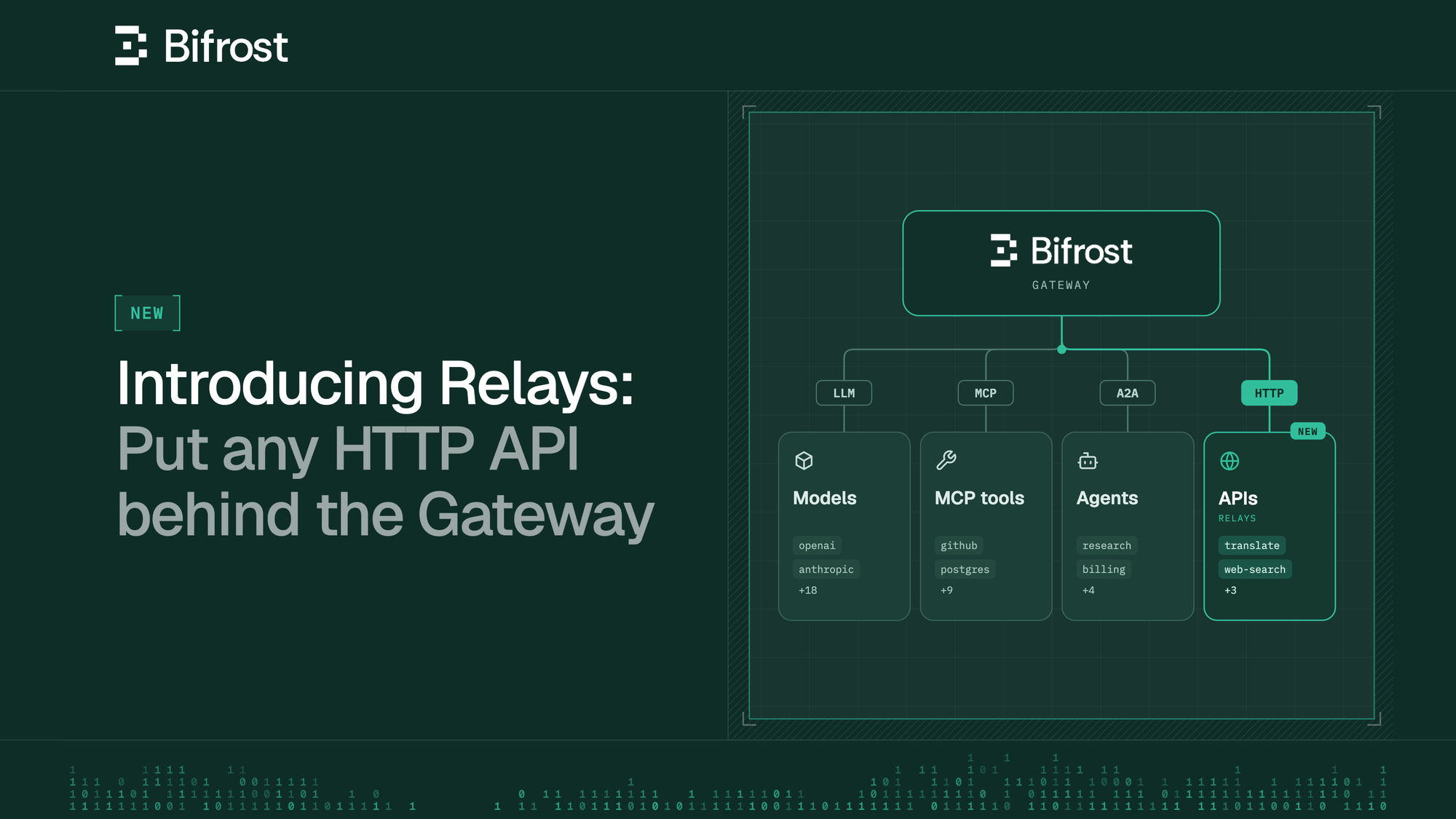
An AI agent rarely runs on model calls alone. For example, consider an invoice agent your finance team runs behind Bifrost. Your sellers use a helper agent to access this invoice agent and it receives each invoice through the Agent Gateway, reads the PDF with a document API, asks an LLM for the vendor and the total, and looks the vendor up in the ERP through an MCP tool.
Today, Bifrost governs and logs three of those four calls - but the document API sits outside it, with its own key, its own per-page bill and no place in the budgets you set for governance.
With Bifrost v2.4.0, you can put those APIs behind Bifrost as Relays. Calls to them then follow the same rules as your model traffic: one place for secrets, one set of budgets, one set of logs.
Give API calls the same rules as model calls
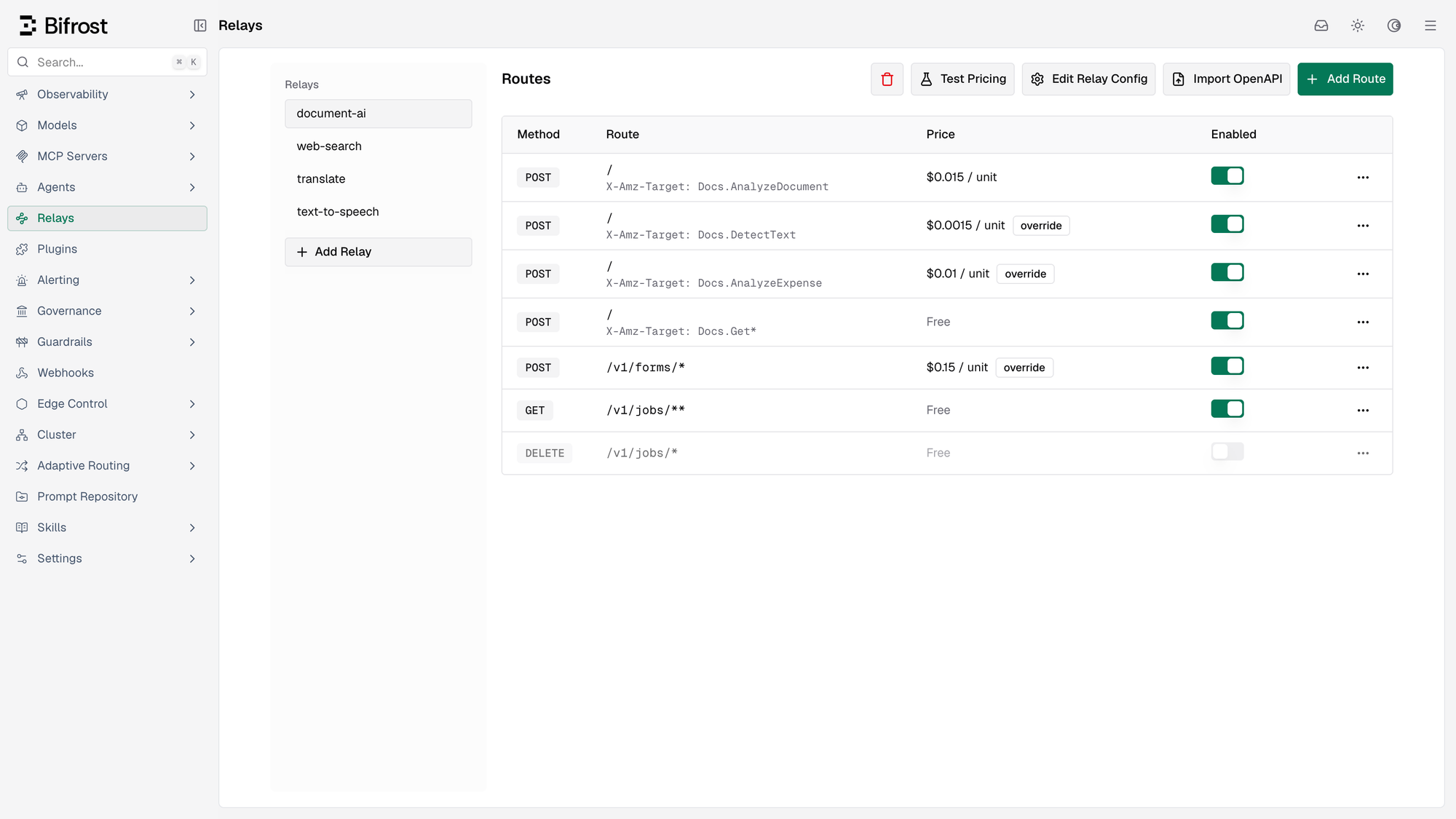
A relay registers an HTTP API with Bifrost. Your application calls /relay/<name>/... with its virtual key, and Bifrost forwards the call to the API. With a relay, you get:
- One stored credential: Bifrost signs in to the API for you, so your application never holds its key.
- Only the operations you allow: Each exposed operation is a route, matched by method, path and optionally a header, such as
POST /search. Anything else is refused. - Pricing per call or per unit: Charge a fee per call, a price per unit such as credits, pages or characters, or both.
- Shared budgets: Relay costs count against the same virtual key, team and customer budgets as model calls.
How does a relay call work?
Every relay call that carries a virtual key follows two rules:
1. The call must be allowed:
- It must match one of the relay's routes, and the caller's virtual key must be granted that relay
- The caller's budgets and rate limits must have room left
2. Only successful, billable calls are charged:
- By default
POSTroutes are billable, and only2xxreplies are charged - Cost = fee per call + units × price per unit. If the API returns its own cost in the reply, Bifrost can add that too
- If you don't set a price, relay calls are logged at $0 and never draw down a budget
On Bifrost Enterprise, relays can also be granted through access profiles and projects.
What happens when the agent reads an invoice
Using the example above: the invoice agent uses the doc-pipeline virtual key, which is granted the document-ai relay and has a $100 monthly budget that its model calls also draw from. Each operation of the document API is its own route, with its own price per page. Every operation of that API is POST /, named in the X-Amz-Target header.
When the agent sends a three-page invoice to be read:
- The call matches a route,
doc-pipelineis granteddocument-ai, and the budget has room, so Bifrost forwards it with the relay's stored credential. - The API replies
200and reports 3 pages. At $0.015 a page, Bifrost charges $0.045 to thedoc-pipelinebudget.
An operation you didn't add as a route is refused before it reaches the API. When the budget runs out, the next document read is refused, just like the next model call.
See every call and what it cost
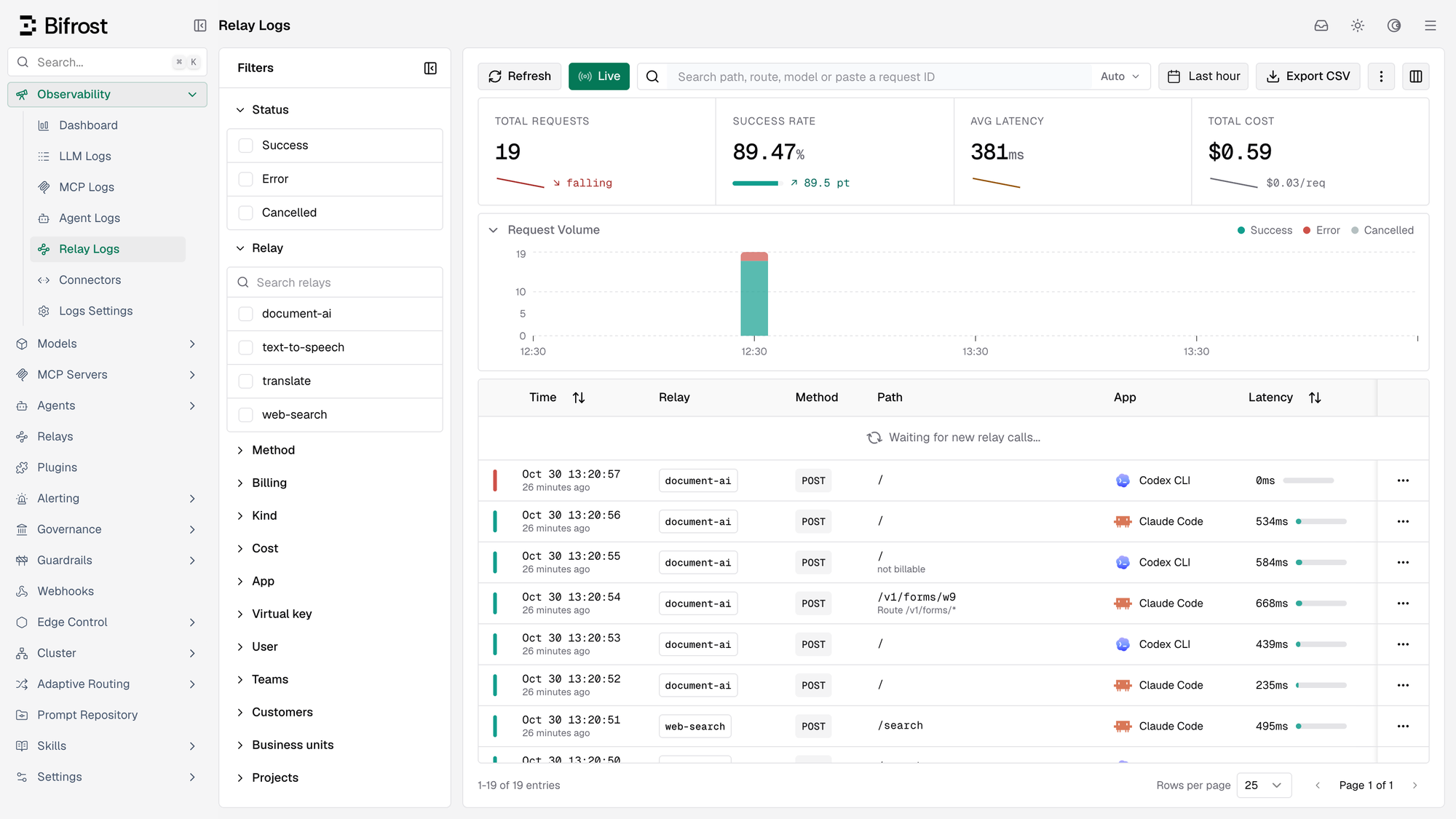
A new Relay Logs page under Observability lists every relayed call, next to LLM Logs and MCP Logs. Each row shows the relay, route, status, latency, units billed and cost, and who made the call, down to the app that sent it, such as Claude Code or Codex. You can filter by relay, virtual key, team or customer, or open a row to see how its cost was worked out.
For the invoice agent in the example above, all four calls go through Bifrost, and each call can be viewed on its own log page: the handoff in Agent Logs, model calls in LLM Logs, ERP lookups in MCP Logs and document reads in Relay Logs.
Get started with Relays
To put an API behind Bifrost in the dashboard:
- Go to Relays, select Add Relay, and enter a name, the API's base URL and its credential.
- Add the routes callers may use, and set the price.
- Grant the relay to a virtual key under Relay access, then call
/relay/<name>/<path>with that key.