Governance that follows your org structure: Access Profiles for teams, business units and customers
Anuj Parihar
Oct 19, 2026 · 5 min read
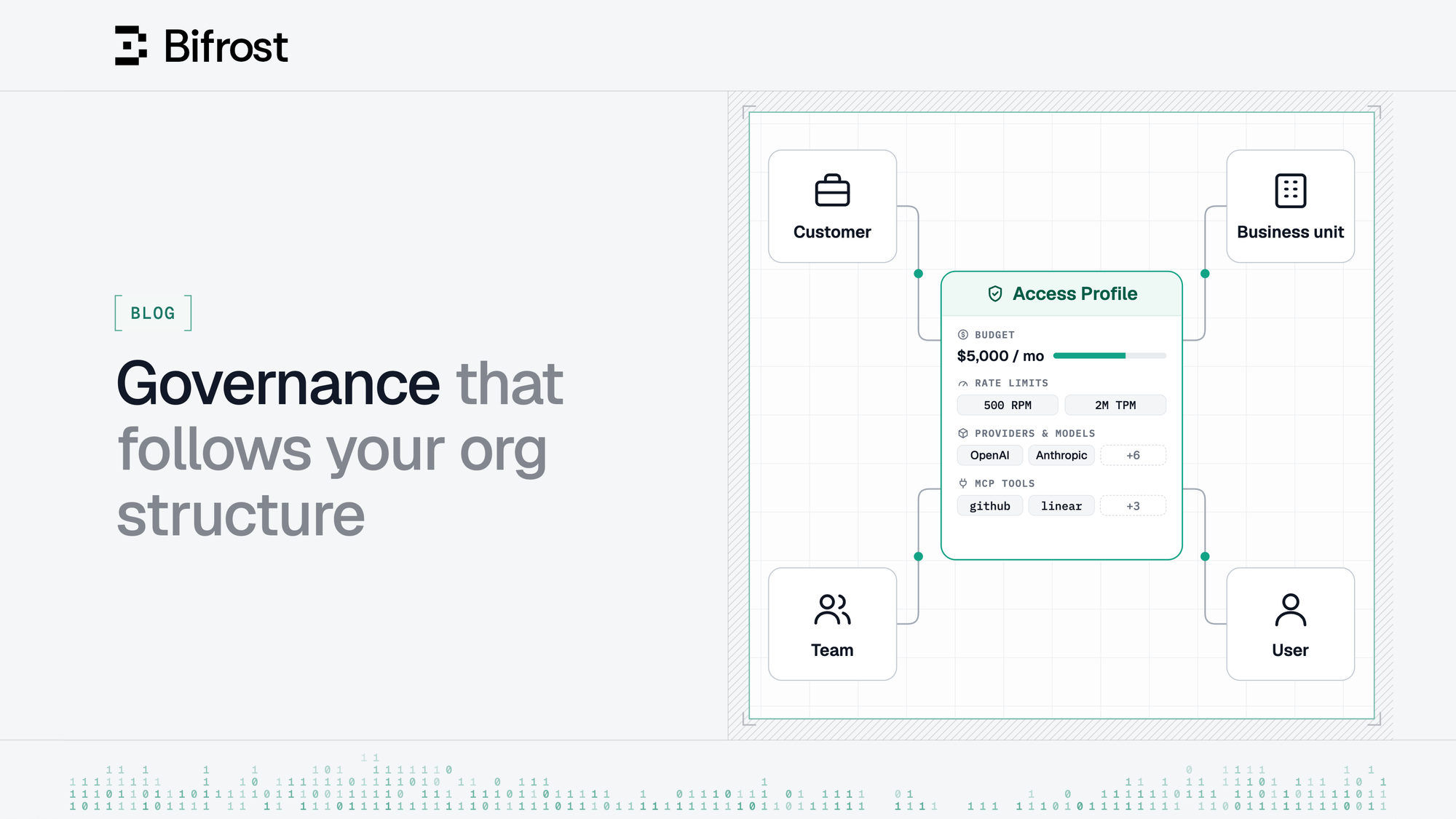
AI budgets are now planned the same way the company plans traditional budgets: per team, per department, per customer account. Individual user limits alone aren't enough when you need to control spending and model access across the organization.
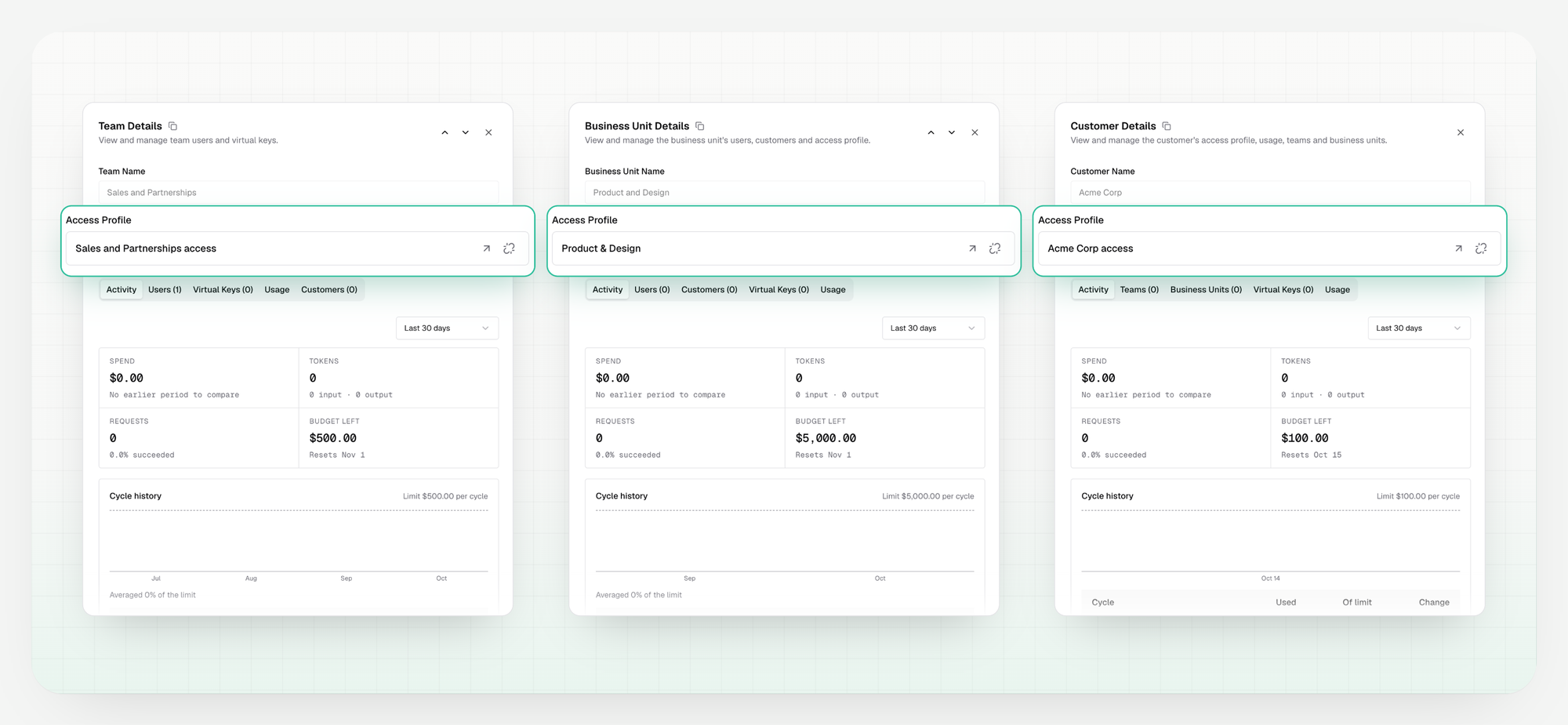
With Bifrost Enterprise v2.3.0, Access Profiles can now be attached to entities - teams, business units, and customers - not just individual users.
This lets you define policies at the entity level, enforce shared budgets, and keep access controls aligned with your organization's structure.
What's new?
Access Profiles define policies for provider and model access, budgets, rate limits, and MCP tools. The ability to attach Access Profiles to entities enables the following key capabilities:
- Shared budgets: Set spending limits for an entire team, business unit, or customer instead of relying solely on individual budgets.
- Layered policies: Apply individual personal profiles alongside entity-level Access Profiles, allowing both individual and organizational controls to work together.
- Individual + shared pool allowance: Each request is charged to the person's own profile and the entity's shared pool. Once their personal budget runs out, the shared pool keeps covering their requests until it reaches its own limit.
- Automatic IdP membership-based coverage: Users inherit applicable entity-level profiles through their organization’s IdP memberships, eliminating the need to assign the same profile to every member manually.
How do entity-level Access Profiles work?
A user can be governed by multiple profiles: their personal profiles, profiles attached to their teams and business units, and profiles attached to customers above those entities in the organization hierarchy.
Bifrost evaluates these profiles on every request, following two important rules:
1. Model access is additive:
- A user can access a provider or model if any applicable profile allows it
- Attaching an entity-level profile grants additional access; it doesn't override or restrict access granted by another profile
- To narrow access, update or remove the profile granting that access
2. Every applicable entity budget must have room:
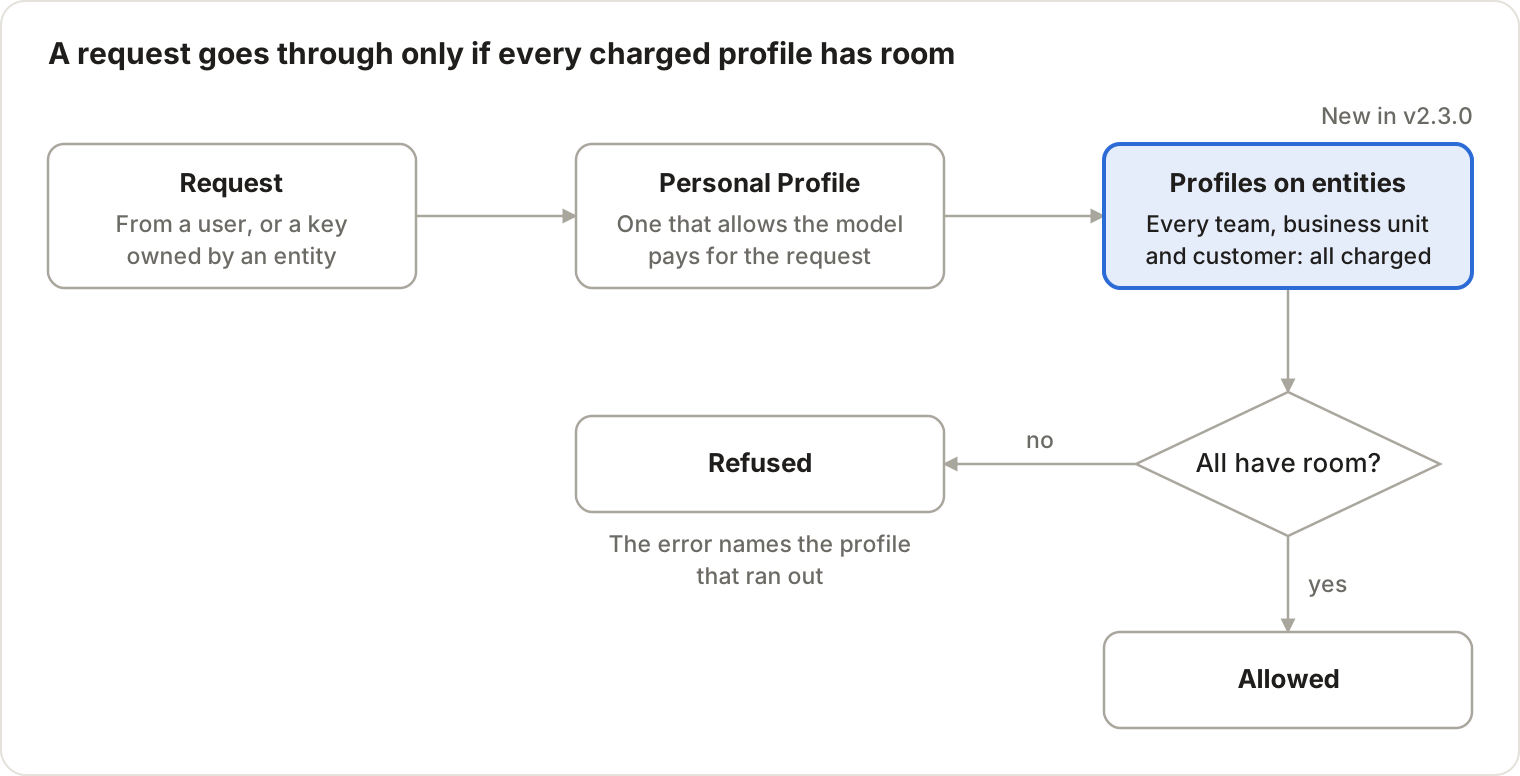
- Requests are charged against the selected eligible Personal Profile, when applicable, and every applicable entity-level Access Profile
- A request is allowed only if all required profiles have sufficient budget and rate-limit capacity
An example scenario
Susan is an engineer. She holds the “Engineering” personal Access Profile ($200 a month, hers alone) and is on the Platform team, which holds the “Platform Pool” entity Access Profile ($5,000 a month, shared by the team).
| Scenario | What happens |
|---|---|
| Susan sends a request to a model both profiles allow, and both have budget | The request goes through. Spend counts against both Engineering and Platform Pool |
| Susan sends a request to a model only Platform Pool allows | The request goes through. Spend counts against Platform Pool only; Engineering isn’t touched |
| Susan has used her full $200, and Platform Pool still has budget | The request goes through. Platform Pool covers it alone |
| The team has used the full $5,000, but Susan still has budget in Engineering | The request is refused. Every entity profile must have room, so Susan’s own budget can’t cover it |
Virtual Keys owned by a team, business unit, or customer follow the same rules. They're governed by their owner's Access Profile plus any customer profile above it. They’re locked to that policy so nobody can loosen it by editing the key. Only the name and description can be edited.
Read more: How requests are evaluated
Keep policies in sync with your organization
Access Profiles work alongside Bifrost's SSO and SCIM integrations. You can map identity-provider groups and attributes from identity providers such as Okta, Microsoft Entra ID, Keycloak, Zitadel, and Google Workspace to teams and business units.
When membership changes, profile coverage follows automatically. For example:
- A user added to a team receives its applicable profile coverage from their next request; when they leave or move teams, that coverage is removed immediately.
Administrators can also inspect the Usage tab to see a user’s Personal Profiles alongside the applicable Team, Business Unit, and Customer Limits.
See how budgets roll up
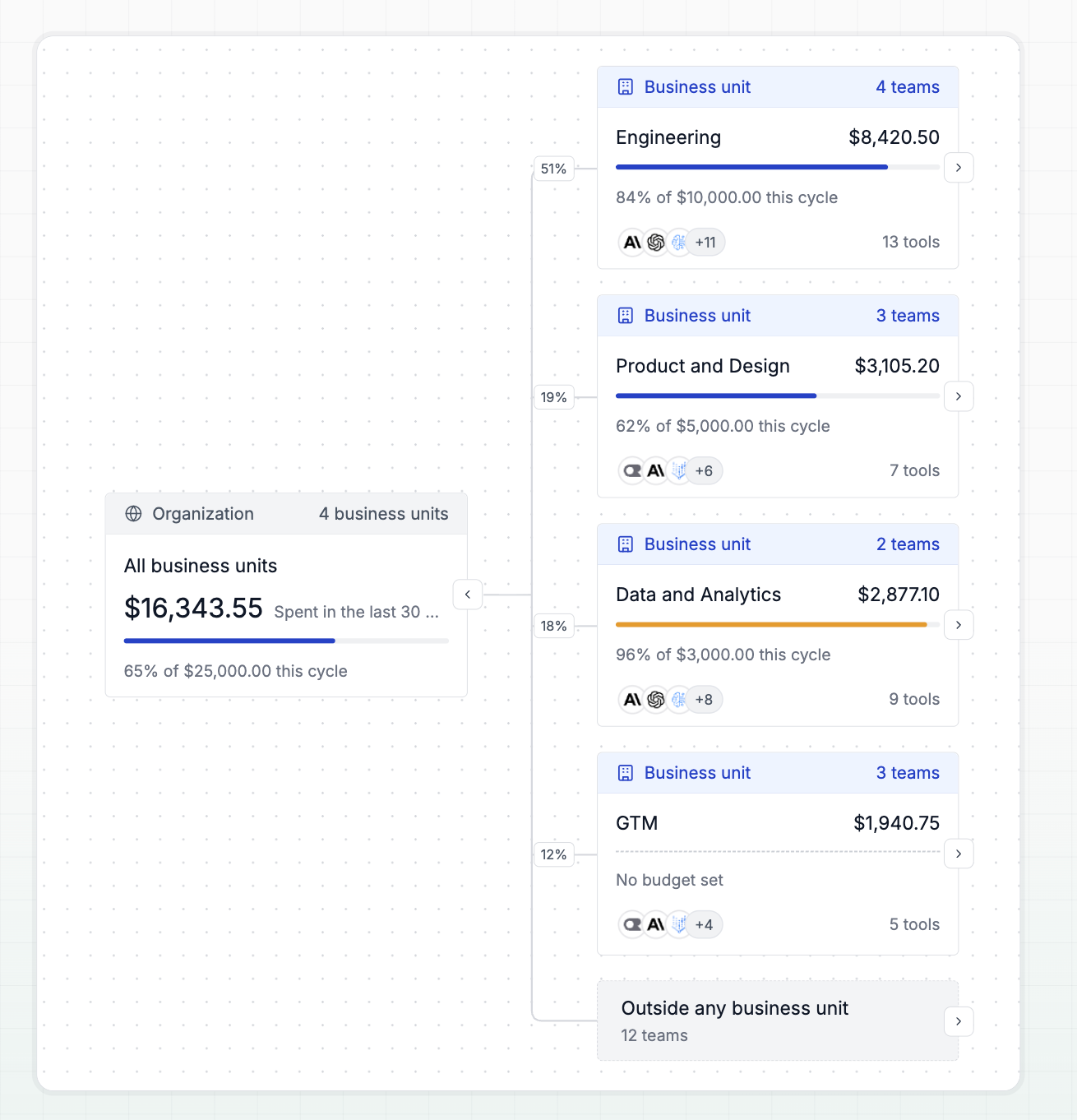
A new Org Chart page under Governance draws your organization as a tree. You can drill down from customers or business units to teams and users. Each node shows a budget meter for the current cycle, or the last 3, 6 or 12 cycles, so you can see which team is close to its limit.
Get started with Access Profiles
To configure entity-level policies in the dashboard:
- Go to Governance → Access Profiles and create a profile with your desired providers, models, budgets, rate limits, and other policy settings.
- Open the relevant team, business unit, or customer and attach the profile.
- Bifrost will evaluate requests against the applicable profiles, including policies governing keys owned by that entity.