Audit logs, now with receipts: See exactly what changed, without comparing config backups
Suresh Chaudhary
Nov 16, 2026 · 5 min read
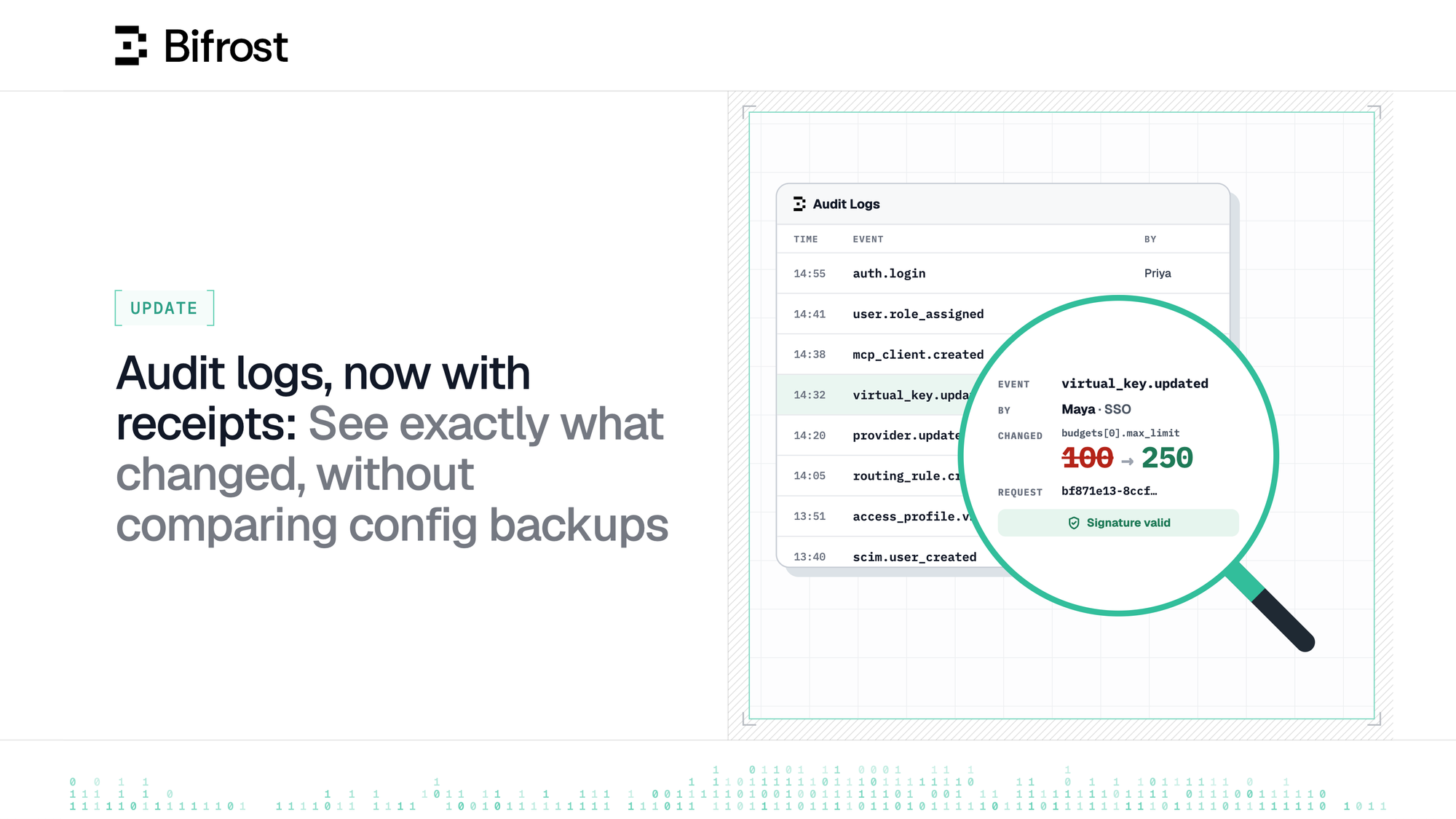
With Bifrost Enterprise v2.4.0, each audit entry tells you what happened, shows the fields that changed with their old and new values, and records how a person signed in. Signatures cover more of each entry, signing keys can be rotated, and the audit trail moves to your log store.
Bifrost's audit logs help IT & security teams keep track of administrative changes on the Gateway. Every time someone updates a virtual key, a provider, a role or an access profile, Bifrost records who made the change, on which resource, and whether it succeeded. You can filter the log in the dashboard or export it as syslog for your SIEM.
But how does a security engineer or an admin figure out what exactly changed? Until v2.4.0, the audit log entry didn’t make this easy to answer. To find out, one would need to compare config backups and ask the person who made the change.
Broadly, the details that matter are:
- Which fields did the change touch, and what were they before?
- Did the user sign in through SSO, or call the API with a key?
- Is it possible to match the change to the same request in the Gateway's logs?
With Bifrost Enterprise v2.4.0, each new audit entry answers all of the above.
See which fields changed and compare the values
Scenario: Your security lead messages you on Monday - "The support-bot virtual key's budget was increased from $100 to $250 over the weekend. Who changed it, and was anything else touched?"
Before v2.4.0, the entry from Saturday read PUT /api/governance/virtual-keys/9ab90b01-... by Maya, outcome success. Now it names the event and shows what changed:
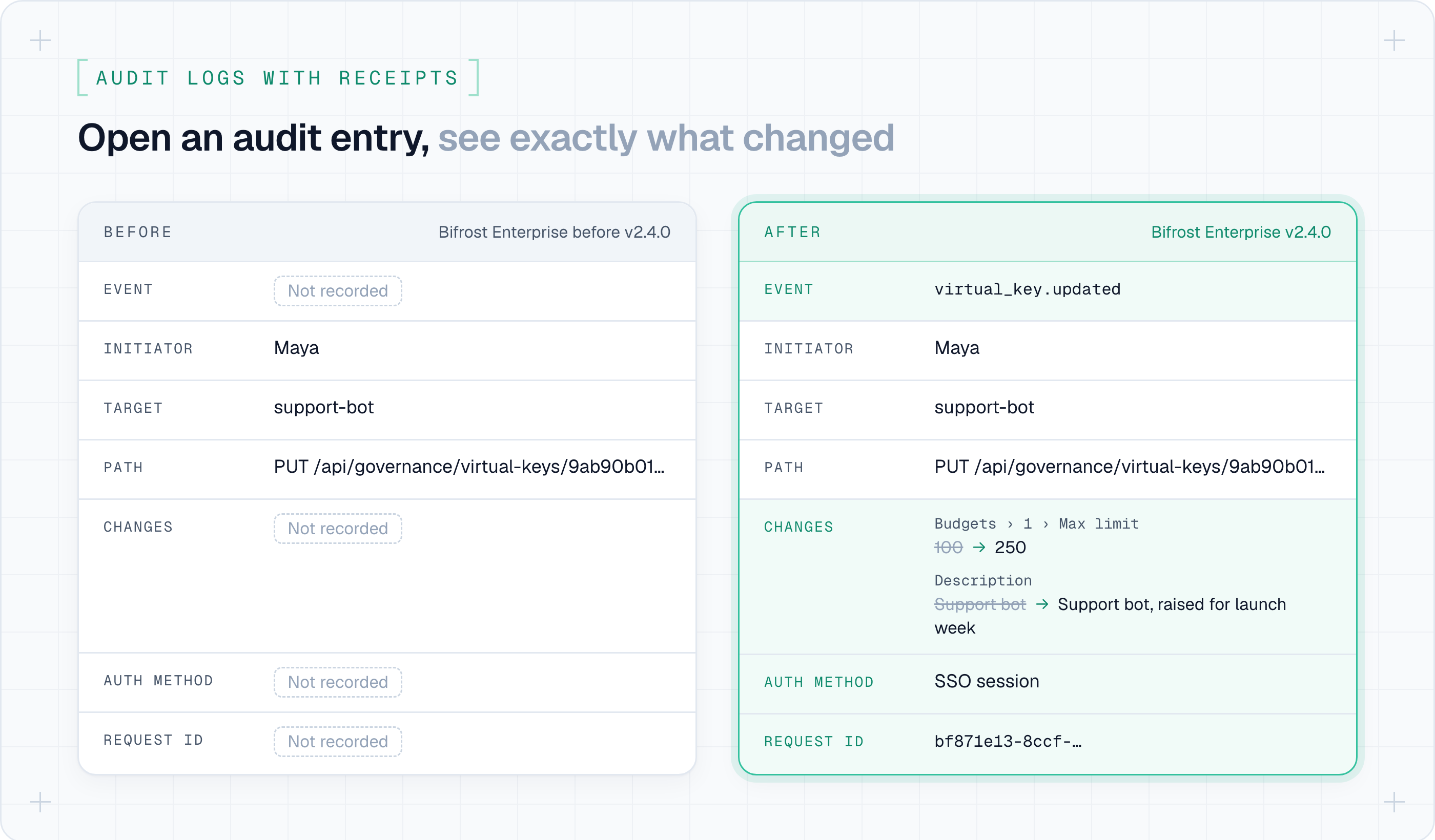
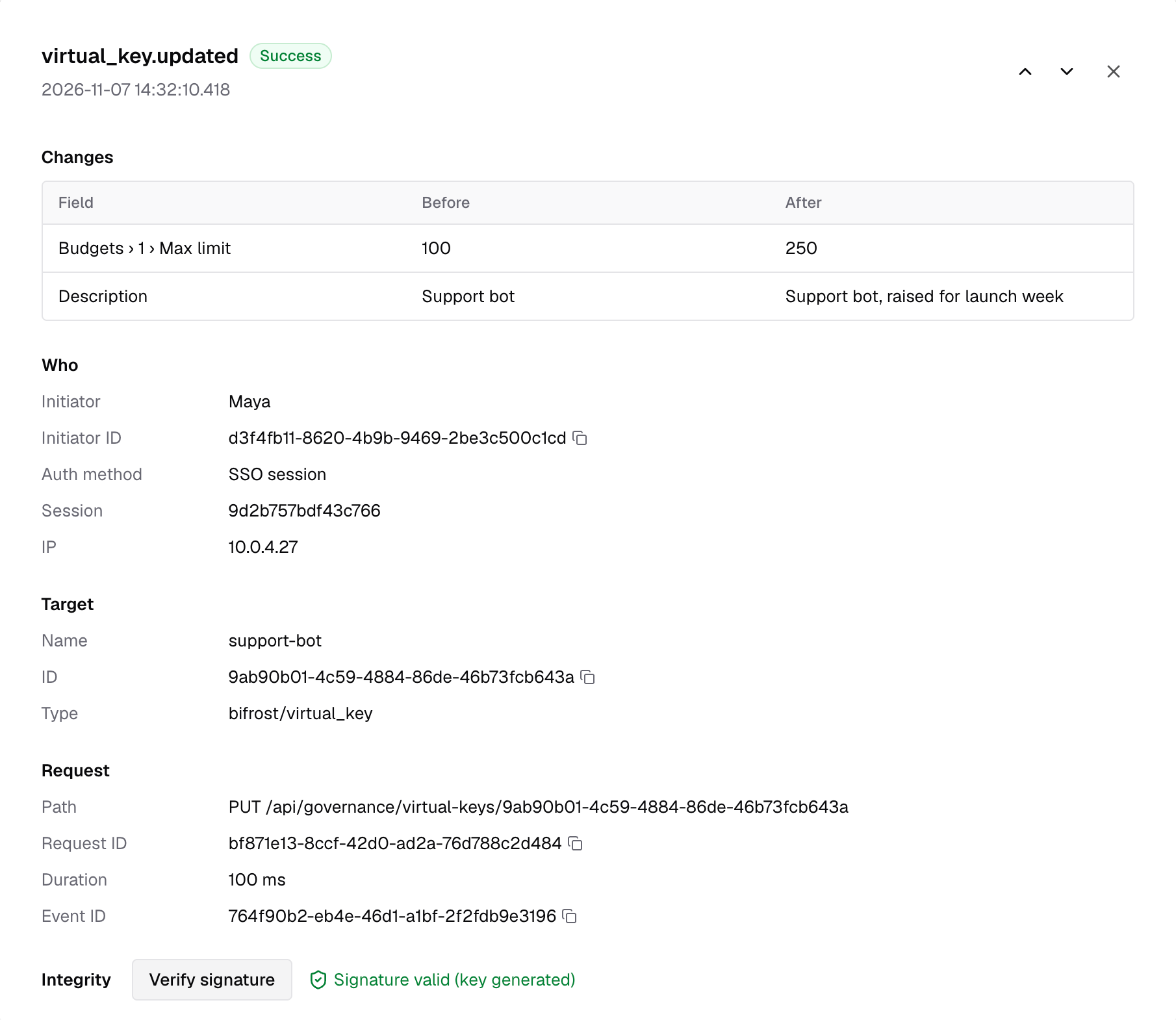
Each management change is now recorded as a named event in the form <resource>.<verb>, such as virtual_key.updated, user.role_assigned or auth.login. Next to the name, Bifrost stores a diff of the fields that changed:
Nothing else on the key changed, so nothing else is in the diff.
Fields whose names look like secrets, such as token, password or anything ending in _key, show as changed with no old or new value. Provider configs, provider keys, MCP clients and identity providers are diffed from their redacted forms.
In Governance → Audit Logs, click any entry to open it. Each changed field shows its value before and after, with the path written as a label. The event ID goes into the page URL, so you can paste a link to the exact entry into your reply to the security lead.
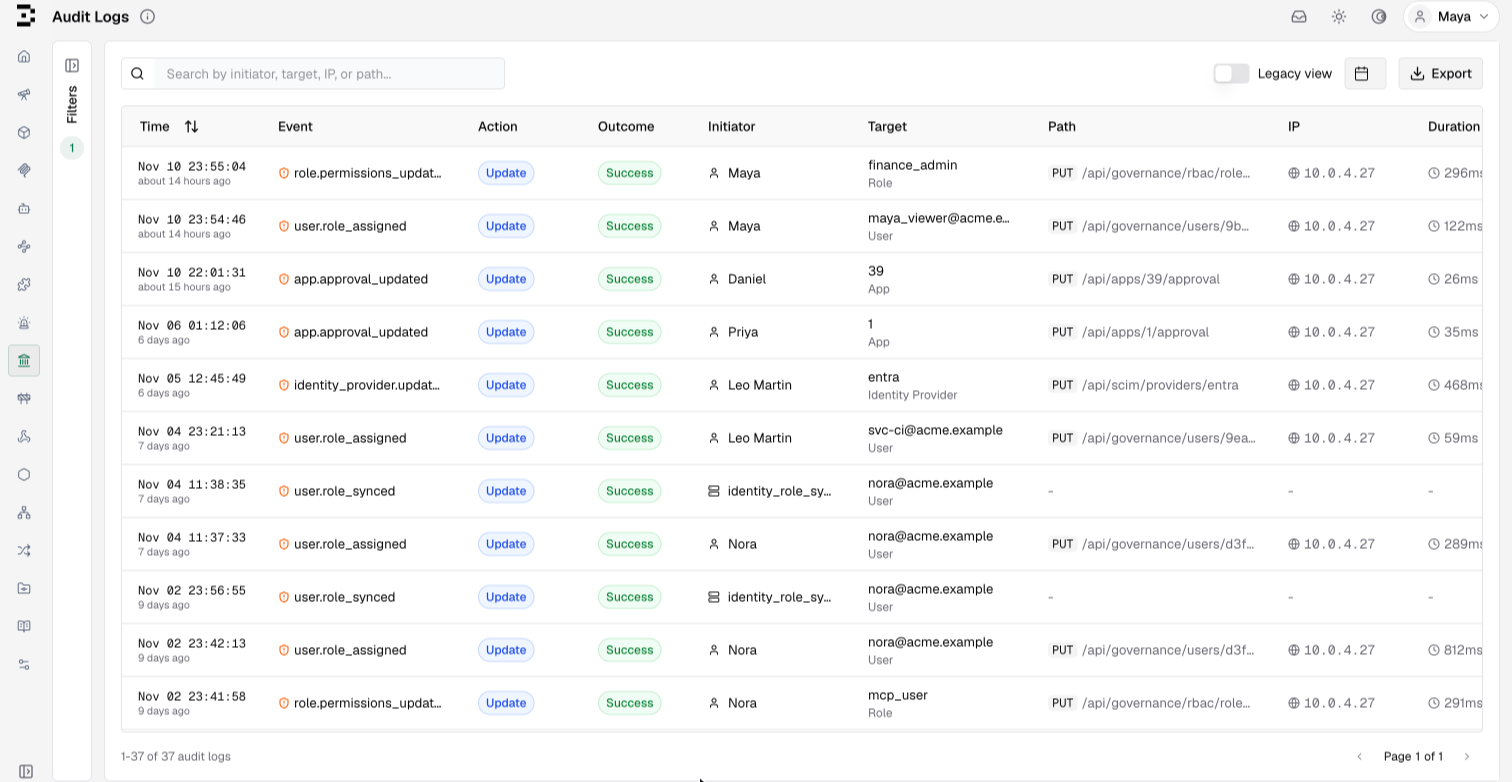
The table has a new Event column, and the filters now include Event and Severity. Changes with a large blast radius, such as role assignments, role permission changes, API key creation and updates, identity provider changes, Edge app approvals and license uploads, are recorded at severity high and carry a shield in the table. Filter on severity to see only those.
Identify who made the change, and how they got in
Each entry now records how the caller signed in: through an SSO login, an existing SSO session, an identity provider token, an auth proxy, an agent token or an API key. If Maya's change came from a script using an API key, the entry also names the user who created that key.
Entries also carry the request's X-Request-ID. Bifrost generates one when the caller sends none and returns it on the response, so you can match an audit entry to the Gateway's own logs for the same request.
Routine reads are no longer recorded, since dashboard polling would bury the changes. Reads that disclose a secret or export data, such as revealing a virtual key or exporting audit logs, are still recorded. If you need every read, set include_reads to true.
Changes Bifrost makes on its own are recorded too
Background work now writes system events. The initiator is system:<job>, and when a user queued the job, the entry names that user as well:
- Scheduled virtual key rotation records
access_profile.vk_rotated, with the outcomefailureif any key failed to rotate. - Your identity provider's changes are recorded as they arrive: SCIM pushes as
scim.user_*andscim.group_*, role syncs asuser.role_syncedand deprovisioning asuser.status_reconciled. - Startup changes are recorded when
config.jsonoverwrites stored providers, MCP clients or client config, asconfig.file_applied.
Changes to the audit settings are recorded too. At each boot, Bifrost compares the audit_logs settings with the previous boot's and records audit.settings_changed with the diff. If someone turns audit logging off, the first boot with it off writes audit.logging_disabled and records nothing after it, so that event is the last entry in the log.
Verify that an entry hasn't been edited
Bifrost signs every audit entry with HMAC-SHA256. The v2 signature now covers every stored field except the IP fields and a few annotations added after the entry is written. That includes the event name, the diff, the initiator and the target, so an edit to any of them fails verification. Older entries keep their v1 signatures, and those still verify as long as the key that signed them is configured.
In the support-bot spend increase example above, before you send the audit log entry to your security lead, click Verify signature in the event view. This checks the entry and reports which key signed it, or why it couldn't be verified.
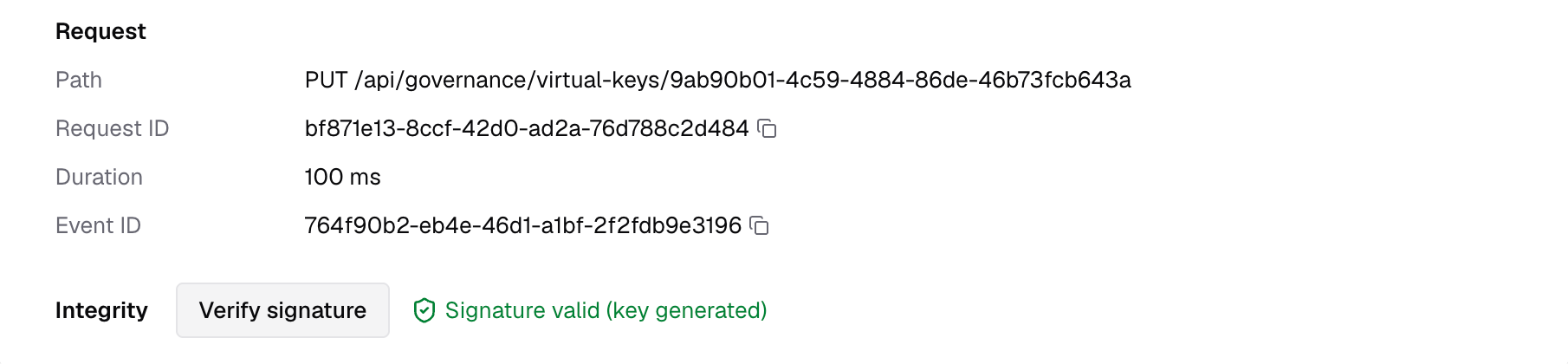
You can also rotate signing keys without losing the ability to verify older entries: add the new key to hmac_keys, point active_key_id at it, and keep the old key in the list. The docs cover rotating away from an existing hmac_key
Keep the audit trail out of your config database
On a busy deployment, the audit table can grow into the largest table in the config store which slows down backups, restores and schema migrations.
When your log store is Postgres or ClickHouse, Bifrost now writes new audit events there. The columns, event names and signatures are the same as in the config store, so exports read the same.
Entries recorded before the upgrade stay in the config store, untouched. A Legacy view switch on the Audit Logs page shows them, with the same search, filters, signature check and export.
Get started today
Upgrade to Bifrost Enterprise v2.4.0 and navigate to Governance → Audit Logs. New changes are recorded with their event names and diffs from the first request.
Before you upgrade, make sure you enable the AuditLogs:Download permission on relevant roles that allow exporting audit logs. The export API now returns a 403 without this permission.
See the Audit Logs docs for the full event reference, key rotation and storage details.