How to Get an OpenAI API Key
Create a secret key in the OpenAI dashboard, export OPENAI_API_KEY, configure billing when you need higher limits, then route requests through Bifrost for virtual keys, budgets, and failover. Quickstart, authentication, and other official OpenAI links are collected in the OpenAI provider summary below.
OpenAI provider summary
Bifrost supports OpenAI models through OpenAI-compatible HTTP APIs and standard JSON request shapes.
| Property | Details |
|---|---|
| Description | GPT is OpenAI's model family for chat, reasoning, coding, and multimodal workloads. |
| Provider route on Bifrost | openai/<model> |
| Provider doc | OpenAI |
| API endpoint for provider | https://api.openai.com/v1 |
| Supported endpoints | /v1/models, /v1/completions, /v1/chat/completions, /v1/responses, /v1/images/generations, /v1/images/edits, /v1/images/variations, /v1/embeddings, /v1/audio/speech, /v1/audio/transcriptions, /v1/files, /v1/batches, /v1/count-tokens, /v1/videos, /v1/containers |
Official OpenAI resources
Use these OpenAI-hosted links for the dashboard, quickstart, keys, billing, models, and API authentication. Elsewhere on this page we refer here instead of duplicating URLs.
Prerequisites
Before you begin, you will need:
OPENAI_API_KEY, running a first request, and adding credits when you move past initial testing.[ QUICK START ]
How Do You Get an OpenAI API Key in 5 Steps?
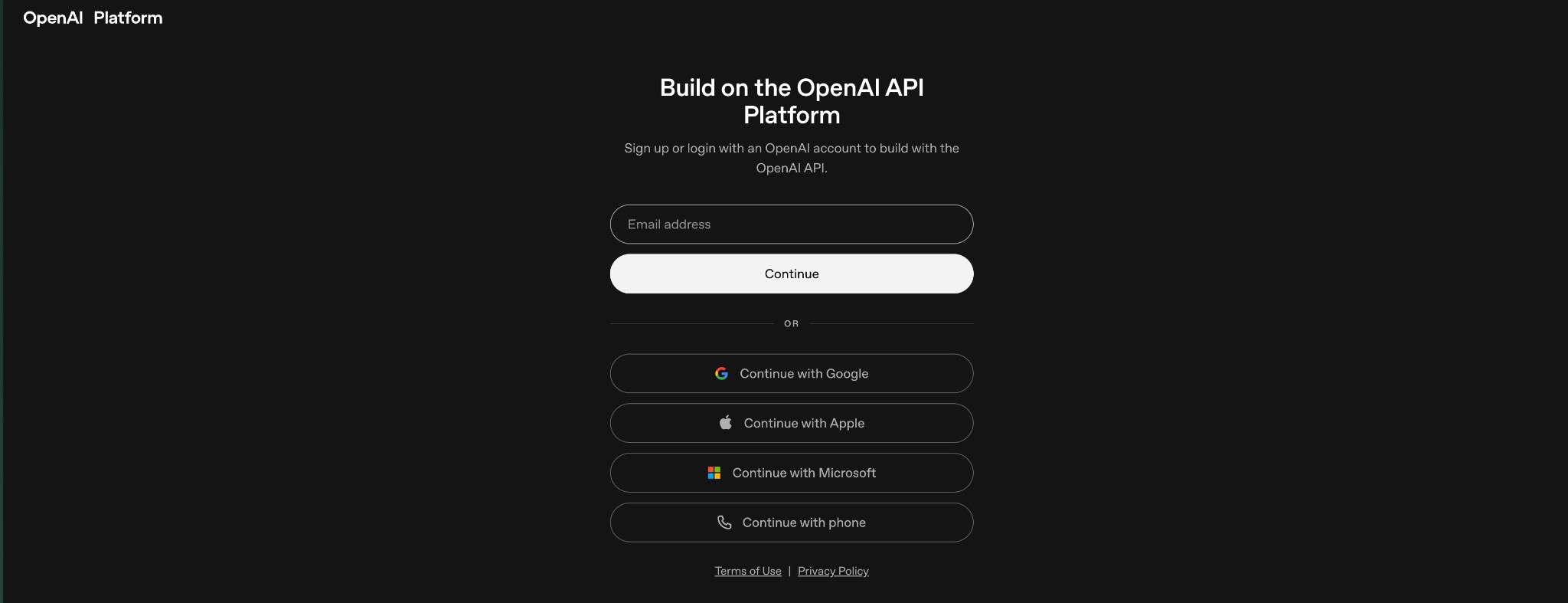
Create or sign in to an OpenAI account
Use the OpenAI Platform dashboard (link in Official OpenAI resources above).
Go to platform.openai.com and sign up with an email address or Google account.
Create a secret API key
After your account is verified and you've signed in, you'll land on the OpenAI Platform dashboard. If the redirect doesn't happen on its own, head to platform.openai.com and log in with your account details. To generate API keys and begin development, you'll need to set up an organization.
From the dashboard's left sidebar, find and select "API keys". Alternatively, you can navigate straight to platform.openai.com/api-keys. This page shows any API keys you've already created and lets you generate new ones or delete existing ones.
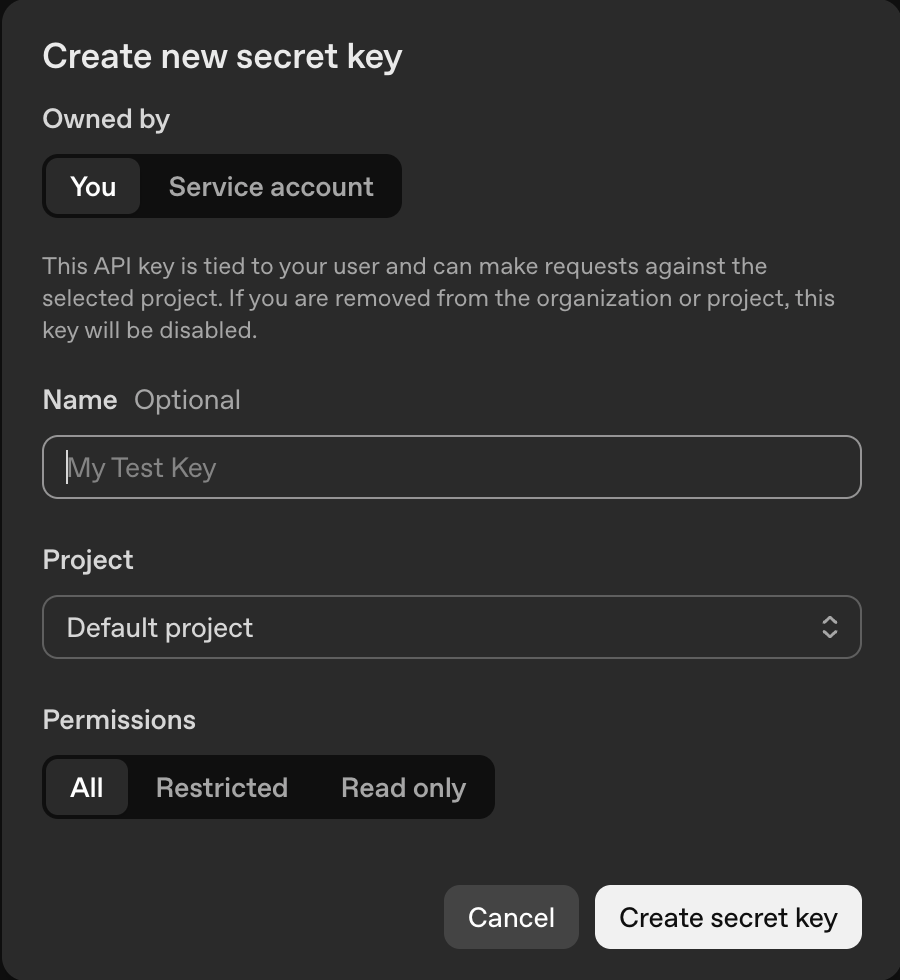
Click "Create new secret key" to open the dialog. Give the key a descriptive name like "Production App" or "Development Testing", choose the permission level (full or restricted), and link it to a project if needed.
Export OPENAI_API_KEY
Official SDKs read your API key from the environment automatically.
After you generate a key, export it as an environment variable (macOS / Linux):
export OPENAI_API_KEY="sk-..."
On Windows (PowerShell example from OpenAI quickstart), you can use setx OPENAI_API_KEY "your_api_key_here".
Keep .env in .gitignore. Rotate any key that was committed or leaked.
Add credits or billing for production
OpenAI's quickstart calls out billing when you move beyond initial testing.
After a successful test request, OpenAI recommends adding credits or configuring billing so you can keep building with higher limits. Use the Billing section of the dashboard when your team is ready for sustained usage; the billing overview link is under Official OpenAI resources above.
Make your first Chat Completions request
Authenticate with Bearer tokens per OpenAI's API reference.
OpenAI's API overview specifies Authorization: Bearer OPENAI_API_KEY for REST calls. Example curl to /v1/chat/completions:
OpenAI-Organization and OpenAI-Project on requests (see the same API overview).$ curl https://api.openai.com/v1/chat/completions \ -H "Content-Type: application/json" \ -H "Authorization: Bearer $OPENAI_API_KEY" \ -d '{ "model": "gpt-4o-mini", "messages": [{"role":"user","content":"Hello!"}] }'
[ MODELS ]
Pick a Model
| Model | API ID | Best for |
|---|---|---|
| GPT-4.1 | gpt-4.1 | Flagship multimodal model for complex tasks. |
| GPT-4.1 mini | gpt-4.1-mini | Balanced cost and capability. |
| GPT-4.1 nano | gpt-4.1-nano | Fastest, lowest-cost GPT-4.1 tier. |
| GPT-4o | gpt-4o | Multimodal flagship (vision, audio). |
| GPT-4o mini | gpt-4o-mini | Affordable multimodal for high volume. |
| o3 | o3 | Advanced reasoning for STEM and coding. |
| o3-mini | o3-mini | Faster reasoning at lower cost. |
| o4-mini | o4-mini | Latest compact reasoning model. |
| GPT-5 | gpt-5 | Next-generation flagship when enabled on your account. |
| GPT-5 mini | gpt-5-mini | Efficient GPT-5 tier. |
| text-embedding-3-large | text-embedding-3-large | High-quality text embeddings. |
| text-embedding-3-small | text-embedding-3-small | Cost-efficient embeddings. |
| whisper-1 | whisper-1 | Speech-to-text transcription. |
| tts-1 | tts-1 | Text-to-speech synthesis. |
| dall-e-3 | dall-e-3 | Image generation from prompts. |
Models and availability change over time. See the OpenAI's models documentation for the latest list and pricing.
[ TROUBLESHOOTING ]
Troubleshooting common OpenAI API errors
OpenAI often returns machine-readable error types and messages in the JSON body (alongside HTTP status). Start from the error string below, then confirm headers, billing, model access, and request shape.
| Error | Likely cause | What to do |
|---|---|---|
incorrect api key provided | The key in your Authorization header is wrong, expired, or revoked. | Regenerate a key at platform.openai.com/api-keys and update your environment variable or secret store. |
insufficient_quota | Billing isn't set up, or you've hit a hard spend or usage cap. | Add a payment method if needed and review usage caps in the OpenAI dashboard (billing and limits are linked under Official OpenAI resources above). |
rate_limit_exceeded | You're sending requests faster than your current tier allows. | Implement exponential backoff and inspect rate-limit headers on responses. Read OpenAI's rate limits guide. For per-client throttles, consider Bifrost virtual keys. |
invalid_request_error(model not found) | You're calling a model your account doesn't have access to yet. New models often roll out to higher tiers first. | Confirm the model ID against OpenAI's models documentation (Official OpenAI resources above) and your org's enabled models in the dashboard. |
| Authentication header malformed | The header must be exactly Authorization: Bearer sk-... with your real secret; formatting mistakes break auth before the key is evaluated. | Do not wrap the key in quotes, avoid leading or trailing spaces, and send a single Bearer token. See the API authentication reference under Official OpenAI resources above. |
[ PRODUCTION-READY ]
Use Your OpenAI Key with Bifrost
Bifrost is documented as a drop-in replacement for OpenAI SDKs: keep your client code and change the base URL to your gateway. The OpenAI provider page describes supported operations (Chat Completions, Responses, embeddings, audio, images, files, batches, models, and more) and how requests pass through with minimal conversion.
Step 1: Start Bifrost and register OpenAI
Run the Bifrost gateway, open the Web UI, and add your OpenAI provider credentials. You can also manage virtual keys, budgets, and routing rules from the same UI (see Bifrost governance docs).
$ npx -y @maximhq/bifrost
✓ Bifrost started
├─ HTTP server listening on http://localhost:8080
├─ Web UI available at   http://localhost:8080
└─ Configure providers and virtual keys in the dashboard
When automating provider setup, Bifrost documents REST APIs for governance resources such as /api/governance/virtual-keys for virtual keys (budgets, allowed models, rate limits). Example from the virtual keys guide:
$ curl -X POST http://localhost:8080/api/governance/virtual-keys \
  -H "Content-Type: application/json" \
  -d '{
    "name": "Engineering sandbox",
    "provider_configs": [
      {"provider": "openai", "weight": 1.0, "allowed_models": ["gpt-4o-mini"]}
    ],
    "budget": {"max_limit": 100.0, "reset_duration": "1M"},
    "is_active": true
  }'
Step 2: Point the OpenAI SDK at Bifrost
Bifrost exposes an OpenAI-compatible HTTP API. Point your SDK base_url (or baseURL) to http://localhost:8080/v1 and use your Bifrost virtual key or configured auth scheme.
Minimal change using the official OpenAI Python SDK:
from openai import OpenAI

# BEFORE
# client = OpenAI()

# AFTER: route via Bifrost + virtual key (see Bifrost virtual keys docs)
client = OpenAI(
    base_url="http://localhost:8080/v1",
    api_key="sk-bf-your-virtual-key",
)

response = client.chat.completions.create(
    model="gpt-4o-mini",
    messages=[{"role": "user", "content": "Hello from Bifrost!"}],
)

print(response.choices[0].message.content)
x-bf-vk, Authorization: Bearer sk-bf-*, or other supported headers per the Bifrost virtual keys documentation.Next: multi-model routing and Claude Code
After OpenAI is wired into Bifrost, use these guides to route more traffic through the same gateway.
[ WHAT'S NEXT ]
Explore Bifrost Resources
You have your API key. Add governance, guardrails, and MCP controls for production.
[ BIFROST FEATURES ]
Open Source & Enterprise
Everything you need to run AI in production, from free open source to enterprise-grade features.
01 Governance
SAML support for SSO and Role-based access control and policy enforcement for team collaboration.
02 Adaptive Load Balancing
Automatically optimizes traffic distribution across provider keys and models based on real-time performance metrics.
03 Cluster Mode
High availability deployment with automatic failover and load balancing. Peer-to-peer clustering where every instance is equal.
04 Alerts
Real-time notifications for budget limits, failures, and performance issues on Email, Slack, PagerDuty, Teams, Webhook and more.
05 Log Exports
Export and analyze request logs, traces, and telemetry data from Bifrost with enterprise-grade data export capabilities for compliance, monitoring, and analytics.
06 Audit Logs
Comprehensive logging and audit trails for compliance and debugging.
07 Vault Support
Secure API key management with HashiCorp Vault, AWS Secrets Manager, Google Secret Manager, and Azure Key Vault integration.
08 VPC Deployment
Deploy Bifrost within your private cloud infrastructure with VPC isolation, custom networking, and enhanced security controls.
09 Guardrails
Automatically detect and block unsafe model outputs with real-time policy enforcement and content moderation across all agents.
[ SHIP RELIABLE AI ]
Try Bifrost Enterprise with a 14-day Free Trial
Drop-in replacement for any AI SDK
Change just one line of code. Works with OpenAI, Anthropic, Vercel AI SDK, LangChain, and more.
[ FAQ ]
Frequently Asked Questions
OpenAI documents API key management in your organization settings. Use the OpenAI dashboard to create keys, rotate them, and restrict which projects can use them. See OpenAI's API overview for authentication details.
OpenAI's REST API expects HTTP Bearer authentication: send Authorization: Bearer <YOUR_API_KEY>. Official OpenAI SDKs can read OPENAI_API_KEY from your environment automatically.
OpenAI secret keys are high-entropy strings and should be treated as passwords. Newer keys often use a sk-proj- prefix, while older keys may start with sk-. Never commit keys to source control or expose them in client-side code.
For production, prefer separate keys per service or environment so you can revoke access narrowly. With Bifrost, you can also issue virtual keys per team or developer for budgets, rate limits, and routing on top of your upstream OpenAI credentials.
Those errors usually mean your organization needs an active billing method or available credits for the models you selected. OpenAI's quickstart recommends adding credits when moving beyond initial testing.
Yes. Bifrost supports governance features like virtual keys with token and request rate limits, independent of upstream provider limits. See the Bifrost virtual keys documentation for configuration options.