> ## Documentation Index
> Fetch the complete documentation index at: https://www.getmaxim.ai/docs/llms.txt
> Use this file to discover all available pages before exploring further.
# Reporting
> Learn how to set up reporting for your logs and evaluation data in Maxim. Monitor your log repository performance with weekly statistical email updates and receive key metrics about your repository.
export const MaximPlayer = ({url}) => {
return ;
};
## How to Set Up Reporting?
Monitor your log repository performance with weekly statistical email updates. Receive key metrics about your repository every Monday.
## Set Up Summary Emails
Open your log repository and click the top-right menu.
Select "Enable summary emails" for first-time setup or "Configure summary emails" to modify existing settings.
Add recipient email addresses.
Click "Enable summary emails" to confirm.
## Manage Your Email Preferences
To modify recipient list or disable summary emails:
1. Navigate to repository settings
2. Select "Configure summary emails"
3. Update email addresses as needed
4. Click "Save changes" to confirm
## Email Content Overview
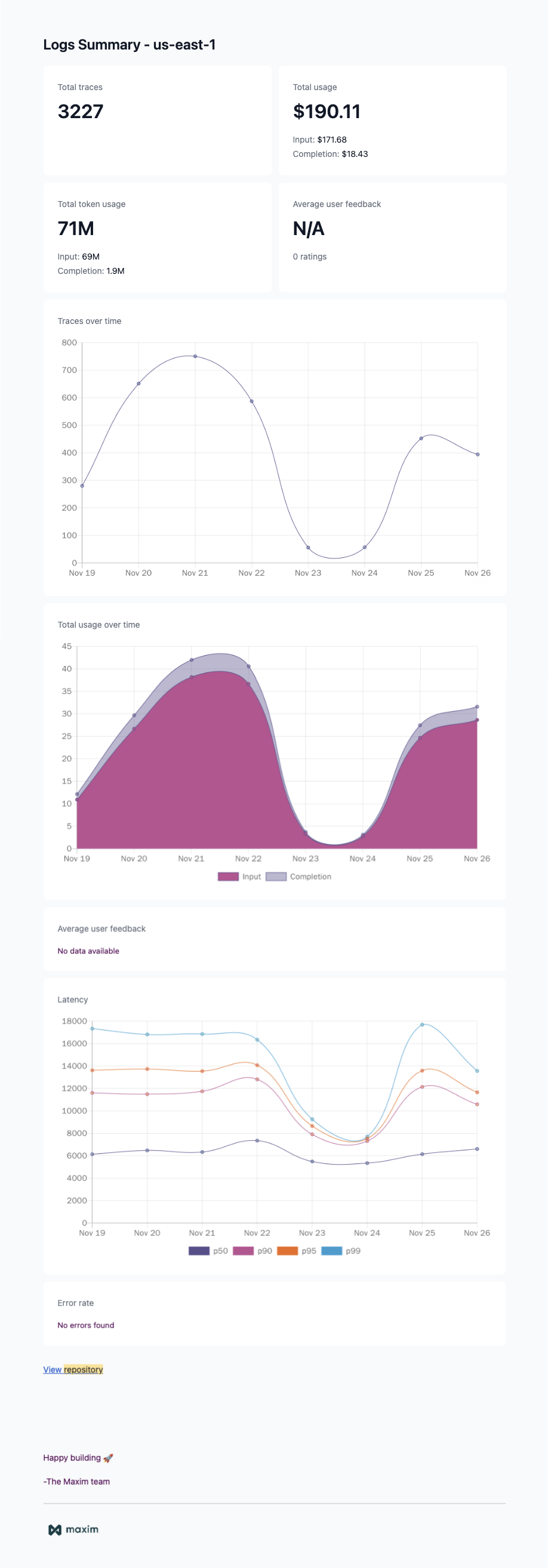
Each weekly summary includes:
* View total traces logged this week
* Average user feedback scores
* Latency trends and performance metrics
* Weekly activity highlights
## Benefits of Summary Emails
* Track repository performance trends
* Monitor user feedback patterns
* Identify potential performance issues
* Make data-driven decisions