> ## Documentation Index
> Fetch the complete documentation index at: https://www.getmaxim.ai/docs/llms.txt
> Use this file to discover all available pages before exploring further.
# Raising an incident
> Learn how to report bugs, issues, or incidents on the Maxim platform. This guide walks you through the process of submitting a report, ensuring your concerns are addressed promptly and efficiently.
At Maxim, we're committed to providing you with a seamless experience. If you encounter any issues while using our platform, we're here to help. This guide will walk you through the process of reporting a bug or raising an incident.
## How to Report an Issue
Reporting an issue on Maxim is a straightforward process. Follow these steps to ensure your concern reaches our support team:
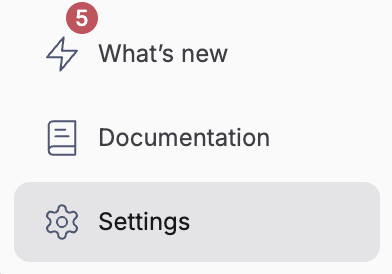
Go to the `Settings` page by clicking on the settings button at the bottom of your sidebar.
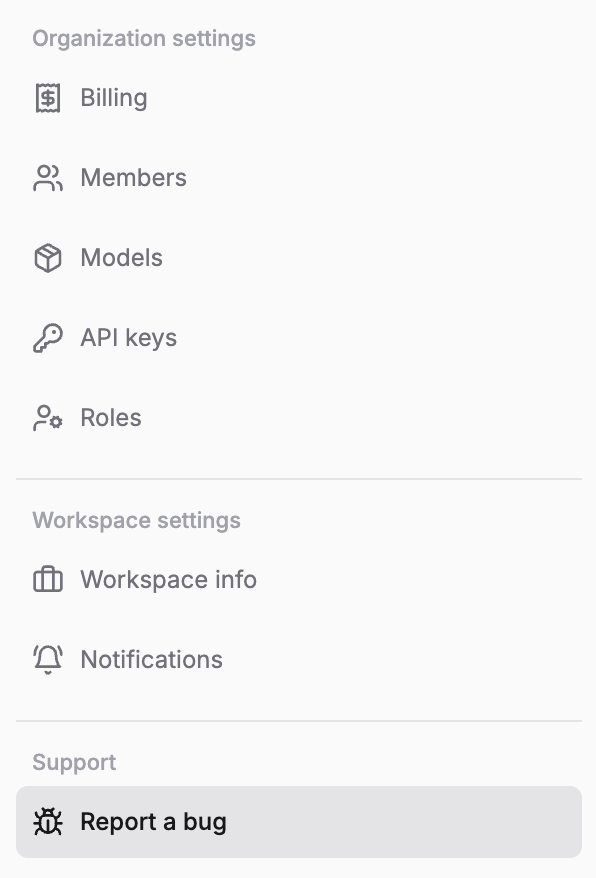
 Find the `Report a bug` tab at the bottom of the settings menu and click on it.
 Complete the form with the following details:
#### Title
Provide a concise title that summarizes the issue you're experiencing.
#### Description (optional)
While optional, we recommend including:
* Steps to reproduce the issue
* Expected behavior
* Actual behavior
* Any error messages
#### Priority level
Select the appropriate priority level for your issue:
} title="Highest" description="Critical bugs or crashes preventing you from using the platform" />
} title="High" description="Urgent issues in a workflow that block completion of task" />
} title="Medium" description="Hindrance to your workflow with a sub-optimal workaround" />
} title="Low" description="Unsure if the flow is behaving as expected" />
Complete the form with the following details:
#### Title
Provide a concise title that summarizes the issue you're experiencing.
#### Description (optional)
While optional, we recommend including:
* Steps to reproduce the issue
* Expected behavior
* Actual behavior
* Any error messages
#### Priority level
Select the appropriate priority level for your issue:
} title="Highest" description="Critical bugs or crashes preventing you from using the platform" />
} title="High" description="Urgent issues in a workflow that block completion of task" />
} title="Medium" description="Hindrance to your workflow with a sub-optimal workaround" />
} title="Low" description="Unsure if the flow is behaving as expected" />
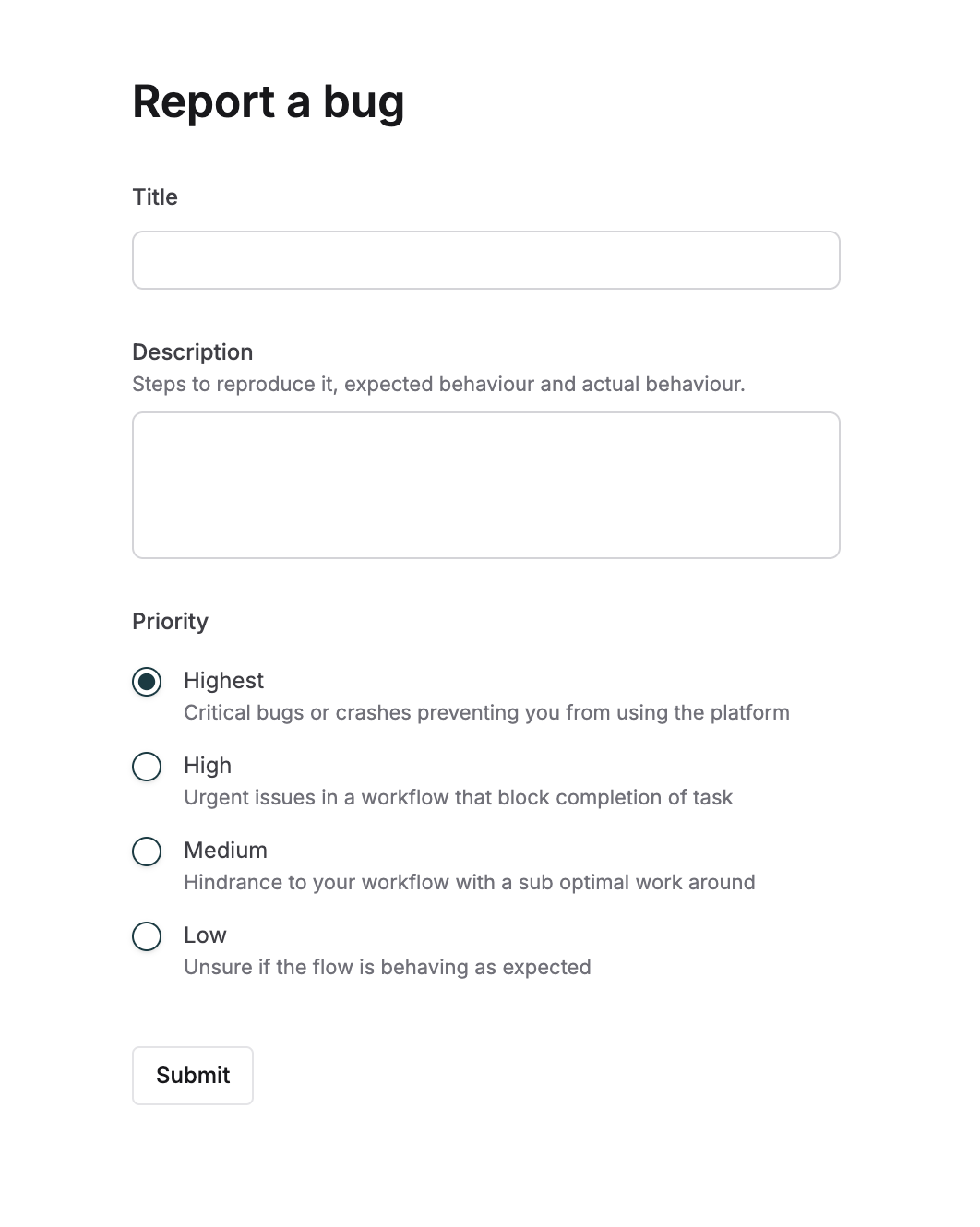 Click the 'Submit' button to send your report to our support team.
## What Happens Next?
After submitting your report, our dedicated support team will review the information provided and prioritize your issue based on its severity. Rest assured, we take every report seriously and are committed to resolving your concerns as quickly as possible.
You'll receive updates on the progress of your reported issue through your registered email address or dedicated slack channel. If we need additional information, we'll reach out to you promptly.
We value your trust in Maxim and are committed to providing you with the best possible support. Your feedback helps us improve and enhance our platform, ensuring a better experience for all our users. Thank you for helping us make Maxim better!
For any other queries, you may also reach out to us at [contact@getmaxim.ai](mailto:contact@getmaxim.ai) or the dedicated slack channel.
Click the 'Submit' button to send your report to our support team.
## What Happens Next?
After submitting your report, our dedicated support team will review the information provided and prioritize your issue based on its severity. Rest assured, we take every report seriously and are committed to resolving your concerns as quickly as possible.
You'll receive updates on the progress of your reported issue through your registered email address or dedicated slack channel. If we need additional information, we'll reach out to you promptly.
We value your trust in Maxim and are committed to providing you with the best possible support. Your feedback helps us improve and enhance our platform, ensuring a better experience for all our users. Thank you for helping us make Maxim better!
For any other queries, you may also reach out to us at [contact@getmaxim.ai](mailto:contact@getmaxim.ai) or the dedicated slack channel.