> ## Documentation Index
> Fetch the complete documentation index at: https://www.getmaxim.ai/docs/llms.txt
> Use this file to discover all available pages before exploring further.
# Voice Simulation
> Test your Voice Agent's interaction capabilities with realistic voice simulations
## Voice Simulation Overview
Maxim's Voice simulation allows you to test how your AI agent handles voice interactions, ensuring natural conversations and appropriate responses to different speech patterns, accents and scenarios.
## Features of Voice Simulations
* Real-time audio streaming and transcription in interactive sessions
* Integration with providers of your choice ([Twilio](https://www.twilio.com/en-us), [VAPI](https://vapi.ai/), etc.)
* Supports [OpenAI Realtime](https://platform.openai.com/docs/guides/realtime) and [ElevenLabs](https://elevenlabs.io/) as the simulation agent voice. Adding an OpenAI API key enables the Realtime simulation agent. To use ElevenLabs as the simulation agent, you must also configure an ElevenLabs voice provider alongside the OpenAI API key.
* Multi-scenario testing with built-in voice evaluators
## Setting up Voice Simulations
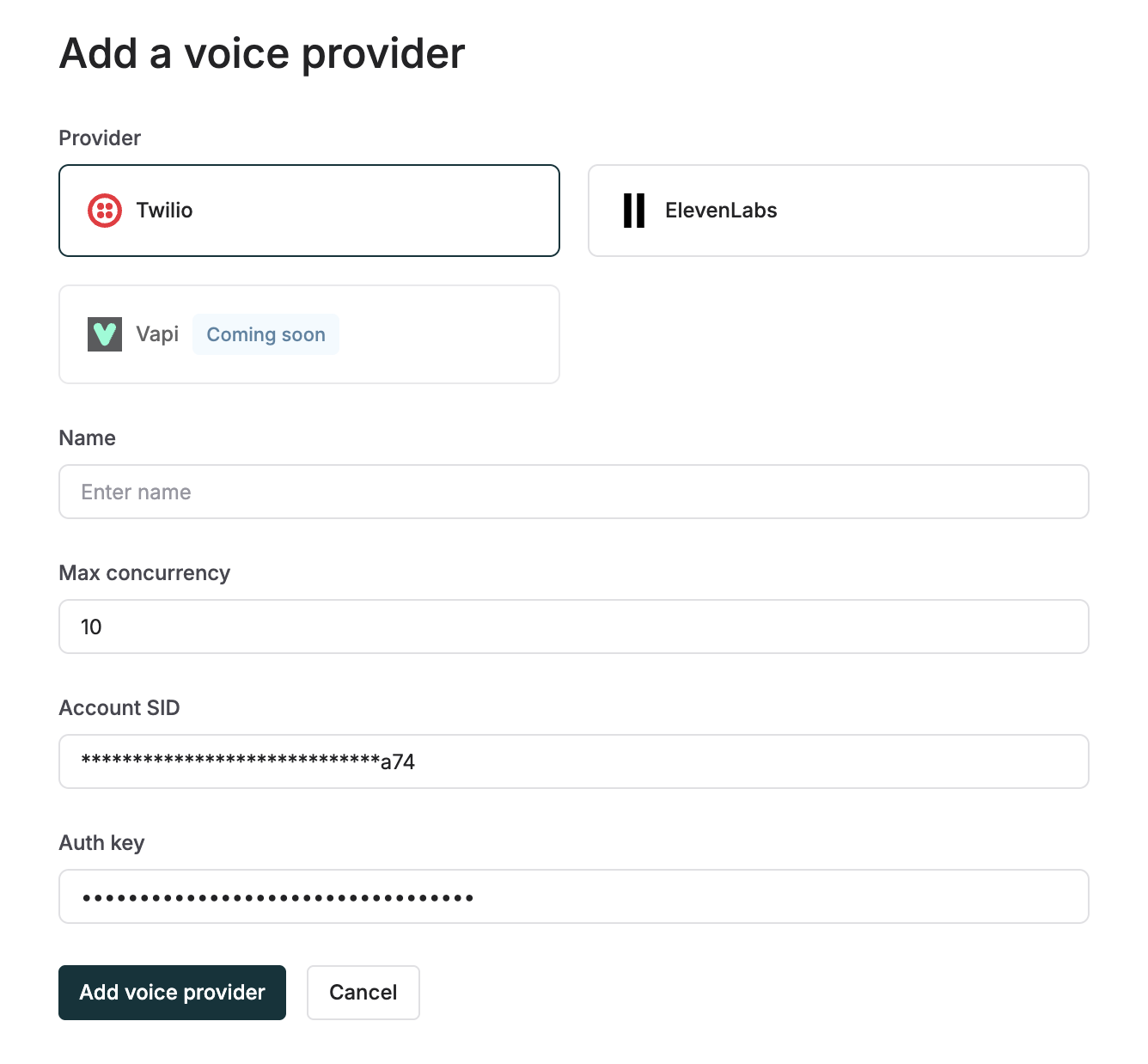
* Go to Settings -> Voice Providers
* Add a voice provider of your choice between Twilio / Vapi
* Add its account SID and Auth Key for secure connection
 * Go to Agents -> Voice Agents
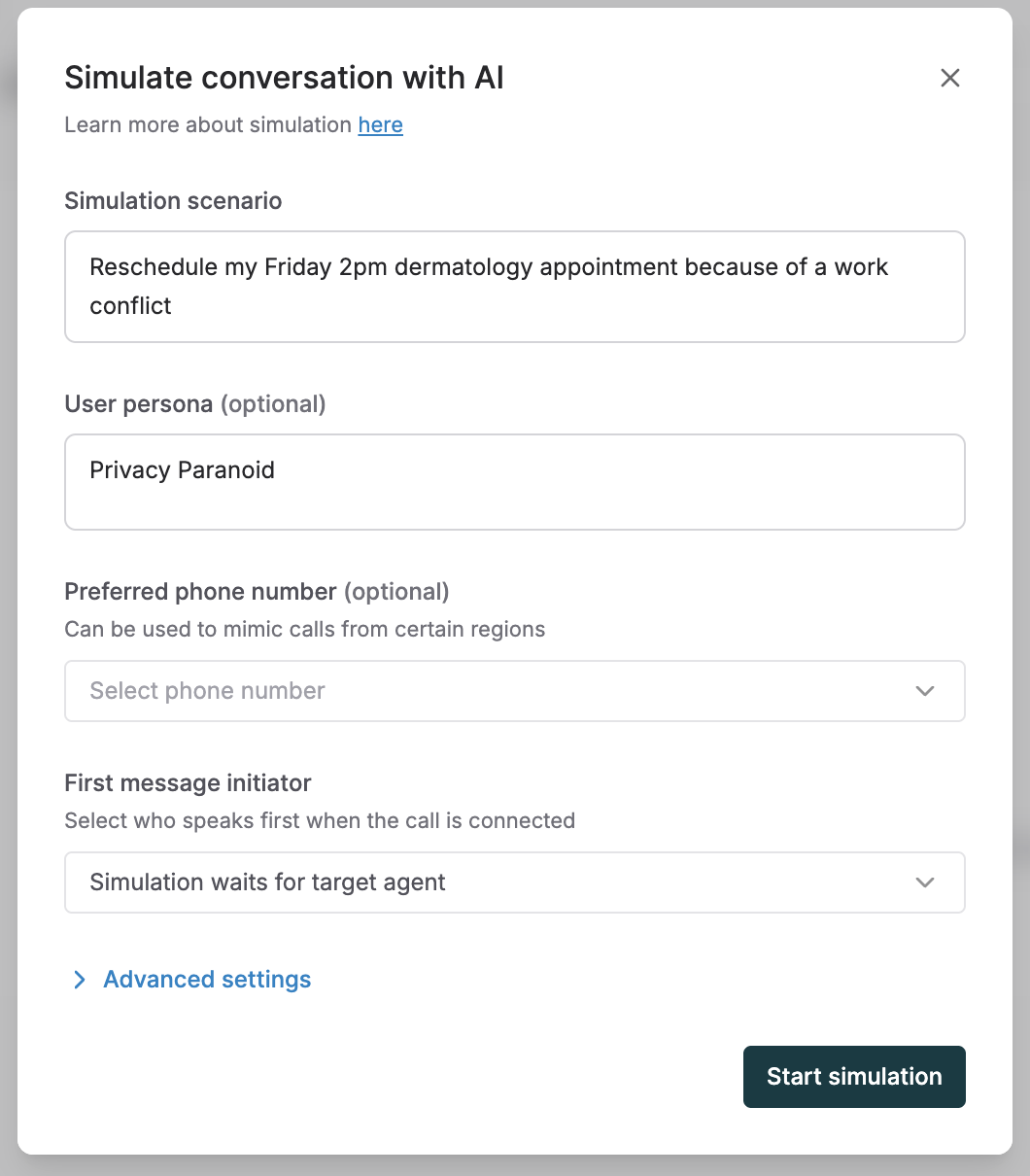
* Create a new agent, adding its name and description (simulation agent has context of this)
* Add the phone number and country code of the voice agent
* Go to Agents -> Voice Agents
* Create a new agent, adding its name and description (simulation agent has context of this)
* Add the phone number and country code of the voice agent
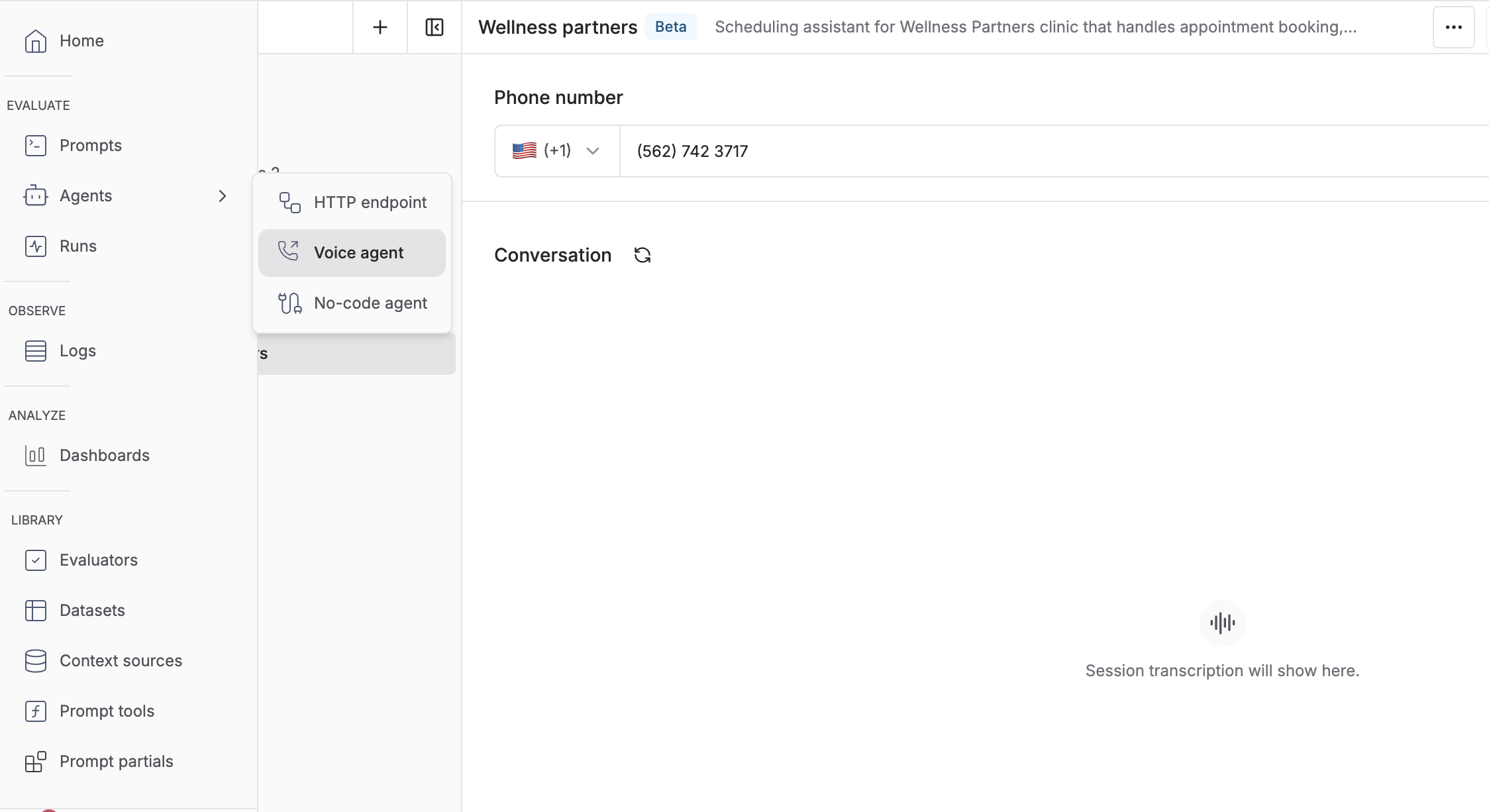 * Scenario: Conversation context and goals
* Persona: Voice characteristics and style
* First message initiator is configurable - default is simulation agent waiting for your voice agent to speak first
If simulation agent speaks first is selected, ensure your voice agent waits before responding to maintain proper conversation turn-taking.
* Scenario: Conversation context and goals
* Persona: Voice characteristics and style
* First message initiator is configurable - default is simulation agent waiting for your voice agent to speak first
If simulation agent speaks first is selected, ensure your voice agent waits before responding to maintain proper conversation turn-taking.
 ## Example Voice Simulation Run
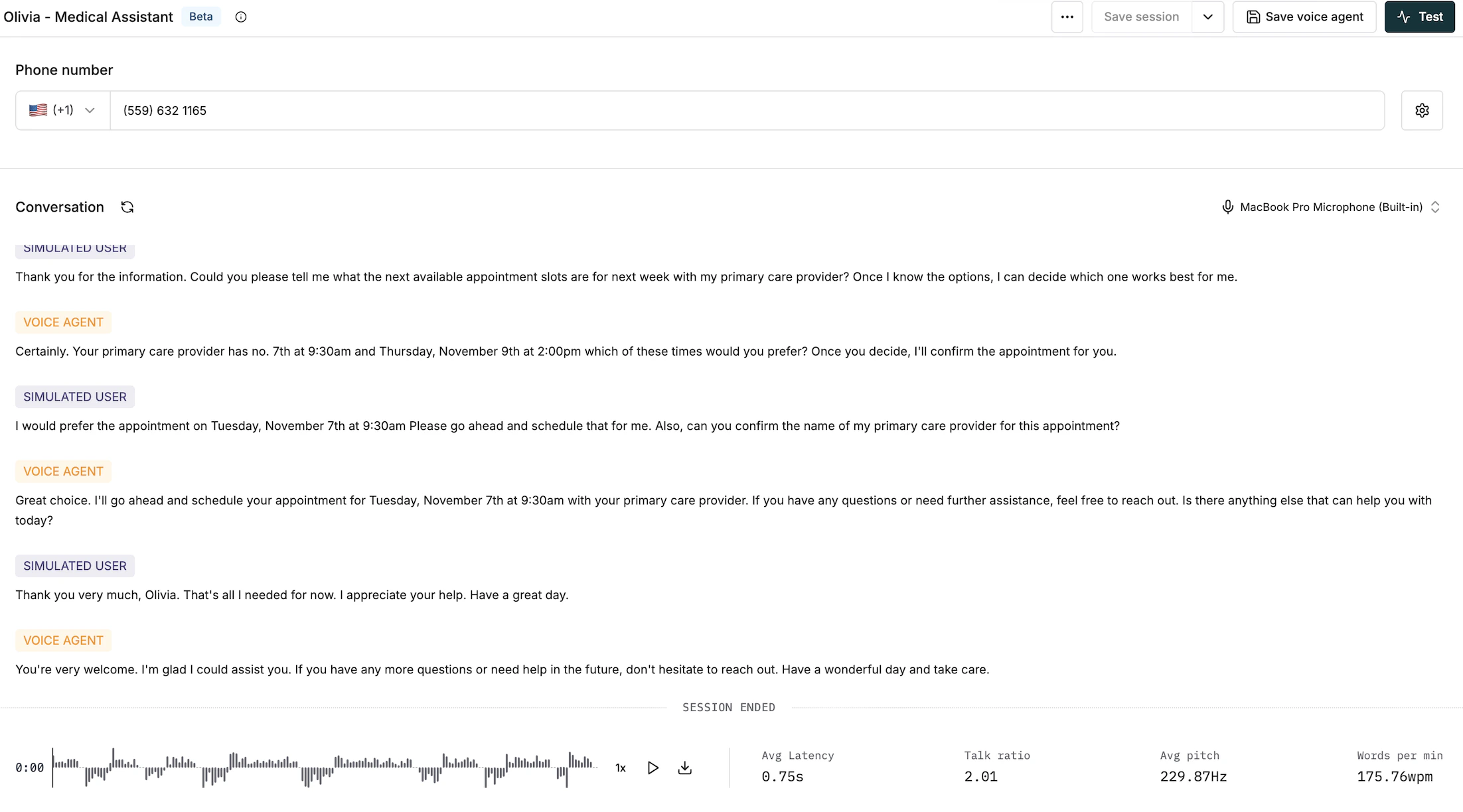
Key features of the simulation run interface:
* Transcripts shown in real-time for both simulation agent and voice agent
* Audio recordings can be played back and downloaded
* Statistical conversation metrics like Average Response Latency, Average Pitch, Talk Ratio and Speech Rate
## Example Voice Simulation Run
Key features of the simulation run interface:
* Transcripts shown in real-time for both simulation agent and voice agent
* Audio recordings can be played back and downloaded
* Statistical conversation metrics like Average Response Latency, Average Pitch, Talk Ratio and Speech Rate