> ## Documentation Index
> Fetch the complete documentation index at: https://www.getmaxim.ai/docs/llms.txt
> Use this file to discover all available pages before exploring further.
# Custom Pricing
> Learn how to set up custom token pricing in Maxim for accurate cost reporting in AI evaluations and logs, ensuring displayed costs match your actual expenses.
Configure your negotiated token costs for accurate cost reporting in AI evaluations and real-time logs. Custom token pricing ensures that displayed costs match your actual expenses based on special pricing agreements.
## How it works
Enter your custom input and output token costs
Apply costs to model configs and log repositories
System calculates actual costs for each evaluation
Standard pricing applies when no custom rates exist
## Create custom pricing structures
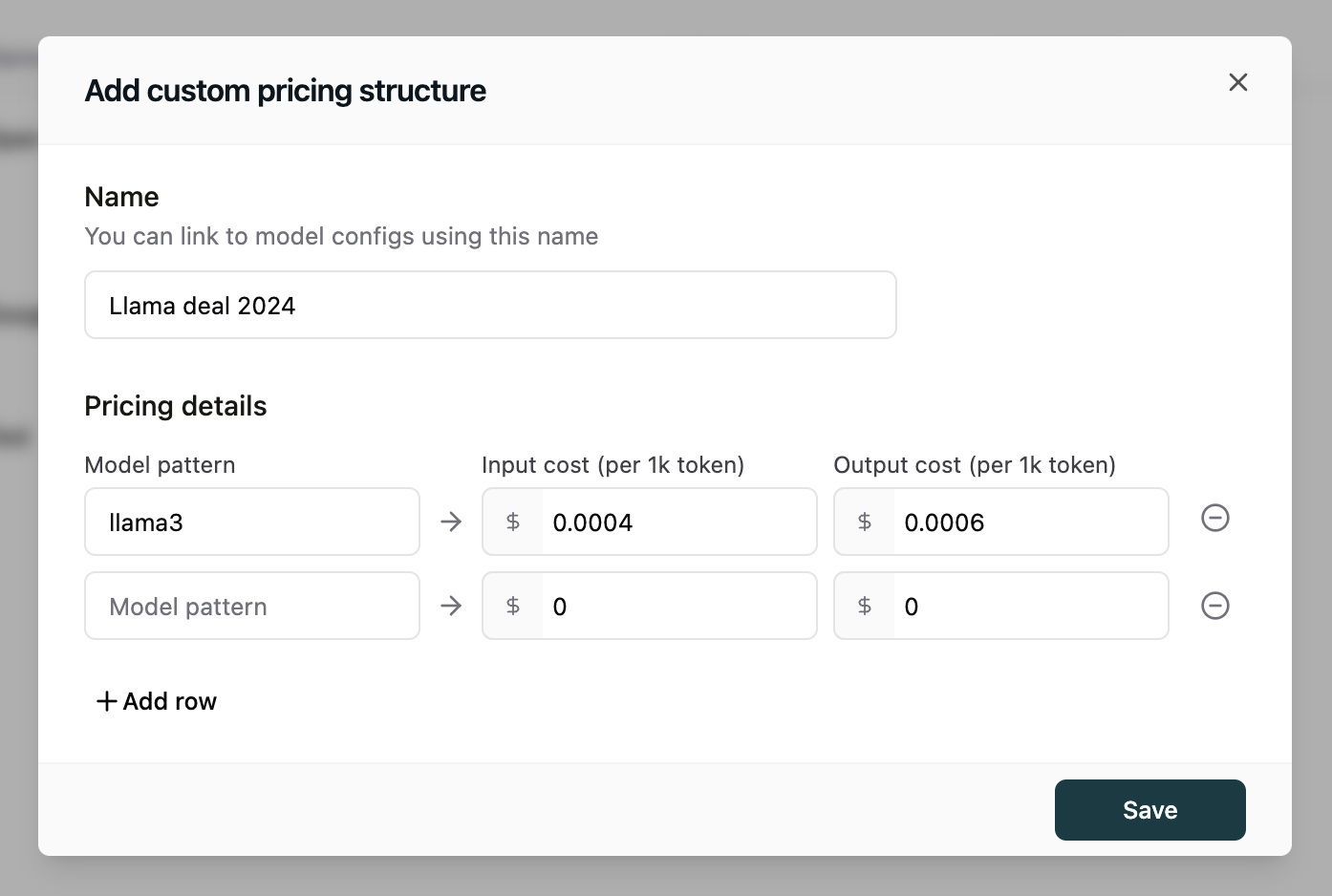
1. Navigate to **Settings > Models > Pricing**
2. Enter a model name pattern (string or regex) that matches your model names
3. Input your token usage cost (per 1000 tokens)
 ## Configure model pricing
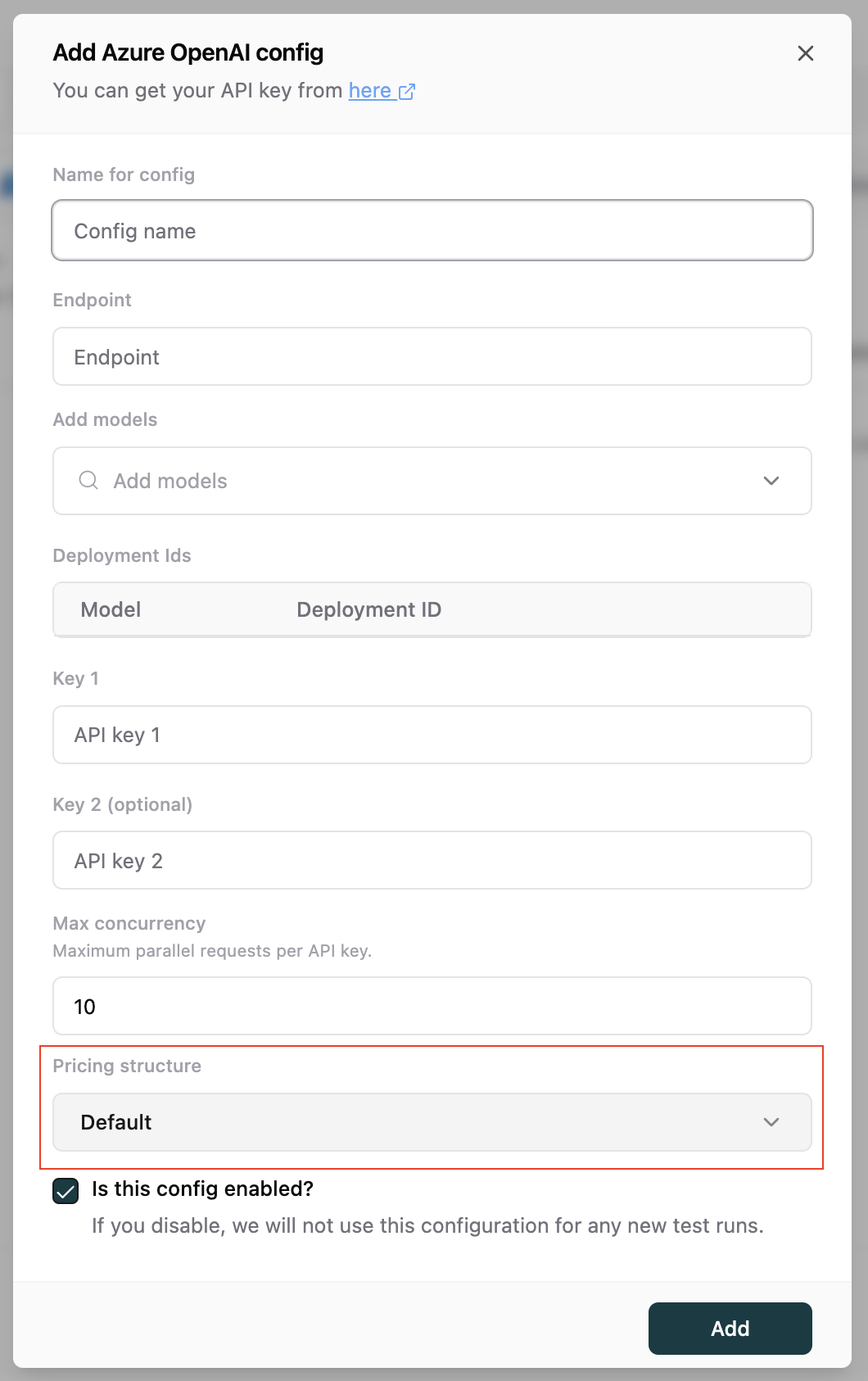
1. Go to **Settings > Models > Model Configs**
2. Select a model config to edit
3. Locate the **Pricing structure** section
4. Choose your pricing structure from the dropdown
Custom pricing supports OpenAI, Microsoft Azure, Groq, HuggingFace, Together AI, Google Cloud, and Amazon Bedrock models.
## Configure model pricing
1. Go to **Settings > Models > Model Configs**
2. Select a model config to edit
3. Locate the **Pricing structure** section
4. Choose your pricing structure from the dropdown
Custom pricing supports OpenAI, Microsoft Azure, Groq, HuggingFace, Together AI, Google Cloud, and Amazon Bedrock models.
 ## Set up pricing for log repository
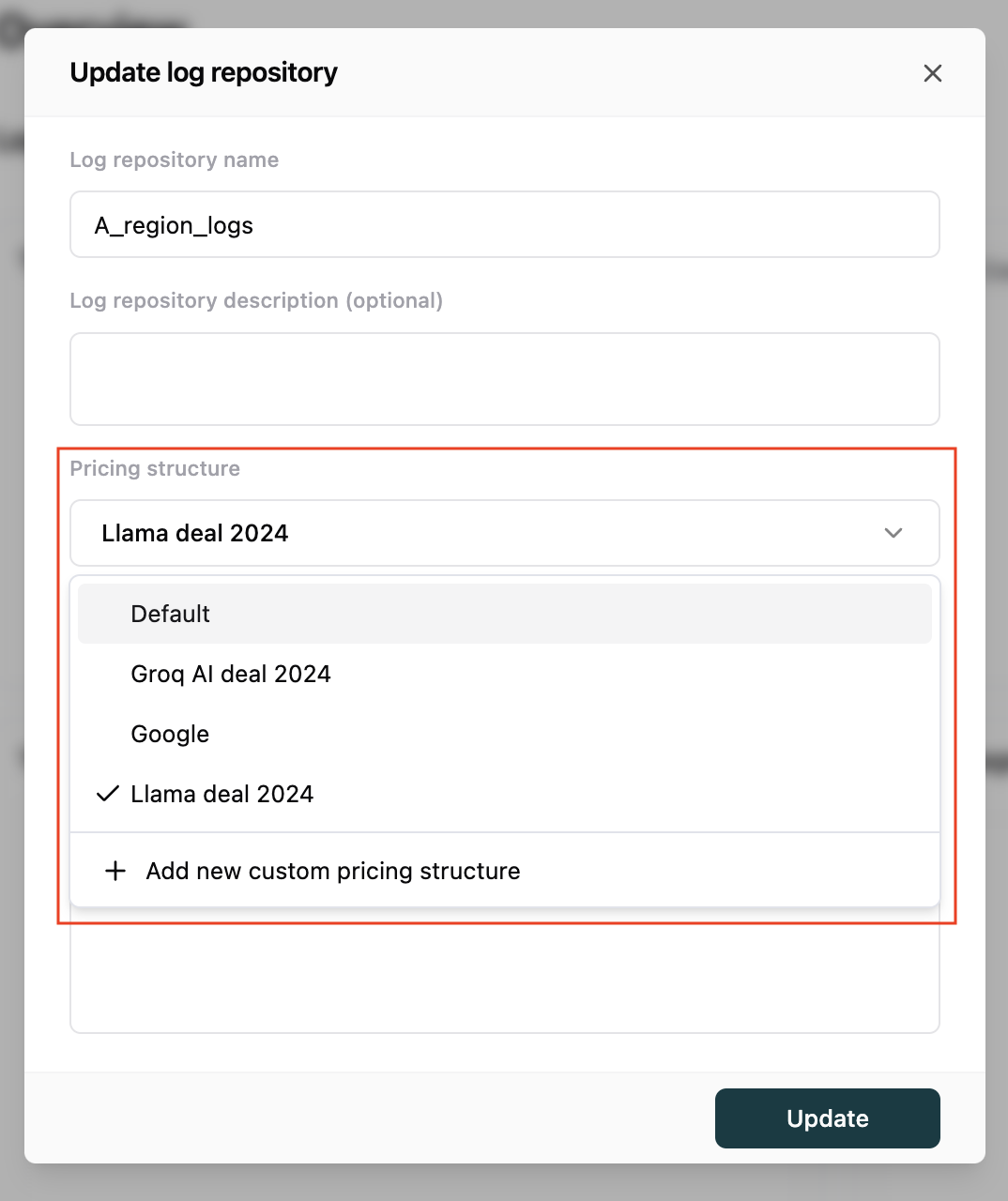
1. Open **Logs** from the sidebar
2. Select the log repository you want to configure custom pricing for
3. Find the **Pricing structure** section
4. Choose your pricing structure from the dropdown
## Set up pricing for log repository
1. Open **Logs** from the sidebar
2. Select the log repository you want to configure custom pricing for
3. Find the **Pricing structure** section
4. Choose your pricing structure from the dropdown