> ## Documentation Index
> Fetch the complete documentation index at: https://www.getmaxim.ai/docs/llms.txt
> Use this file to discover all available pages before exploring further.
# LiteLLM SDK
> Learn how to integrate Maxim with LiteLLM for tracing and monitoring
## Overview
This guide demonstrates how to integrate Maxim SDK tracing with [LiteLLM](https://github.com/BerriAI/litellm) for seamless LLM observability. You'll learn how to set up Maxim as a logger for LiteLLM, monitor your LLM calls, and attach custom traces for advanced analytics.
***
## Requirements
```
litellm>=1.25.0
maxim-py>=3.5.0
```
***
## Environment Variables
Set the following environment variables in your environment or `.env` file:
```
MAXIM_API_KEY=
MAXIM_LOG_REPO_ID=
OPENAI_API_KEY=
```
***
## Step 1: Initialize Maxim SDK and Add as LiteLLM Logger
```python {8} theme={null}
import litellm
import os
from maxim import Maxim, Config, LoggerConfig
from maxim.logger.litellm import MaximLiteLLMTracer
logger = Maxim().logger()
# One-line integration: add Maxim tracer to LiteLLM callbacks
litellm.callbacks = [MaximLiteLLMTracer(logger)]
```
***
## Step 2: Make LLM Calls with LiteLLM
```python theme={null}
import os
from litellm import acompletion
response = await acompletion(
model='openai/gpt-4o',
api_key=os.getenv('OPENAI_API_KEY'),
messages=[{'role': 'user', 'content': 'Hello, world!'}],
)
print(response.choices[0].message.content)
```
***
## Advanced: Attach a Custom Trace to LiteLLM Generation
You can attach a custom trace to your LiteLLM calls for advanced tracking and correlation across multiple events.
```python {11} theme={null}
from maxim.logger.logger import TraceConfig
import uuid
trace = logger.trace(TraceConfig(id=str(uuid.uuid4()), name='litellm-generation'))
trace.event(str(uuid.uuid4()), 'litellm-generation', 'litellm-generation', {})
# Attach trace to LiteLLM call using metadata
response = await acompletion(
model='openai/gpt-4o',
api_key=os.getenv('OPENAI_API_KEY'),
messages=[{'role': 'user', 'content': 'What can you do for me!'}],
metadata={'maxim': {'trace_id': trace.id, 'span_name': 'litellm-generation'}}
)
print(response.choices[0].message.content)
```
***
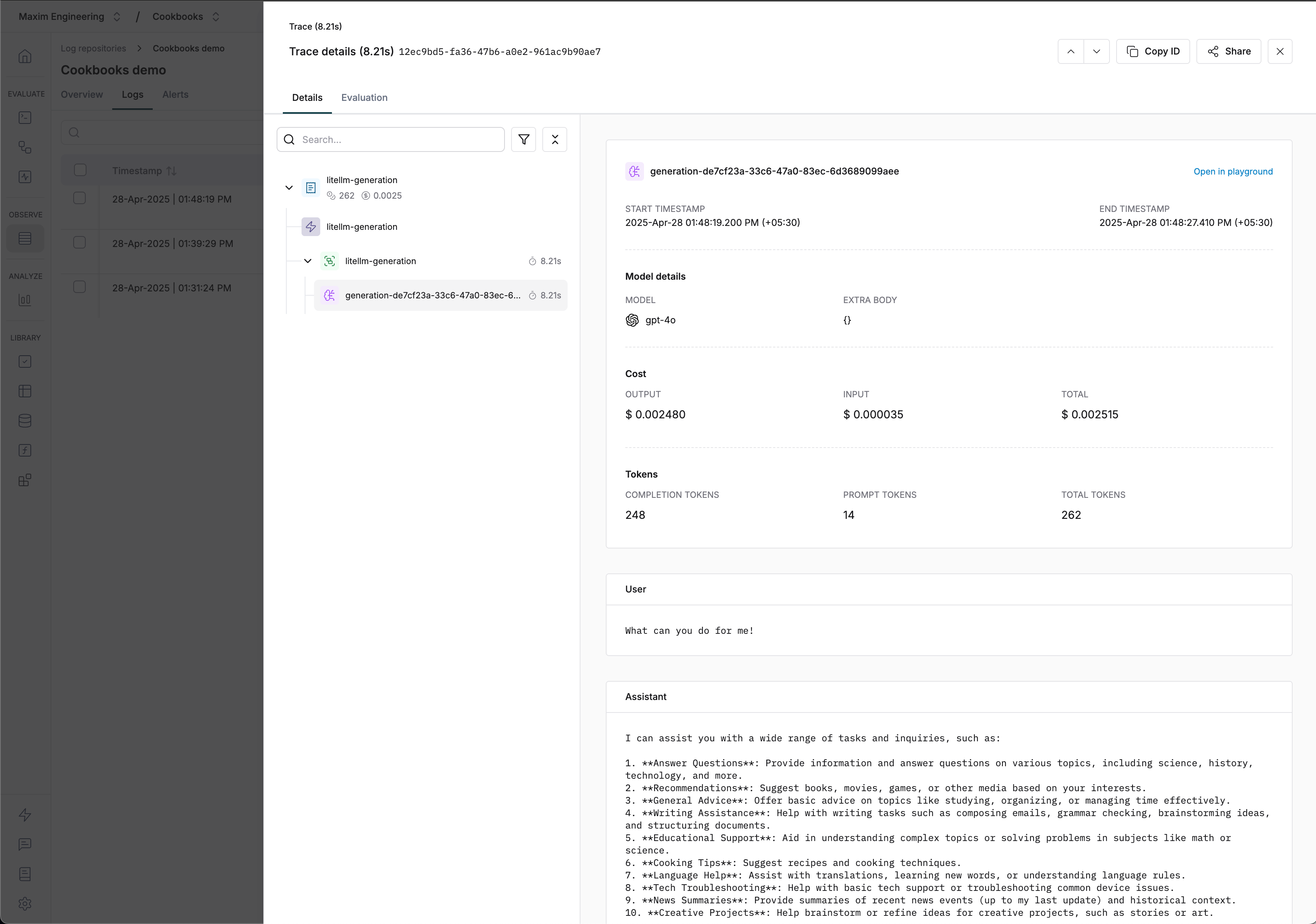
## Visualizing Traces
 ***
## Resources
***
## Notes
* All LLM calls made with the MaximLiteLLMTracer will be automatically traced and visible in your Maxim dashboard.
***
## Resources
***
## Notes
* All LLM calls made with the MaximLiteLLMTracer will be automatically traced and visible in your Maxim dashboard.