> ## Documentation Index
> Fetch the complete documentation index at: https://www.getmaxim.ai/docs/llms.txt
> Use this file to discover all available pages before exploring further.
# Using Prompt Partials
> Prompt partials let you modularize and reuse snippets of prompt text across multiple prompts. This page explains how to insert, configure, and manage prompt partials efficiently within the playground.
export const MaximPlayer = ({url}) => {
return ;
};
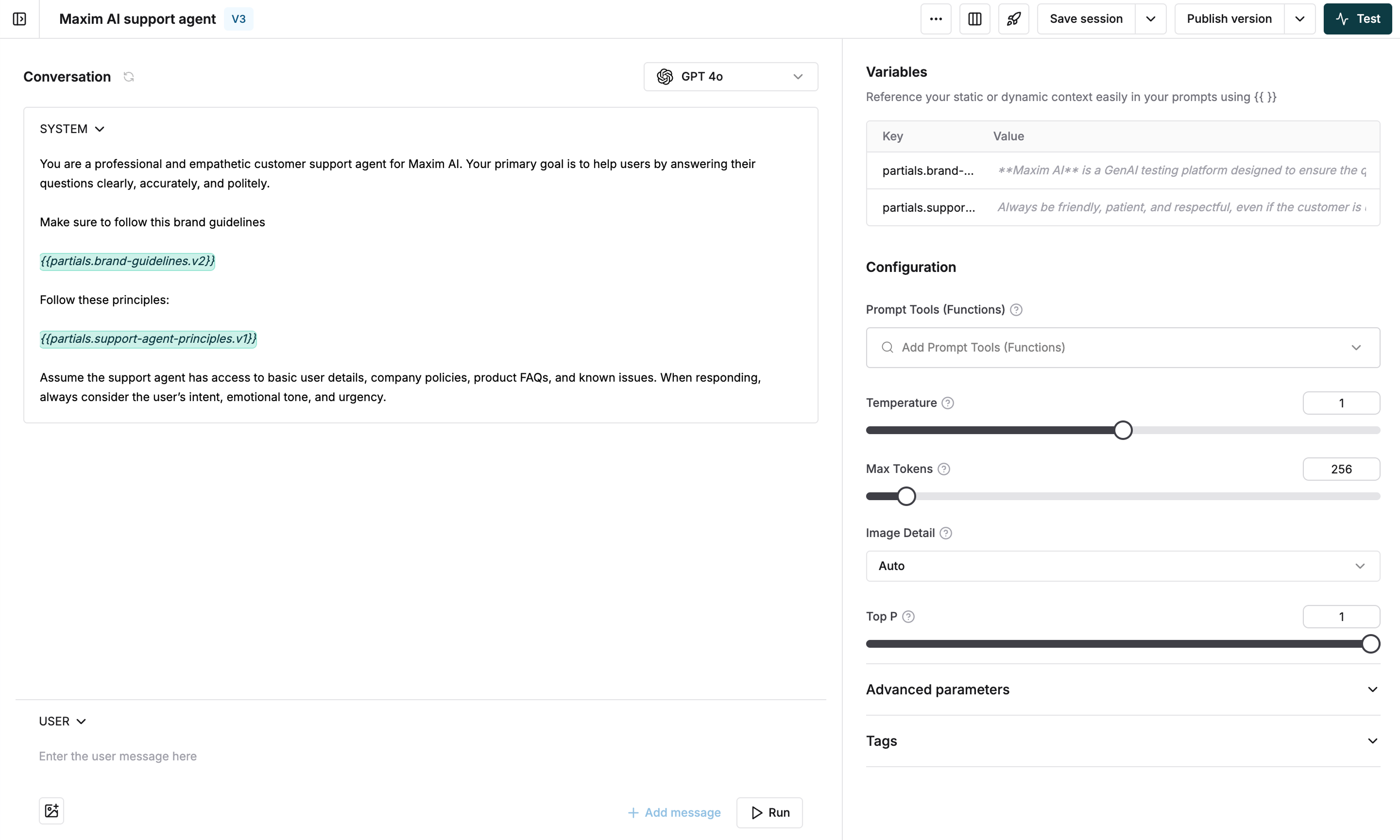 1. Type `{{` in either System or User message
2. Select a Prompt partial from the dropdown list
3. To use a specific version, continue typing after selecting the partial
4. Choose the version from the list showing creation date and author
The latest version is used by default if no specific version is selected
* Variables used in partials automatically appear in the Prompt variables section
* Add variable values to test in the playground
* Click on the partial content in variables view to:
* Preview the partial content
* Navigate directly to the partial editor
1. Type `{{` in either System or User message
2. Select a Prompt partial from the dropdown list
3. To use a specific version, continue typing after selecting the partial
4. Choose the version from the list showing creation date and author
The latest version is used by default if no specific version is selected
* Variables used in partials automatically appear in the Prompt variables section
* Add variable values to test in the playground
* Click on the partial content in variables view to:
* Preview the partial content
* Navigate directly to the partial editor
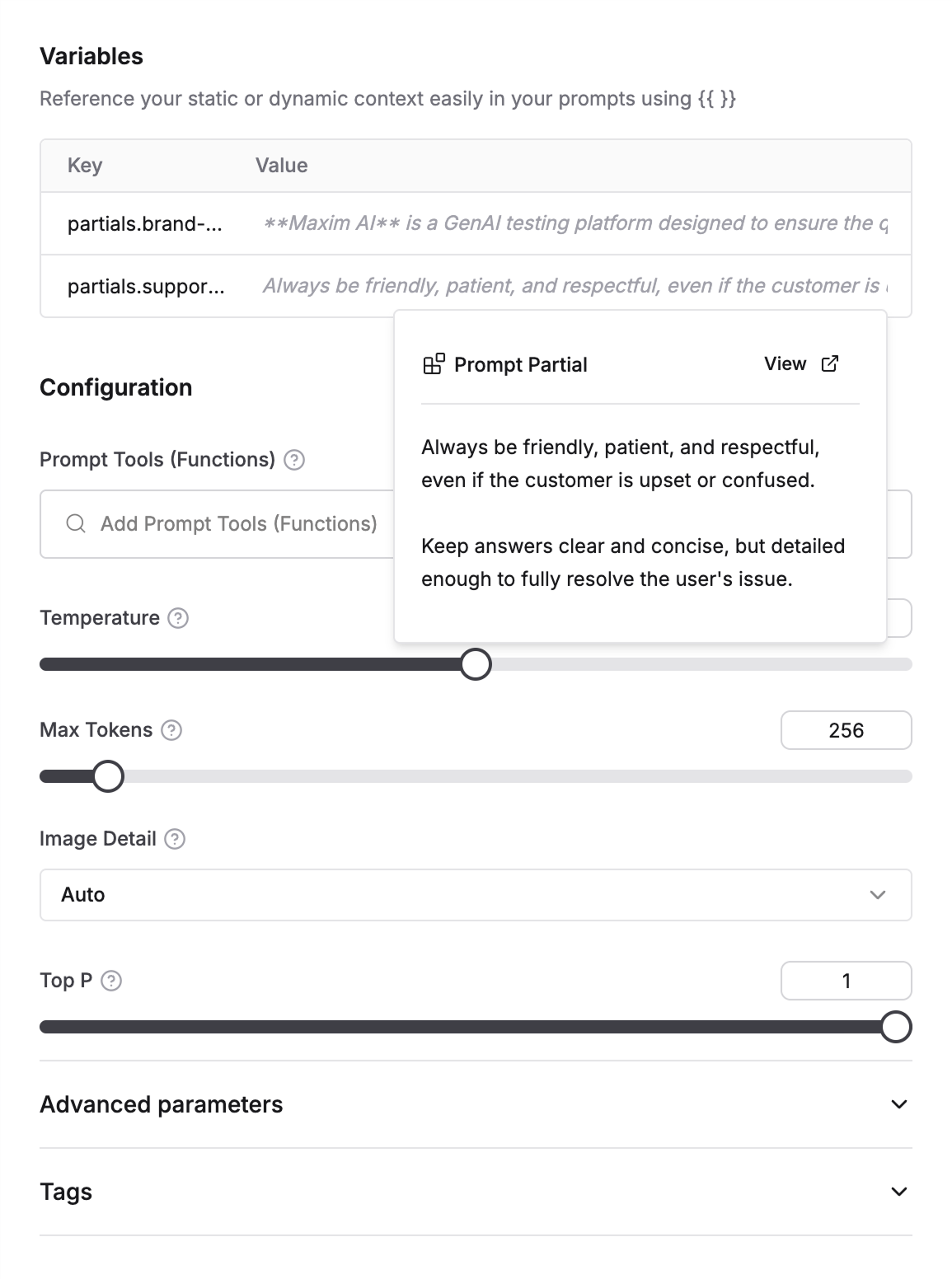 Partials are replaced with actual content during test runs using values from your test configuration or context sources