> ## Documentation Index
> Fetch the complete documentation index at: https://www.getmaxim.ai/docs/llms.txt
> Use this file to discover all available pages before exploring further.
# Prompt Testing Quickstart
> Test your Prompts with Datasets and Evaluators in minutes. View results across your test cases to find areas where it works well or needs improvement.
export const MaximPlayer = ({url}) => {
return ;
};
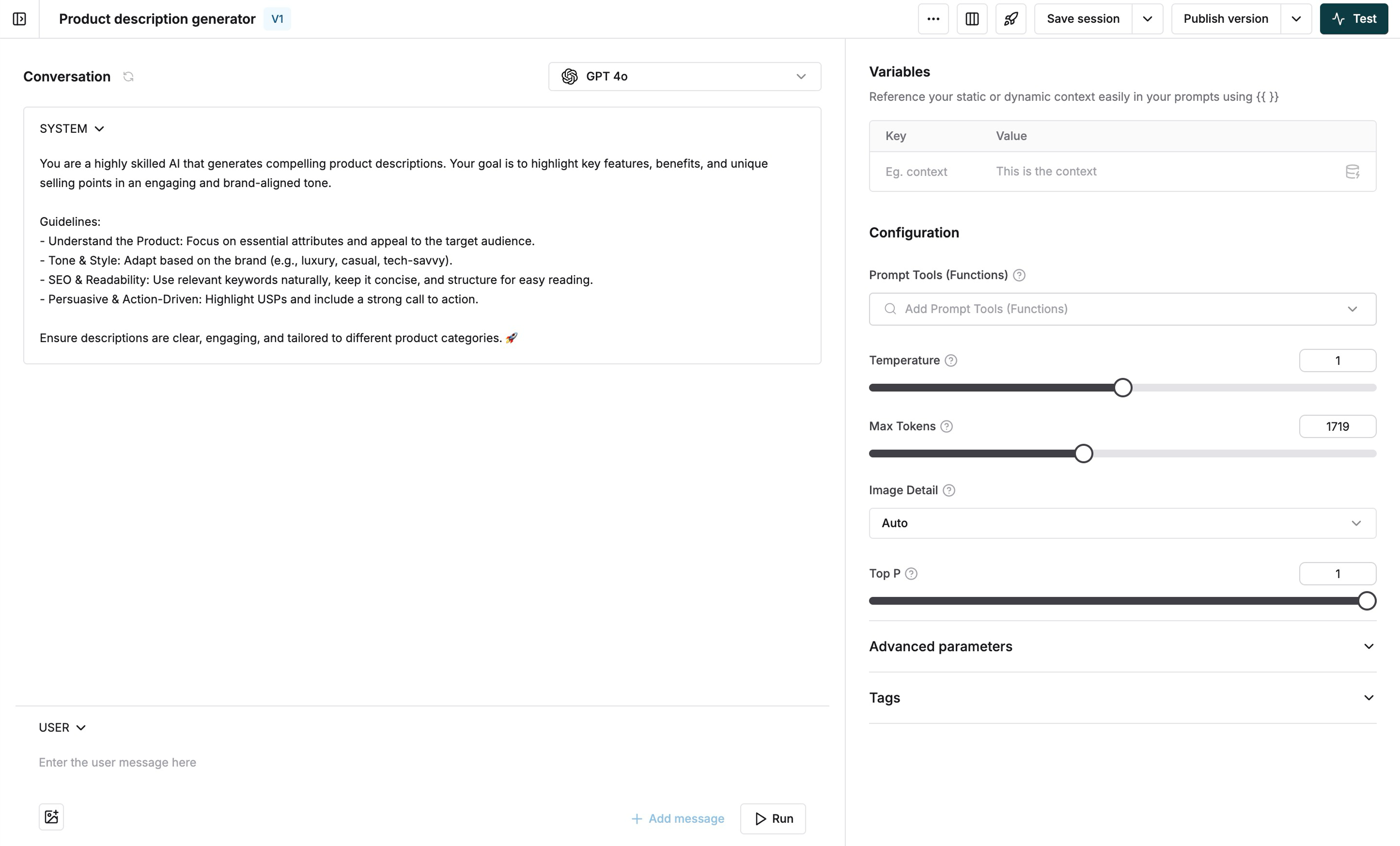
Start by creating a new [Prompt](/prompt-engineering/prompt-playground) in the playground. Configure your messages and settings, then [publish the version](/prompt-engineering/prompt-versions) when you're ready for testing.
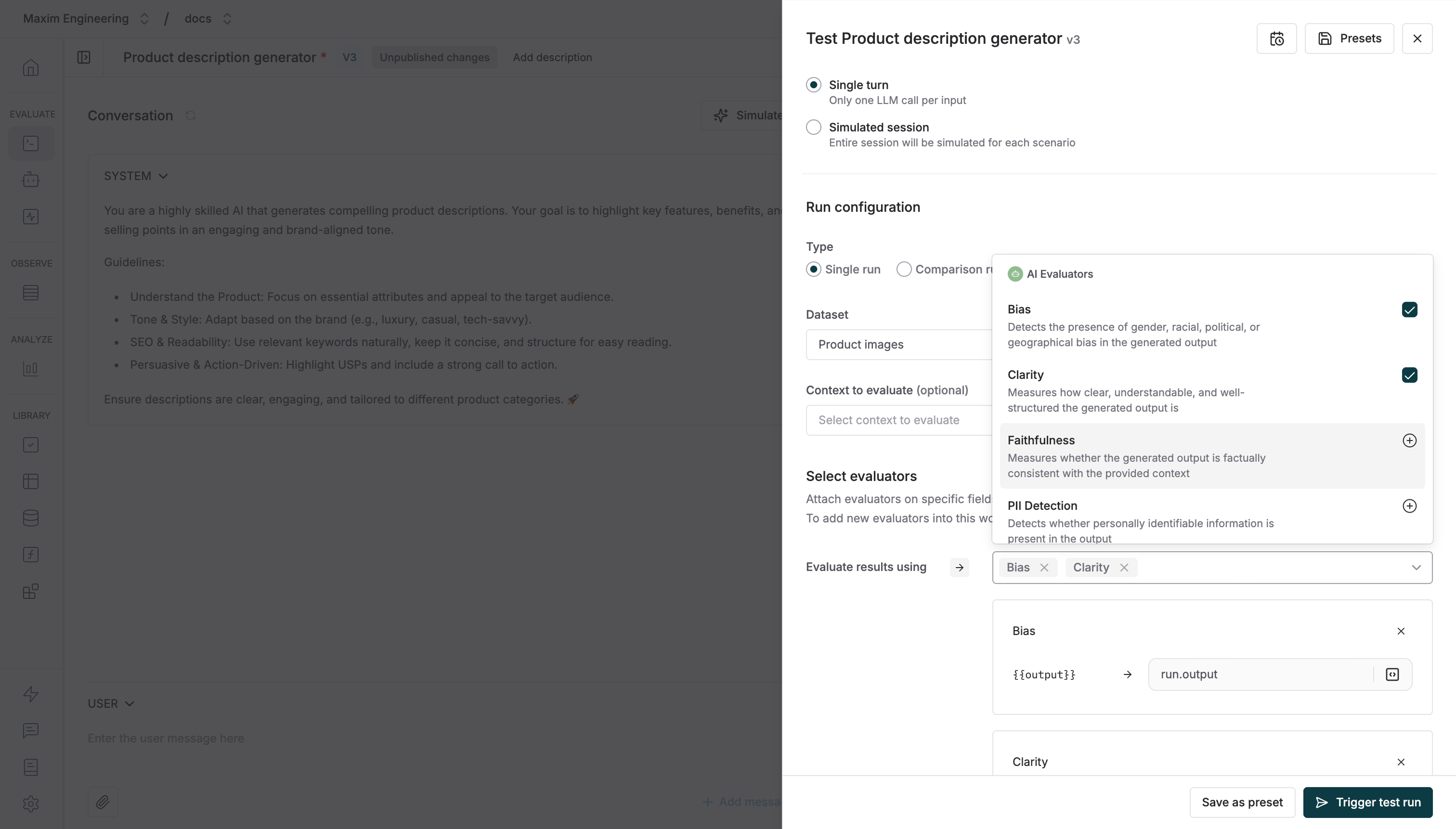
 Choose a [Dataset](/library/datasets/import-or-create-datasets) with your test cases and add [Evaluators](/library/evaluators/pre-built-evaluators/overview) to measure response quality. You can mix and match evaluators to check for accuracy, toxicity, and more.
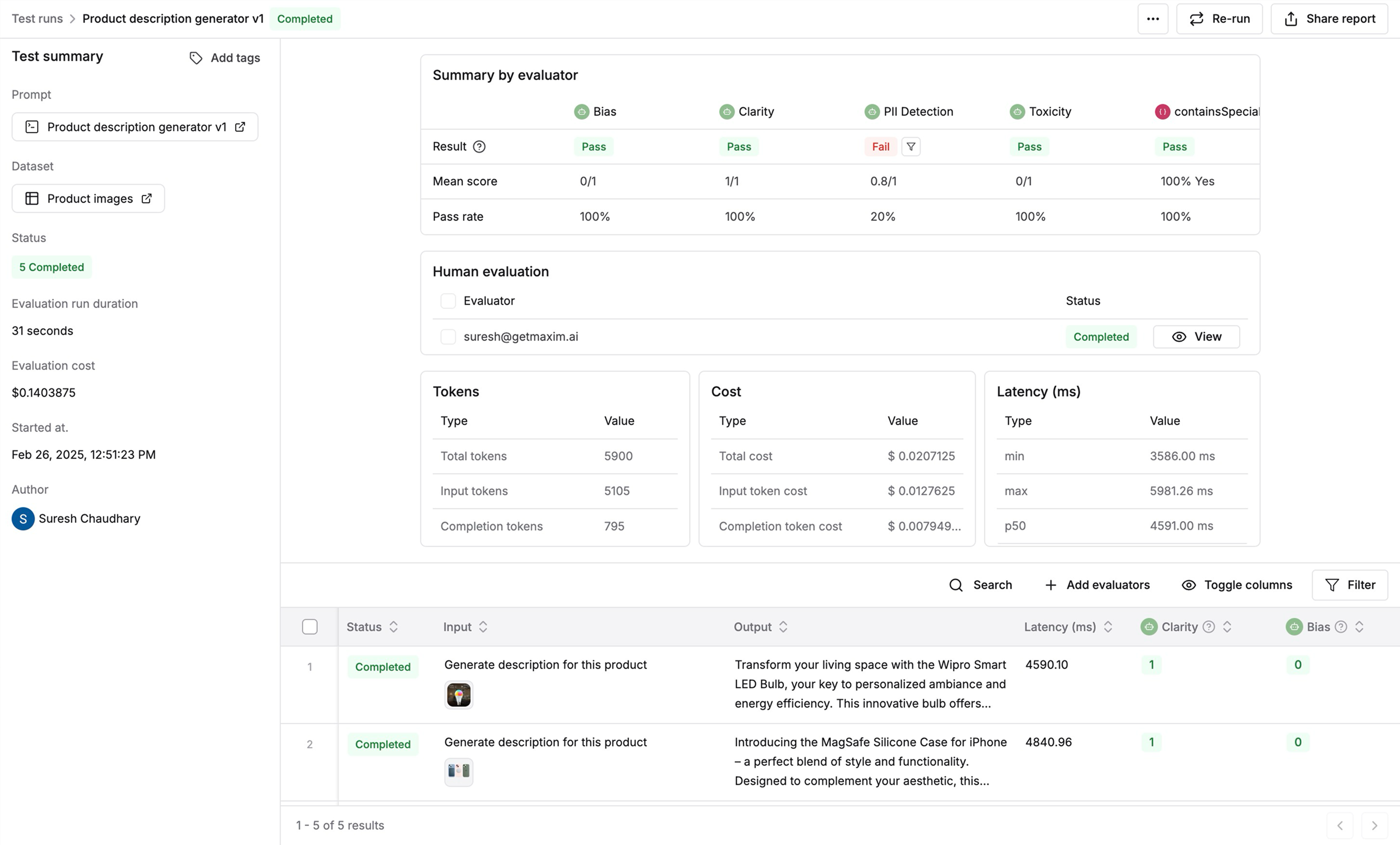
 Once the test is complete, you'll get a comprehensive report to understand your Prompt's performance. You'll see:
* Overall quality scores across your test cases
* Which inputs performed best and worst
* Side-by-side comparisons of expected vs. actual outputs
* Detailed evaluator feedback on specific responses
This helps you quickly identify where your Prompt shines and where it needs improvement.
Once the test is complete, you'll get a comprehensive report to understand your Prompt's performance. You'll see:
* Overall quality scores across your test cases
* Which inputs performed best and worst
* Side-by-side comparisons of expected vs. actual outputs
* Detailed evaluator feedback on specific responses
This helps you quickly identify where your Prompt shines and where it needs improvement.
 [Schedule a demo](https://getmaxim.ai/demo) to see how Maxim AI helps teams ship reliable agents.