> ## Documentation Index
> Fetch the complete documentation index at: https://www.getmaxim.ai/docs/llms.txt
> Use this file to discover all available pages before exploring further.
# Loops
> Learn how to use loops in your no-code agent to repeat steps or rerun parts of your workflow multiple times. This page explains loop configuration with examples and common use cases.
## How to use loops in your no-code agent?
Use loops when you need to rerun a node or part of the flow multiple times.
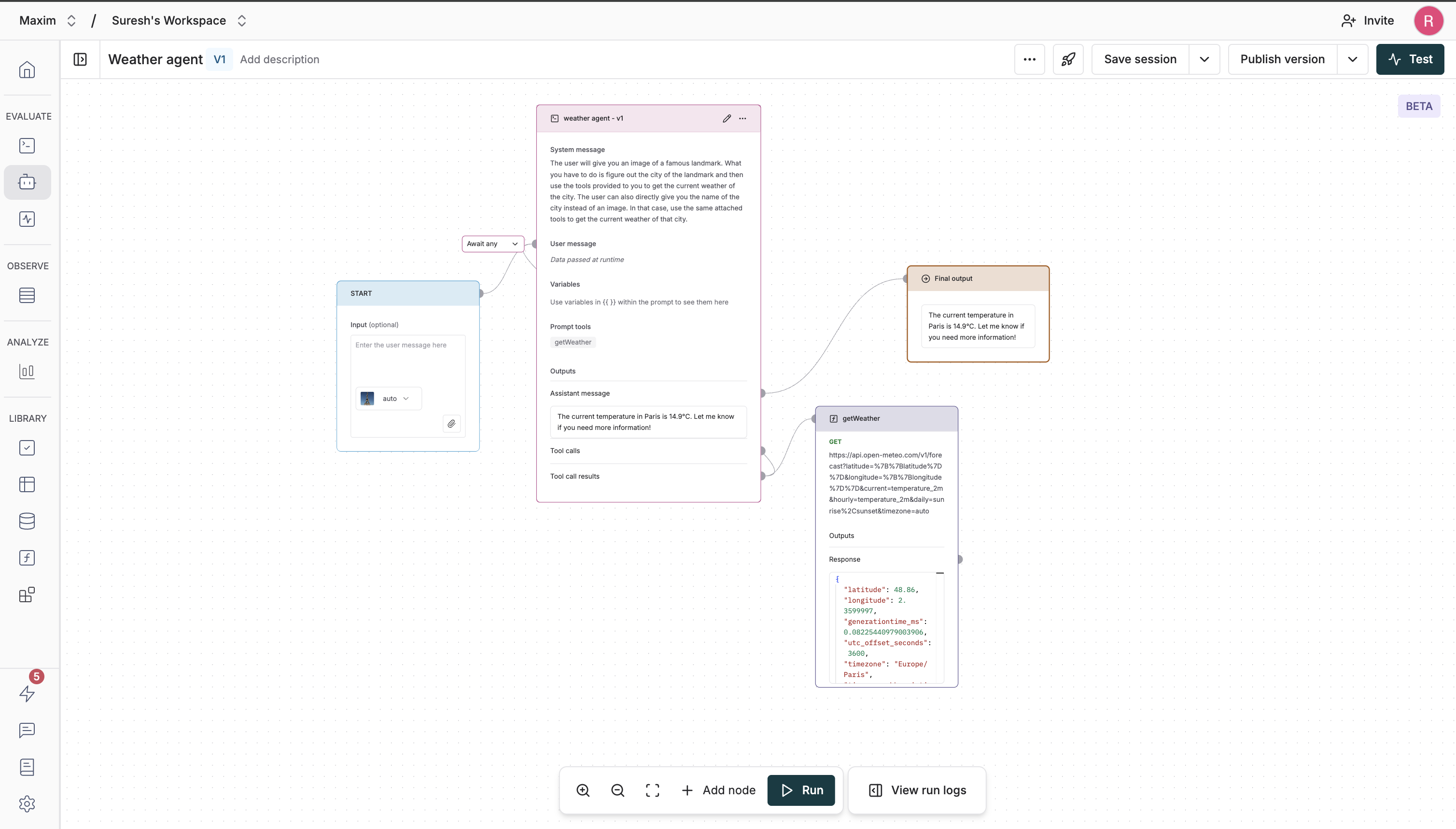 The above example shows a simple agent that would identify the landmark in the given image and return the current weather of that location. The flow that occurs is as follows:
1. The `Prompt` node gets the initial image as an input and runs the LLM to identify the landmark.
2. The `getWeather` tool is called with the location of the landmark as input.
3. The output of the `getWeather` tool is connected back to the `Prompt` node.
4. The `Prompt` node runs again with the updated context and returns an assistant message to move the chain forward.
5. The `Final output` node gets executed and the chain completes its execution.
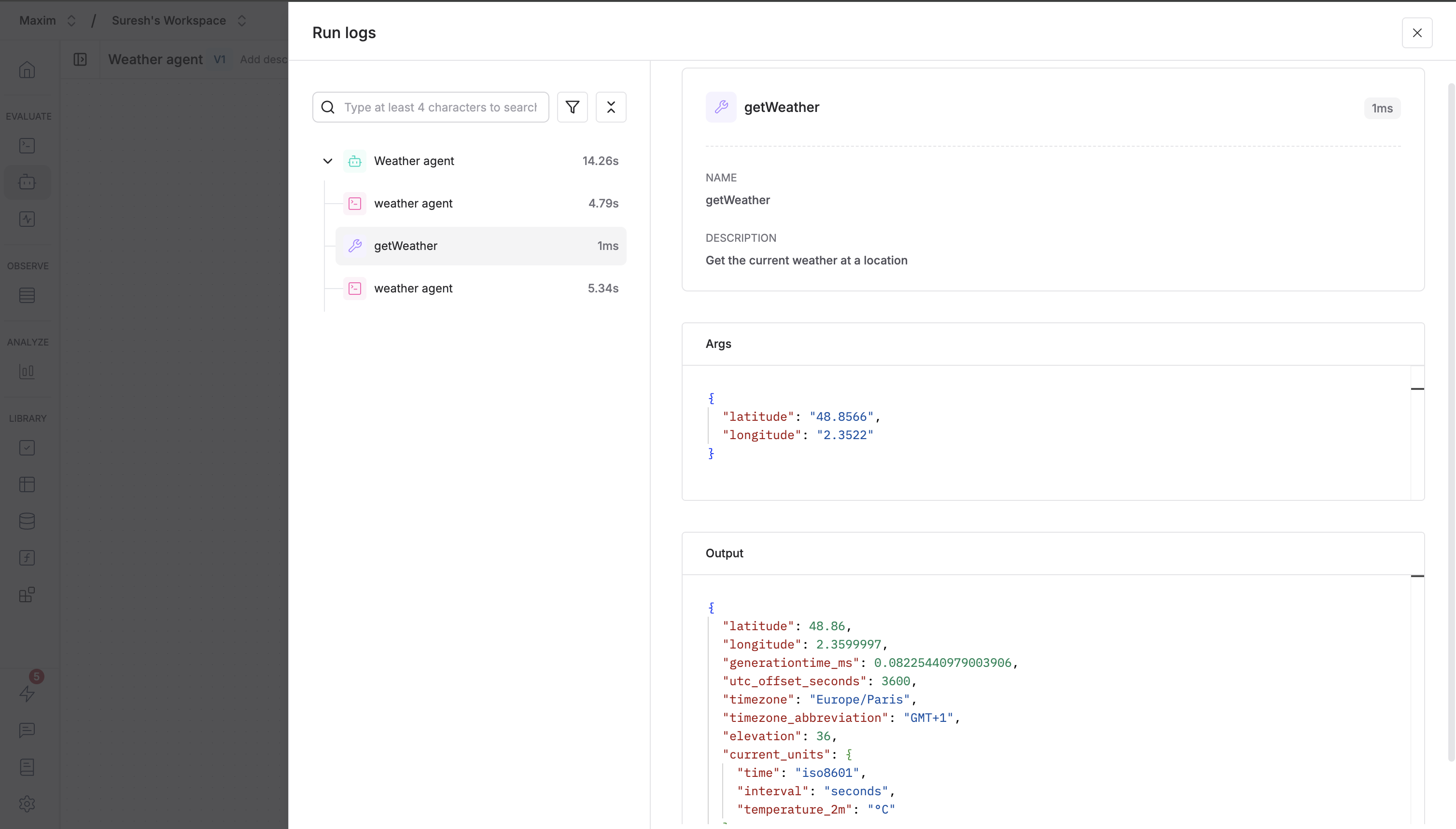
You can check the full execution log of the chain by clicking on the `View run logs` button in the bottom toolbar.
The above example shows a simple agent that would identify the landmark in the given image and return the current weather of that location. The flow that occurs is as follows:
1. The `Prompt` node gets the initial image as an input and runs the LLM to identify the landmark.
2. The `getWeather` tool is called with the location of the landmark as input.
3. The output of the `getWeather` tool is connected back to the `Prompt` node.
4. The `Prompt` node runs again with the updated context and returns an assistant message to move the chain forward.
5. The `Final output` node gets executed and the chain completes its execution.
You can check the full execution log of the chain by clicking on the `View run logs` button in the bottom toolbar.