> ## Documentation Index
> Fetch the complete documentation index at: https://www.getmaxim.ai/docs/llms.txt
> Use this file to discover all available pages before exploring further.
# Use API nodes within chains
> Make external API calls at any point in your Prompt Chain to integrate with third-party services. The API node lets you validate data, log events, fetch information, or perform any HTTP request without leaving your chain. Simply configure the endpoint, method, and payload to connect your AI workflow with external systems.
### Configuring API nodes
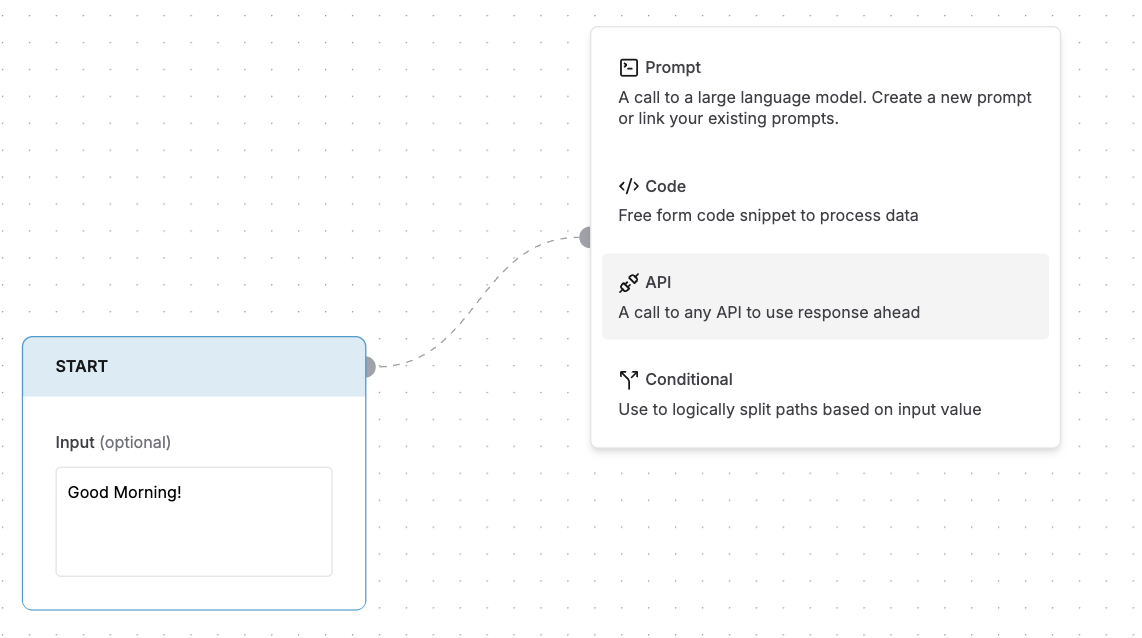
1. Drag from any existing node to create a connection or drop an API node from the add node selection
2. Select API from the node type menu
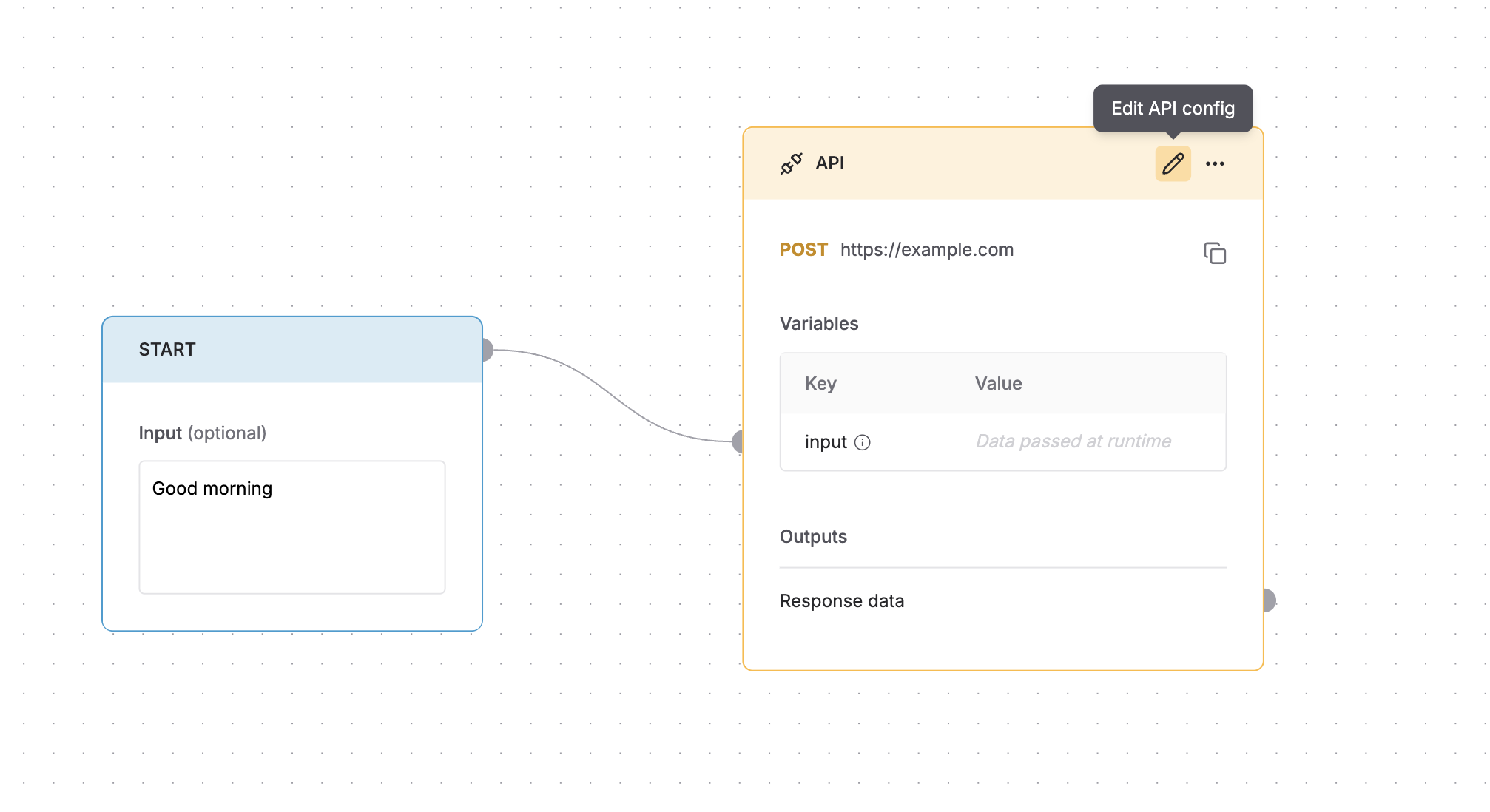
 * Click the icon in the top-right corner of the node.
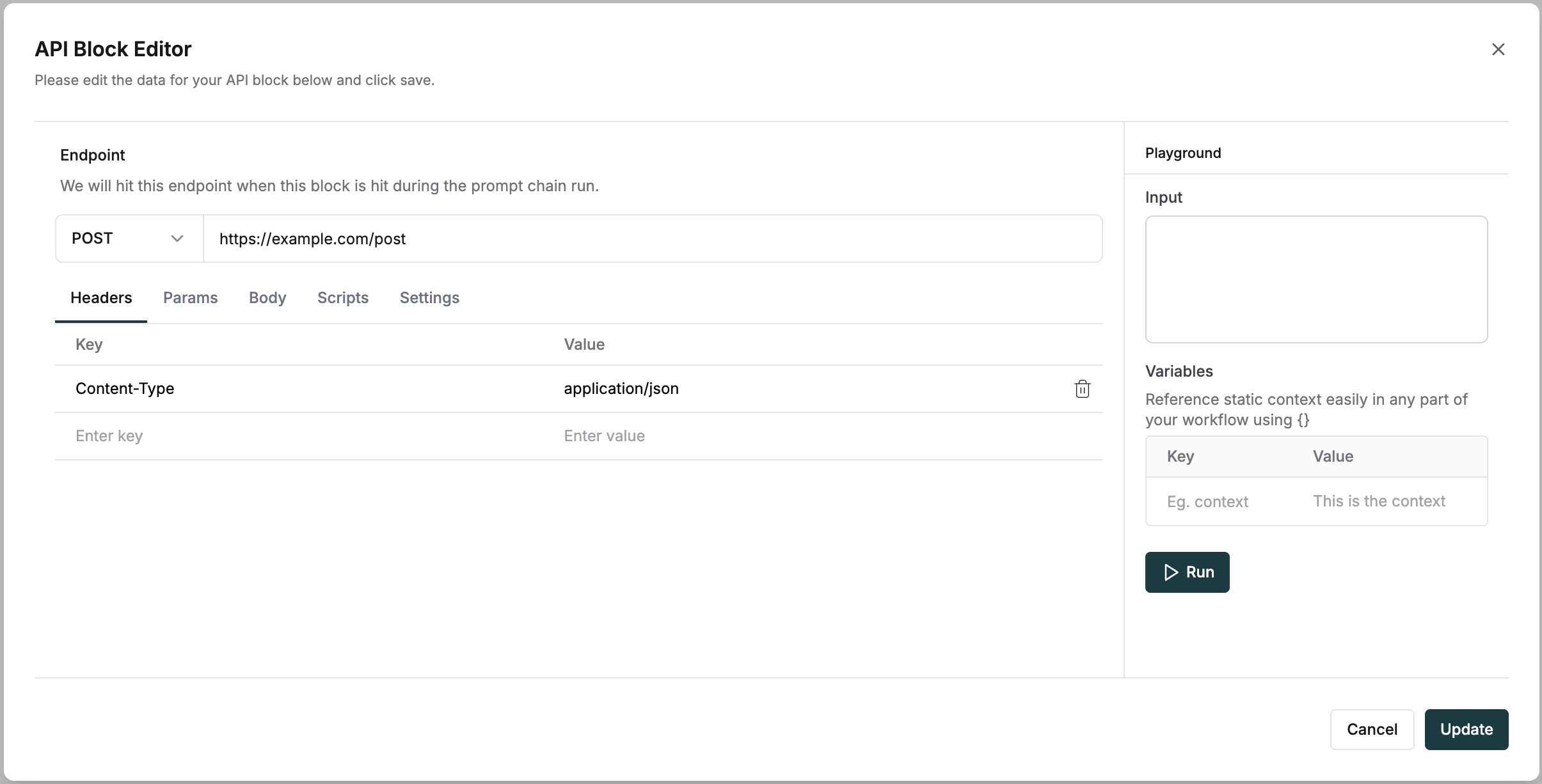
 Configure HTTP API requests with standard parameters and custom scripts. The editor provides a complete interface to set up your API endpoints.
Request configuration
* Select HTTP methods (GET, POST, PUT, DELETE)
* Add request headers
* Configure query parameters
* Define request body
Advanced options
* Write pre-request scripts to modify request parameters.
* Add post-response scripts to transform API responses.
* Test API calls directly from the editor.
Configure HTTP API requests with standard parameters and custom scripts. The editor provides a complete interface to set up your API endpoints.
Request configuration
* Select HTTP methods (GET, POST, PUT, DELETE)
* Add request headers
* Configure query parameters
* Define request body
Advanced options
* Write pre-request scripts to modify request parameters.
* Add post-response scripts to transform API responses.
* Test API calls directly from the editor.
 ### Using variables
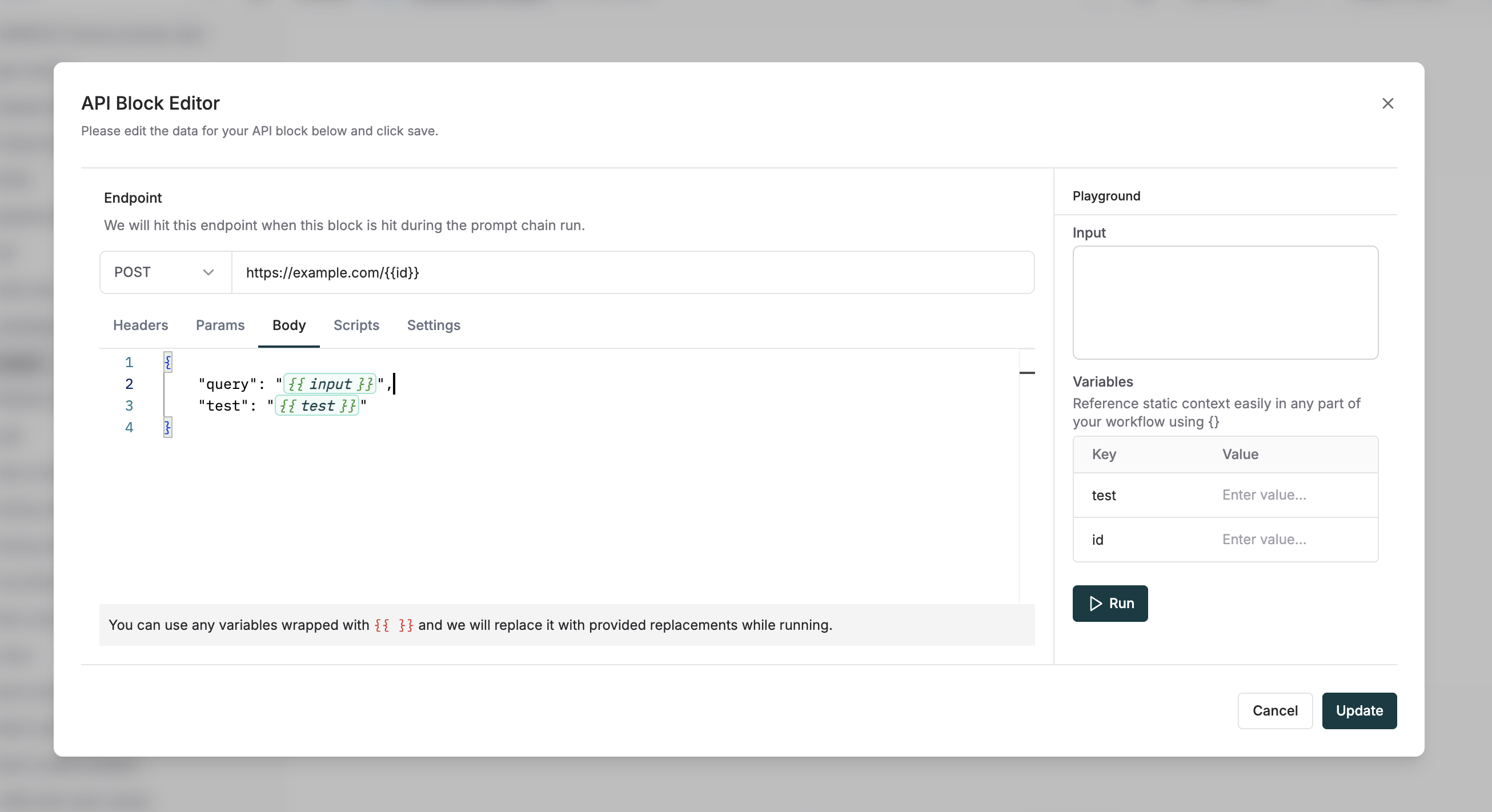
Use variables in the request body, query parameters and headers using the `{{ variable_name }}` syntax.
### Using variables
Use variables in the request body, query parameters and headers using the `{{ variable_name }}` syntax.