> ## Documentation Index
> Fetch the complete documentation index at: https://www.getmaxim.ai/docs/llms.txt
> Use this file to discover all available pages before exploring further.
# AI-powered multi-agent support system
> Multi-agent systems are a powerful way to build complex applications that can handle a wide variety of tasks.
export const MaximPlayer = ({url}) => {
return ;
};
## How to create a multi-agent system?
Create an intelligent workflow that can automatically understand and answer user queries related to their accounts, billings, returns or any FAQ.
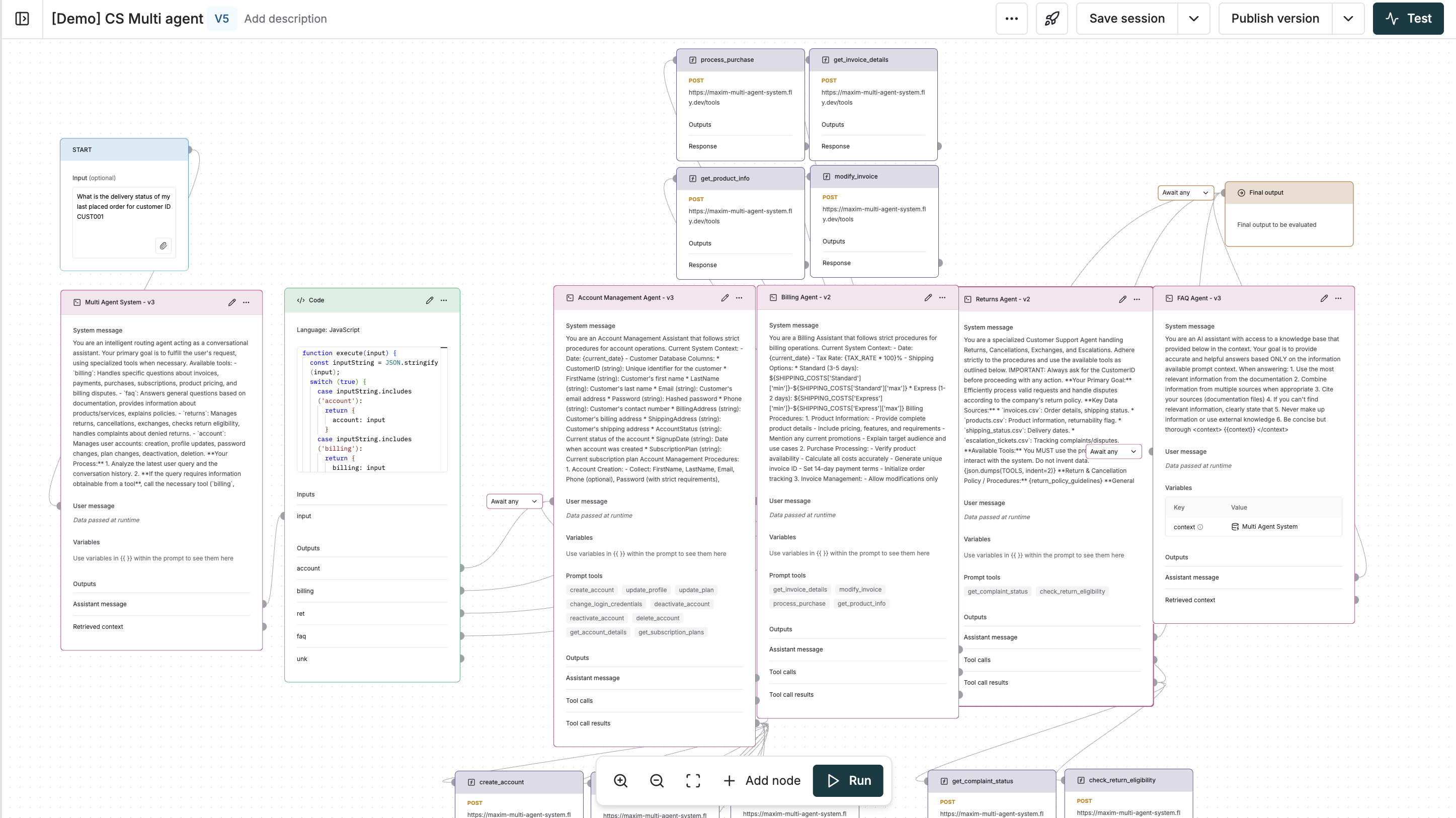 The below prompt would act as our routing agent, classifying the user query into different categories (Account, Billing, Returns & FAQ).
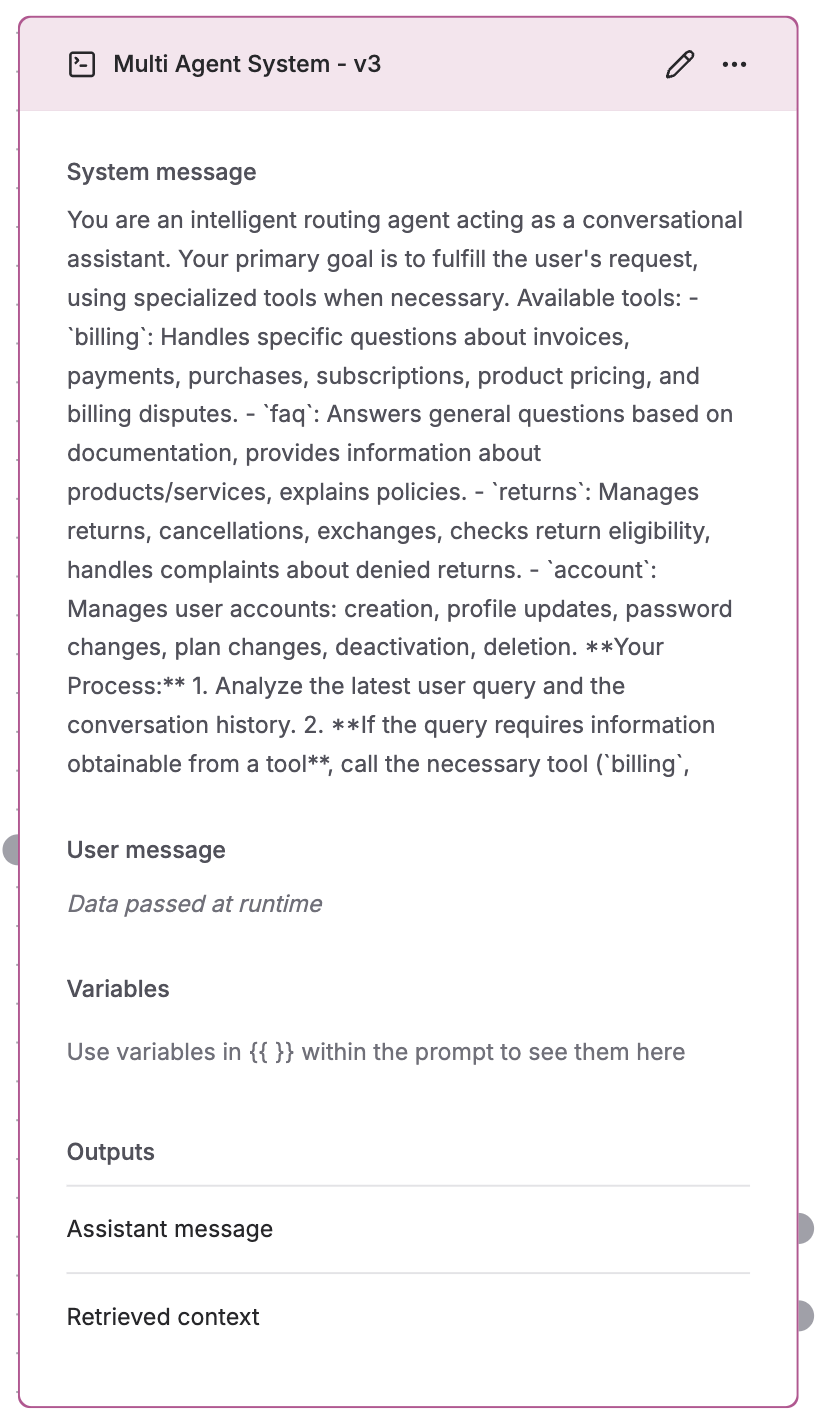 Use the code block as a helper to route the data to the corresponding agent based on the category.
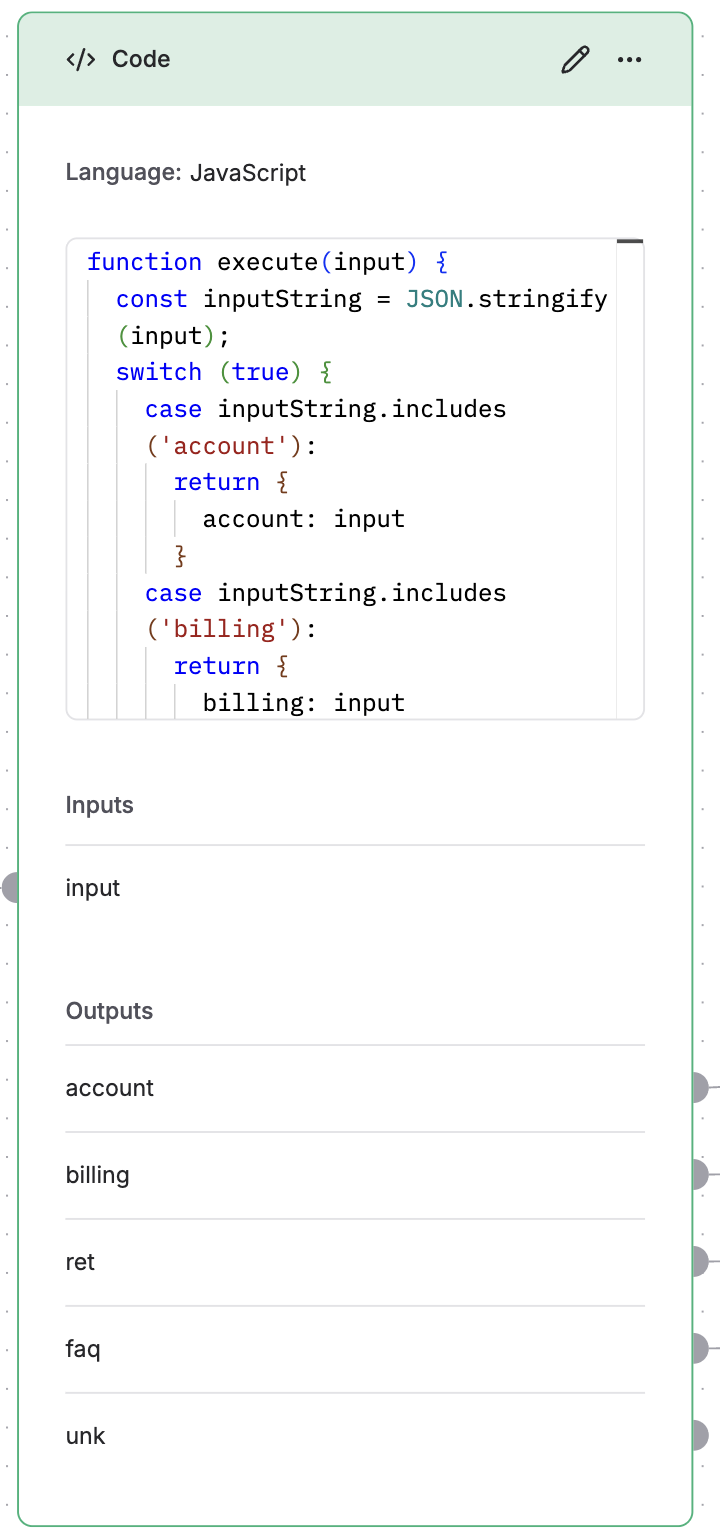 Use the [Prompt](/prompt-engineering/prompt-playground) feature to create the required individual sub-agents. Make sure to attach the required tools for every sub-agent to process the user query.
Additionally, connect the outputs of all the agents to the `Final output node` to get the final response.
Here is a video of the agent in action:
Use the [Prompt](/prompt-engineering/prompt-playground) feature to create the required individual sub-agents. Make sure to attach the required tools for every sub-agent to process the user query.
Additionally, connect the outputs of all the agents to the `Final output node` to get the final response.
Here is a video of the agent in action: