> ## Documentation Index
> Fetch the complete documentation index at: https://www.getmaxim.ai/docs/llms.txt
> Use this file to discover all available pages before exploring further.
# Error debugging
> Learn how to spot, diagnose, and resolve errors in your no-code agent workflows using detailed step-by-step diagnostics and execution logs.
## How to debug errors in your no-code agent?
Find and resolve issues in your Agents with clear error diagnostics. When a step fails, you'll see:
* The exact step that failed
* A descriptive error message
* Contextual information for debugging
This targeted error handling helps you quickly fix issues before they cascade through your AI workflow.
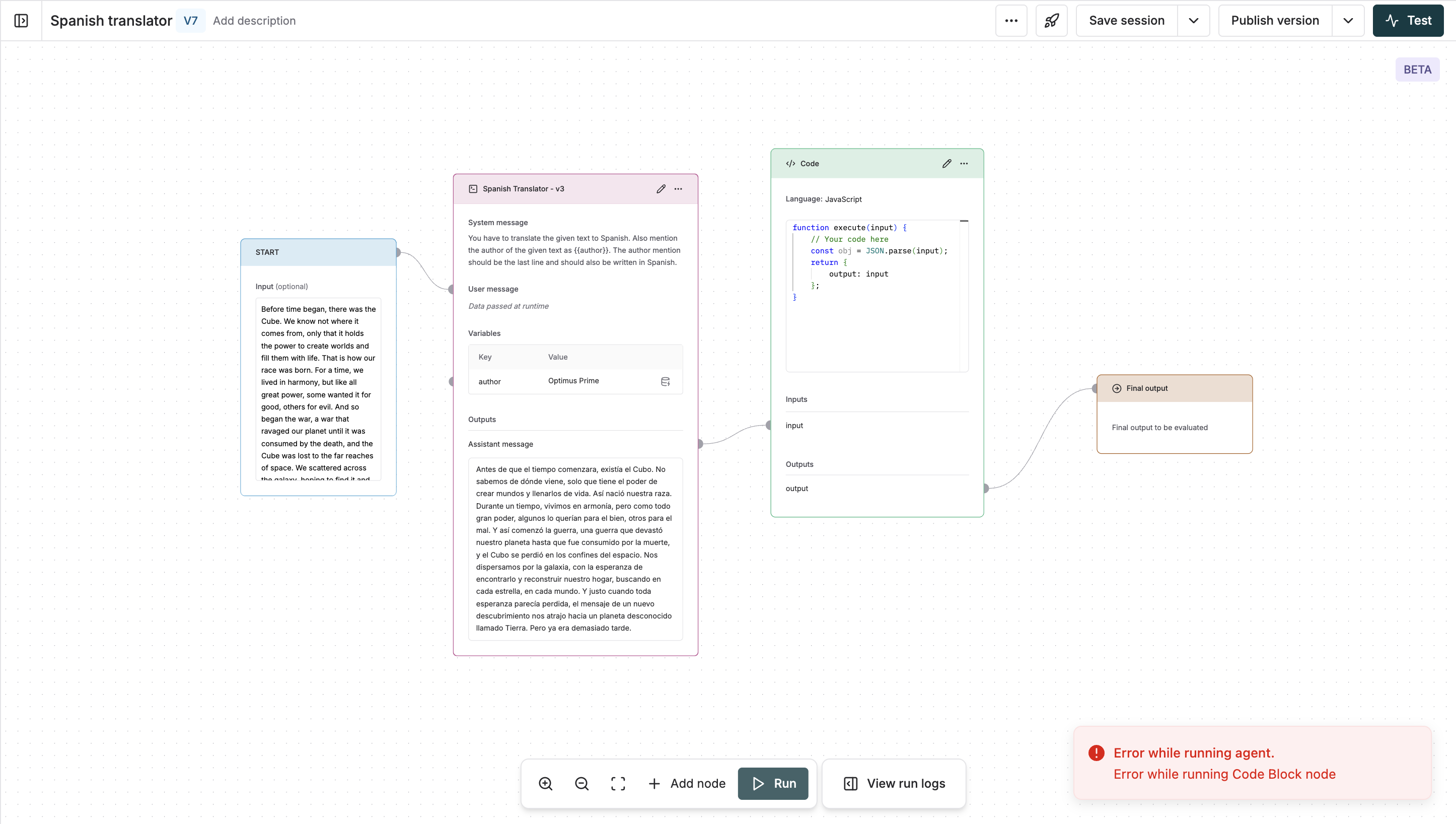 In this example, the agent stopped at the Code node due to the input being a non-JSON parseable string.\
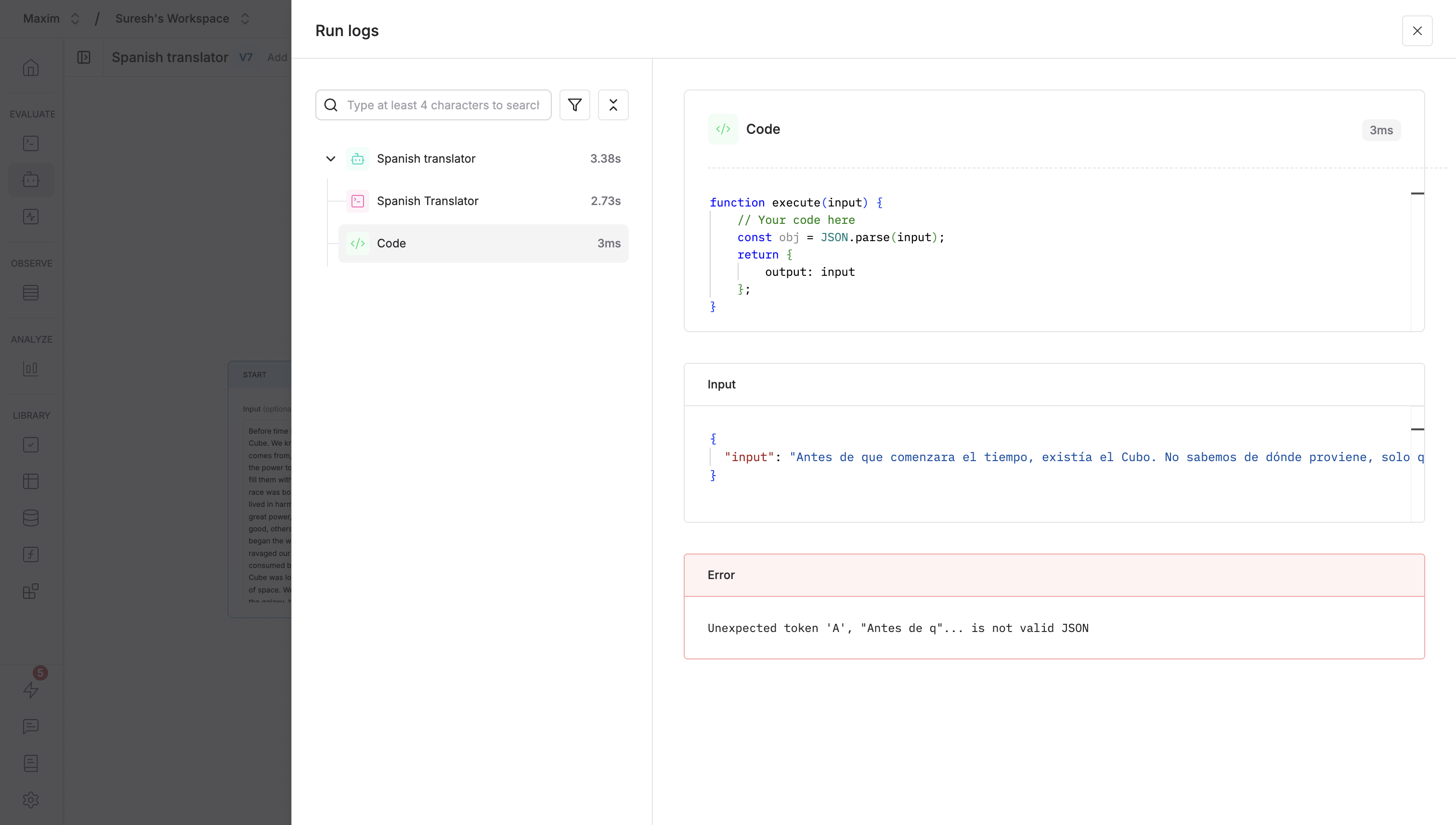
Click on the `View run logs` button in the bottom toolbar to see the full execution log of the chain and the data passed in each node.
In this example, the agent stopped at the Code node due to the input being a non-JSON parseable string.\
Click on the `View run logs` button in the bottom toolbar to see the full execution log of the chain and the data passed in each node.
 ### Debugging errors in loops
In cases where a node executes multiple times due to loops, view the execution log of each iteration and in cases of errors, use it to identify the exact inputs and outputs that led to the error.
Let's take an example use case where the code checks if the input is JSON parseable or not. And here, the code block has a bug where it sends back the data to the code block to send it in an infinite loop.
### Debugging errors in loops
In cases where a node executes multiple times due to loops, view the execution log of each iteration and in cases of errors, use it to identify the exact inputs and outputs that led to the error.
Let's take an example use case where the code checks if the input is JSON parseable or not. And here, the code block has a bug where it sends back the data to the code block to send it in an infinite loop.
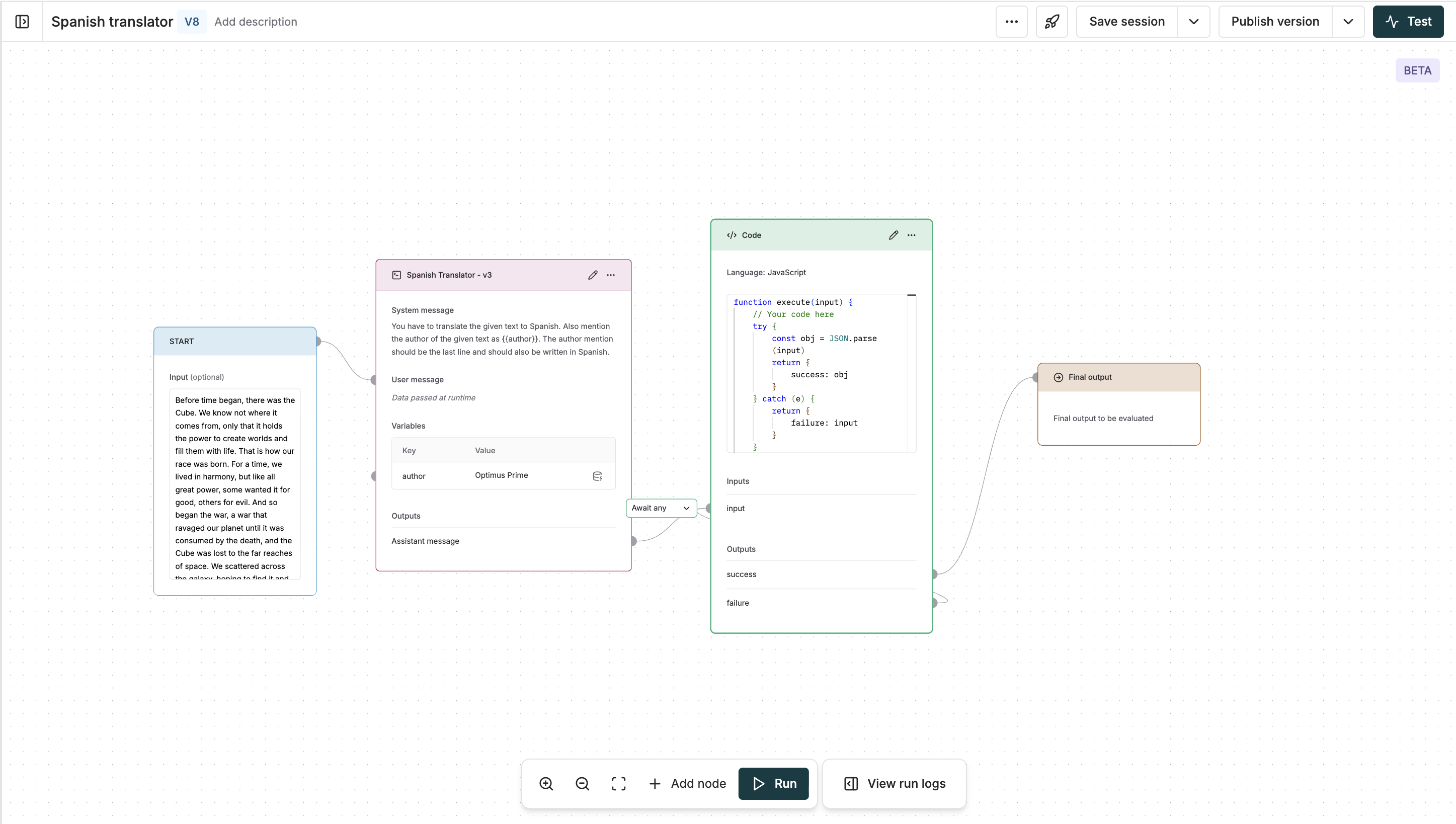 Click on the `View run logs` button in the bottom toolbar to see the data passed in each iteration.
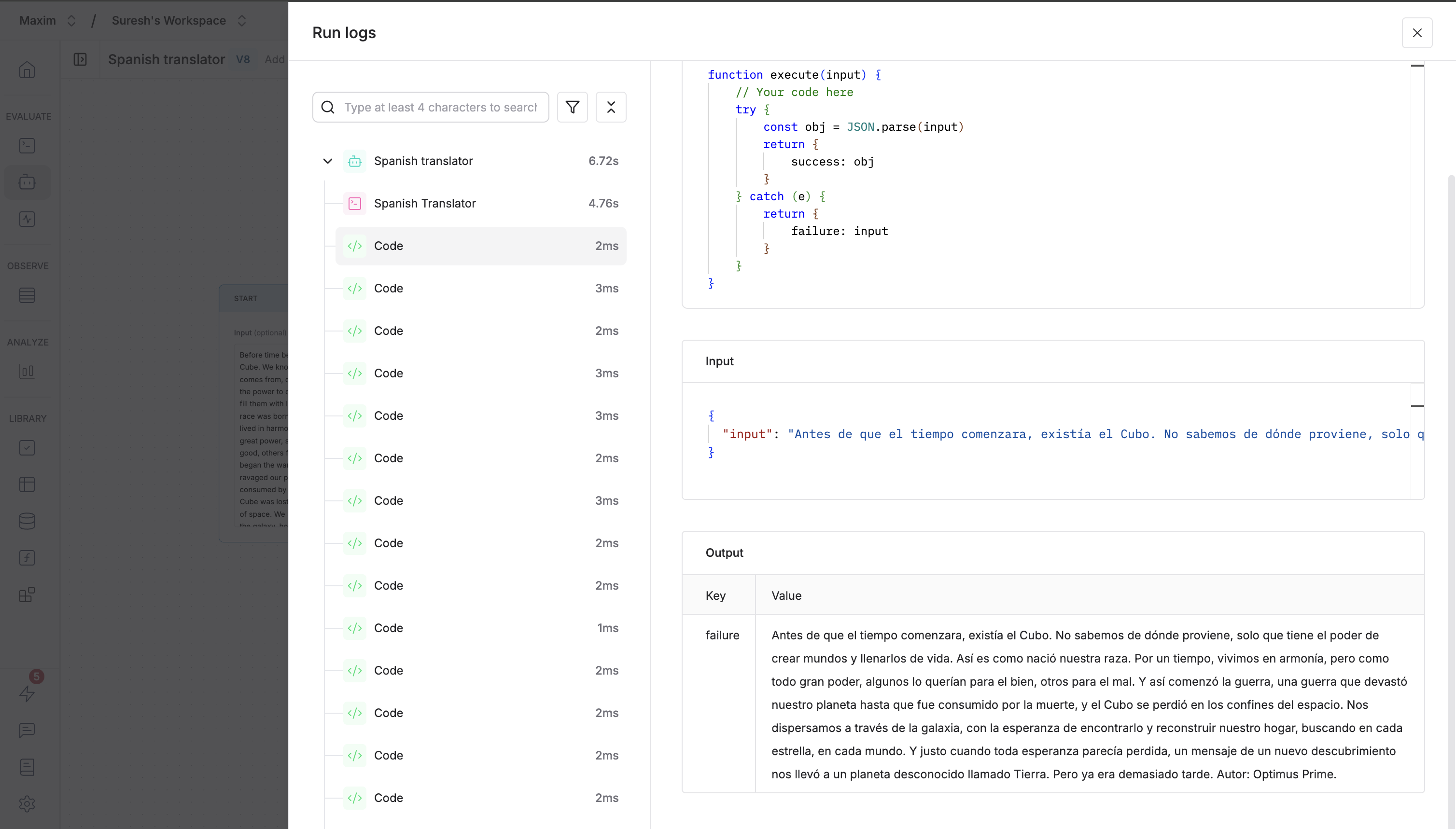 ### Search and filtering
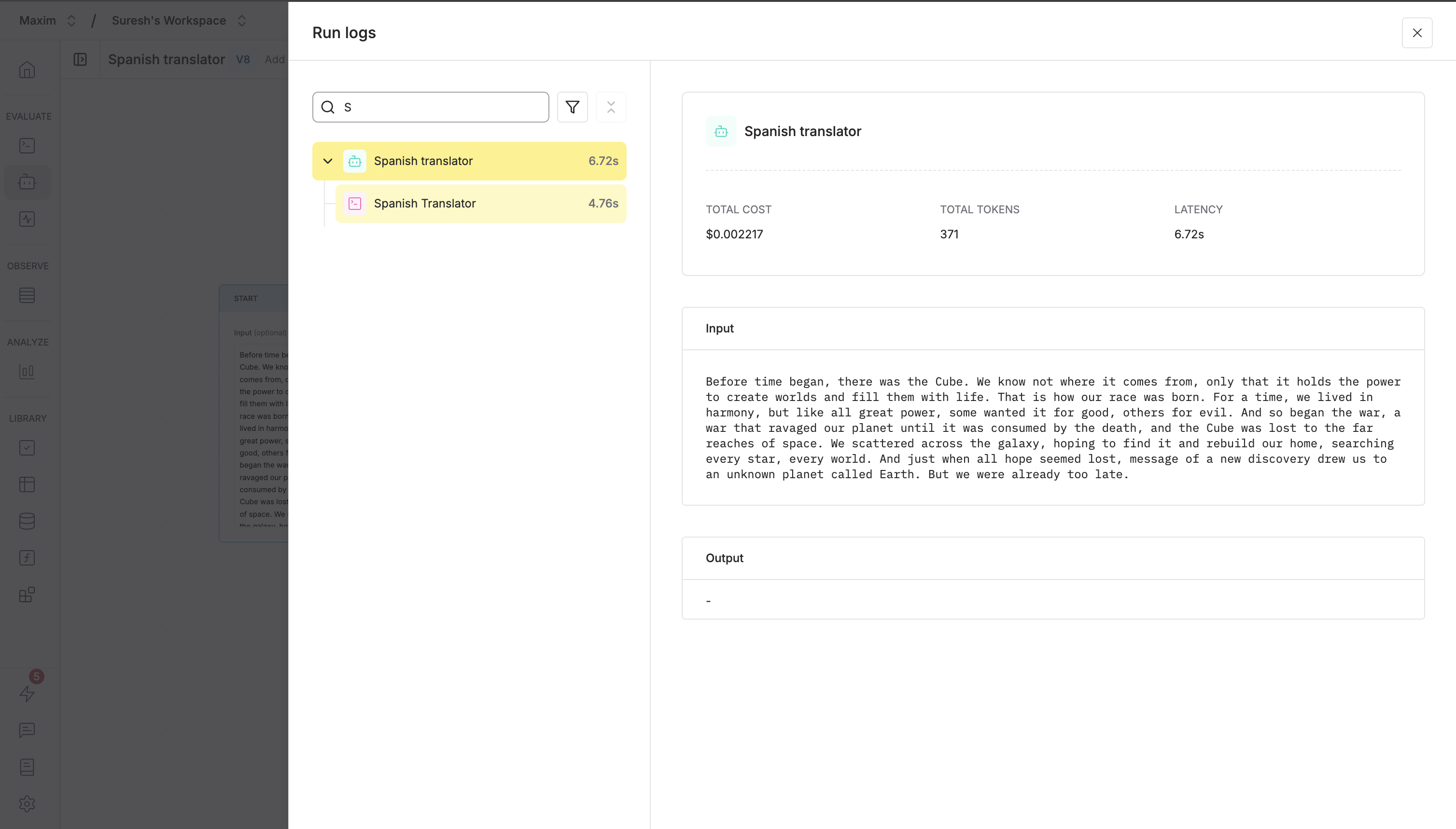
You can search and filter the execution log by using the search bar and the filters to filter specific types of errors.
### Search and filtering
You can search and filter the execution log by using the search bar and the filters to filter specific types of errors.