> ## Documentation Index
> Fetch the complete documentation index at: https://www.getmaxim.ai/docs/llms.txt
> Use this file to discover all available pages before exploring further.
# Environments
> Learn how to use environments to manage different configurations for your API requests and responses. This page covers referencing environment variables and integrating them into your HTTP endpoint workflows.
export const MaximPlayer = ({url}) => {
return ;
};
## How to use environments in your HTTP endpoint?
You can use [environments](/settings/environment) to dynamically replace the variables in your API requests and responses.
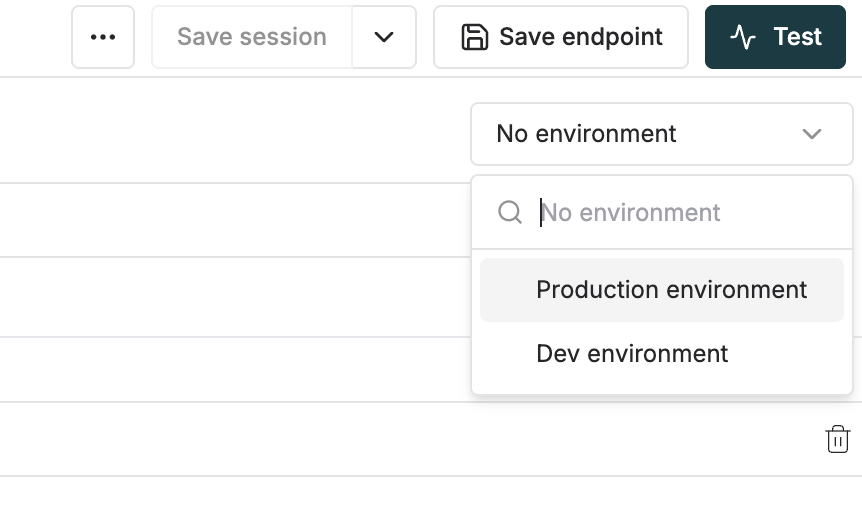
1. Select the environment you want to use from the dropdown in the top right corner of the playground.
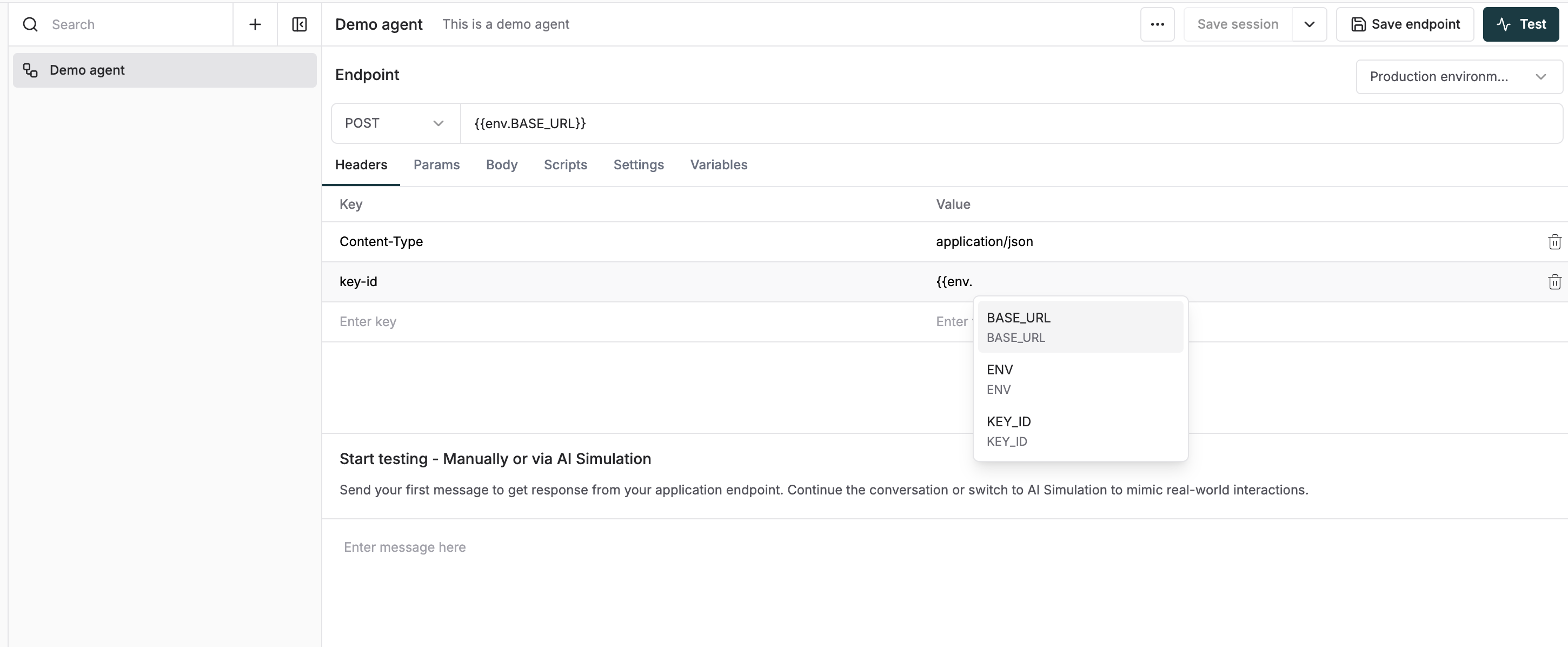
 2. Use the `{{env.key_name}}` syntax to access the variables in the headers and parameters of your API request.
 3. You can also use the `maxim.getEnvironmentVariable("key_name")` method in your scripts to access the variables.
See it in action:
3. You can also use the `maxim.getEnvironmentVariable("key_name")` method in your scripts to access the variables.
See it in action: