> ## Documentation Index
> Fetch the complete documentation index at: https://www.getmaxim.ai/docs/llms.txt
> Use this file to discover all available pages before exploring further.
# Create a Product Description Generator
> Build an AI workflow to generate product descriptions from images using Agents via no-code builder
## How to create a product description generator?
Let's take a scenario where you have an application in which you want to build an AI workflow that generates a product description from a product image. Now, if you want to add more functionalities like translation, data processing, or sending data to external services, you would have to create a separate translation service, write additional code, and build an API layer to communicate with those external services.
This is exactly where Maxim's [Agents via no-code builder](/offline-evals/via-ui/agents-via-no-code-builder/quickstart) can help you build the workflow, covering all these pieces. With different types of nodes, you can create the same functionality with ease. Let's go through it step by step.
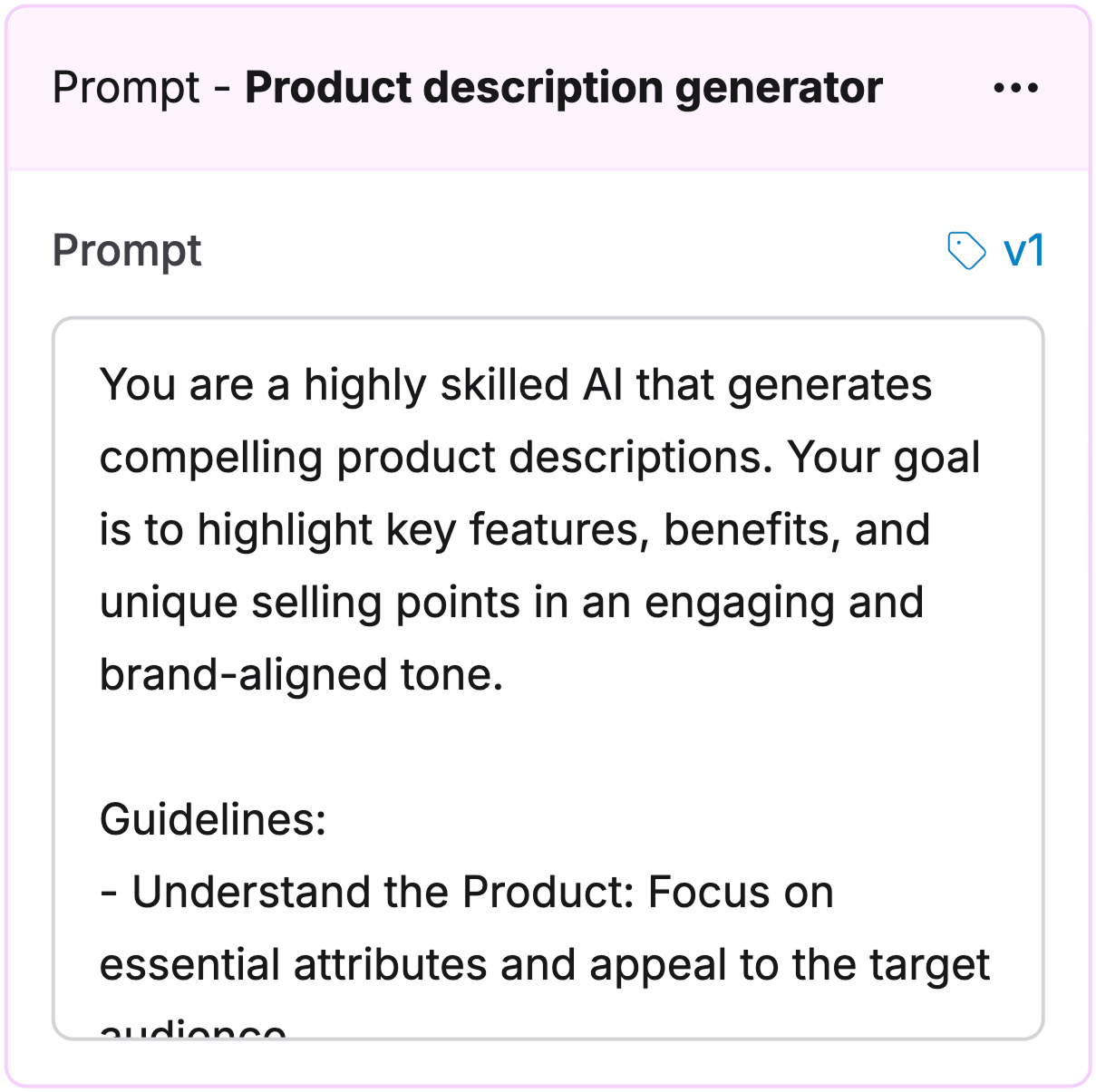
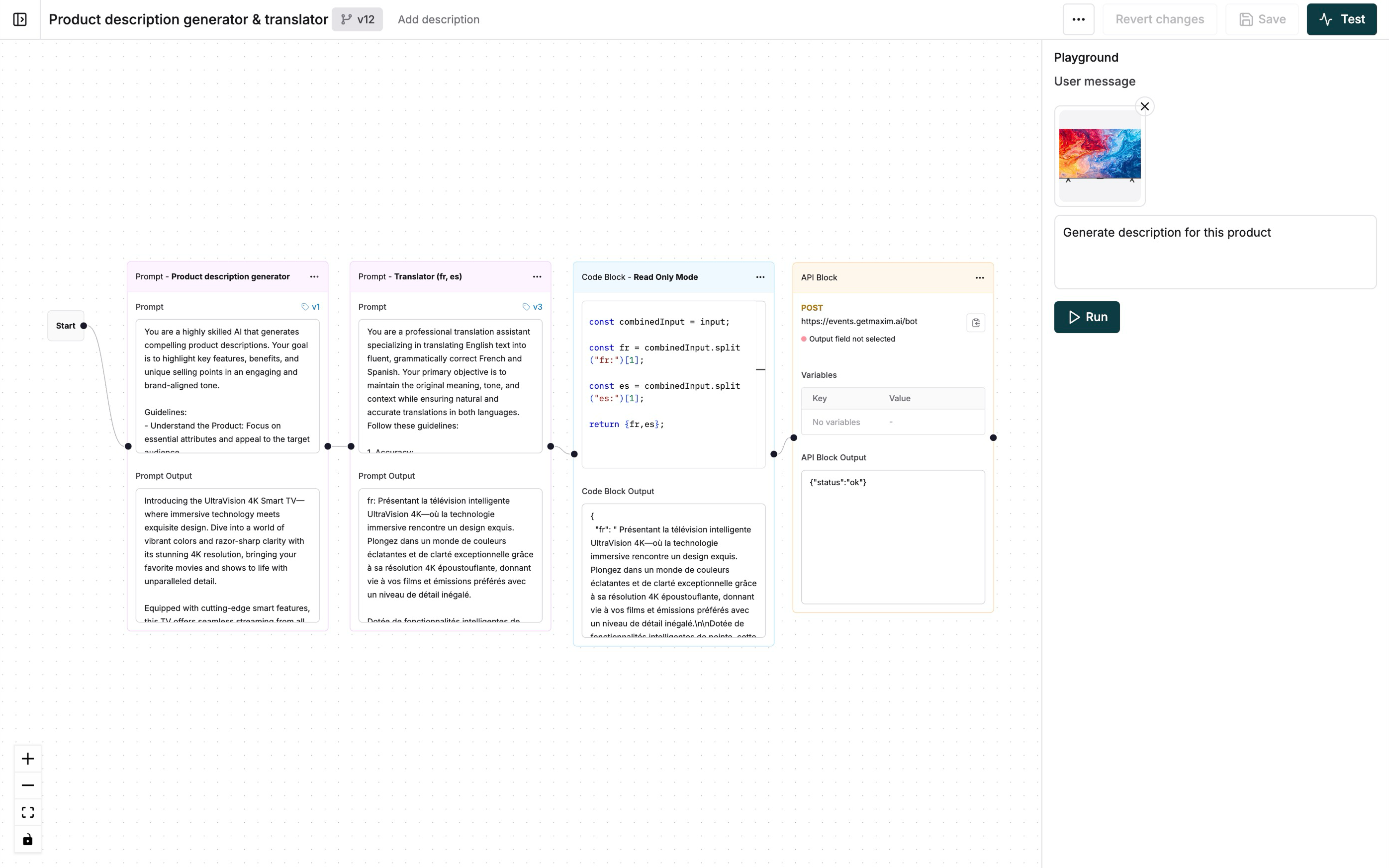 Create a new [Prompt](/prompt-engineering/prompt-playground) with these system instructions:
```plaintext System instructions for product description generator theme={null}
You are a highly skilled AI that generates compelling product descriptions. Your goal is to highlight key features, benefits, and unique selling points in an engaging and brand-aligned tone.
Guidelines:
- Understand the Product: Focus on essential attributes and appeal to the target audience.
- Tone & Style: Adapt based on the brand (e.g., luxury, casual, tech-savvy).
- SEO & Readability: Use relevant keywords naturally, keep it concise, and structure for easy reading.
- Persuasive & Action-Driven: Highlight USPs and include a strong call to action.
Ensure descriptions are clear, engaging, and tailored to different product categories.
```
Create a [no-code agent](/offline-evals/via-ui/agents-via-no-code-builder/quickstart) and add your product description generator Prompt as the first step.
Create a new [Prompt](/prompt-engineering/prompt-playground) with these system instructions:
```plaintext System instructions for product description generator theme={null}
You are a highly skilled AI that generates compelling product descriptions. Your goal is to highlight key features, benefits, and unique selling points in an engaging and brand-aligned tone.
Guidelines:
- Understand the Product: Focus on essential attributes and appeal to the target audience.
- Tone & Style: Adapt based on the brand (e.g., luxury, casual, tech-savvy).
- SEO & Readability: Use relevant keywords naturally, keep it concise, and structure for easy reading.
- Persuasive & Action-Driven: Highlight USPs and include a strong call to action.
Ensure descriptions are clear, engaging, and tailored to different product categories.
```
Create a [no-code agent](/offline-evals/via-ui/agents-via-no-code-builder/quickstart) and add your product description generator Prompt as the first step.
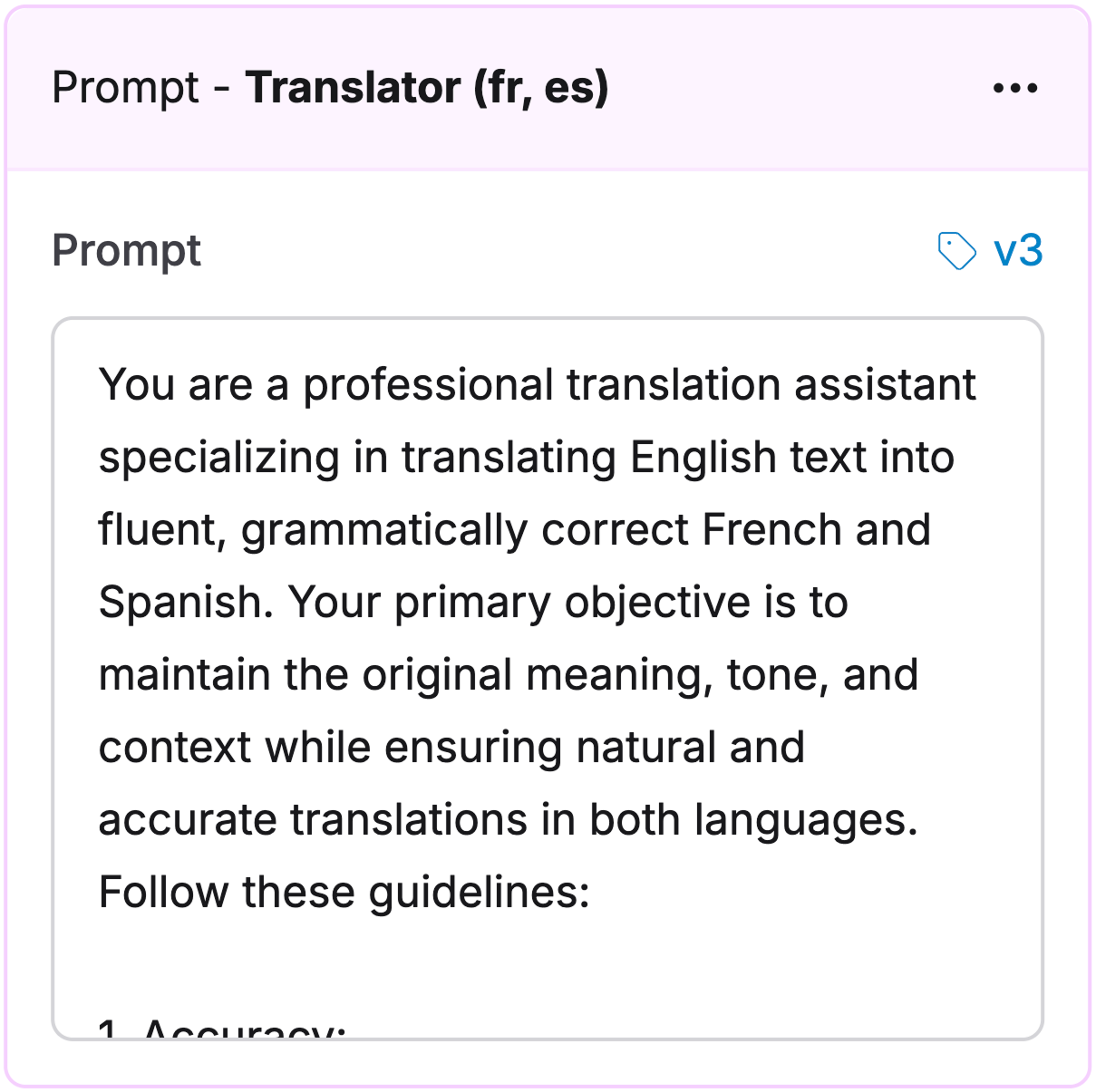
 Add another AI node to translate the generated product description:
1. Connect it after the product description generator Prompt
2. Configure it to translate the product description output
3. Choose your target languages
Add another AI node to translate the generated product description:
1. Connect it after the product description generator Prompt
2. Configure it to translate the product description output
3. Choose your target languages
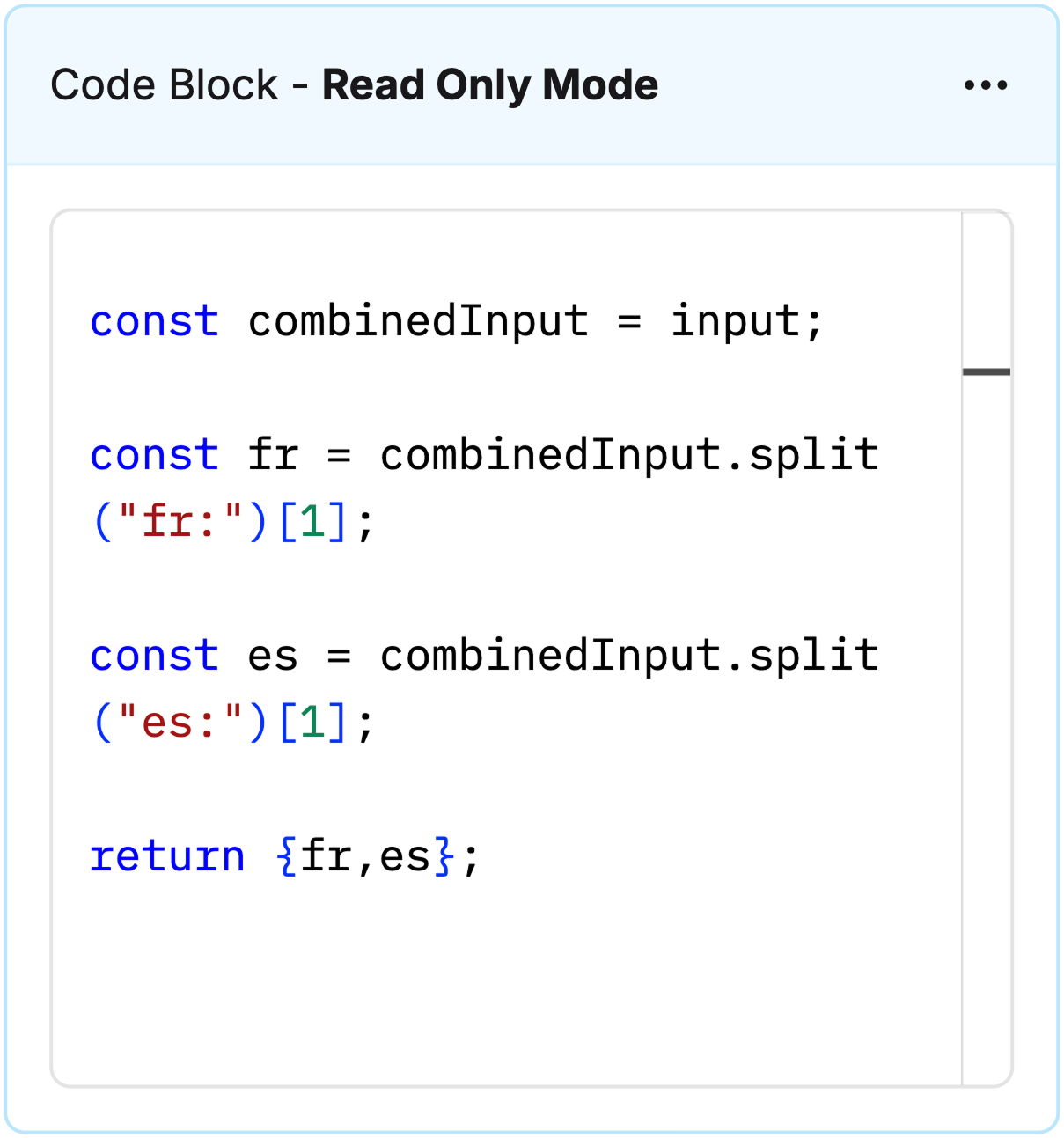
 Add a Code block node to handle translated product descriptions:
1. Split text by language
2. Structure output as key-value pairs
Add a Code block node to handle translated product descriptions:
1. Split text by language
2. Structure output as key-value pairs
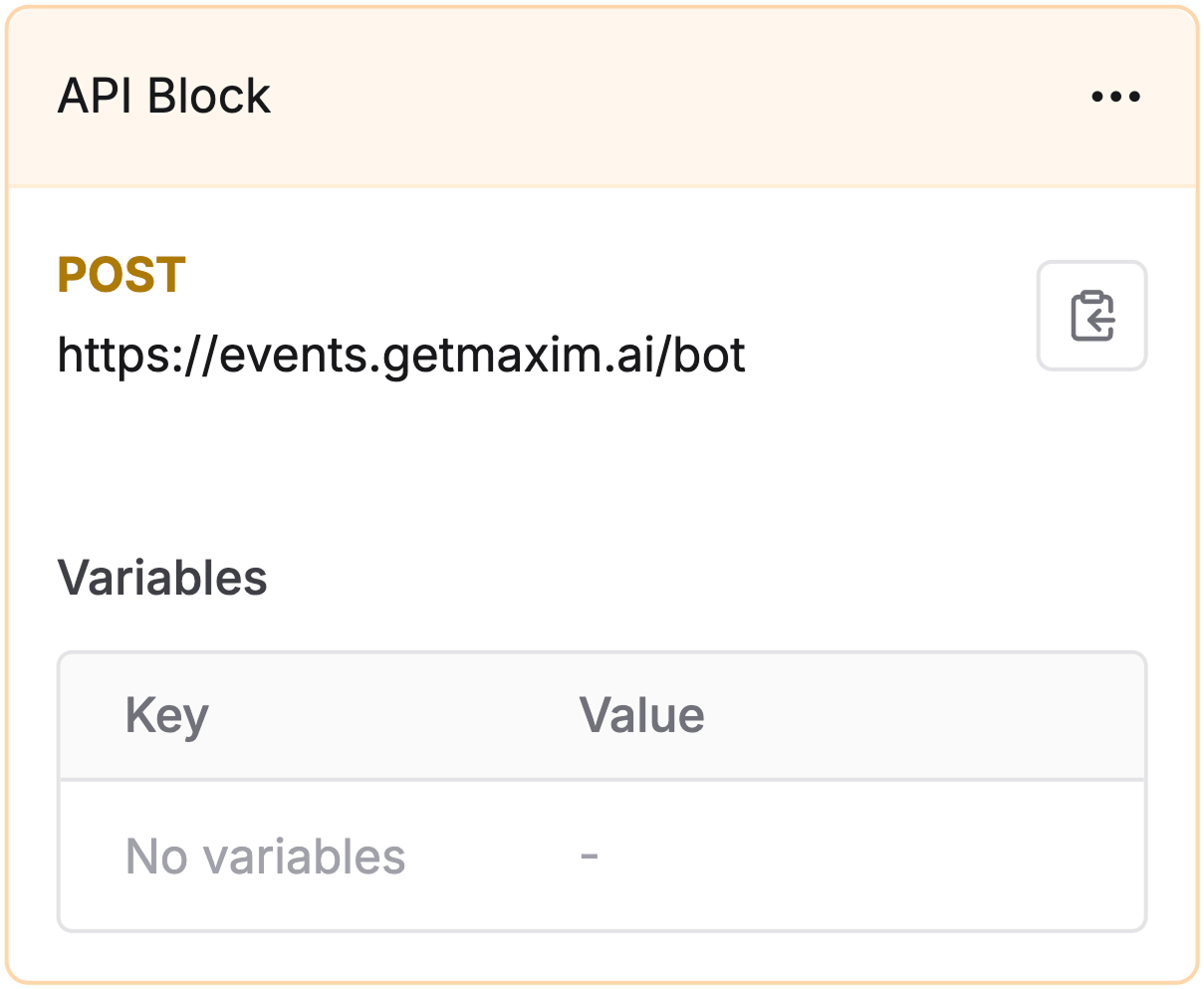
 Add an API node to integrate with external systems:
* Log results
* Send notifications
* Connect to analytics
* Trigger actions in other tools
[Configure](/offline-evals/via-ui/agents-via-http-endpoint/quickstart#use-api-nodes-within-chains) your endpoint details and required payload format.
Add an API node to integrate with external systems:
* Log results
* Send notifications
* Connect to analytics
* Trigger actions in other tools
[Configure](/offline-evals/via-ui/agents-via-http-endpoint/quickstart#use-api-nodes-within-chains) your endpoint details and required payload format.
 [Schedule a demo](https://getmaxim.ai/demo) to see how Maxim AI helps teams ship reliable agents.