> ## Documentation Index
> Fetch the complete documentation index at: https://www.getmaxim.ai/docs/llms.txt
> Use this file to discover all available pages before exploring further.

# Creating Prompt Partials

> Learn how to create and use prompt partials in Maxim

export const MaximPlayer = ({url}) => {
  return <iframe className="border-background-highlight-secondary h-full w-full rounded-md border-2 aspect-video" src={url} allow="accelerometer; autoplay; encrypted-media; gyroscope; picture-in-picture" allowFullScreen></iframe>;
};

<MaximPlayer url="https://www.youtube.com/embed/GlGUz2bIsSM?si=vlJ3DcDGLJHElkZ6" />

## Create a Prompt Partial

<Steps>
  <Step title="Access Prompt Partials">Go to Library > Prompt Partials</Step>

  <Step title="Create New">
    Click <Icon icon="plus" /> to create
  </Step>

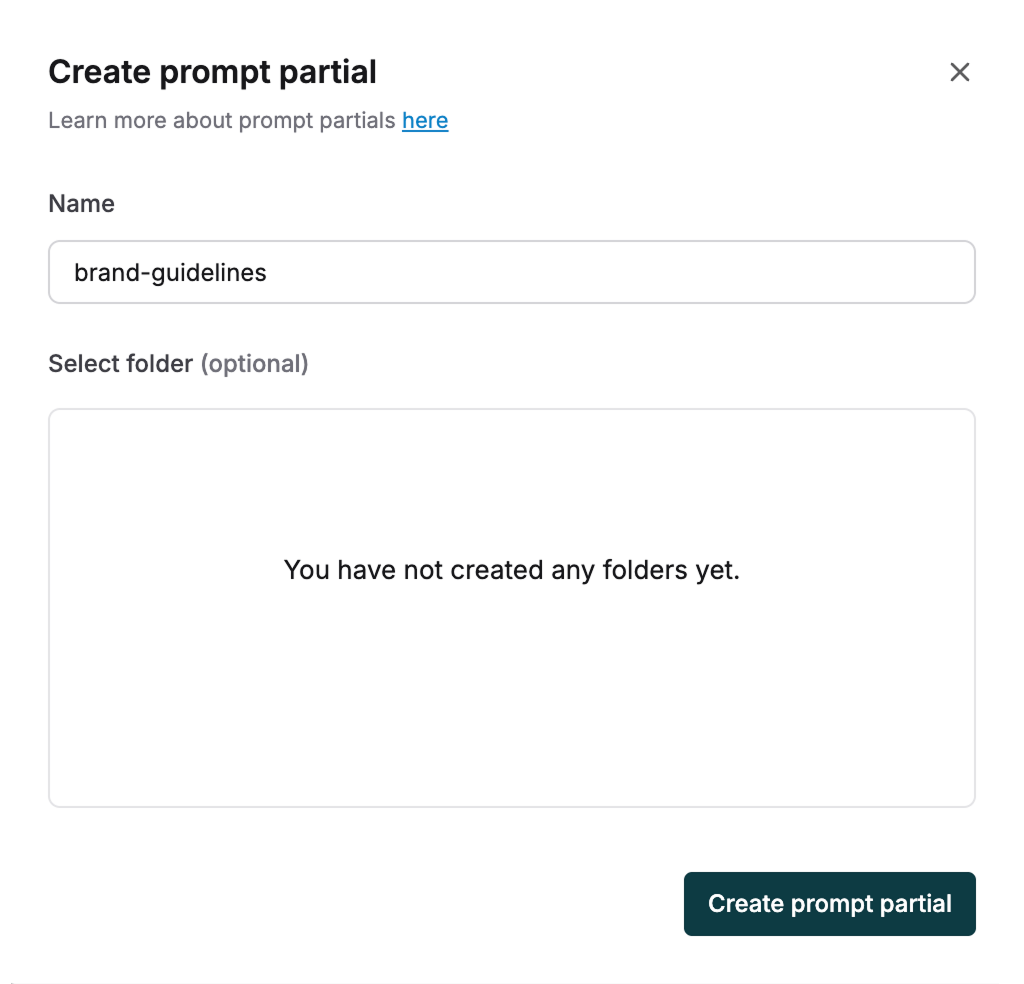
  <Step title="Name and Organize">
    Give your Partial a clear, descriptive name to find it easily when adding to Prompts

    Create folders to organize multiple Partials if needed
    <img src="https://mintcdn.com/maximai/5erI5VqjDLLSmvnr/images/docs/library/how-to/prompt-partials/create-prompt-partial.png?fit=max&auto=format&n=5erI5VqjDLLSmvnr&q=85&s=43591c36c580db3b01f8c0f9538c89d0" alt="Create Partial" width="1024" height="984" data-path="images/docs/library/how-to/prompt-partials/create-prompt-partial.png" />
  </Step>

  <Step title="Add Content">
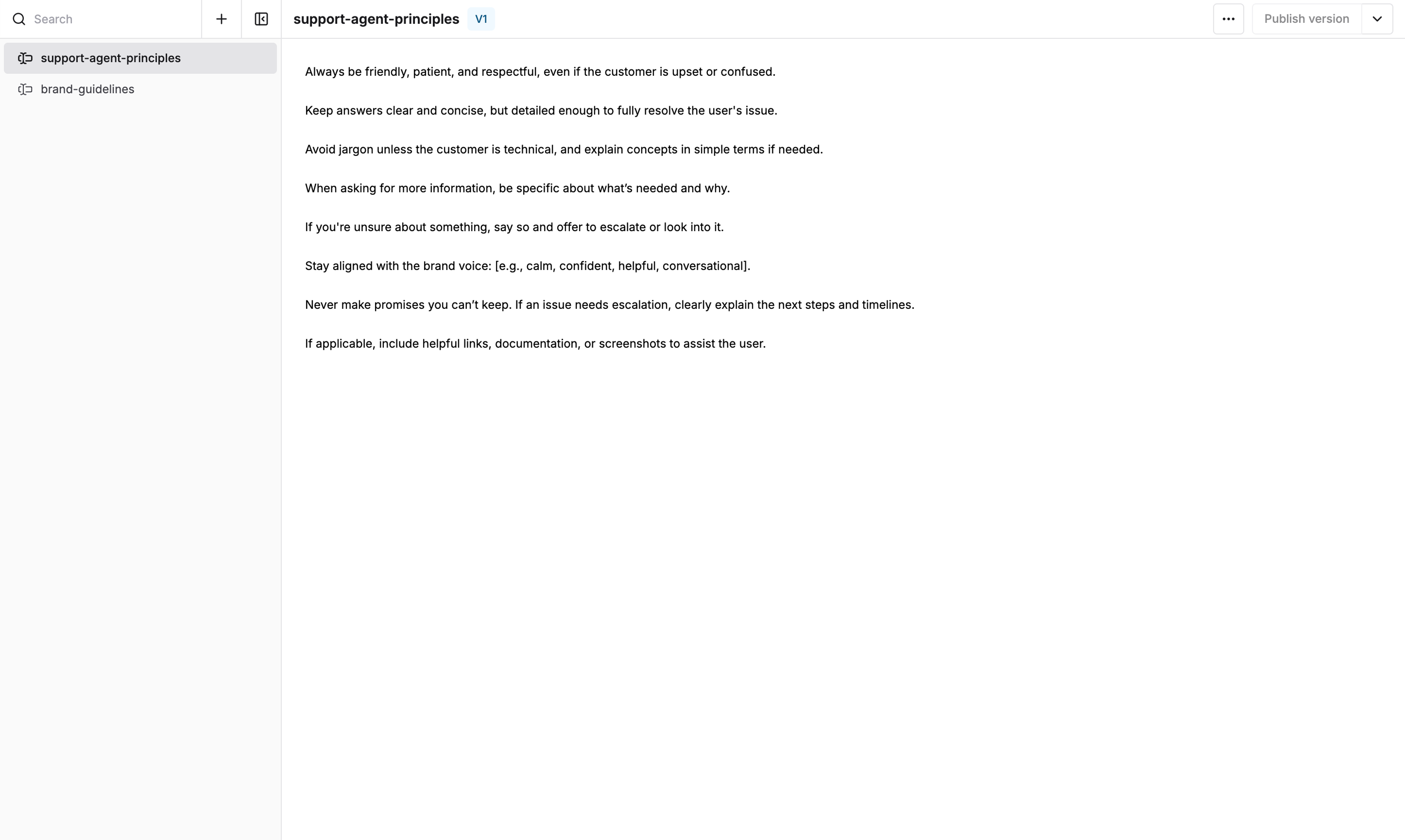
    Add your content in the text area. Include variables that will be available in any Prompt using this Partial
    <img src="https://mintcdn.com/maximai/5erI5VqjDLLSmvnr/images/docs/library/how-to/prompt-partials/add-prompt-partial-content.png?fit=max&auto=format&n=5erI5VqjDLLSmvnr&q=85&s=e86d7ba24c91618eb81cb24a3d91ea34" alt="Add Prompt partial content" width="2892" height="1730" data-path="images/docs/library/how-to/prompt-partials/add-prompt-partial-content.png" />
  </Step>

  <Step title="Publish">
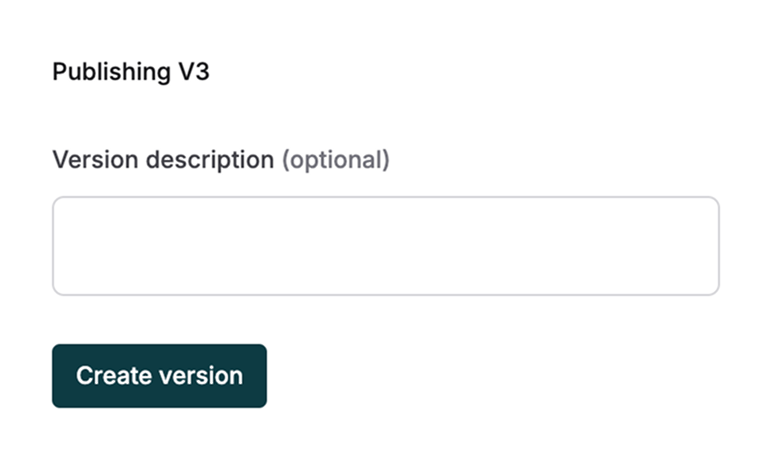
    Publish when ready. Add a description to help other users understand the Partial's purpose
    <img src="https://mintcdn.com/maximai/5erI5VqjDLLSmvnr/images/docs/library/how-to/prompt-partials/publish-prompt-partial.png?fit=max&auto=format&n=5erI5VqjDLLSmvnr&q=85&s=778dd2cf6ec5776b892041957833b778" alt="Publish Partial" width="772" height="460" data-path="images/docs/library/how-to/prompt-partials/publish-prompt-partial.png" />
  </Step>
</Steps>

### Next steps

[Add Partials to your Prompts](/prompt-engineering/prompt-partials)
