> ## Documentation Index
> Fetch the complete documentation index at: https://www.getmaxim.ai/docs/llms.txt
> Use this file to discover all available pages before exploring further.
# Reuse Parts of Prompts Using Maxim Prompt Partials
> This cookbook demonstrates how to use Maxim's Prompt Partials feature to create reusable prompt components that maintain consistency across multiple prompts and reduce repetition.
export const MaximPlayer = ({url}) => {
return ;
};
Prompt Partials are reusable snippets of prompt content that can be included across different prompts. They help you:
* **Maintain Consistency**: Ensure uniform tone and style across all your AI agents
* **Reduce Repetition**: Write common prompt elements once and reuse everywhere
* **Centralized Management**: Update shared content in one place and apply changes globally
## Prerequisites
Before getting started, ensure you have:
* Access to Maxim platform
* Permission to create and manage prompts
* Understanding of basic prompt engineering concepts
* Multiple prompts that share common elements
## Step 1: Identify Reusable Content
### Analyzing Existing Prompts
Look for common patterns in your existing prompts:
```
Common Elements to Extract:
✅ Tone and style guidelines
✅ Response formatting instructions
✅ Brand voice definitions
✅ Safety and compliance rules
✅ Output structure requirements
✅ Error handling procedures
```
### Example Analysis
**Before (Repetitive Content):**
*HR Agent Prompt:*
```
You are an HR assistant. Use warm and approachable language.
Avoid sounding robotic or overly formal. Keep messages concise
but complete - no walls of text.
Structure your responses as follows:
- Start with a friendly acknowledgment (e.g., "Sure, happy to help!")
- Give the core information clearly in short sentences or bullet points
- End with an offer for further assistance
[Rest of HR-specific instructions...]
```
*Customer Support Agent Prompt:*
```
You are a customer support agent. Use warm and approachable language.
Avoid sounding robotic or overly formal. Keep messages concise
but complete - no walls of text.
Structure your responses as follows:
- Start with a friendly acknowledgment (e.g., "Sure, happy to help!")
- Give the core information clearly in short sentences or bullet points
- End with an offer for further assistance
[Rest of customer support-specific instructions...]
```
## Step 2: Create Your First Prompt Partial
### Navigate to Prompt Partials
1. Open Maxim platform
2. Go to **Library** in the left sidebar
3. Click on **Prompt Partials**
4. Click **Create Prompt Partial**
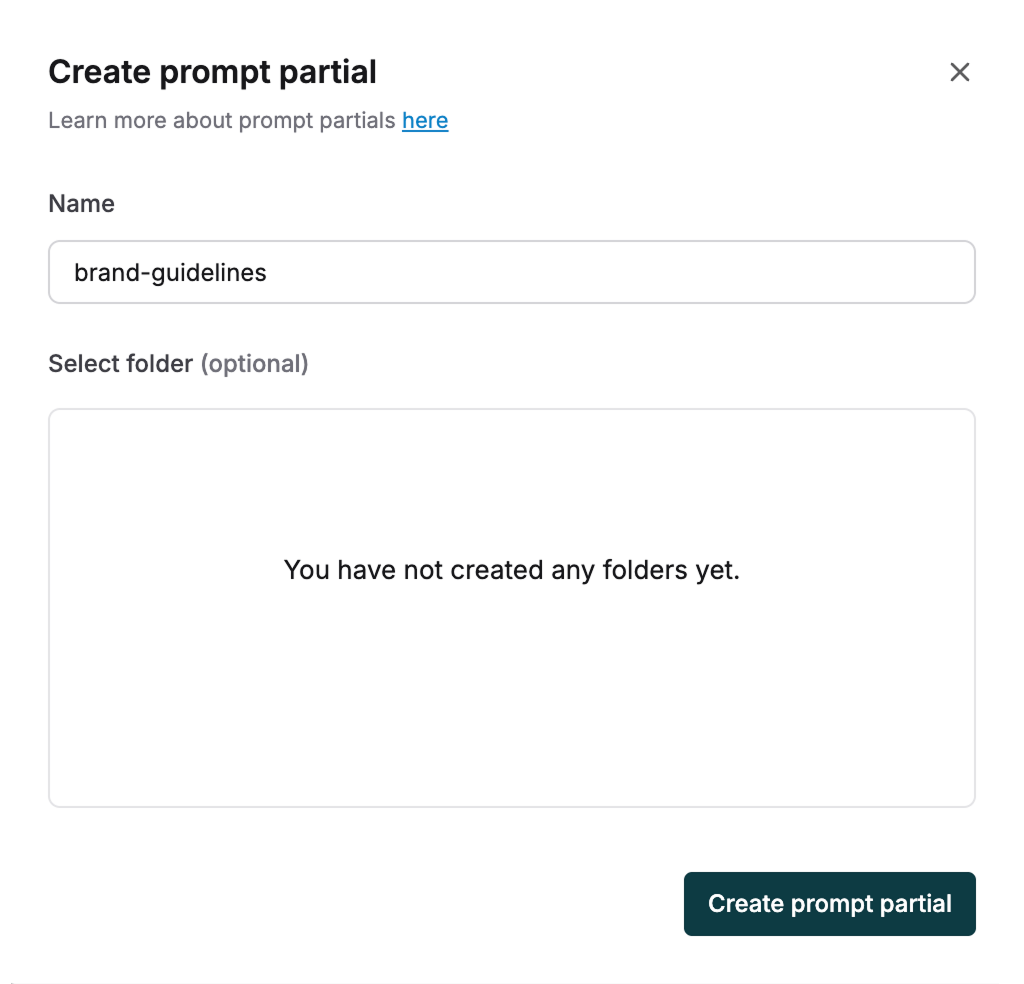 ### Define the Partial Content
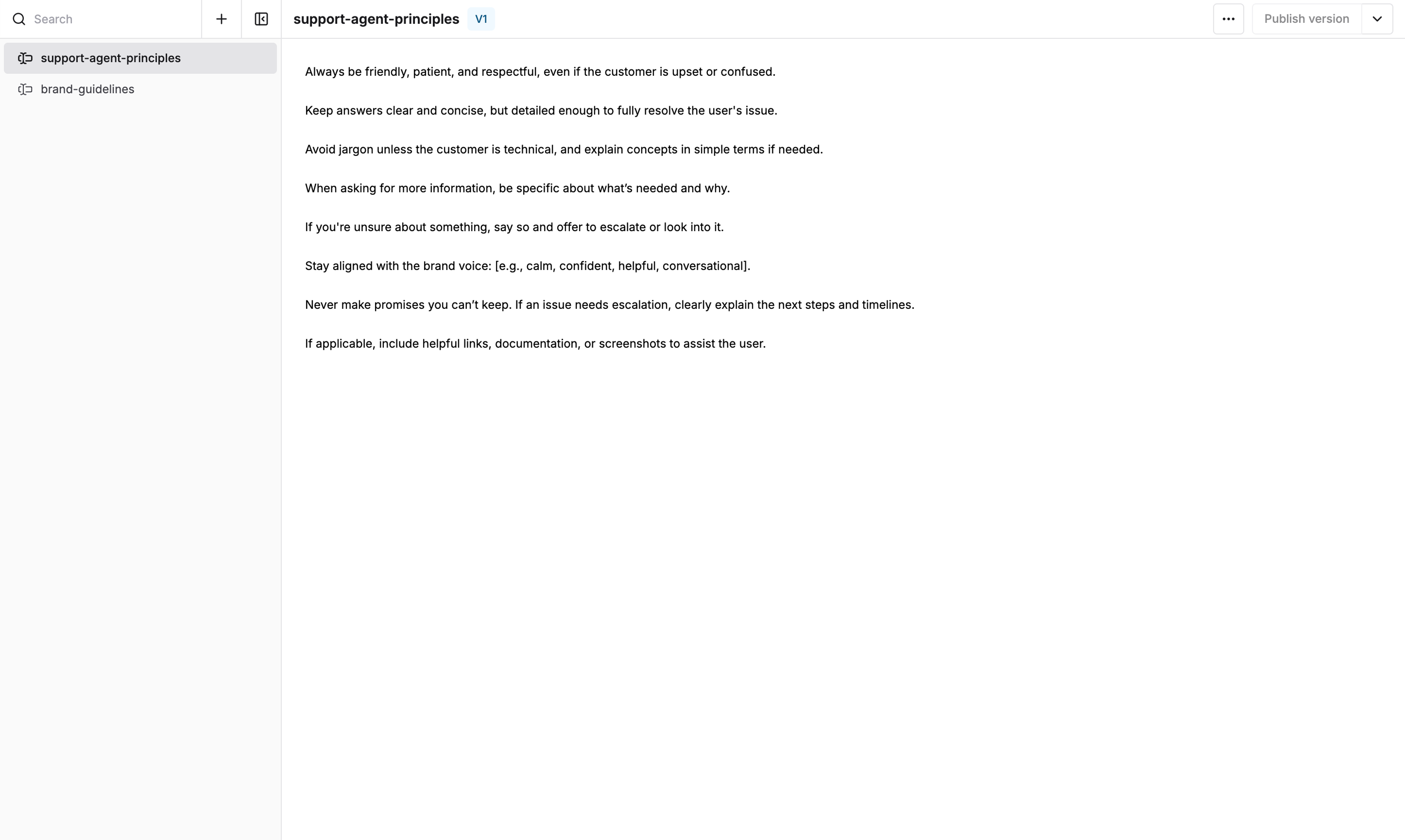
**Example: Tone and Response Structure Partial**
```
Name: tone-and-structure
Title: Tone and Response Structure Guidelines
Content:
Tone Guidelines:
Use warm and approachable language. Avoid sounding robotic or overly formal.
Keep messages concise but complete - no walls of text.
Response Structure:
- Start with a friendly acknowledgment (e.g., "Sure, happy to help!")
- Give the core information clearly in short sentences or bullet points
- End with an offer for further assistance if appropriate
```
### Publish the Partial
1. Click **Publish Version**
2. Add a description: "Prompt partial for tone and response structure"
3. Click **Create Version**
Your prompt partial is now ready to use across multiple prompts!
### Define the Partial Content
**Example: Tone and Response Structure Partial**
```
Name: tone-and-structure
Title: Tone and Response Structure Guidelines
Content:
Tone Guidelines:
Use warm and approachable language. Avoid sounding robotic or overly formal.
Keep messages concise but complete - no walls of text.
Response Structure:
- Start with a friendly acknowledgment (e.g., "Sure, happy to help!")
- Give the core information clearly in short sentences or bullet points
- End with an offer for further assistance if appropriate
```
### Publish the Partial
1. Click **Publish Version**
2. Add a description: "Prompt partial for tone and response structure"
3. Click **Create Version**
Your prompt partial is now ready to use across multiple prompts!
 ## Step 3: Using Prompt Partials in Your Prompts
### Basic Syntax
To include a prompt partial in your prompt, use the following syntax:
```
{{partials.partial-name.version}}
```
### Version Options
```
{{partials.tone-and-structure.v1}} # Use specific version 1
{{partials.tone-and-structure.v2}} # Use specific version 2
{{partials.tone-and-structure.latest}} # Always use latest published version
```
### Implementation Example
**HR Agent Prompt (After Using Partials):**
```
You are an HR assistant helping employees with workplace questions and policies.
{{partials.tone-and-structure.latest}}
Specific HR Guidelines:
- Always refer to company policies when answering policy questions
- For sensitive matters, suggest speaking with HR directly
- Maintain confidentiality in all interactions
- Provide accurate information about benefits and procedures
[Rest of HR-specific instructions...]
```
**Customer Support Agent Prompt (After Using Partials):**
```
You are a customer support agent for a medical shop, helping customers with their inquiries.
{{partials.tone-and-structure.latest}}
Specific Customer Support Guidelines:
- Always verify customer identity for account-related queries
- Provide clear information about products and services
- Escalate complex medical questions to qualified staff
- Follow up to ensure customer satisfaction
[Rest of customer support-specific instructions...]
```
## Step 4: Advanced Prompt Partial Patterns
### Multiple Partials in One Prompt
```
You are a financial advisor chatbot.
{{partials.tone-and-structure.latest}}
{{partials.compliance-guidelines.latest}}
{{partials.financial-disclaimers.latest}}
[Specific financial advisor instructions...]
```
## Step 5: Managing Partial Versions
### Version Control Best Practices
```
Version Strategy:
v1.0 - Initial release
v1.1 - Minor updates (typos, small improvements)
v2.0 - Major changes (structural modifications)
```
Prompt Partials are a powerful feature for maintaining consistency and reducing duplication across your AI agents.
## Step 3: Using Prompt Partials in Your Prompts
### Basic Syntax
To include a prompt partial in your prompt, use the following syntax:
```
{{partials.partial-name.version}}
```
### Version Options
```
{{partials.tone-and-structure.v1}} # Use specific version 1
{{partials.tone-and-structure.v2}} # Use specific version 2
{{partials.tone-and-structure.latest}} # Always use latest published version
```
### Implementation Example
**HR Agent Prompt (After Using Partials):**
```
You are an HR assistant helping employees with workplace questions and policies.
{{partials.tone-and-structure.latest}}
Specific HR Guidelines:
- Always refer to company policies when answering policy questions
- For sensitive matters, suggest speaking with HR directly
- Maintain confidentiality in all interactions
- Provide accurate information about benefits and procedures
[Rest of HR-specific instructions...]
```
**Customer Support Agent Prompt (After Using Partials):**
```
You are a customer support agent for a medical shop, helping customers with their inquiries.
{{partials.tone-and-structure.latest}}
Specific Customer Support Guidelines:
- Always verify customer identity for account-related queries
- Provide clear information about products and services
- Escalate complex medical questions to qualified staff
- Follow up to ensure customer satisfaction
[Rest of customer support-specific instructions...]
```
## Step 4: Advanced Prompt Partial Patterns
### Multiple Partials in One Prompt
```
You are a financial advisor chatbot.
{{partials.tone-and-structure.latest}}
{{partials.compliance-guidelines.latest}}
{{partials.financial-disclaimers.latest}}
[Specific financial advisor instructions...]
```
## Step 5: Managing Partial Versions
### Version Control Best Practices
```
Version Strategy:
v1.0 - Initial release
v1.1 - Minor updates (typos, small improvements)
v2.0 - Major changes (structural modifications)
```
Prompt Partials are a powerful feature for maintaining consistency and reducing duplication across your AI agents.