> ## Documentation Index
> Fetch the complete documentation index at: https://www.getmaxim.ai/docs/llms.txt
> Use this file to discover all available pages before exploring further.
# Tracing Google Gemini Based Weather Agent Using Maxim
> Learn how to integrate Maxim's tracing capabilities with Google Gemini to monitor and log your GenAI app's requests and tool calls.
export const MaximPlayer = ({url}) => {
return ;
};
In this cookbook, you'll learn how to easily integrate Maxim's powerful tracing into your GenAI app powered by Google Gemini. We'll walk through a simple example that shows how to set up the integration, trace requests, and log tool calls.
## Prerequisites
* Python 3.8+
* [Maxim Python SDK](https://pypi.org/project/maxim-py/) (`pip install maxim-py`)
* [Google GenAI SDK](https://pypi.org/project/google-genai/) (`pip install google-genai`)
* [python-dotenv](https://pypi.org/project/python-dotenv/) (`pip install python-dotenv`)
* A [Google Gemini API key](https://aistudio.google.com/app/apikey)
* A Maxim API key
## 1. Load Environment Variables
First, load your API keys from a `.env` file or your environment.
```python theme={null}
import dotenv
dotenv.load_dotenv()
```
## 2. Initialize Maxim and Gemini Clients
Set up the Maxim logger and wrap the Gemini client for tracing.
```python theme={null}
from maxim import Maxim
from maxim.logger.gemini import MaximGeminiClient
logger = Maxim().logger()
```
## 3. Create the Gemini Client with Maxim Tracing
```python {4-7} theme={null}
import os
from google import genai
client = MaximGeminiClient(
client=genai.Client(api_key=os.getenv("GEMINI_API_KEY")),
logger=logger
)
```
## 4. (Optional) Define a Tool Function
You can trace tool calls (function calls) as part of your workflow. For example, a weather function:
```python theme={null}
def get_current_weather(location: str) -> str:
"""Get the current weather in a given location."""
print(f"Called with: {location=}")
return "23C"
```
## 5. Generate Content with Tracing
Now, make a request to Gemini and trace it with Maxim. You can also pass tool functions for tool-calling scenarios.
```python theme={null}
response = client.models.generate_content(
model="gemini-2.0-flash",
contents="What's the temp in SF?",
config={
"tools": [get_current_weather],
"system_instruction": "You are a helpful assistant",
"temperature": 0.8,
},
)
```
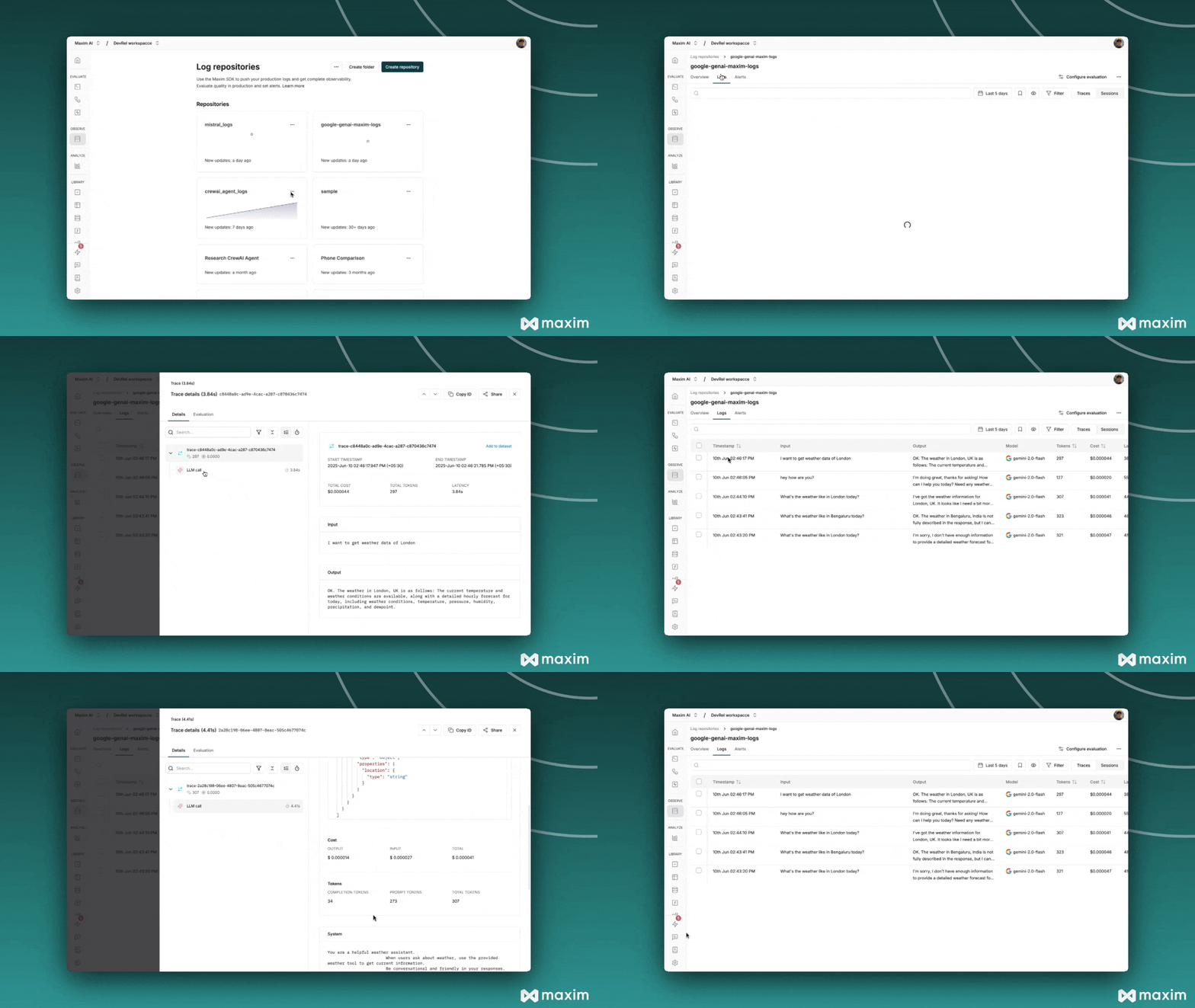
## 6. View Traces in Maxim
All requests, responses, and tool calls are now automatically traced and can be viewed in your [Maxim dashboard](https://app.getmaxim.ai/).
***
## Full Example
```python theme={null}
import dotenv
import os
from maxim import Maxim
from maxim.logger.gemini import MaximGeminiClient
from google import genai
dotenv.load_dotenv()
logger = Maxim().logger()
client = MaximGeminiClient(
client=genai.Client(api_key=os.getenv("GEMINI_API_KEY")),
logger=logger
)
def get_current_weather(location: str) -> str:
print(f"Called with: {location=}")
return "23C"
response = client.models.generate_content(
model="gemini-2.0-flash",
contents="What's the temp in SF?",
config={
"tools": [get_current_weather],
"system_instruction": "You are a helpful assistant",
"temperature": 0.8,
},
)
print(response)
```
 ***
For more details, see the [Maxim Python SDK documentation](https://www.getmaxim.ai/docs/sdk/python/integrations/gemini/gemini).
## Resources
Python Notebook for Gemini & Maxim
***
For more details, see the [Maxim Python SDK documentation](https://www.getmaxim.ai/docs/sdk/python/integrations/gemini/gemini).
## Resources
Python Notebook for Gemini & Maxim